
Table of Content
What do Sephora, Shopify, and H&M have in common? They’re using customer service chatbots to serve millions of customers without adding thousands to their support team.
As businesses grow, so do customer queries. But hiring more agents isn’t always the smartest or most scalable solution. So, what is an impactful solution that grows with you?
Customer service chatbots enable businesses to handle high volumes of conversations effortlessly. It reduces response times and maintains consistent brand communication across every channel. In fact, 80% of businesses now use chatbots, according to Statista 2025. These tools slash costs and boost satisfaction fast.
This blog reveals their perks, best tools, and proven examples. Curious how they work? Let’s dive in.
What is a Customer Service Chatbot?
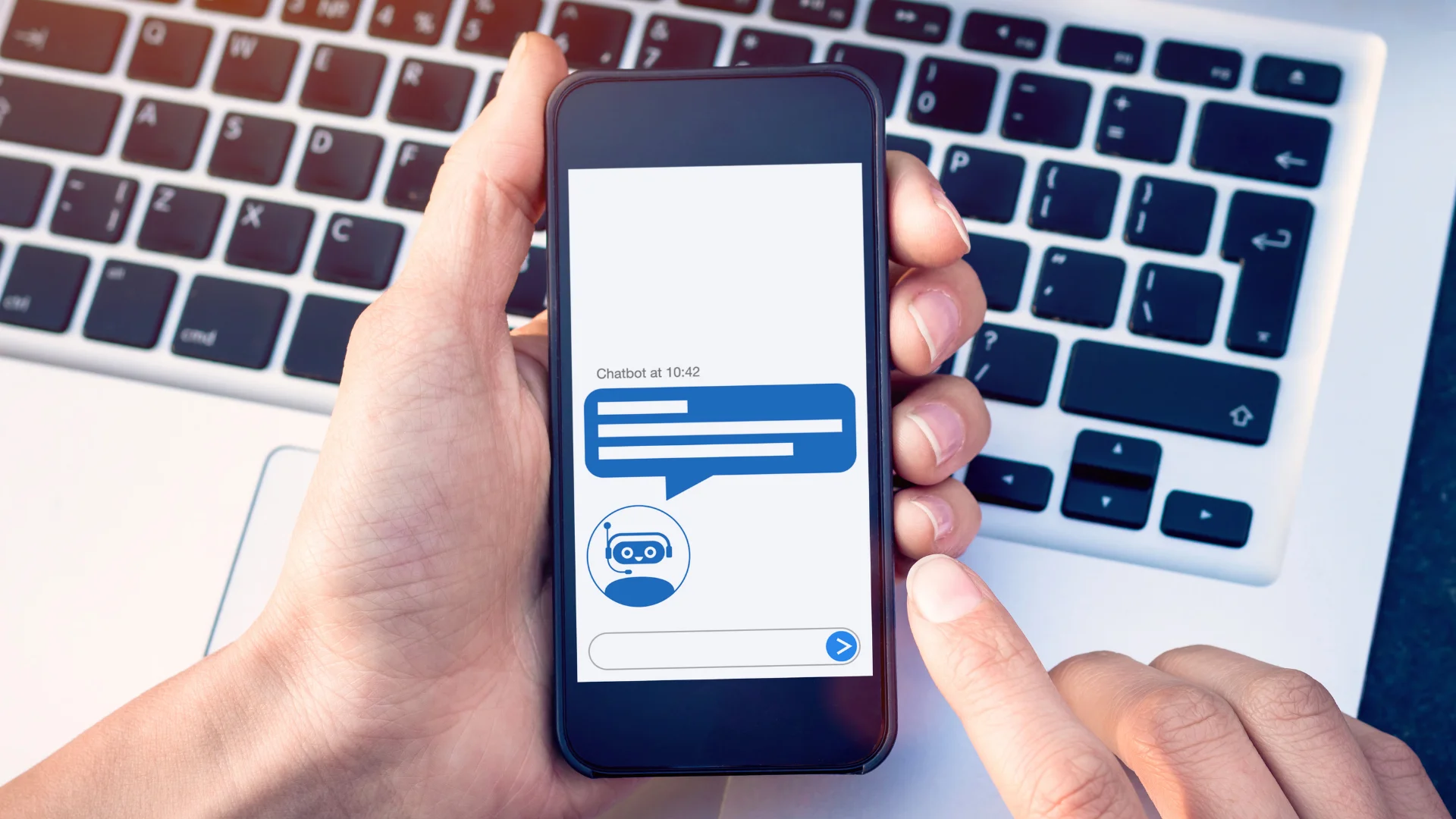
A customer service chatbot is a virtual assistant designed to support customers by answering questions, resolving issues, and offering guidance all in real time. There are different kinds of chatbots for customer service, each with its own strengths.
Rule-based chatbots work through a set of predefined commands that offer quick responses based on specific keywords or user choices. It is perfect for handling simple and repetitive tasks.
On the other hand, conversational chatbots are more advanced; they use artificial intelligence to understand natural language, learn from interactions, and deliver more human-like, personalized conversations.
Then, there are hybrid chatbots, which combine both approaches. It uses rule-based logic for straightforward tasks and switches to AI-powered conversation when things get more complex. Together, these smart assistants help businesses reduce workload, cut response times, and deliver a smoother customer experience that feels both fast and friendly.
See also: A complete guide to chatbots
7 Benefits of Using Customer Service Chatbots
AI-powered chatbots transform customer service with speed and smarts. They handle tasks effortlessly, saving time and money. In 2026, they’re game-changers for brands worldwide. Here’s how a customer service chatbot delivers top-notch support.
1. Increases Agent Efficiency and Productivity
Chatbots take care of repetitive stuff like tracking orders or resetting passwords. So your support team can focus on what really matters: solving complex issues and delivering human empathy where it counts. This means fewer burnout cases and faster resolutions for serious problems.
In fact, IBM reports that chatbots can handle up to 80% of routine questions, boosting both speed and agent morale.
Tips to Improve Agent Performance with Chatbots:
- Let chatbots handle FAQs, order updates, and account info.
- Use chatbot insights to guide agent training.
- Free up live agents for VIP support or complex cases.
- Track handoffs between bots and humans for smoother transitions.
2. Supports Multiple Languages
Just put yourself in this situation where you’re helping a customer in Spanish at 10 AM, another in French at 10:01, and a third in Japanese by 10:03. It sounds impossible for human teams, but not for chatbots. Multilingual support removes language barriers and opens your business to the global market without hiring translators.
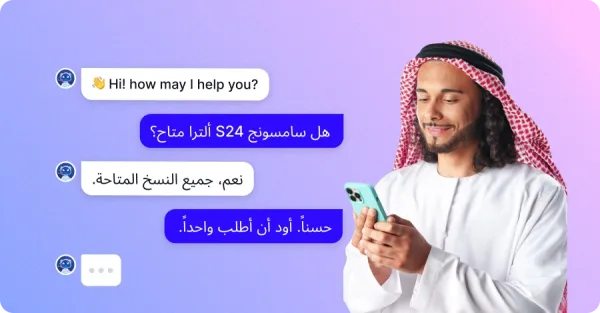
How to Boost CX with Chatbots:
- Tell customers what your bot can do.
- Link it to live agents for tricky issues.
- Use multilingual bots for global reach.
- Add it to websites, apps, and social media.
3. Ensures 24/7 Availability
Customers want help anytime. When they need help, you always have to be ready to solve their problems. About 48% expect 24/7 service, as per Statista 2025. Chatbots never sleep, so they’re always ready. This keeps satisfaction high.
Tips for Round-the-Clock Help:
- Answer common questions instantly with bots.
- Use AI to understand queries better.
- Cut support tickets with fast fixes.
- Start chats proactively to assist users.
4. Delivers Personalized and Engaging Experiences
Customers don’t want to repeat themselves. Smart AI chatbots remember past interactions and use them to personalize conversations. It addresses them by name by offering product suggestions, and personalization builds loyalty and trust.
How to Make Chatbots More Personal:
- Integrate with your CRM and use past data.
- Offer product or service recommendations based on behavior.
- Customize chatbot greetings for returning visitors.
- Adjust tone and language to match user intent.
5. Minimizes Customer Support Cost
For every business owner, customer support costs are a big headache. It can get pricey fast. Chatbots cut costs by 30%, per Juniper 2025. They handle tons of chats at once. This frees cash for training or tools.
Cost-Saving Tricks with AI:
- Use bots during busy hours for help.
- Lower per-chat costs with automation.
- Train bots with FAQs for smart replies.
6. Provides Consistent and Accurate Responses
Let’s be honest. Humans can make mistakes. But a well-trained chatbot won’t forget your return policy or misquote a delivery time. It gives accurate and consistent answers every single time, no matter who’s asking or when they ask.
Ways to Ensure Consistency Across Channels:
- Update your chatbot script regularly.
- Use predefined templates for key queries.
- Align bot responses with brand tone and policy.
- Sync answers across web, app, and social platforms.
7. Reduces Support Tickets
Unresolved issues pile up tickets. Globally, 270 billion tickets cost billions yearly, says IBM. Chatbots stop this by fixing problems fast. Fewer tickets, happier customers.
How Chatbots Cut Tickets:
- Automate answers for order status or returns.
- Bots give accurate information every time.
- Quick fixes mean less follow-up.
Key Features of a Customer Service Chatbot
Choosing the perfect customer support chatbot is pivotal for enhancing customer satisfaction and automating your business operations. Here are seven advanced features to look for:
Visual Flow Builder
A visual flow builder is a groundbreaking solution when it comes to designing chatbot interactions. With an intuitive drag-and-drop interface, you can easily map out conversation paths.
This feature makes it easier for businesses to create and customize conversational journeys without needing complex coding skills. It helps create interactive and engaging user paths and streamlines bot creation and deployment.
Agent Handover
Sometimes, the chatbot just can’t handle the situation, and that’s where the agent handover feature comes in. It ensures that when a conversation needs a human touch, the chatbot seamlessly transfers the chat to a live agent. This transition is smooth, with all customer details passed along. So, the agent can jump in without missing a beat.
Large Language Models (LLM)
Large Language Models (LLM), like GPT, can dramatically enhance chatbot performance. These advanced AI systems understand context, intent, and even sentiment. It allows the bot to respond with deep knowledge and more human-like conversations.
LLMs take chatbot conversations to the next level. They improve the chatbot’s ability to understand and respond naturally, providing personalized and context-aware answers that feel truly human.
Customization
Your chatbot should feel like an extension of your brand. It needs to resonate with your voice, style, and tone. With the ability to customize responses, the chatbot can deliver a more personalized experience that makes customers feel more connected and valued. This flexibility is essential for strengthening customer relationships.
To further personalize interactions, it’s also crucial to choose the right conversational interface. Not sure whether to use a voice assistant or a chatbot? Check out our in-depth comparison of voicebot vs chatbot to make the best choice for your brand.
Natural Language Processing (NLP)
An advanced NLP-powered chatbot can understand and respond to customer queries more accurately. It also mimics human conversation. This capability ensures smoother interactions and higher customer satisfaction.
Integration/ Deep System Integration
It should have the capability for seamless integration with your existing systems, such as CRM platforms and knowledge bases, which is essential for providing accurate and up-to-date information to customers. Choose a chatbot solution that offers easy integration options to maximize efficiency.
Analytics and Reporting
Offering insights into customer interactions, customer details, and other metrics is also invaluable for identifying trends, improving responses, and optimizing performance over time.
You should look for a chatbot solution that provides robust analytics and reporting capabilities to help you make data-driven decisions.
Multilingual Capabilities
If your customer base spans different regions, having a chatbot that can communicate effectively in multiple languages is crucial. You need to ensure that the solution you choose offers multilingual support to cater to diverse audiences seamlessly.
Security and Compliance
Protecting customer data and ensuring compliance with regulations are non-negotiable. Choose a chatbot solution that prioritizes security and offers features to safeguard sensitive information.
Common Customer Service Chatbot Use Cases
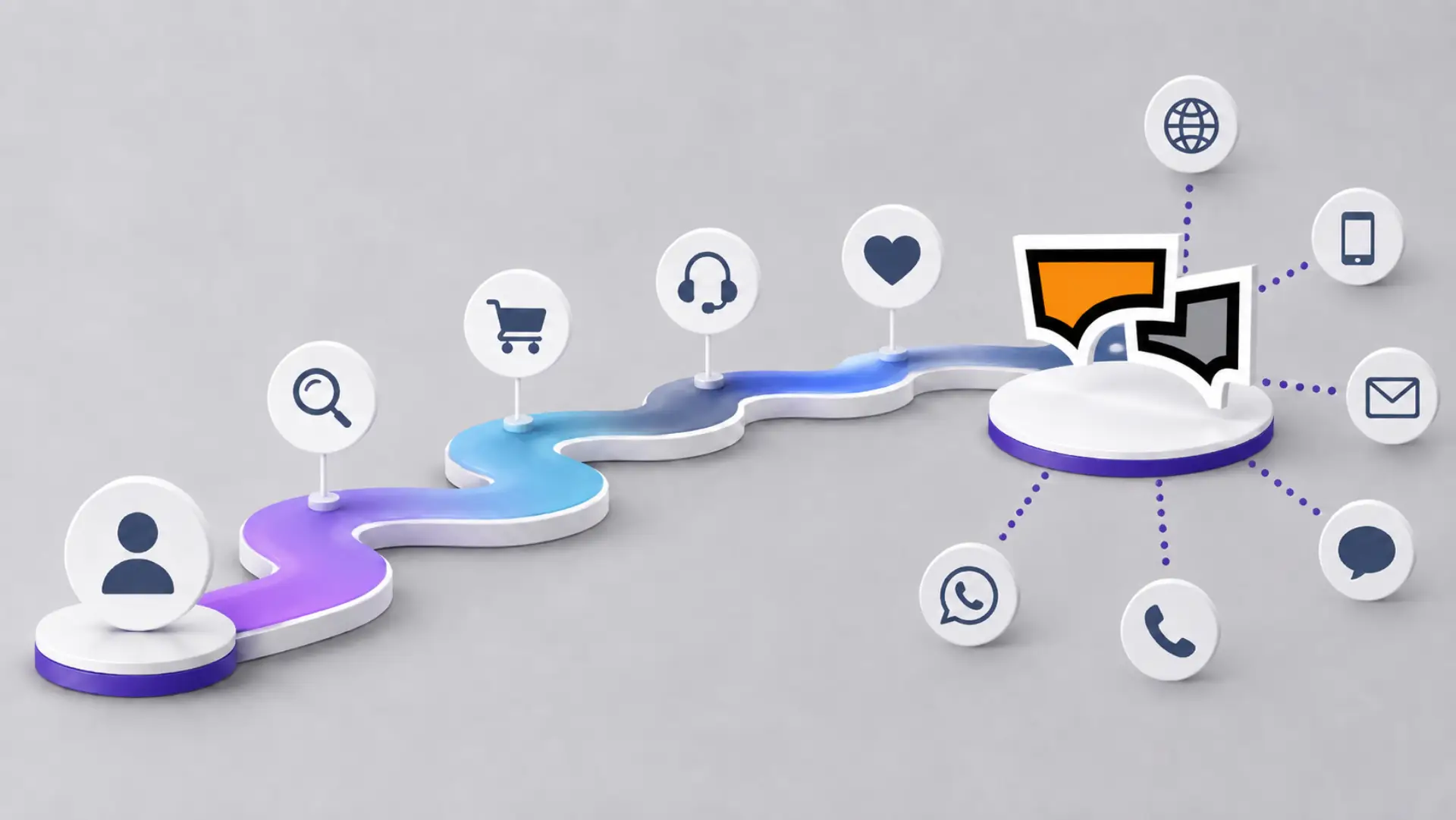
Customer service chatbots are no longer limited to answering basic FAQs. Modern AI-powered chatbots can support different stages of the customer journey, from the first website visit to post-purchase support. Here are some of the most common ways businesses use chatbots for customer service.
1. Answering Frequently Asked Questions
One of the most common use cases of customer service chatbots is answering repetitive questions. Customers often ask about pricing, business hours, return policies, delivery timelines, product availability, account access, and service terms.
Instead of making customers search through multiple website pages or wait for an agent, a chatbot can instantly provide the right answer. This reduces ticket volume and helps support agents focus on more complex customer issues.
For example, an ecommerce business can use a chatbot to answer questions like:
- “What is your return policy?”
- “Do you offer cash on delivery?”
- “How long does shipping take?”
- “Is this product available in my size?”
This makes customer support faster, easier, and more scalable.
2. Order Tracking and Delivery Updates
Customers often contact support because they want to know where their order is. A customer service chatbot can help them check order status, delivery progress, estimated arrival time, and shipment details without needing help from a live agent.
When connected with order management or ecommerce systems, the chatbot can provide real-time updates. This is especially useful for online stores that receive a high number of post-purchase questions.
Instead of saying, “Please wait while we check your order,” the chatbot can respond with something like:
“Your order #45821 has been shipped and is expected to arrive on July 5.”
This keeps customers informed and reduces pressure on the support team.
3. Product Discovery and Recommendations
Customer service chatbots can also help customers find the right product or service. This is useful for ecommerce, SaaS, travel, education, healthcare, and financial service businesses.
For example, a customer may visit an online clothing store and ask:
“Do you have black formal shoes under $80?”
A chatbot can understand the request, check available products, and suggest relevant options. In more advanced setups, the bot can recommend products based on browsing behavior, past purchases, customer preferences, or inventory data.
This turns the chatbot from a support tool into a sales assistance tool.
4. Appointment Booking and Scheduling
Service-based businesses can use customer service chatbots to book appointments, schedule demos, confirm reservations, or send reminders.
This is useful for industries such as:
- Healthcare
- Salons and beauty services
- Real estate
- Education
- Banking and finance
- SaaS demo booking
- Travel and hospitality
For example, a chatbot can ask the customer for their preferred date, time, service type, and contact details. Then it can confirm the appointment or transfer the information to the right team.
This reduces manual scheduling work and gives customers a faster way to take action.
5. Technical Support and Troubleshooting
Chatbots can guide customers through step-by-step troubleshooting. This is helpful when customers face common issues such as login problems, password resets, payment errors, app issues, internet connectivity problems, or product setup confusion.
For example, a chatbot can ask:
“Are you trying to reset your password or recover your account?”
Based on the customer’s response, it can provide instructions, collect necessary details, or create a support ticket.
If the issue is too complex, the chatbot can transfer the conversation to a human agent with the full chat history. This helps the agent understand the problem faster and prevents the customer from repeating everything again.
6. Lead Qualification and Sales Support
Customer service chatbots can also qualify leads before sending them to the sales team. The chatbot can ask questions about company size, budget, use case, industry, location, or preferred solution.
For example, a B2B chatbot can ask:
- “What type of solution are you looking for?”
- “How many agents are in your support team?”
- “Which channels do you want to support?”
- “Would you like to book a demo?”
Based on the answers, the chatbot can route the lead to the right sales representative or automatically create a lead in the CRM.
This helps sales teams focus on high-intent prospects instead of manually filtering every conversation.
7. Customer Feedback Collection
After a conversation ends, a chatbot can ask customers to rate their experience. It can collect CSAT scores, feedback comments, issue details, and suggestions.
For example:
“Was this answer helpful?”
or
“How would you rate your support experience today?”
This feedback helps businesses understand what customers are struggling with, which answers need improvement, and where the chatbot may need better training.
Over time, these insights can improve both chatbot performance and the overall customer experience.
Customer Service Chatbot vs AI Agent: What’s the Difference?
A customer service chatbot is usually designed to answer questions, guide users through predefined flows, and automate repetitive support tasks. It is very useful for FAQs, order tracking, appointment booking, and simple troubleshooting.
An AI agent goes one step further.
An AI agent can understand customer intent, use business data, connect with tools, trigger workflows, and complete actions across systems. Instead of only replying to a question, it can help move the customer toward a resolution.
For example, a traditional chatbot may answer:
“You can return your product within 7 days.”
An AI agent can do more:
- Check the customer’s order
- Confirm whether the product is eligible for return
- Ask for the reason
- Create a return request
- Notify the support team
- Share the next step with the customer
That is the major difference.
Chatbots are great for fast answers. AI agents are better for complex, action-based customer service.
When Should You Use a Chatbot?
Use a chatbot when your business needs to:
- Answer repetitive questions
- Reduce response time
- Offer 24/7 basic support
- Collect customer information
- Route conversations to the right team
- Automate simple workflows
When Should You Use an AI Agent?
Use an AI agent when your business needs to:
- Handle complex customer requests
- Connect with business systems
- Use real-time customer or product data
- Automate multi-step workflows
- Give more personalized answers
- Complete actions, not just respond
For many businesses, the best approach is not chatbot vs AI agent. It is using both together. A chatbot can handle simple, structured interactions, while an AI agent can manage more advanced conversations that require reasoning, context, and action.
Technologies Behind AI Customer Service Chatbots
Modern customer service chatbots use several AI technologies to understand customers and respond accurately. These technologies work together to make chatbot conversations feel more natural, helpful, and relevant.
Natural Language Processing
Natural Language Processing, or NLP, helps chatbots understand human language. Customers do not always ask questions in the same way. One customer may write, “Where is my order?” while another may ask, “Can you check my delivery status?”
NLP helps the chatbot understand that both customers are asking about order tracking.
Machine Learning
Machine learning helps chatbots improve over time. By analyzing past conversations, chatbot systems can identify common questions, repeated issues, and successful responses.
This helps businesses improve chatbot accuracy and update their support flows based on real customer behavior.
Large Language Models
Large Language Models, or LLMs, help AI-powered chatbots generate more natural and context-aware responses. Instead of only matching keywords, LLM-powered chatbots can understand intent, context, and conversation history more effectively.
This is especially useful when customers ask complex questions or explain their problems in a conversational way.
Sentiment Analysis
Sentiment analysis helps chatbots understand the customer’s emotional tone. For example, if a customer sounds angry, confused, or frustrated, the chatbot can adjust its response or transfer the conversation to a human agent.
This helps businesses avoid poor customer experiences and manage sensitive situations more carefully.
Voice and Speech Recognition
Some customer service chatbots also support voice-based interactions. With speech recognition and text-to-speech technology, customers can speak to a bot instead of typing.
This is useful for phone support, voice assistants, accessibility, and businesses that want to offer more flexible customer communication options.
Best Practices for Implementing Customer Service Chatbots
A chatbot should make customer service easier, not more frustrating. To get the best results, businesses need to plan, train, test, and improve their chatbot continuously.
1. Start With the Most Common Customer Questions
Before building a chatbot, review your support tickets, live chat history, FAQs, and customer emails. Identify the questions your team answers again and again.
Start by automating these high-volume questions first. This gives you faster results and helps customers get instant answers to common issues.
2. Keep the Conversation Flow Simple
A chatbot should not confuse customers with too many options. Keep the flow simple, clear, and goal-focused.
Use short messages, clear buttons, and direct questions. Instead of asking too many things at once, guide the customer step by step.
3. Connect the Chatbot With Your Business Tools
A chatbot becomes more useful when it can access the right data. For example, connecting your chatbot with your CRM, ecommerce store, helpdesk, ticketing system, or knowledge base can help it provide more accurate answers.
This allows the chatbot to check order details, create tickets, qualify leads, update customer records, or transfer conversations with proper context.
4. Make Human Handover Easy
Customers should never feel trapped inside a chatbot conversation. If the chatbot cannot solve the issue, it should offer a clear way to contact a human agent.
The best chatbot experiences include smooth handover, where the live agent can see the customer’s previous messages, issue details, and chatbot responses. This saves time and prevents customers from repeating themselves.
5. Update the Knowledge Base Regularly
A chatbot is only as accurate as the information it uses. If your pricing, policies, product details, delivery rules, or service terms change, your chatbot should be updated too.
Outdated chatbot answers can damage trust and create more support issues. Regular knowledge base updates help maintain accuracy.
6. Monitor Chatbot Performance
After launching a chatbot, track how it performs. Important chatbot metrics include:
- Response time
- Resolution rate
- Handover rate
- Customer satisfaction score
- Conversation completion rate
- Failed answer rate
- Common customer questions
- Most-used chatbot flows
These metrics help you understand what is working and what needs improvement.
7. Collect Customer Feedback
Ask customers whether the chatbot helped them. A simple feedback question after the conversation can reveal where the chatbot is useful and where it fails.
For example:
“Did this answer solve your problem?”
If many customers say no, that is a signal to improve the chatbot response, flow, or training data.
Common Challenges of Customer Service Chatbots
Customer service chatbots can improve support, but only when they are designed properly. Poorly planned chatbots can create frustration instead of solving problems.
Here are some common challenges businesses should avoid.
1. Limited Understanding of Customer Intent
Customers often ask questions in different ways. A weak chatbot may only understand exact keywords and fail when the customer uses different wording.
To avoid this, train your chatbot with real customer questions, not only internal assumptions.
2. Robotic or Repetitive Answers
Customers dislike responses that feel generic or unhelpful. If the chatbot repeats the same message again and again, it can make the experience worse.
Use natural, clear, and helpful responses. Also, make sure the chatbot knows when to stop and transfer the chat to a human agent.
3. Poor Integration With Business Systems
If a chatbot cannot access customer data, order information, ticket status, or product details, it may only provide basic answers.
For better results, connect your chatbot with relevant systems so it can provide accurate and contextual support.
4. No Clear Human Handover
One of the biggest chatbot mistakes is making it difficult to reach a human agent. Customers should always have a clear escalation path when the chatbot cannot solve the issue.
A good chatbot improves the support journey. It should not block customers from getting help.
5. Data Privacy and Security Concerns
Chatbots may handle personal information such as names, emails, phone numbers, order IDs, account details, and support history. Businesses need to protect this data carefully.
Use secure systems, follow relevant data protection rules, and clearly explain how customer data is handled. This builds trust and reduces risk.
Future Trends in Customer Service Chatbots
Customer service chatbots are evolving quickly. Businesses are moving from basic scripted bots to more intelligent AI-powered systems that can understand context, connect with tools, and complete tasks.
Here are some key trends shaping the future of customer service chatbots.
1. From Chatbots to AI Agents
The biggest shift is from simple response automation to action-based automation. Traditional chatbots answer questions. AI agents can understand intent, access business systems, and complete workflows.
This means customer service will become less about replying faster and more about resolving issues faster.
2. More Personalized Customer Support
Future chatbots will use customer data more intelligently. They will be able to personalize answers based on customer history, location, purchase behavior, previous conversations, and support needs.
This can make automated support feel more relevant and less generic.
3. Omnichannel Chatbot Experiences
Customers now contact businesses through websites, WhatsApp, Facebook Messenger, Instagram, mobile apps, and other channels. The future of customer service chatbots is omnichannel.
Businesses will need chatbots that can provide consistent support across every channel without losing context.
4. Voice-Based AI Support
Voice chatbots and AI voice assistants will become more common in customer service. Instead of typing, customers will be able to speak naturally and get instant support.
This is especially useful for contact centers, accessibility, mobile-first users, and industries where customers prefer phone support.
5. Proactive Customer Service
Chatbots will not only wait for customers to ask questions. They will also proactively reach out when customers need help.
For example, a chatbot may detect that a customer is stuck on the checkout page and offer assistance. Or it may notify a customer about a delayed order before they contact support.
This can reduce frustration and improve customer experience.
6. Better Collaboration Between Bots and Human Agents
The future of customer service is not about replacing humans. It is about helping human agents work better.
Chatbots and AI agents will handle repetitive tasks, collect information, summarize conversations, suggest replies, and route complex issues to the right team. Human agents will focus on empathy, judgment, negotiation, and complex problem-solving.
Together, they can create faster and more effective customer service.
10 Tips to Use a Customer Service Chatbot
Building a top-notch chatbot needs smart planning. It should solve problems, not create them. In 2025, IDC says 90% of top brands will use chatbots. A great bot saves time and wins customers. So, how do you make one that rocks? Here are ten easy tips to get started.
1. Find the Right Jobs for Your Chatbot
Don’t try to do everything at once. Start with simple tasks that bots can nail. Think “Where’s my order?” or “What’s your return policy?” Check past customer chats for ideas. Pick the top five questions you get daily. This keeps your bot focused and customers happy right away.
2. Greet Customers Like a Friend
First impressions matter a lot. A friendly hello sets the tone. Use customer names when possible. Try, “Hi Sarah, how can I help today?” Or for VIPs, “Hey John, premium support here!” Warm greetings make chats feel personal. People stick around when they feel welcome.
3. Keep Chats Easy and Fun
Long forms scare people off fast. Instead, ask one question at a time. Adjust based on what they say. For example, if they ask about shipping, reply, “Got a tracking number?” It’s like a real conversation, not a robot test. Keep it light, and they’ll love it.
4. Effortless Human Handover
Sometimes, a chatbot simply isn’t enough, and that’s where a seamless human handover is critical. When a conversation requires a human touch, the bot should smoothly transition the customer to a live agent without making them repeat themselves. The agent should receive all relevant information from the bot.
5. Work Everywhere Customers Are
Your chatbot should be everywhere. So, don’t limit it. Add it to your website and mobile app. Put it on WhatsApp, Facebook, and Instagram, too. Sync chats across all spots. If someone starts on Instagram, they can finish on your site. No one likes starting over.
6. Add Pictures and Buttons
Plain text gets boring quickly. Spice it up with visuals and options. Show a product photo when asked. Offer buttons like “Yes” or “No” for fast replies. Just imagine a customer asks about shoes, and show a picture of a carousel. Fun chats keep users engaged longer.
7. Omnichannel Support
Your chatbot should meet customers wherever they are. With omnichannel support, the bot can seamlessly transition between different platforms. Whether it’s a website, mobile app, or social media channel. Customers can start a conversation on one channel and pick it up later on another, providing a consistent and convenient experience across every touchpoint.
8. Teach Your Chatbot Every Day
A chatbot isn’t “set it and forget it.” It needs to grow smarter. Review chats every week for new patterns. Did it miss a question like “Do you ship internationally?” Add that answer fast. Test it with real users too. Learning keeps your bot sharp and helpful.
9. Give Short, Clear Answers
Nobody reads long chatbot replies. Keep answers short and sweet. Say, “Your order ships tomorrow; track it here.” Or “Returns are free within 30 days.” Add a link for details if they want more. Clear replies save time and boost satisfaction.
10. Let Customers Help Themselves
Empower users with self-service options. Need a password reset? The bot can guide them step by step. Tracking a package? It pulls the info instantly. In 2024, 68% preferred self-help, per Zendesk. Simple workflows cut wait times. Plus, agents focus on bigger issues.
Top 5 Customer Service Chatbots to Grow Your Business
With AI-powered capabilities, these customer service bots can improve response times, reduce workload for your support teams, and ensure 24/7 availability.
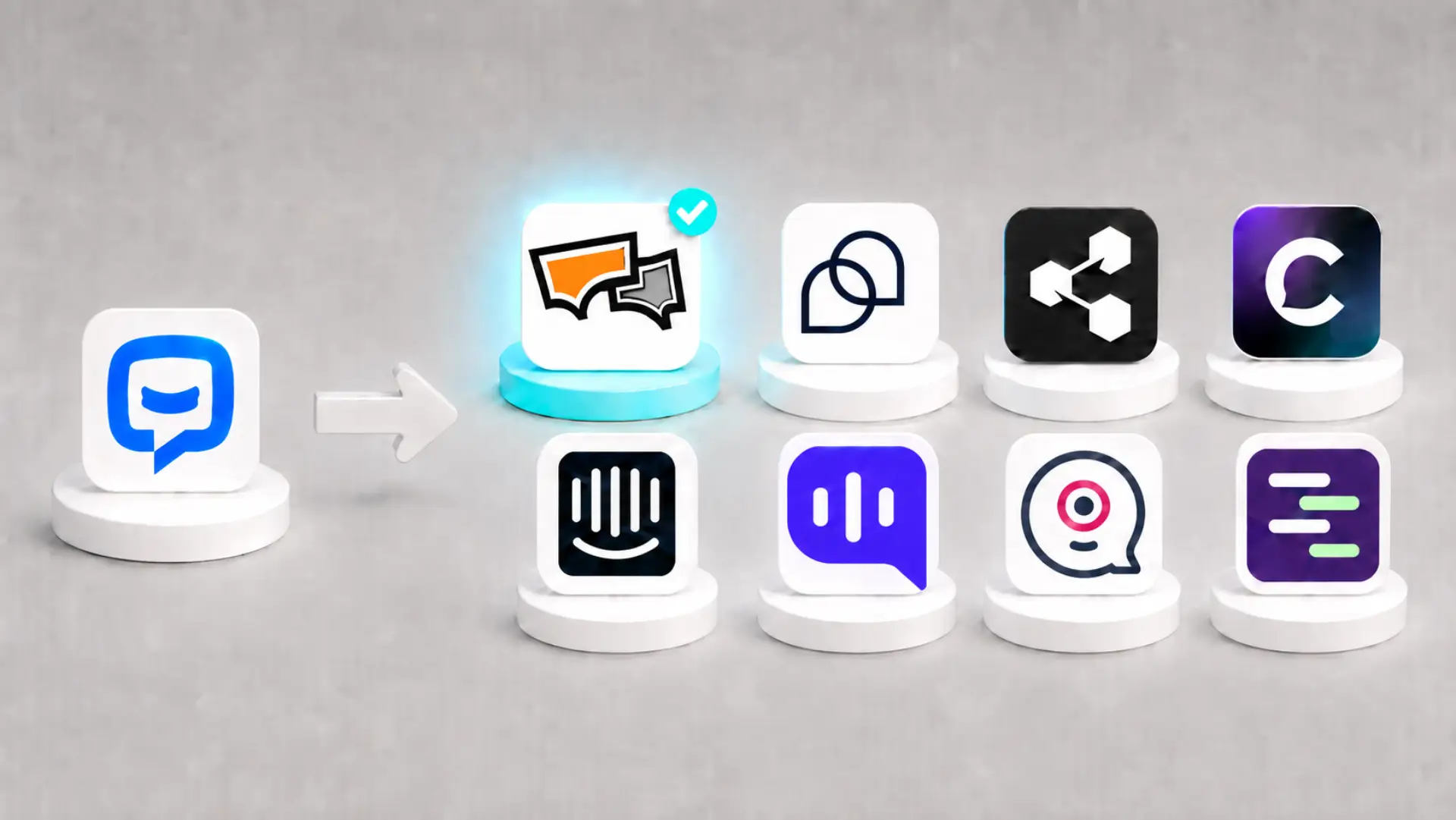
But with so many options available in the market, choosing the right and most suitable chatbot for your business can be challenging. To help you make an informed decision, we’ve compiled a list of the top 5 customer service chatbots.
| Chatbot | Free Trial | Key features |
|---|---|---|
| REVE Chat | 14 days | LLM-powered conversational AI, Multilingual support, AI-driven automation, Real-time updates for accuracy, Bot analytics, Multi-channel integration, Sentiment analysis, Fallback options |
| Tidio | 7 days | Automated responses, The virtual assistant Lyro offers prompt replies, Live chat assistance, Multichannel integration, No-code drag-and-drop chatbot builder |
| Zendesk | 14 days | Omnichannel integration, Automated ticketing system, Multilingual, Advanced bot analytics and reports |
| Intercom | 14 days | Multilingual customer service, Seamless integration, Swift hand-overs to human agents, Built-in reporting tools |
| Zoho SalesIQ | 15 days | Customizable chatbot builder, Answer Bot for routine query resolution, Available across various platforms, No-code bot builder |
1. REVE Chat
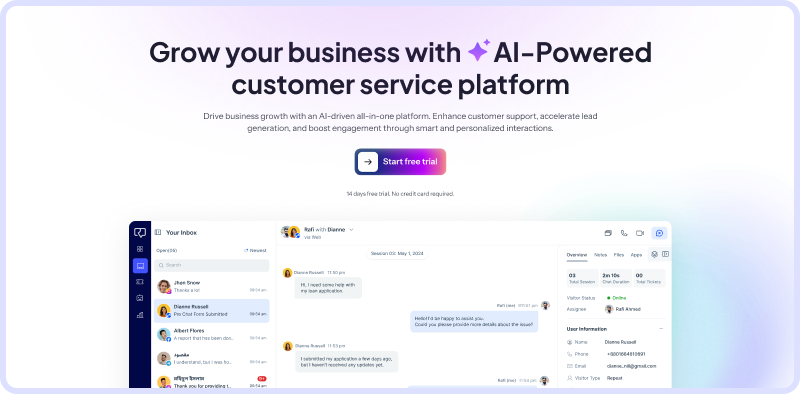
REVE Chat is one of the best customer service chatbots powered by Brain AI, natural language processing (NLP), and machine learning (ML). This customer service bot offers advanced, human-like assistance on your websites, mobile apps, and other social media platforms. It can also automate many of your other business operations.
Key Features:
- LLM-Powered Conversational AI
Powered by Large Language Models (LLM), REVE Chatbot can create natural, engaging, and human-like responses to customer queries. Unlike traditional bots that rely on preset scripts, REVE Chatbot understands context, intent, and user preferences to deliver accurate, meaningful interactions.
- Multilingual Support
Now, effortlessly communicate with customers worldwide! REVE Chatbot comes with multilingual capabilities, automatically detecting and switching to the user’s preferred language. It ensures seamless support without extra effort.
- AI-Driven Automation
From handling FAQs and guiding users through your website to recommending products, REVE Chatbot uses machine learning and natural language processing (NLP) capabilities to deliver precise and relevant responses.
- Real-Time Updates for Accuracy
Keep your customers informed with up-to-date details on product availability, pricing, and promotions without manual updates. The chatbot syncs dynamically, ensuring accuracy across all interactions.
- Actionable Bot Analytics
You can get insights into chatbot performance with in-depth analytics. Track key metrics like chat volume, resolution time, customer satisfaction, and handover rates to optimize performance and improve user experience.
- Seamless Multi-Channel Integration
REVE Chatbot works across multiple touchpoints, including websites, mobile apps, and social media platforms like Facebook Messenger, to provide consistent and responsive customer support.
- Fallback Options for Human Support
It ensures a smooth customer experience with flexible fallback options. In case of complex issues where human assistance is necessary, REVE Chatbot can identify conversation gaps and automatically transfer chats to human agents for better assistance.
2. Tidio
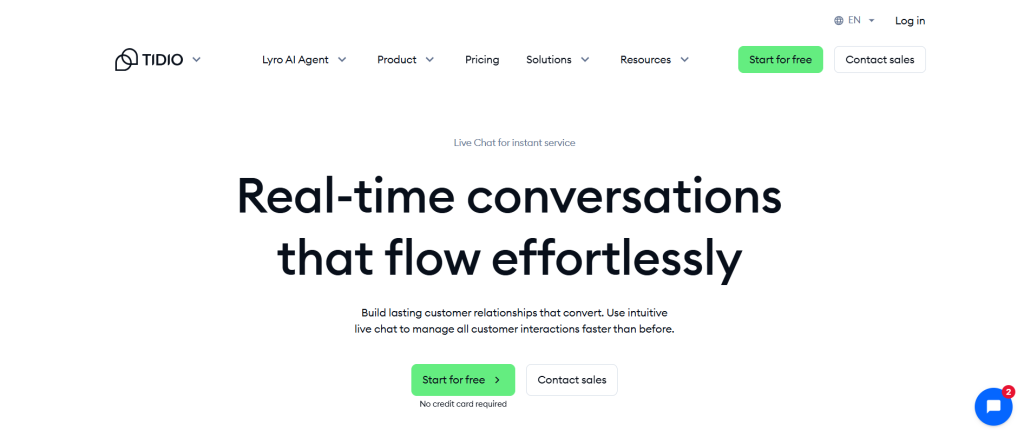
Tidio offers real-time assistance, automates responses, and improves support efficiency. It combines AI-powered chatbots with live chat capabilities, making it an essential tool for businesses looking to streamline customer support and boost engagement.
Key Features:
- Automates responses to common customer inquiries, reducing wait times.
- Uses natural language processing (NLP) for human-like conversations.
- Lyro, an AI-powered virtual assistant, offers prompt replies to frequently asked questions
- Live chat assistance
- It offers multichannel integration with websites such as Facebook Messenger, Instagram, and more.
- Offers a no-code drag-and-drop chatbot builder.
- Seamless integrations with Shopify, WordPress, Wix, and other platforms.
3. Zendesk
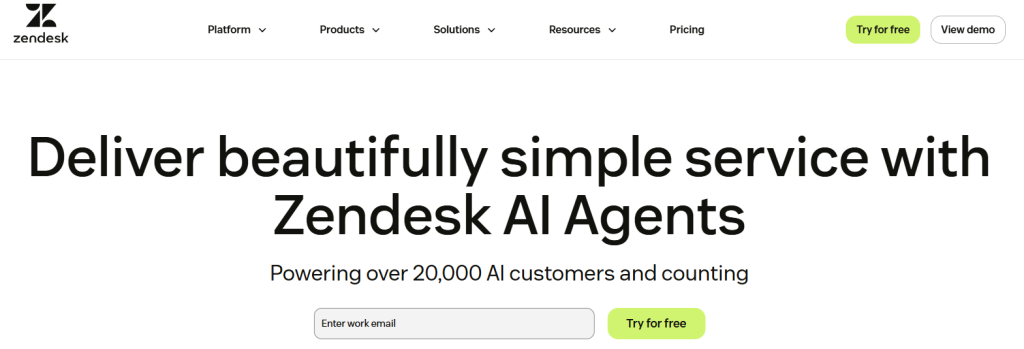
Zendesk enables businesses to provide seamless, efficient support. It offers a comprehensive suite of tools, including ticketing systems, AI-driven chatbots, live chat, and help desk solutions.
Zendesk’s AI bots are capable of handling complex customer inquiries with minimal human intervention. You can integrate Zendesk AI agents into multiple communication channels, including email, social media,
WhatsApp, and more, ensuring customers receive instant support wherever they engage.
Key Features:
- Zendesk offers an omnichannel customer experience across emails, chats, social media, phones, and websites.
- Offers an automated ticketing system
- Communicates with customers in multiple languages.
- Offers advanced bot analytics and reports.
4. Intercom
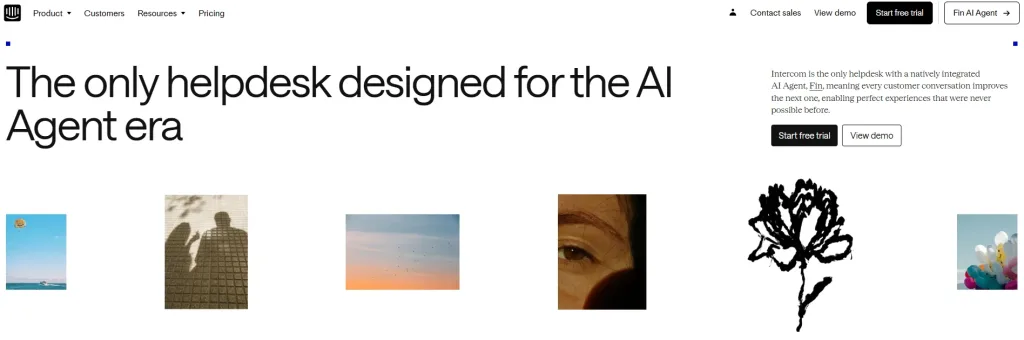
Intercom’s AI bot, Fin AI Agent, is designed to deliver advanced quality customer support by leveraging advanced artificial intelligence.
Fin is capable of handling entire frontline support operations, providing instant, accurate answers to customer inquiries across various channels, including email, live chat, SMS, and social media.
Businesses can seamlessly integrate Fin with other Intercom features like messaging, help center, and live chat. Moreover, Fin offers analytics and reporting tools that offer valuable insights into customer interactions.
Key Features:
- Offers customer service in multiple languages.
- Fin seamlessly integrates across various communication channels, including live chat, email, social media, and SMS.
- Offers seamless escalation to human agents.
- Built-in reporting tools provide businesses with insights into chatbot performance.
5. Zoho SalesIQ
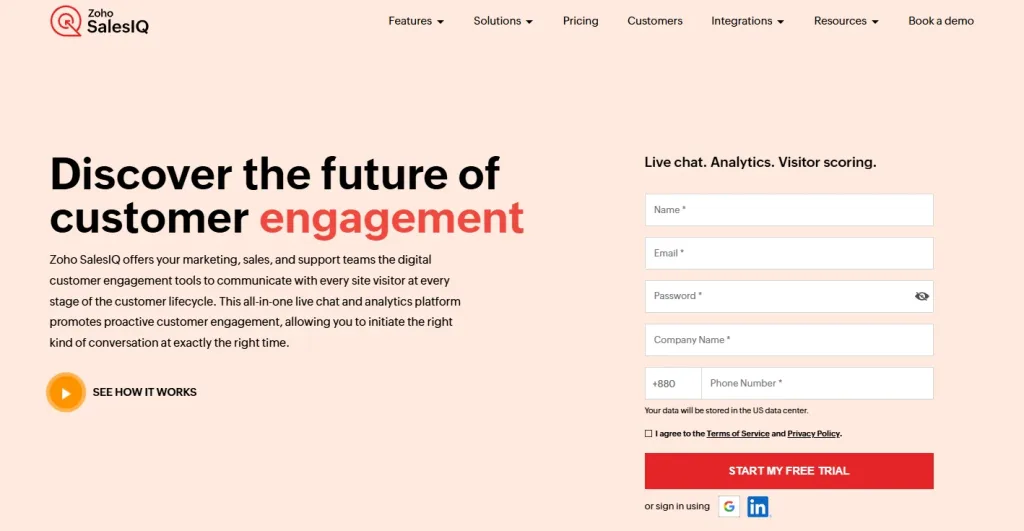
Zoho SalesIQ delivers advanced chatbot capabilities that streamline business operations and customer engagement. With Zobot, Zoho’s chatbot builder, users can create hybrid chatbots using a drag-and-drop interface.
Additionally, Zobot supports automatic translation into 30 languages, ensuring seamless communication across diverse customer interactions.
Zoho also features Zia, an AI-driven virtual assistant designed for both customers and support agents. Agents can leverage Zia to generate responses, access customer account details, and suggest relevant tags for notes, enhancing efficiency and improving customer interactions.
Key Features:
- Offers a customizable chatbot builder, Zobot, that allows businesses to automate sales, marketing, and support activities.
- Also offers Answer Bot, a knowledge base chatbot that automates routine query resolution.
- Available across various platforms, including websites, mobile applications, and social media.
- No-code bot builder to create and deploy chatbots without extensive technical expertise.
Chatbot Trends to Watch in 2026
Chatbots are evolving fast, and 2026 will be huge. They’ll change how businesses talk to customers. New tech and fresh ideas fuel these shifts. In fact, 85% of chats will use bots, says Gartner, in 2025. So, what’s coming? Here are the top trends to watch as AI chatbots level up.
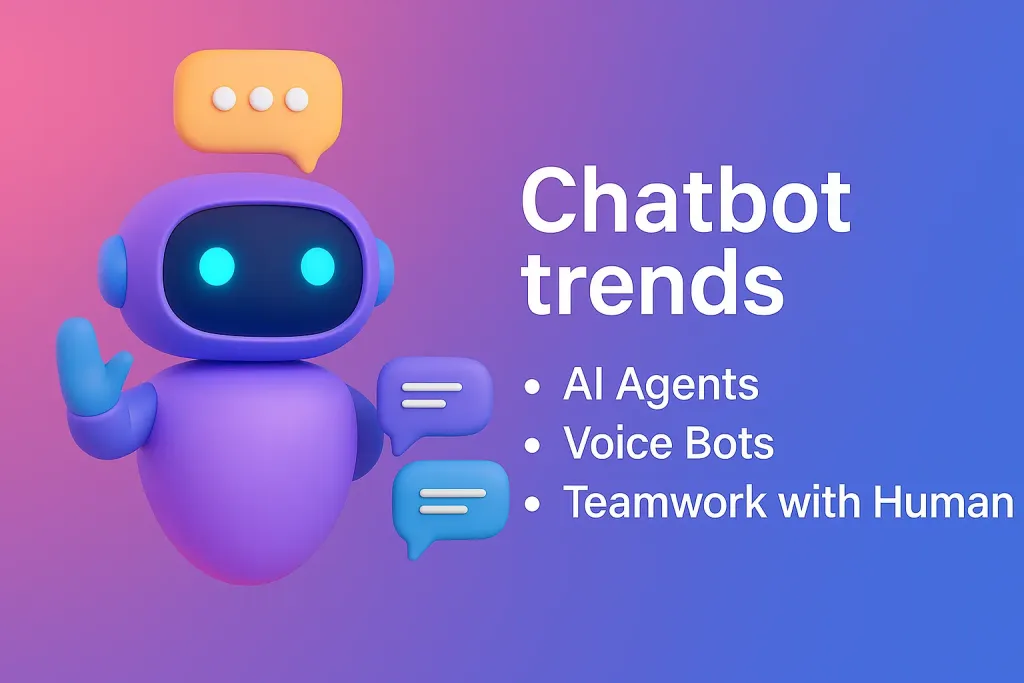
AI Agents
AI-powered agents are the next evolution beyond chatbots. These agents can complete more complex tasks, solve problems faster, and learn from every interaction. They not only respond. They take action. Expect significant improvements in resolution times and customer satisfaction. Learn more about how AI agents are transforming customer service.
Smarter Conversations with Generative AI
Generative AI is making chatbots brilliant. They’ll chat like your best friend now. No more stiff, robotic replies. Expect real answers. Ask, “What’s a good gift?” They’ll suggest ideas on the fly. This tech, like ChatGPT, powers natural, helpful talks.
Voice Bots Will be in Promising Demand
Voice chatbots are stealing the show. Think Alexa, but for your business. Customers love talking instead of typing; 68% prefer it, per Zendesk 2024. In 2025, order coffee or book flights by voice. It’s fast, easy, and hands-free.
REVE Chat is stepping into this future with the launch of our voice-enabled chatbot. It’s designed to deliver real-time, conversational voice support that feels just like talking to a human. Whether it’s answering FAQs, handling bookings, or guiding users through complex steps, our voice bot does it all with ease.
Super Personal Touches/ Personalize
Personalization hits new highs this year. Chatbots will dig into your history. Bought sneakers last month? They’ll say, “Need new places, Mike?” This keeps customers coming back. Plus, 73% love tailored service, says HubSpot 2024.
Bots That Think Ahead
Predictive AI makes chatbots mind-readers. They’ll guess what you need next. Forgot to reorder dog food? “Hey, time to restock!” pops up. These proactive helpers save time. Businesses see happier clients and fewer missed sales.
Teamwork with Humans
Hybrid bots and agents will shine brighter. Bots handle the easy stuff fast. Tough questions? They pass to humans smoothly. Think of it as a perfect tag team. In 2024, 60% of firms mixed both, per Deloitte. It’s even bigger now.
AI Chatbots Transforming Customer Service: Real-World Examples
Chatbots for customer service are designed for personalized responses, streamline communication channels, and enhance overall customer satisfaction. With 24/7 availability and seamless integration across multiple platforms, chatbots empower businesses to efficiently manage customer inquiries, resolve issues, and deliver a superior customer experience.
Now, let’s take a look at some of the best AI chatbot success stories for inspiration!
INAI’s Multilingual Customer Service
INAI, a vital public institution within the Mexican government, is responsible for handling information requests and ensuring public access to government data. To better serve its diverse population, INAI introduced REVE’s multilingual chatbot that provides assistance in both English and Spanish.
By breaking language barriers, INAI now caters to both Spanish and English-speaking users with ease. As a result, the organization has experienced a 45% increase in customer satisfaction, showcasing the effectiveness of multilingual support.
Sephora Virtual Artist
Sephora’s chatbot is a virtual beauty advisor that helps customers discover and try makeup products virtually. You can upload a selfie or use their device’s camera to see how different products look on their faces in real-time. The chatbot offers personalized recommendations based on the user’s skin tone, preferences, and previous purchases. It also provides tips and tutorials for applying makeup and offers the option to purchase products directly through the chatbot.
Bank of America’s Erica
It is an AI-powered virtual assistant developed by Bank of America to provide banking services and support via SMS. Its users can text Erica to check account balances, transfer funds, pay bills, and receive personalized financial insights. The chatbot utilizes natural language processing to interpret user queries and execute banking transactions securely. It also offers proactive alerts and reminders to help users manage their finances more effectively.
HealthTap’s Medical Chatbot
It offers a telemedicine platform that includes a chatbot for medical consultations and healthcare advice via SMS. Its users can text their symptoms or health-related questions to the chatbot, which then provides personalized recommendations and connects them with qualified healthcare professionals if necessary. The chatbot can assist with scheduling appointments, refilling prescriptions, and accessing medical records securely.
Conclusion
AI-powered chatbots are transforming customer service with speed and smarts. They deliver fast replies, tackle tons of questions, and work 24/7. As AI grows, it’ll get even sharper in 2026. Expect smarter, more personal chats that handle tricky stuff.
Success comes from picking the best chatbot for your needs. Train it well and tweak it with customer input. In fact, 85% of chats will use bots this year, per Gartner.
So, why lag behind? Boost your support game with AI chatbots now. Ready to shine? Sign up now and get a free trial.
Frequently Asked Questions
Chatbots enhance customer service by offering fast, efficient, and personalized support. Some of the major benefits of using a customer service chatbot include: 24/7 automated support, faster issue resolution, lower operational costs, scalability, and improved customer experience.
Metrics like response time, higher conversion rates, cost savings, customer satisfaction scores, resolution rates, and chatbot engagement rates help brands assess chatbot performance.
Yes, if properly designed and configured, chatbots comply with data security regulations (such as GDPR) and use encryption to protect sensitive customer information.
No, chatbots help human agents to offer better customer service and experiences. Bots are best suited for handling routine inquiries, FAQs, basic troubleshooting, and automating other business operations. For complex issues requiring empathy and critical thinking, bots transfer those chat requests to human agents for better assistance. w
Build AI-powered support with Wize AI
Connect business knowledge, automate support conversations, and improve response quality without managing a complex AI stack.
Explore Wize AI Agent Rate the article

Mamunur Rouf
Head of Growth
Mamunur Rouf is the Head of Growth at REVE Chat. With extensive experience in product management and marketing analysis, he focuses on creating innovative communication tools to enhance customer engagement and meet the needs of businesses worldwide.
View all articles