

Table of Content
AI SUMMARY
Quick Answer
The right chatbot features help businesses answer questions, access current information, complete approved tasks, and connect customers with human support. This blogcovers 15 capabilities, including conversation context, multilingual support, ecommerce assistance, integrations, security, and customization. It explains how to test each feature and choose capabilities based on customer needs, available data, permissions, and business workflows.
A chatbot can answer a customer in seconds. But speed alone does not make it useful. If it gives wrong answers, misses customer context, or cannot hand a conversation to your team, it can create more work instead of saving time.
That is why the features behind a chatbot matter. The right chatbot can answer common questions, understand customer requests, connect with your business tools, and help your team handle conversations more efficiently.
With so many chatbot options available in 2026, choosing one can feel confusing. So, what should you actually look for?
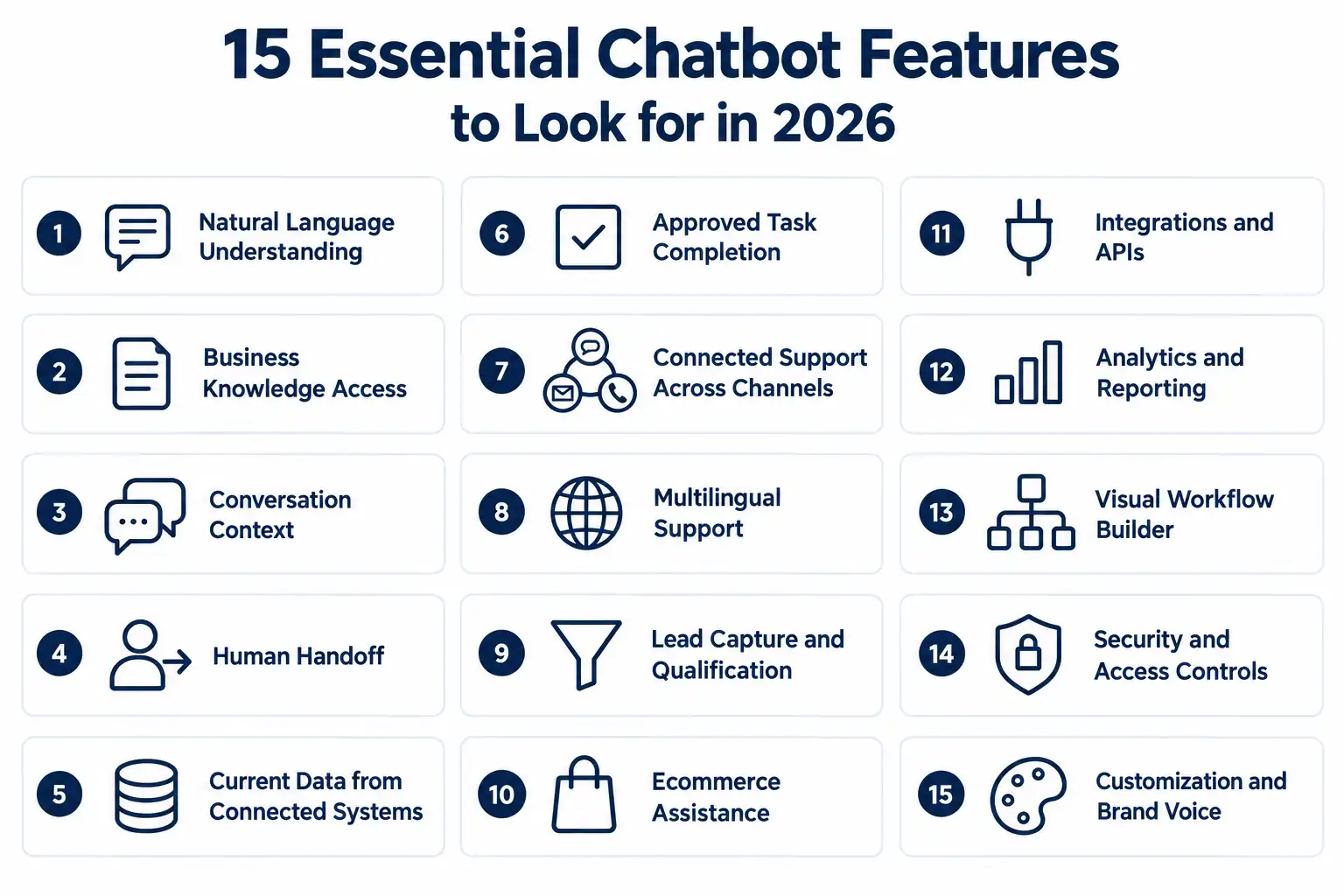
Here are 15 essential chatbot features that can help you choose a tool that fits your customers, team, and business needs.
What Are Chatbot Features?
Chatbot features are the capabilities that let a chatbot communicate with users, retrieve information, collect details, and support business workflows. Some are available in rule-based chatbots; others depend on AI, connected systems, or additional tools.
Your priorities should reflect your customer needs. A support team may need reliable knowledge access and human handoff. An ecommerce business may also need current product information and order tracking.
KEY TAKEAWAY
Choose Chatbot Features That Meet Your Customer Needs
Choose chatbot features around customer needs. Accurate answers require reliable business information and connected data. Actions need proper permissions, while complex issues need human support. Test accuracy, security, and workflows before choosing a platform.
15 Essential Chatbot Features: You Must Know
Chatbots need the right features to understand questions and give useful answers. Here are the 15 chatbot features to look for when choosing a tool.
1. Natural Language Understanding
Natural language understanding helps a chatbot interpret what a customer means, even when they use different words.
For example, “Can I change my delivery date?” and “I need my order on Monday instead” both express a request to reschedule delivery. An AI chatbot should recognize the request and ask for any missing details.
It should also ask a clarifying question when the meaning is unclear, rather than assume what the customer wants.
How to test it: Ask the same question in several ways, including a typo or an informal phrase. Check whether the chatbot understands the request consistently.
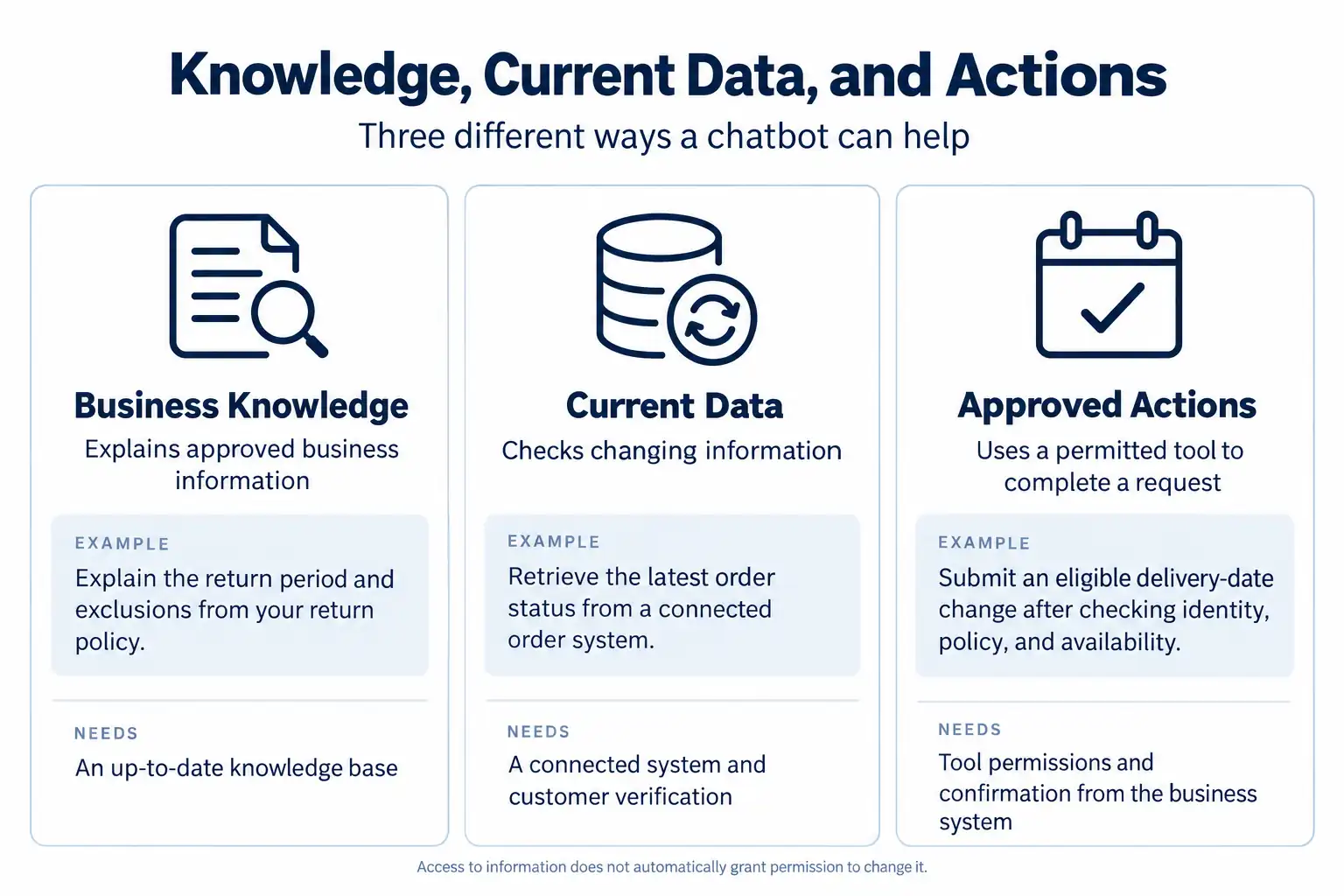
2. Business Knowledge Access
A chatbot needs approved business information to answer questions about your products, services, and policies. Look for support for website pages, help articles, FAQs, and documents.
For example, it should use your actual return policy to explain the return period and any exclusions.
Some platforms call this knowledge base training. Often, the chatbot retrieves information from your sources rather than retraining its underlying AI model. Google’s data store documentation describes how agents find answers from website content and uploaded data [1].
How to test it: Update a policy and check when the chatbot starts using the new version. Ask a question that your sources do not answer to see whether it admits the gap.
3. Conversation Context
Context helps a chatbot connect follow-up questions with earlier messages.
If a customer asks about an order and then says, “Can I change the delivery date?”, the chatbot should understand which order they mean. It should ask for clarification if several orders are involved.
Remembering information within one conversation is different from recognizing a customer on a later visit or another channel. Check which types of context the platform supports and how long it retains them.
How to test it: Provide an order number once, ask an unrelated question, and then return to the order. Check whether the chatbot keeps the correct details.
4. Human Handoff
A chatbot should let customers reach a human when they request one or when an issue exceeds its capabilities.
The handoff should include the conversation history, collected details, and the reason for escalation. For a billing dispute, that could mean passing the order number and a summary of the problem to the appropriate team.
When no agent is available, the chatbot should explain the next step, such as creating a ticket or collecting contact details. Avoid promising a response time your team cannot meet.
How to test it: Request a human during office hours and after hours. Check where the conversation goes and what information the receiving agent sees.
5. Current Data From Connected Systems
Questions about stock, orders, accounts, or appointments need information that may change frequently.
A chatbot connected to an order system can retrieve an order’s status during the conversation. However, some integrations use periodic updates, so confirm how fresh the data actually is.
Customer-specific information should only be shown after the appropriate identity checks. An order number alone may not be enough to verify who is asking.
How to test it: Change a record in a test system and ask the chatbot about it. Check freshness, authentication, and its response when the connection fails.
6. Approved Task Completion
Some chatbots and AI agents can use connected tools to complete tasks, such as creating a support ticket, submitting a booking request, or updating an eligible order.
Changing a delivery date requires more than understanding the request. The system must identify the customer, check the order and policy, find an available date, and use a permitted tool to make the change.
Google’s Playbook tool documentation confirms that agents can call external APIs [2]. The actions available still depend on the connected system and its permissions.
How to test it: Try an allowed request and a prohibited one. Check that the chatbot reports success only after the business system confirms it.
7. Connected Support Across Channels
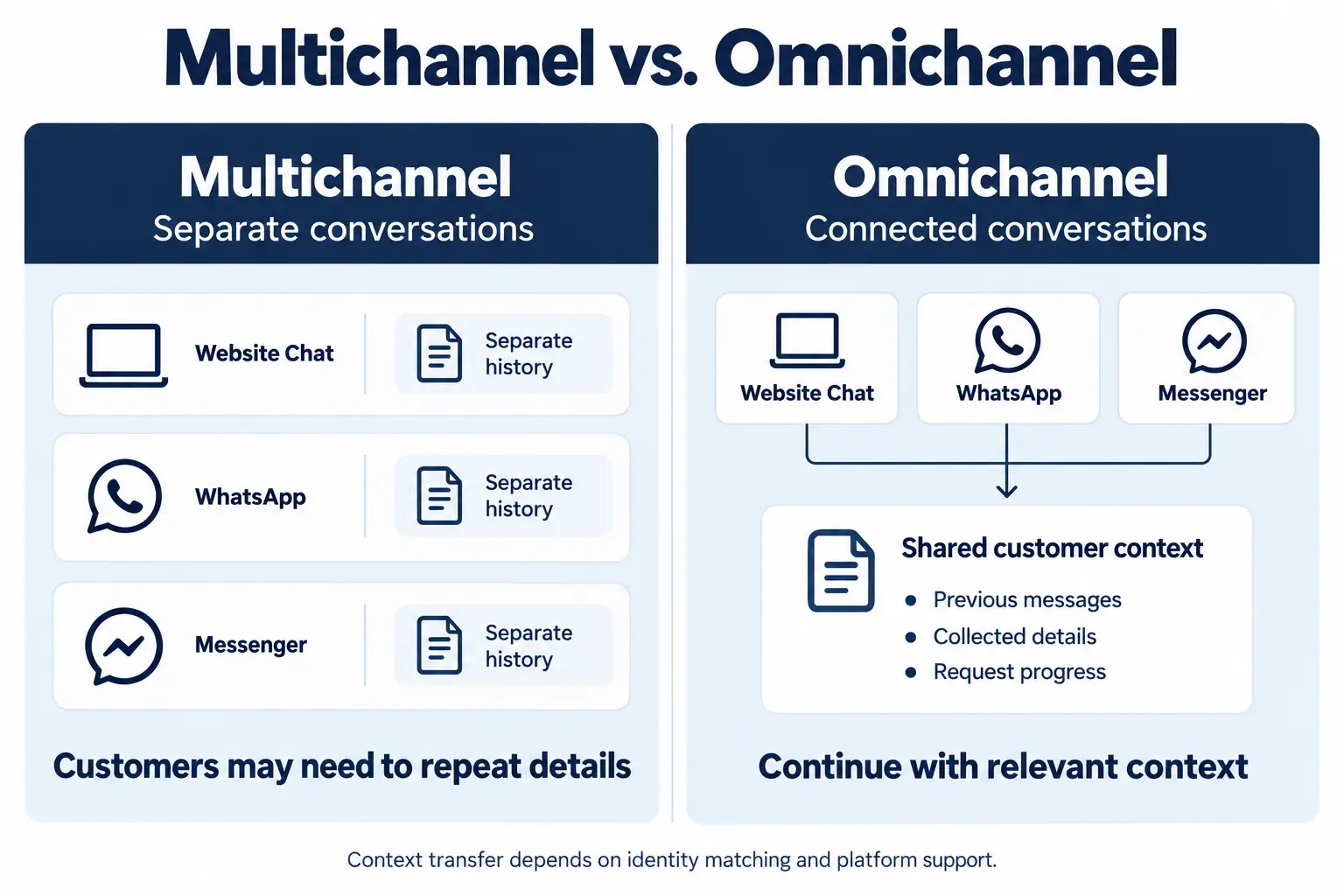
Check whether the chatbot supports the channels your customers use, such as website chat, WhatsApp, or Facebook Messenger.
Supporting multiple channels is multichannel support. Omnichannel support connects those channels so customer information and conversation context can move between them where supported. IBM identifies this connection as a key distinction [3].
A shared inbox helps your team manage messages, but it does not automatically mean every customer is recognized across channels.
How to test it: Start a request on one channel and continue on another. Ask the provider how identity matching and context transfer work.
8. Multilingual Support
A multilingual chatbot can understand and respond in supported languages. This helps businesses serve customers who prefer different languages.
Check how it handles business terms, regional expressions, and mixed-language messages. For a business serving Bangladesh, testing Bengali and messages combining Bengali with English may be useful.
Also confirm that your knowledge sources contain enough information for accurate answers. Supporting a language does not guarantee equal answer quality in every language.
How to test it: Have fluent speakers review real customer questions and the chatbot’s responses for meaning, clarity, and policy accuracy.
9. Lead Capture and Qualification
A chatbot can collect contact details and ask questions about a visitor’s needs. Qualification goes further by checking whether the prospect meets your sales criteria.
A software business might ask about company size, the problem to solve, and the expected purchase timeline. Based on agreed rules, the chatbot can route a suitable lead to sales or suggest a relevant next step.
Keep the questions useful and avoid asking for information you do not need.
How to test it: Use sample prospects with different needs. Check that the chatbot records the answers correctly and applies your qualification rules.
10. Ecommerce Assistance
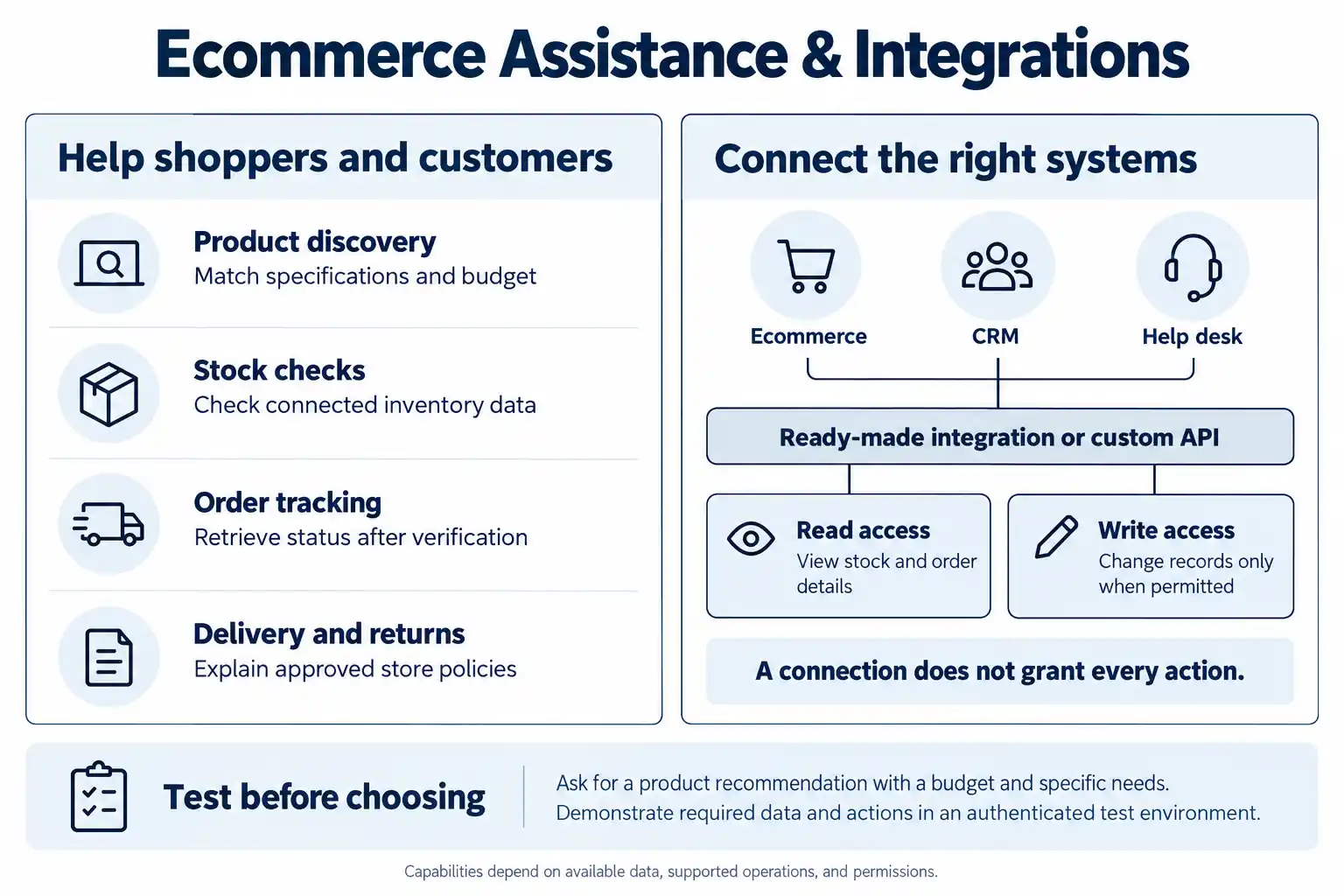
Ecommerce chatbot features should cover the shopping and support tasks that matter to your store. These may include product discovery, stock checks, order tracking, and questions about delivery or returns.
For example, a customer asking for a laptop for video editing needs recommendations based on relevant specifications and budget. Recommendations are only as useful as the product data available.
Order tracking and stock answers require suitable connections. Check exactly what your store integration supports before assuming it can update orders, issue refunds, or change payments.
How to test it: Ask for a recommendation with a budget and specific requirements, then test an order question using an authenticated test account.
11. Integrations and APIs
Integrations determine which business systems the chatbot can work with. These might include your CRM, ecommerce platform, help desk, booking software, or customer database.
A ready-made integration may be easier to configure than a custom API connection. Neither guarantees access to every function in the connected application.
Separate read access, such as viewing an order, from write access, such as changing it. Ask about setup requirements, supported operations, and responsibility for maintaining the connection.
How to test it: List the data and actions your team needs. Have the provider demonstrate each required operation using a test environment.
12. Analytics and Reporting
Reporting should show whether the chatbot helps customers complete their requests. Useful measures include conversation volume, unanswered questions, human transfers, customer satisfaction, and qualified leads.
Check how the platform defines resolution. A customer leaving the chat or receiving no further reply does not necessarily mean the issue was solved.
Review transcripts alongside dashboard numbers. Repeated wrong answers may indicate missing knowledge, a broken connection, or a workflow that needs changing.
How to test it: Compare a small sample of completed and escalated conversations with the report. Check whether the recorded outcomes match what happened.
13. Visual Workflow Builder
A visual builder lets teams create structured conversation paths using blocks and conditions. It can help with information collection, department routing, appointment requests, and escalation rules.
For example, a support flow can collect the issue type and route billing questions to the finance team.
This is useful when a process needs clear steps, though not every AI chatbot requires a visual builder. Custom connections may still need technical assistance even when the conversation flow is built without code.
How to test it: Ask a team member to build and preview a simple routing flow. Check whether they can understand and edit it without help.
14. Security and Access Controls
Customer conversations can contain personal and business information. Evaluate how the provider protects and manages that data.
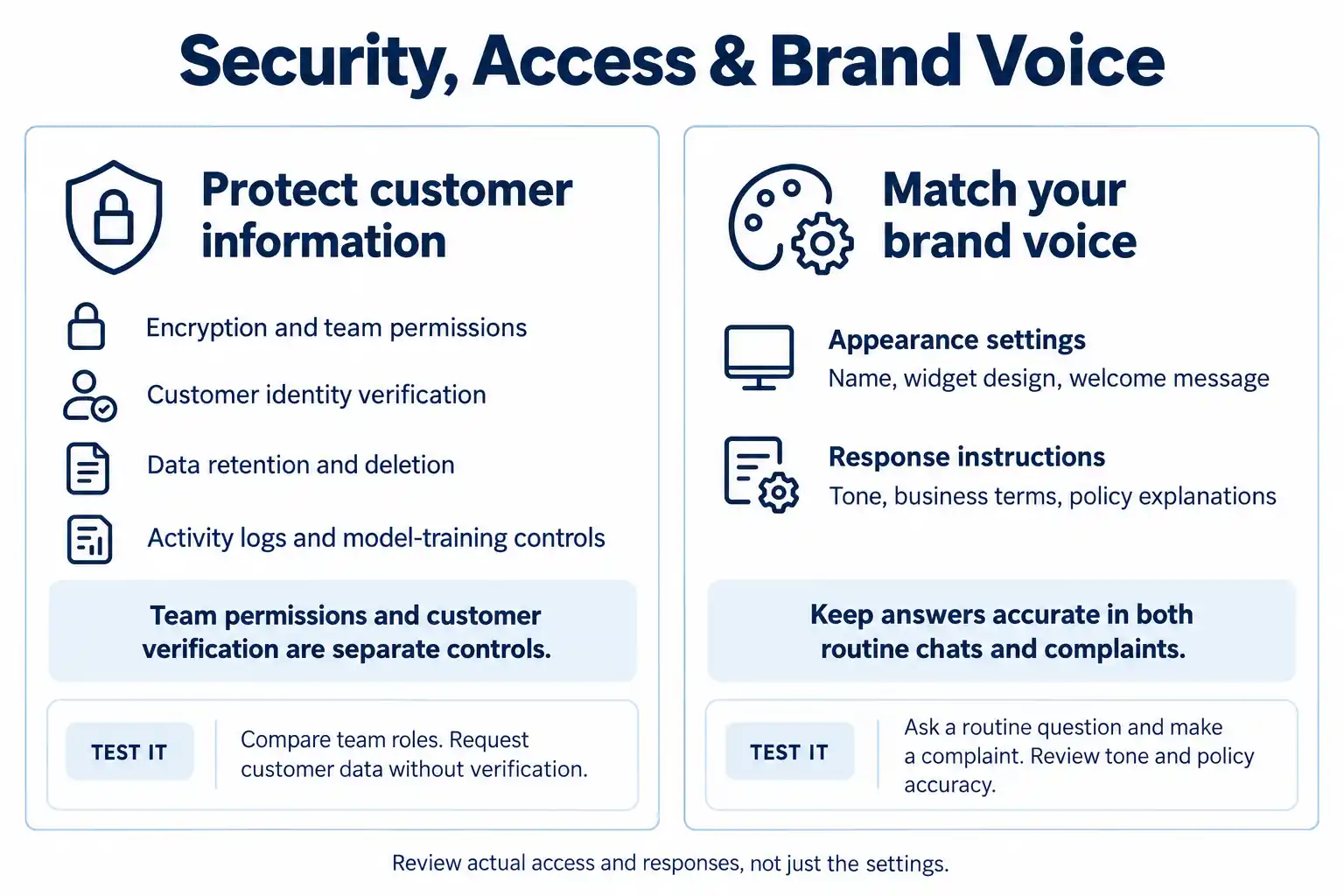
Ask about encryption, team permissions, customer authentication, retention periods, deletion options, and activity logs. Also ask whether conversation data is used to train the provider’s models and what controls are available.
Team access and customer identity checks serve different purposes. Restricting an employee’s dashboard access does not by itself prevent a chatbot from revealing another customer’s order details.
How to test it: Compare access for different team roles and attempt a customer-data request without the required verification.
15. Customization and Brand Voice
Customization can include the chatbot name, widget appearance, welcome message, and response style. Instructions can guide how it explains policies, uses business terms, and handles sensitive situations.
A bank may prefer formal language, while a fashion store may use a warmer tone. Both need clear, accurate answers.
Appearance settings and AI response instructions are different controls. Check that both are available where needed, and review actual responses rather than assuming a tone setting works perfectly.
How to test it: Ask a routine question and make a complaint. Check whether the chatbot maintains an appropriate tone without changing the meaning of your policies.
Chatbots AI Chatbots and AI Agents
A chatbot is a conversational interface. It may follow rules, use AI, or combine both approaches. AWS describes chatbots that handle text or voice and automate workflows [4].
Rule-based chatbots usually follow predefined paths. AI chatbots can interpret natural language and generate answers. Systems described as AI agents often coordinate information and tools to complete a broader task.
These categories overlap. An AI chatbot can also execute actions, and an AI agent may communicate through a chat interface. Vendor labels vary, so evaluate the actual workflow, permissions, and results.
Benefits of Chatbot Features
The right chatbot features can help businesses answer customer questions, manage support requests, and improve the customer experience. Here are some key benefits to consider.
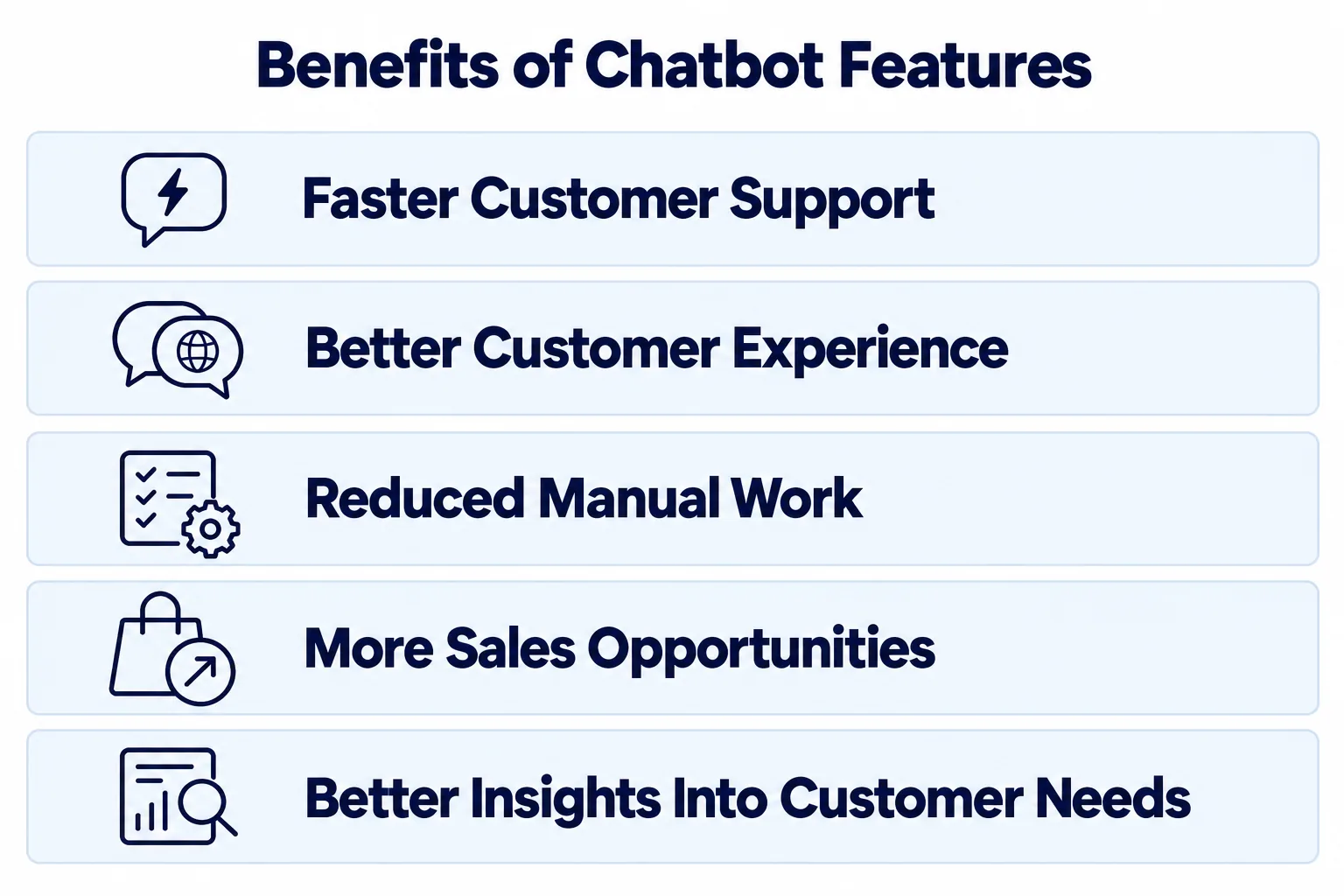
1. Faster Customer Support
Chatbots can answer common questions about products, services, pricing, and policies without requiring a human agent for every request. This helps customers find information faster and gives support teams more time to handle complex issues.
2. Better Customer Experience
Features such as natural language understanding, conversation context, and multilingual support help chatbots provide relevant answers. Customers can explain their needs in their preferred language and receive responses that fit the conversation.
3. Reduced Manual Work
Integrations, automated workflows, and task completion can help businesses manage routine tasks. Depending on the available connections, a chatbot may collect customer details, create support tickets, or retrieve order information.
4. More Sales Opportunities
Lead capture, qualification, and product recommendations can help businesses understand what customers need. A chatbot can collect relevant details and direct potential buyers to the sales team when human assistance is needed.
5. Better Insights Into Customer Needs
Analytics and reporting help businesses identify common questions, unanswered requests, and frequent support issues. Teams can use these insights to update their knowledge sources, improve workflows, and make customer support more effective.
How to Choose the Right Chatbot Features
Start by looking at what your customers need and what your team wants the chatbot to handle.
1. Look at Your Customers’ Questions
Start with the questions your customers ask most often. See which ones need fixed business information and which ones need live data or action from another system.
2. Choose Features You Actually Need
Pick features based on your main goals. Support teams may need accurate answers, conversation context, human handoff, and reports. Ecommerce teams may need product and order information.
3. Think About Sales Needs
If you use a chatbot for sales, look for lead qualification and CRM integration. These features can help collect customer details and send them to your sales team.
4. Test It With Real Questions
Try the chatbot with real customer questions. Include incomplete information, connection problems, and questions the chatbot cannot answer. Test image or voice features if your customers use them.
5. Check the Total Cost
Look at the cost based on your expected usage. Also consider setup time and regular maintenance. A chatbot can have many features, but they matter only if they work well for your business.
How Wize AI Agent Supports Customer Conversations
Wize AI Agent from REVE Chat can use approved business information to answer customer questions. REVE Chat’s knowledge base documentation lists website URLs, individual links, and PDF, DOC, and DOCX documents as supported sources.
Its published feature information also describes conversation context, multilingual responses, workflows, and controls for tool access and escalation [6].
For tasks involving customer or order information, evaluate the relevant integration and permitted actions during a demo. Confirm the data available, any authentication requirements, and how unresolved requests move to a human.
Conclusion
In the end, choose chatbot features around the customer requests you need to handle. Test answer accuracy, connected data, task completion, and human escalation before committing to a platform.
To evaluate these workflows with your business information, explore Wize AI Agent by REVE Chat or book a demo.
Frequently Asked Questions
For customer support, prioritize accurate business knowledge, conversation context, human handoff, security, and reporting. Add integrations and task completion according to the requests your customers make.
No. Answer quality depends on the source information, retrieval, instructions, and testing. Keep the sources current and check what happens when an answer is missing or ambiguous.
Some can, through supported integrations or APIs. Reading information and changing records require appropriate access, customer verification, and permitted operations.
No. Choose features around your customer needs and team processes. Advanced actions, voice support, and ecommerce capabilities may be useful for some businesses and unnecessary for others.
Build AI-powered support with Wize AI
Connect business knowledge, automate support conversations, and improve response quality without managing a complex AI stack.
Explore Wize AI Agent Rate the article

Tabassum Kabir
Sr. Content Writer
Tabassum Kabir is a Senior Content Writer with 5+ years of experience. She specializes in SaaS, AI, customer service, and ecommerce. She writes about technology, business, and digital trends. Her work is simple, clear, and useful. She aims to give readers information they can understand and use.
View all articles
See Wize AI Agent in Action
Answer customer questions, recommend products, and handle everyday requests with Wize AI Agent by REVE Chat.
Explore Wize AI Today