Customer Service Automation: Pros, Cons, Examples, and Platforms
- March 17, 2026
- 32 mins read
- Listen

Customers always expect quick replies and instant resolution to their issues. Agents however can’t reply fast all the time, particularly when they are overworked. There are situations when service can’t be prompt, so it can frustrate customers and result in poor experience. So, how can you avoid compromising the quality of customer service? You should think of customer service automation.
But why?
Because customers want great experiences whenever they reach out to a business. And they feel happy when customer service is prompt and smooth. Quick responses from agents delight them and might convert them into brand loyalists. Automation can help you achieve all this.
It can help you solve customer problems without human touch. It can save valuable time for your customers as well as agents. It can help deliver prompt replies to routine questions of customers. When automation is implemented, service reps will avoid the burden of answering each question. It can also be great for those customers who prefer self-service and avoid talking to human agents.
In this blog post, we will explore automated customer service in detail, analyze how it works, understand its benefits, learn how to implement it, and how it can transform the meaning of support.
What is Customer Service Automation?
Automation is a new trend in customer service. It’s something more businesses now look to leverage and ensure value to customers. You’re less likely to find companies that don’t what is customer service automation, as most do.
Automated customer service is the approach to solving problems without the involvement of human agents. It’s a type of customer support arrangement where automated technologies such as AI-powered chatbots, replace people as part of the problem-solving equation.
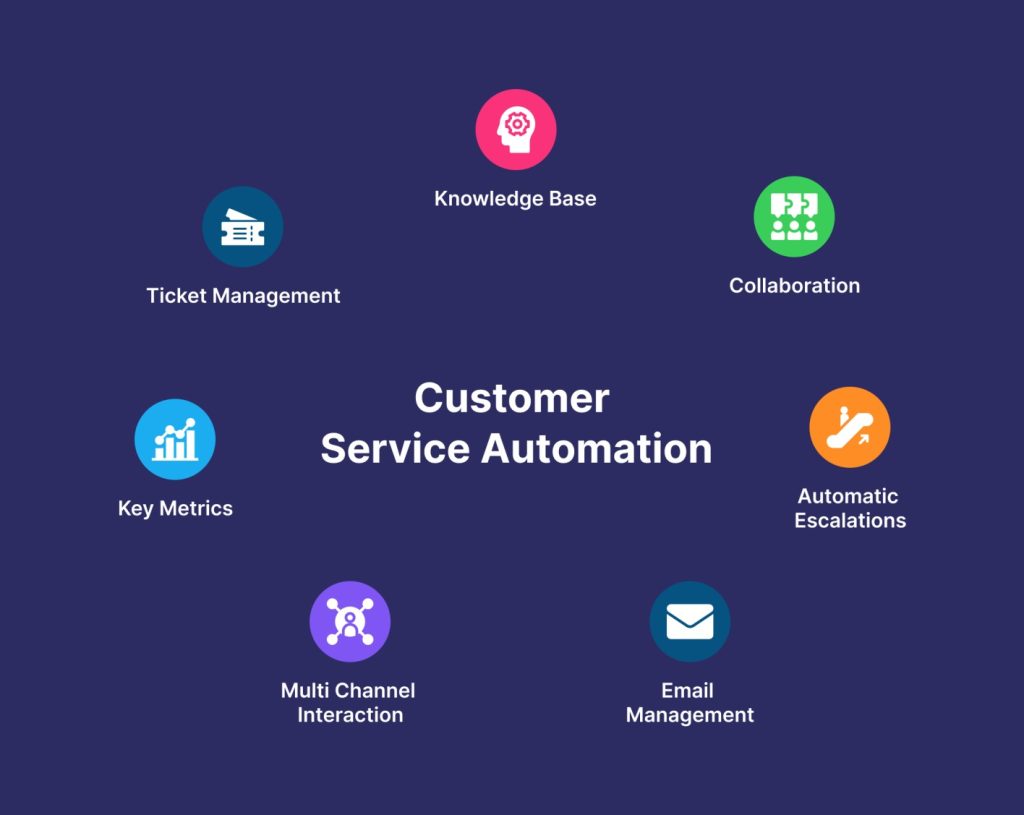
When customer service automation is implemented, the goal is to leverage software and tech innovation to provide human-less and prompt support on a 24×7 basis. The use of customer service chatbots ensures instant replies to customers while agents save effort and time that would otherwise go in handling queries.
With automation, it’s possible to put customer support on autopilot and free up agents so that they are not part of handling simple, repetitive tasks. With automation in customer service, agents have more time to give attention to customers who genuinely need human support.
The automated customer service definition makes it clear the power of artificial intelligence technologies in transforming the meaning of support.
How Does Automated Customer Service Work?
Automated customer service uses technology to provide assistance and solutions to customers. It helps customers without the involvement of a human agent. When automated support is provided, it needs technology involvement in various forms, starting from chatbots, virtual assistants, IVR systems, and automated email responses.
Let’s have a look at how self-service support works –
Step 1. A Customer Seeks Assistance – An automated support process starts when a customer tries to reach a business for assistance. The customer may reach the business through a website chat, phone call, email, or mobile app.
Step 2. The Automated System Identifies the Customer – The automated system will ask for information from the customer for identification and authentication purposes. This step is essential for retrieving relevant information and personalizing the interaction.
Step 3. The System will Understand the Customer Query – After identifying the customer, the system will understand the query. It may use different technologies such as speech recognition technology, algorithms, or keyword matching, depending on the tools used for asking the question.
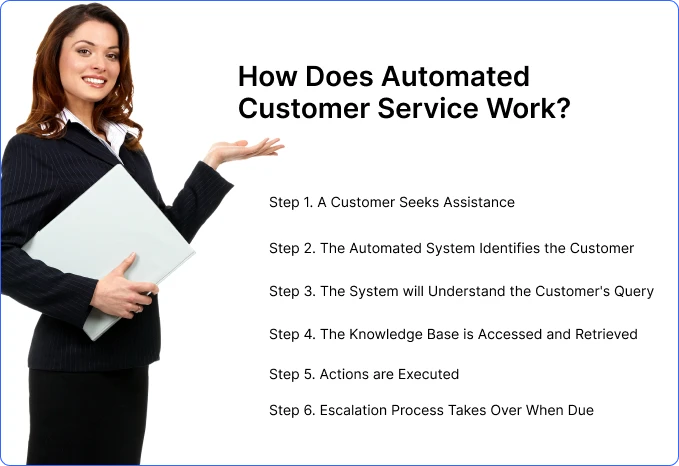
Step 4. The Knowledge Base is Accessed and Retrieved – To provide the relevant answer to customer queries, the automated system will access the knowledge base and retrieve the information.
Step 5. Actions are Executed – Some actions are safe and fit for automation. An automated system can execute them to match the customer’s needs.
Step 6. Escalation Process Takes Over When Due – Automated support systems will recognize situations and scenarios where a human touch is necessary. So, it can promptly transfer the interactions to a human agent for better response.
Traditional Automation and AI-Powered Customer Service Automation
Not every customer service automation system works in the same way. Traditional automation usually follows predefined rules. For example, a rule-based chatbot may display a fixed answer when it recognizes a particular keyword, while a ticketing workflow may assign requests according to selected categories.
These systems work well for predictable processes, but they may struggle when a customer asks several questions at once, provides incomplete information, or describes an issue in an unexpected way.
AI-powered customer service automation adds a more intelligent layer. Modern AI Agents can analyze the customer’s intent, consider the conversation context, retrieve information from connected knowledge sources, and decide what should happen next. Depending on their configuration, they may answer a question, collect missing details, check an order, update a record, trigger a workflow, create a ticket, or transfer the conversation to a human agent.
The key difference is that traditional automation follows a predetermined path, while an AI Agent can select an appropriate path based on the customer’s request, available information, business instructions, and confidence level.
However, AI-powered automation should not be treated as a complete replacement for customer service teams. Its role is to handle repetitive work, support agents with relevant information, and resolve suitable requests so human employees have more time for complex, sensitive, and high-value conversations.
What Customer Service Tasks Can Be Automated?
Customer service automation extends far beyond answering frequently asked questions. Businesses can automate activities across the entire support journey, from the moment a customer sends a message to the final collection of feedback.
Answering common questions
Chatbots, AI Agents, and virtual assistants can answer questions about business hours, product features, account policies, delivery, returns, pricing, and other frequently requested information.
When connected to an approved knowledge base, these systems can retrieve relevant information without requiring an agent to search through documents manually.
Classifying and routing customer requests
Automation can identify whether an inquiry is related to billing, technical support, delivery, account access, sales, or another department.
The request can then be prioritized and routed according to its topic, urgency, language, customer type, or required expertise. This reduces unnecessary transfers and helps customers reach the right team faster.
Creating and managing support tickets
An automated workflow can collect the customer’s name, contact details, account information, issue category, and description before creating a ticket.
It may also assign the ticket, update its status, notify the responsible team, and send confirmation to the customer. Agents receive a structured request instead of starting the conversation without context.
Providing order, account, and service updates
Businesses can automate routine status requests such as:
- Where is my order?
- Has my payment been confirmed?
- What is the status of my refund?
- Has my support ticket been updated?
- Is my appointment confirmed?
- When will the service be restored?
When the automation system is connected to the relevant business platform, it can retrieve the information and provide an immediate answer.
Sending proactive customer notifications
Customer service does not always need to begin with a complaint. Automated systems can notify customers about delivery delays, system outages, appointment reminders, payment deadlines, subscription renewals, ticket updates, or changes to an existing service.
Proactive communication can reduce incoming questions because customers receive important information before they need to contact the business.
Supporting routine transactions
Depending on the connected tools and permissions, automation may help customers schedule appointments, update selected account details, cancel an order, request a return, submit a claim, generate a payment link, or complete another structured process.
High-risk actions should include identity verification, approval rules, and human review where necessary.
Collecting customer feedback
Automated surveys can be triggered after a conversation, purchase, ticket resolution, or service interaction.
The collected responses can be used to measure satisfaction, identify recurring problems, evaluate automated experiences, and determine where workflows require improvement.
Assisting human agents
Automation can also work behind the scenes. AI-powered tools may summarize conversations, recommend responses, retrieve knowledge, highlight customer history, identify sentiment, prepare follow-up notes, and suggest the next action.
This form of automation does not remove the agent from the conversation. It helps the agent respond more quickly and consistently.
Analyzing customer conversations
AI-powered analytics can examine large numbers of interactions to identify common questions, negative sentiment, emerging product problems, repeated complaints, and changes in customer behavior.
These insights can help customer service, product, marketing, and operations teams address the cause of a problem rather than repeatedly responding to its symptoms.
What Should Be Automated and What Should Stay Human?
The best customer service automation strategy does not attempt to automate every interaction. It identifies where automation creates convenience and where human judgment creates more value.
Strong candidates for automation
A task is usually suitable for automation when it is:
- Repetitive and frequently requested
- Based on clear business rules
- Low-risk and easy to verify
- Dependent on information available in connected systems
- Time-sensitive but not emotionally sensitive
- Structured around predictable steps
- High-volume and expensive to process manually
Common examples include order tracking, password reset instructions, ticket creation, appointment confirmation, FAQ resolution, account status checks, and basic request routing.
Interactions that should remain human-led
Human assistance is generally more appropriate when the interaction involves:
- Emotional distress, anger, or serious dissatisfaction
- Complex exceptions that do not follow standard policies
- Sensitive financial, legal, medical, or personal matters
- Negotiation, judgment, or creative problem-solving
- High-value customers or high-impact business decisions
- Repeated automation failures
- Low confidence in the generated response
- An explicit request to speak with a person
Automation can still support these interactions by collecting information, identifying urgency, and summarizing the conversation. However, the final decision or conversation should be handled by an appropriate employee.
Create clear escalation triggers
A customer should not have to repeat the same request until automation finally gives up. Define specific handover triggers, such as:
- The customer asks for an agent
- The system has low confidence in its answer
- The same question is asked repeatedly
- Negative sentiment or urgent language is detected
- Identity or account ownership cannot be verified
- A request falls outside the system’s approved scope
- A transaction exceeds a defined risk or value limit
When the handover occurs, the agent should receive the conversation history, customer information, collected details, and a summary of the issue.
Advantages of Automated Customer Service
Automation has literally transformed the way customer service is delivered and experienced. In fact, more than 85% of customer service interactions are powered by AI bots which shows how automation ensures value to everyone, whether customers or agents. On top of that, automated support can be the way forward to delight customers and boost profits.
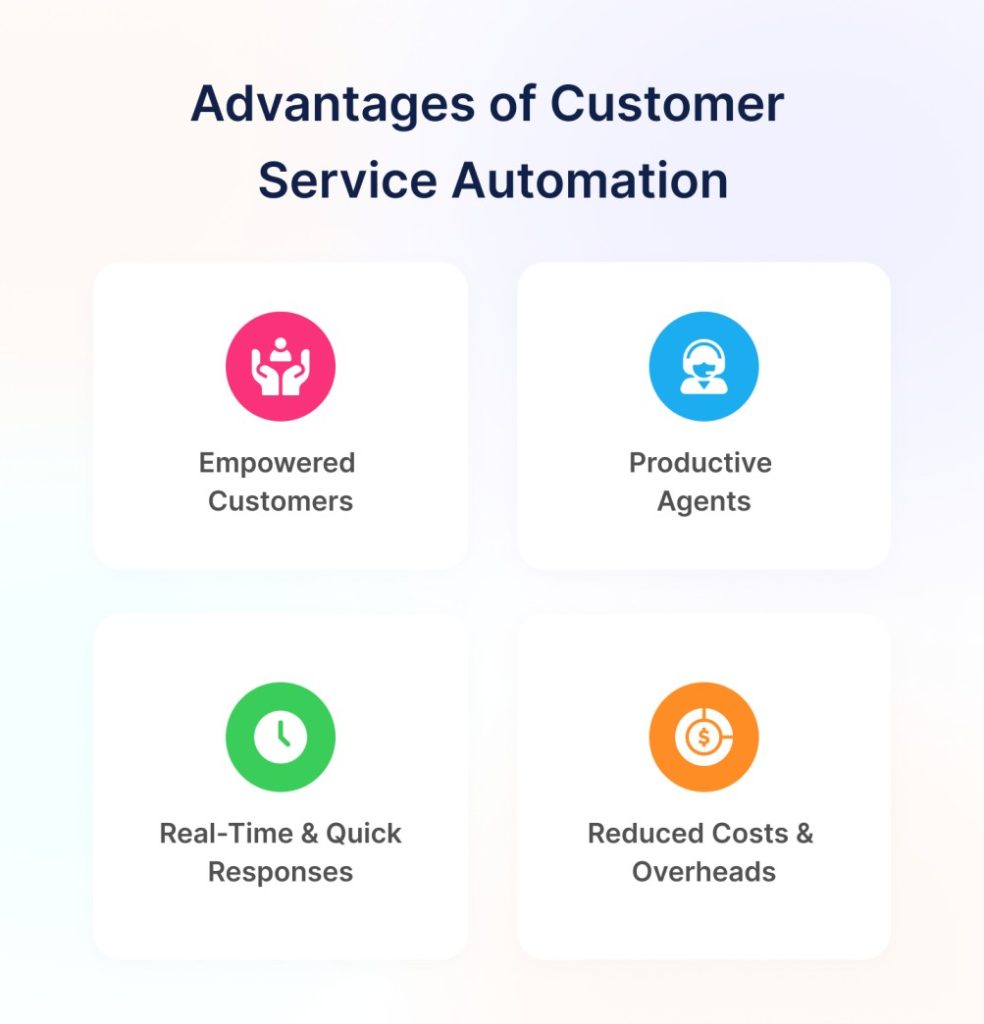
Some of the major advantages of automated customer service –
- Empowered Customers – Automation is a new approach to the way customer support is offered. It puts customers at the center of things by giving them the choice to not contact humans yet get quick resolutions to their problems.
- Productive Agents – Customer service automation can make agents more productive and save them the hassles of answering everyday questions. Plus, service reps can squeeze more chatbot business benefits by focusing more on handling those types of customers who genuinely need a human touch.
- Real-time & Quick Responses – Automation in customer service makes it possible to deliver quick and real-time responses 365 days. It enables replies that too without compromising on quality and without involving the human capital.
- Reduced Costs & Overheads – Thanks to the customer service automation platform, organizations don’t need to hire and train people to handle support duties. This can help economize support operations and save costs.
What are Some Cons of Support Automation?
Customer support automation offers numerous benefits and ensures prompt support to users. However, it has its own set of challenges that need to be discussed and explored to increase customer service efficiency.
Here are some cons of support automation –
- Lack of Human Touch – Lack of human touch is one of the main drawbacks of an automated support system. There are many situations when customers expect a sense of empathy and emotional support, which is impossible with automation.
- Unable to Grasp Nuances in Language or Context – Customer queries are not always easy and simple. Sometimes they can turn complex requiring an acute understanding of nuances in language and context. Automation fails to achieve that.
- No Adaptation to Evolving Customer Needs – Automated systems run on pre-defined rules, so they cannot handle unexpected situations. Since they are made to achieve consistency in responses, they fail to adapt to evolving customer needs, resulting in poor service experience.
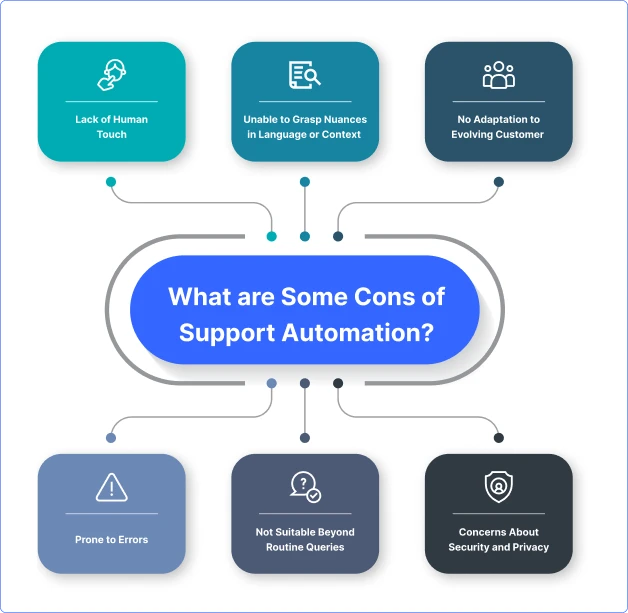
- Prone to Errors – A knowledge base can be outdated and algorithms driving automated systems need proper calibration. Both these are major reasons why self-service systems are prone to errors and may return inaccurate responses sometimes.
- Not Suitable Beyond Routine Queries – Automated systems are good at handling routine queries. They however struggle in situations where deep human judgment is needed. That’s why it can’t be trusted for complex or technical issues.
- Concerns About Security and Privacy – Risks of data breaches are rising. Unauthorized access is always a big issue. Automation is weak in both, so they can’t be fully trusted for handling sensitive data.
How to Automate Customer Service and Increase Customer Satisfaction?
Automating customer service can bring a range of benefits to your business. It can boost efficiency and streamline support processes, resulting in improved satisfaction to customers. However, you first need to understand how to automate customer support and then you can think of reaping all the rewards it brings.
Let’s look at the entire process of automating customer service and how it can increase customer satisfaction –
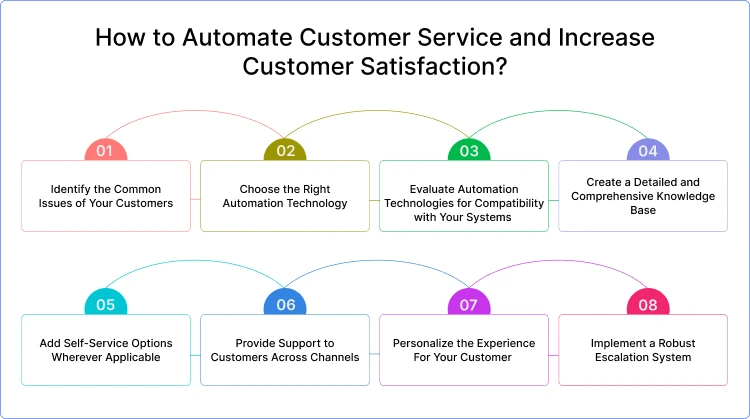
1. Identify the Common Issues of Your Customers
Automation is not a solution to all of your customer’s problems. It can help resolve every problem your customer has. But yes, it can make a big impact when used in solving common issues and pain points of your customers. So, you must find those issues and understand where automation can suit the best.
2. Choose the Right Automation Technology
Once you are aware of your customer’s specific needs, you can easily understand which technology is the best fit for their preferences. Whether you need AI chatbots or virtual assistants, IVR systems, or self-service resources, the decision should match the needs of the customers.
3. Evaluate Automation Technologies for Compatibility with Your Systems
While options are plenty when it comes to automation technology, not all will be compatible with your existing systems. You need to analyze them on how easily they can be integrated, how scalable they are, or whether or not they are compatible with your systems.
4. Create a Detailed and Comprehensive Knowledge Base
The main purpose of using automation in customer service is to improve customer experience with your brand. To achieve this goal, you need to make sure your customers get relevant and detailed information for their queries. This can only be possible when you have a comprehensive knowledge base with diverse content forms such as FAQs, how-to guides, product manuals, etc.
5. Add Self-Service Options Wherever Applicable
Empowered customers feel happy and satisfied. They have a better experience as they can easily find answers to their queries independently. This becomes possible only when you add self-service options such as FAQs, articles, and help guides on your website, IVR system or mobile app.
6. Provide Support to Customers Across Channels
Customers want the freedom to engage agents on the channel of their choice. They want consistency in responses and experience whether they reach agents via phone, live chat, email, or social media. This can only be achieved when you offer support across multiple channels and handle queries seamlessly on all channels.
7. Personalize the Experience For Your Customer
More companies now understand the value of customer experience automation. They realize how personalization is key to achieving customer satisfaction. Make sure you personalize experiences more often for your customers. You can use customer data, past search history, and targeted messaging to personalize customer engagement.
8. Implement a Robust Escalation System
Automated support is not suitable for every situation. If you don’t back automation with human assistance, more cases of customer frustration will happen. To avoid that, consider implementing a robust escalation system that gives customers the freedom to seamlessly switch from automated support to human help, as and when needed.
Tips on Using AI Chatbots as Customer Service Automation Software
Automation is the new normal in the delivery of customer service. The trend is going to get bigger in the future as 50% of consumers don’t care whether they interact with humans or AI-driven assistants. It explains why AI chatbots have taken over the role of automation to fill the gap in the customer support system.
Artificial intelligence bots can be used as customer service automation software for a variety of roles –
1. Provide Instant Support
Customers hate waiting. The longer they have to wait for replies, the more they feel frustrated. And if a business does not know how to deliver instant responses, it’s not going to solve customer service problems quickly.
To overcome this challenge, you can make chatbot a part of the customer support system and enable quick assistance to customers.
You can integrate the bot into your website or app or social channels such as Facebook or WhatsApp and ensure instant replies via automation.
It’s possible to –
- Train your bot to resolve questions using your own resource materials such as FAQs and knowledge base.
- Show answers based on what customers are typing before they press the ENTER button.
With an AI chatbot embedded into your customer service automation software, you’d find it incredibly easy to improve the response times many notches up.
2. Offer Conversational Support
Chatbots are a great tool when it comes to providing conversational support to customers. You can use them to ensure 24×7 engagement with users on your website.
An AI bot can fill in for service agents, converse with customers and offer them links to resources. It can also ensure human intervention when the queries are complicated and need the involvement of agents.
You can use the bot to show the available hours of the agent as this will help customers won’t stick around and rather know when to approach the agent.
Bots can be a top tool when you search for one of the best customer service automation solutions for your business.
3. Reduce Support Tickets
When customer issues are not fixed at the earliest, support tickets swell in number. And the more support tickets are there, the more it will hamper the overall productivity of your service team.
AI bots can be a great solution for such cases as they can save around 70% of customer interaction. So, your business can use them to resolve the issues on time and boost customer experience.
You can –
- Program your support chatbot with all key customer centric-data so that it can route tickets to the specialized team or department.
- Automate simple queries with AI bots to reduce the ticket burden on the team.
It explains how the use of artificial intelligence technology or a customer service automation platform can be key to not only bringing down the number of support tickets but also enhancing the customer experience with your brand.
4. Answer Queries via Learning
Chatbots can learn and improve over time. This way, you can train them and expect to improve the quality of support. You can use AI in customer experience and deliver value at each stage of the journey.
The use of AI and machine learning can make your bot trained and improve its responses in the future. This is how you get an advanced automated customer service system in place for your business.
If you want your chatbot to answer via learning, make sure you –
- First, recognize the pattern of questions that customers routinely ask
- Then add the common phrases or words in the knowledge bank
- Make the bot get better with answers.
Continuous learning can make bots more powerful and this is how your automated customer service can prove effective.
5. Tailor Your Response Based on Customer Types
Chatbots make it possible to not only personalize experience but deliver tailored responses to different types of customers. This can make your replies flawless and add value to customers at any stage of the journey.
With an AI bot, you can set the parameters around which to respond to customers such as location, budget, demographic, business type, and more.
And when the parameter is set, the bot will always offer answers specific to the needs of the customers. This is how you can get the most out of customer service automation and make your support as prompt as needed.
In fact, offering tailored responses to customers is one of the top chatbot use cases to benefit from.
6. Give Context-based Personalized Responses
Chatbots are an excellent tool to deliver personalized and content-based responses based on user data. The bot can use the already available information in the system to not only offer quick replies but also personalized customer service or responses.
AI bots can use conversational history to improve responses and add a new dimension to customer service automation. With customer data and content available, it will be easy to improve the bot response and make automation feel more valuable.
Similarly, customer data could also be used to know the types of customers who are more interested in hybrid support rather than talking to a bot.
When you have automated customer service software, you’re always able to deliver content-driven responses to queries.
Best Practices for Implementing Customer Service Automation
Successful customer service automation requires more than installing a chatbot or activating several workflow rules. It should be introduced as a structured customer experience initiative.
1. Map the customer journey
Document how customers currently contact your business, which channels they use, what they are trying to achieve, and where they experience delays.
Review website chat, email, messaging platforms, social media, phone support, help center searches, and support tickets. This provides a complete view of the journey instead of optimizing one isolated channel.
2. Analyze real customer conversations
Use existing conversations and support data to identify:
- Frequently asked questions
- Repetitive agent activities
- Common reasons for contact
- Requests that take too long to resolve
- Issues that are repeatedly transferred
- Questions customers fail to resolve through self-service
- Interactions that consistently require human judgment
This analysis will reveal the automation opportunities most likely to improve both customer and agent experiences.
3. Start with a clear use case
Avoid trying to automate the entire support operation at once. Begin with one process that has a clear objective, such as reducing order-status tickets, automating support intake, answering product questions, or routing billing requests.
Define the expected outcome before implementation. The objective might be reducing waiting time, improving first-contact resolution, lowering ticket volume, or increasing after-hours availability.
4. Connect the right knowledge and business systems
Automation becomes more useful when it can access accurate business information and connected tools.
Depending on the use case, this may involve connecting:
- Knowledge bases
- CRM platforms
- Helpdesk or ticketing systems
- Ecommerce platforms
- Order management systems
- Scheduling tools
- Spreadsheets
- Internal databases
- Business APIs
A disconnected system may answer general questions, but an integrated system can retrieve customer-specific information and complete approved actions.
5. Design the human handover before launch
Handover should be part of the original workflow, not an emergency feature added after customers become frustrated.
Define which requests require human assistance, which department should receive them, what information must be collected, and what context should be passed to the agent.
6. Test with realistic customer scenarios
Test common questions, vague messages, spelling mistakes, multi-intent requests, unexpected questions, sensitive cases, integration failures, and out-of-scope topics.
The goal is not only to confirm that automation works when everything goes correctly. Testing should also verify that the system fails safely, asks for clarification, and escalates appropriately.
7. Train the customer service team
Agents need to understand what the system can handle, when they will receive a handover, how to review the collected context, and how automation affects their responsibilities.
Team members should also know how to report incorrect answers, missing knowledge, routing problems, and recurring customer complaints.
8. Monitor and improve continuously
Customer questions, products, policies, and business processes change. Review the system regularly and update its knowledge, instructions, integrations, escalation rules, and automated workflows.
Customer service automation should be treated as an evolving operation rather than a one-time software deployment.
How to Measure Customer Service Automation Success
Automation should be evaluated using customer experience, operational, and business metrics. A high automation rate alone does not prove that customers are receiving good service.
1. Automation or self-service resolution rate
This measures the percentage of inquiries resolved through automation without requiring a human agent.
An increasing resolution rate can indicate stronger automation, but it should always be reviewed alongside customer satisfaction and repeat-contact data.
2. First response time
First response time measures how quickly customers receive an initial reply. Automation can reduce this time by acknowledging and beginning to process requests immediately.
3. Average resolution time
This tracks the amount of time required to fully resolve a customer issue. It provides a more meaningful result than response speed alone because a fast reply is not valuable when the problem remains unresolved.
4. First-contact resolution
First-contact resolution measures how often customer problems are solved during the first interaction without transfers, repeated messages, or follow-up contacts.
5. Escalation rate
This shows how often automated conversations are transferred to agents. A high escalation rate may indicate limited automation coverage, unclear instructions, missing integrations, or an incomplete knowledge base.
A very low escalation rate can also be a warning when customers are being prevented from reaching human support.
6. Fallback and error rate
Track how often the system fails to understand a request, provides an irrelevant answer, cannot access a connected tool, or reaches an unsupported workflow.
These failures reveal where knowledge, instructions, training data, and integrations need improvement.
7. Customer satisfaction and customer effort
Use post-interaction feedback to determine whether customers were satisfied and how easy it was to resolve their problems.
Customer feedback should be segmented between fully automated, human-led, and hybrid interactions. This makes it easier to identify which type of experience performs best for each use case.
8. Cost per resolution
Cost per resolution helps businesses understand whether automation is reducing the resources required to solve customer issues.
The calculation should consider software costs, implementation, maintenance, agent time, and the cost of unresolved or repeated contacts.
9. Agent workload and productivity
Measure whether automation reduces repetitive work, improves response consistency, lowers backlog, and gives agents more time for complex conversations.
The goal should not only be to handle more requests. Automation should also improve the quality and sustainability of the agent’s work.
Review these metrics together. For example, a high self-service rate combined with falling satisfaction and rising repeat contacts would indicate that customers are being contained rather than successfully helped.
Security, Privacy, and Governance in Customer Service Automation
Customer service systems often process names, contact details, account records, order information, conversation histories, and other sensitive data. Security therefore needs to be built into the automation strategy from the beginning.
Businesses should consider the following practices:
1. Limit data collection
Collect only the information required to complete the customer’s request. Avoid requesting sensitive details when they are not necessary.
2. Control system access
Use role-based permissions to determine which employees, automated workflows, and connected tools can view or modify customer information.
An AI Agent answering product questions may not need the same access as an automation workflow processing account changes.
3. Protect stored and transmitted information
Customer information should be protected through appropriate encryption, secure storage, and controlled data transfer between connected systems.
4. Verify customers before sensitive actions
Account changes, financial transactions, cancellations, and requests involving private information should require suitable identity verification.
5. Maintain activity logs
Keep records of important automated actions, data access, workflow decisions, ticket updates, and human interventions. Logs make it easier to investigate mistakes and maintain accountability.
6. Manage the knowledge used by automation
Define which information sources are approved, who is responsible for updating them, and how outdated content will be removed.
Automation cannot provide reliable answers when the underlying policies, product information, and support documentation are inaccurate.
7. Set retention and deletion rules
Determine how long conversation histories, customer details, recordings, and generated summaries should be retained. These rules should reflect business requirements and applicable data-protection obligations.
8. Audit the automation regularly
Review permissions, integrations, knowledge sources, generated responses, escalation behavior, and data-handling practices regularly.
Security should not be treated only as a software feature. It is an ongoing process involving technology, policies, employees, and vendor management.
How to Choose a Great Customer Service Automation Platform
Customer service automation software makes it simpler to build and maintain relationships with customers. It helps businesses adapt to the ever-growing changes in the field of customer service.
So, it’s obvious to look for a platform that helps you automate support and meet customer needs easily. You need the right tools and technologies at the helm to bolster the support team and help them improve online customer service.
You can therefore trust customer service automation platforms to help your team not only achieve better collaboration but also draw on unique service methods.
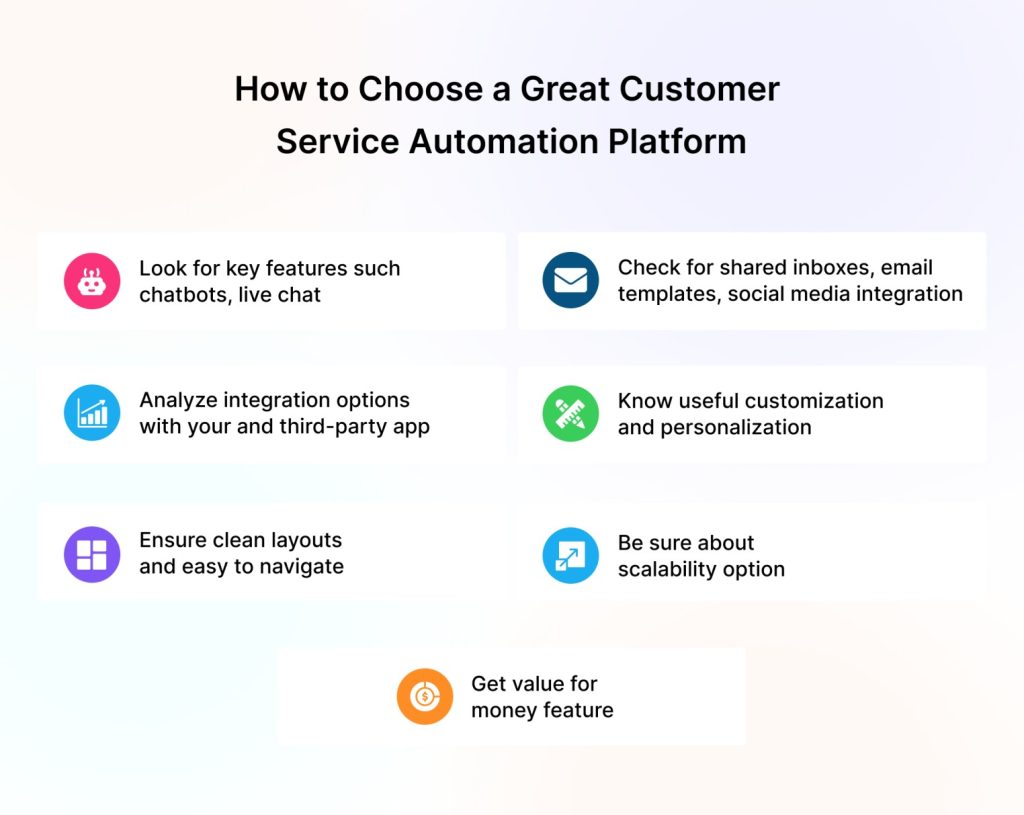
Make sure you focus on these criteria before choosing a customer service automation platform –
- Look for key features – When choosing an automation platform, one of the first priorities is to look for key features such as set up & training support, chatbots, live chat, shared inboxes, email templates, social media integration, and help bases.
- Analyze the options of integrations – A great customer support automation platform will have a wide array of options of integrations. It will make it easy to connect with all of your, or third-party apps. It can ensure all types of integrations to help automate the flow of support to your team.
- Customization & Personalization – Make sure you choose software that allows for useful customization and personalization for customer support. It’s equally important to get a platform that has clean layouts and that is easy to navigate.
- Value for Money – The platform you plan to choose must provide value for money. The price has to be in sync with the features and capabilities available for the customer support team. Plus, the platform must help you scale up so that your business can be ready for future growth.
Customer Service Automation Examples by Industry
1. Ecommerce
An ecommerce business can use an AI Agent to answer product questions, recommend suitable items, check availability, provide delivery information, retrieve order status, and begin return requests.
Payment problems, unusual refund cases, complaints, and high-value purchase questions can be transferred to an agent with the customer’s order and conversation context.
2. Banking and financial services
Automation can help customers locate general service information, check an application status, submit structured requests, receive payment reminders, or navigate account-support options.
Sensitive transactions, disputed activity, compliance-related issues, and financial decisions should be directed to authorized employees after appropriate verification.
3. Telecommunications
A telecom provider can automate balance inquiries, package information, outage updates, troubleshooting instructions, and ticket creation.
Intelligent routing can direct customers according to language, service type, location, issue category, and urgency.
4. SaaS and software companies
A SaaS business can use automation to support account setup, password recovery, feature discovery, onboarding, subscription questions, and basic troubleshooting.
When a technical issue requires investigation, the system can collect the environment, error details, account information, and previous troubleshooting steps before creating a ticket.
5. Healthcare services
Healthcare organizations can automate appointment scheduling, reminders, general service information, registration guidance, and administrative status updates.
Automation should not independently handle situations requiring medical judgment, diagnosis, emergency assistance, or sensitive clinical decisions.
6. Travel and hospitality
Travel businesses can automate booking information, availability checks, itinerary details, check-in guidance, loyalty-program questions, and routine change requests.
Cancellations, disruptions, compensation requests, and complex itinerary changes can be escalated to an employee with the relevant booking context.
The Best Automated Customer Service Software
Automation becomes simple when you have quality software at your disposal. There are some top-class tools available that can add great value to your customer service automation task.
Let’s look at some of the best customer service automation software for your business –
1. REVE Chat
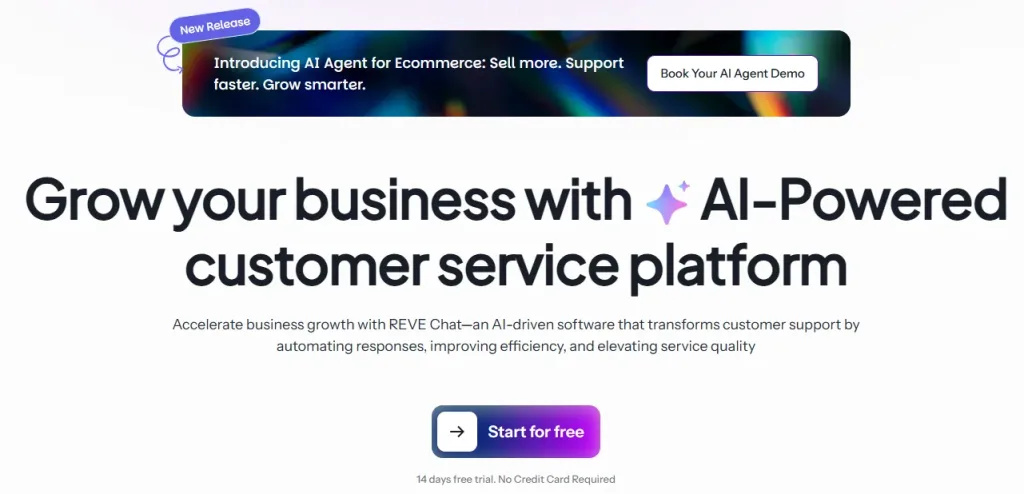
REVE Chat is a powerful omnichannel customer engagement platform with tons of tools and features for boosting your customer service. This all-in-one engagement tool can help you connect, engage, and convert your customers. You can leverage its tools and capabilities to increase customer experiences at each stage of the journey.
Key Features
- Live chat
- AI-chatbots
- Co-browsing & video chat
- Ticketing system
- Multi-channel support
2. Zendesk

Zendesk is a reliable name in the customer service sphere. It offers a wide range of tools and solutions for businesses looking to manage customer interactions more efficiently. Using its automated support solutions, a business can deliver exceptional support experiences and also streamline operations.
Key Features
- Help desk ticketing system
- AI-powered chatbots
- Self-service portals
- Automation and workflow management
3. Freshdesk
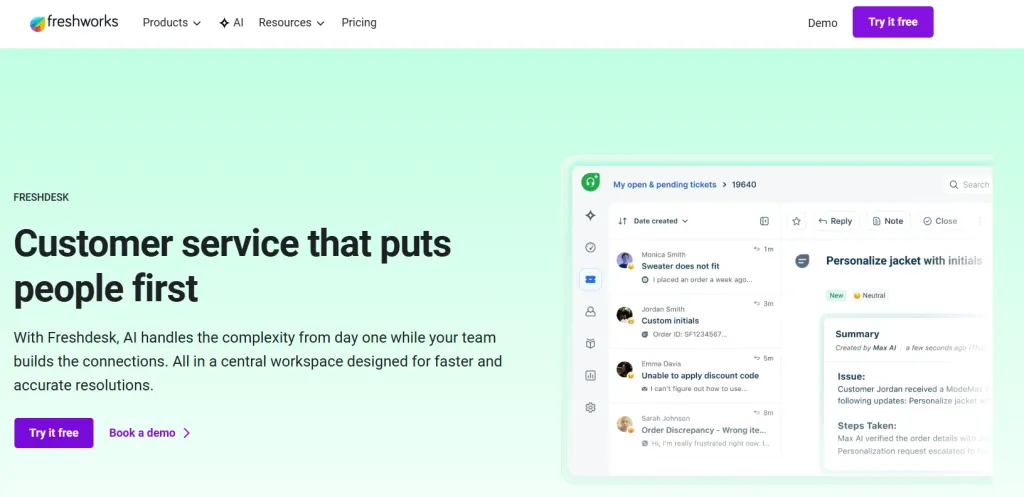
Freshdesk is a well-known customer service software platform for businesses looking to offer great support and enhance their levels of customer satisfaction. A business can leverage its intuitive interface and AI-powered automation features to increase customer experience. More so, it’s ideal for any organization that aims to boost its customer service capabilities.
Key Features
- Robust ticketing system
- AI chatbots with NLP capabilities
- Collaboration tools
- Analytics and Reporting

4. Salesforce Service Cloud
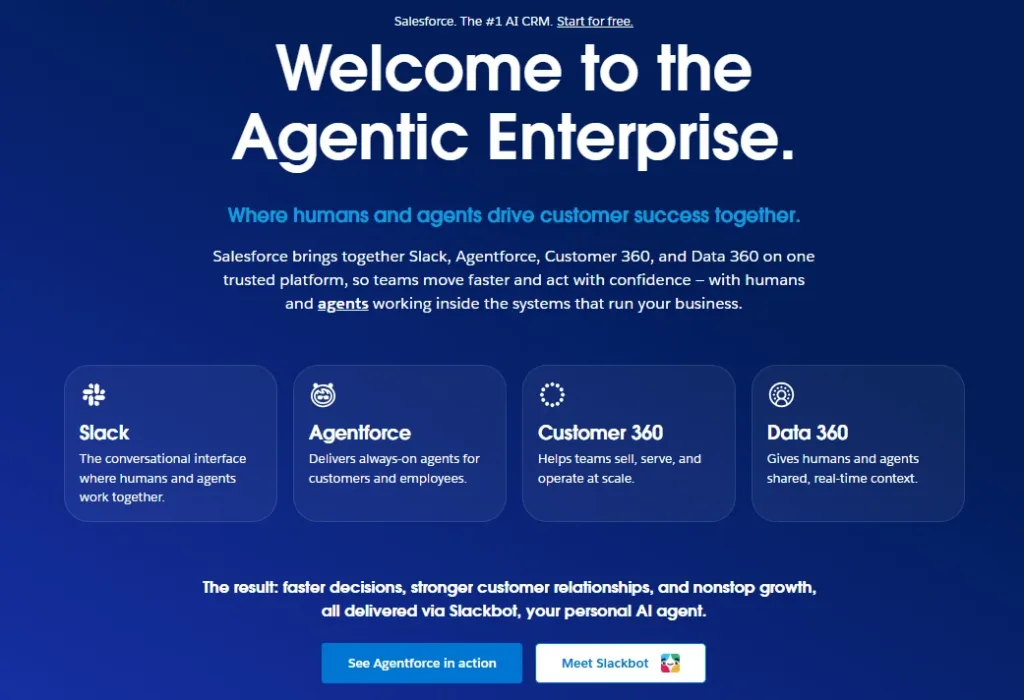
Salesforce Service Cloud is a powerful and feature-rich customer service software solution. It helps businesses deliver amazing service experiences and also streamline operations. The advanced automation capabilities of this tool, together with the integration with the Salesforce ecosystem, make it an ideal tool for increasing customer service experiences.
Key Features
- AI and ML-driven automation
- Knowledge base management
- Comprehensive analytics and reporting
- Customization and scalability

Automated Customer Service Examples for Inspiration
The use of AI technologies is helping businesses automate and deliver seamless customer support. Due to the emergence of these path-breaking technologies, it’s now possible to take the automation route and empower customers with self-service. That’s why more organizations now take to this new era of customer service and deliver value to customers.
Some customer service automation examples include –
Customer Service Automation Example 1
American Well, a telemedicine company, is a wonderful example of how to use chatbots and live chat in combination to automate customer service to a great extent. Its automation effort is intelligent enough to determine user intent quickly and enhance customer experience.
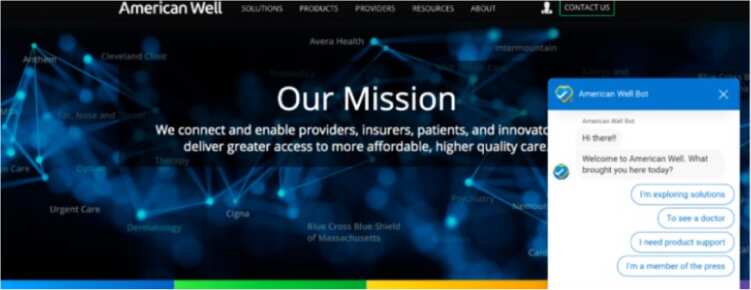
It not only uses AI-enabled chatbots as the primary channel but also has an option of a human handover in case the question turns complex for the bot to handle.
Automated Customer Service Example 2
Social media is now where a lot of customers go for engagement and support. Not all businesses however understand the value of deploying additional resources for social platforms. Chatbots can be a huge help in such cases as they can help deliver automated responses to users’ requests on social media.
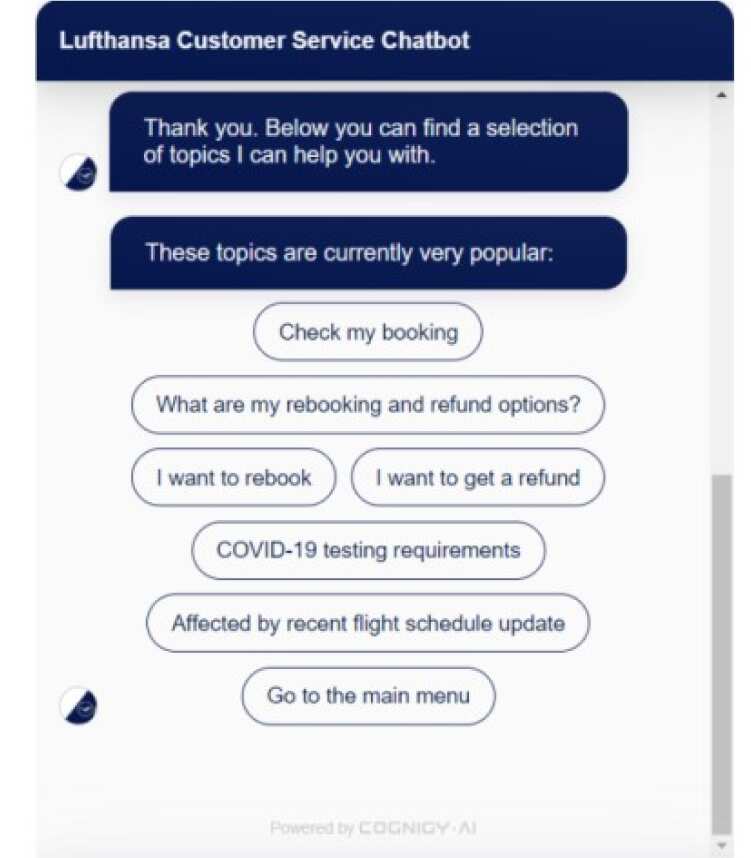
Lufthansa is one of the top automated customer service examples of how to implement a chatbot and improve responses. The bot is available on the website and on other channels such as airline apps, WhatsApp, and helps users find and book cheap tickets
How REVE Chat Supports Modern Customer Service Automation
REVE Chat combines AI-powered automation with live customer support capabilities, allowing businesses to automate suitable requests without removing access to human assistance.
Wize AI Agents can be configured to understand customer intent, use approved business knowledge, collect information, retrieve data, trigger workflows, create or update requests, and select the next appropriate step.
Businesses can connect AI Agents with knowledge bases, Shopify, Google Sheets, APIs, CRM platforms, helpdesk systems, and internal business tools. This allows automation to move beyond general answers and support customer-specific actions.
When a conversation becomes complex, sensitive, urgent, or outside the AI Agent’s approved scope, it can be transferred to a human agent with the customer’s details and previous conversation context.
REVE Chat’s Live Chat, omnichannel engagement, ticketing, AI Copilot, co-browsing, and audio or video calling capabilities can then help agents continue the interaction through the most appropriate support method.
Before publishing an AI Agent, businesses can test common customer scenarios, review tool usage, validate integrations, examine fallback behavior, and improve weak responses. This creates a more controlled path from initial automation to dependable customer service.
Final Thoughts
Customer service automation is the future and businesses must plan for it. With AI technologies improving and customers getting more conscious of their needs, the time has come when automated support became mainstream.
We, at REVE Chat, realize the value of automating customer support through the use of customer service automation solutions and ensuring value at each step of the journey.
In your automation effort, we help you start a free trial of our AI-powered chatbot and bolster your support.
So, take the next logical step and add AI bots to get the most of your automated customer service effort.
Frequently Asked Questions
Customer service automation focuses on activities such as answering inquiries, routing requests, creating tickets, resolving issues, and supporting customers.
CRM automation generally manages customer records and internal processes such as updating contact information, recording interactions, assigning leads, and triggering follow-up activities. The two can work together when customer service tools are integrated with a CRM.
Start with a high-volume, repetitive, low-risk process that follows clear rules. Frequently asked questions, order tracking, ticket intake, password-reset guidance, and request routing are common starting points.
The first use case should have a measurable outcome and a reliable human fallback.
Yes. Small businesses can begin with simple applications such as automated greetings, frequently asked questions, appointment scheduling, lead collection, after-hours support, and ticket creation.
A focused automation setup can help a small team handle more inquiries without attempting to automate the entire customer journey.
Automation is more effective when it supports human employees rather than attempting to replace them completely.
Automated systems can handle routine processes and prepare information, while agents manage emotional, complex, sensitive, and high-value interactions.
There is no universal percentage that works for every company. The right level depends on the complexity of the requests, customer expectations, available data, industry risk, and quality of the automation system.
Businesses should automate processes where it improves convenience while maintaining easy access to human support.
Traditional chatbots commonly follow predefined flows or provide fixed answers. AI Agents can understand context, interpret intent, use connected tools, retrieve customer-specific information, trigger workflows, and decide when human assistance is needed.
Their capabilities still depend on the knowledge, permissions, instructions, tools, and boundaries configured by the business.
Common causes include choosing the wrong use case, using outdated knowledge, failing to connect required systems, providing unclear escalation paths, insufficient testing, limited team involvement, and measuring automation volume instead of customer outcomes.
Beginning with one defined use case and improving it using real interaction data can reduce these risks.
Businesses should monitor performance continuously and conduct structured reviews whenever products, policies, workflows, integrations, or customer behavior change.
Knowledge, instructions, permissions, test scenarios, and handover rules should also be reviewed regularly.