


Table of Content
Need a solution to solve the chaos of slow responses and repetitive queries? You know what a top-tier WordPress chatbot plugin can solve: the chaos of repetitive questions, boost conversions, and create personalized experiences that keep users coming back.
We’ve meticulously tested 10 of the best chatbot plugins for WordPress, evaluating AI smarts, ease of use, integrations, and cost to find the ultimate solution for your site.
If you’re a solo entrepreneur or a global enterprise, this guide uncovers the best WordPress chatbot plugin to transform your customer engagement, streamline operations, and drive measurable value.
So, what are you waiting for? Let’s dive in!
What Is a WordPress Chatbot Plugin?
A WordPress chatbot plugin is a tool added to a site that helps visitors get quick answers and guidance. It replies to questions, offers basic help, and supports common actions without needing someone to respond manually.
It also improves how visitors use the site by giving instant support any time they need it. By handling simple requests and helping people find what they want, it makes the overall experience easier for every user.
The best WordPress chatbot plugin can also guide new visitors, assist during purchases, reduce waiting time, and keep people engaged so they stay longer and feel more confident while exploring the site.
How I Evaluated Best WordPress Chatbot Plugins
Finding the right WordPress chatbot plugin takes a bit of hands-on testing. Instead of relying on feature lists or star ratings, I installed each plugin and used it the way a real customer would. The goal was simple: see which tools actually help a website and which ones only look good on paper.
AI Reply Accuracy
The first focus was how well the chatbot understands real user questions. Plugins trained on website content such as FAQs and knowledge bases performed better than those giving generic responses. Attention was also given to how they handle follow up questions and product related queries.
Setup and Ease of Use
Each plugin was installed on a test WordPress site to check how simple the setup process is. Preference was given to tools that do not require coding and can be launched quickly. Clear dashboards and easy configuration steps were important factors.
WordPress and WooCommerce Compatibility
Compatibility with WordPress and WooCommerce was tested by simulating common store interactions. This included product questions, cart related queries, and basic customer support scenarios. Smooth handling of these tasks showed stronger integration.
Website Speed and Performance
Performance impact was also reviewed. A chatbot should not slow down a website. Plugins that load efficiently without affecting page speed scored higher during testing.
Customization Options
Customization was checked by reviewing how easily chat widgets can match a website’s branding. Options like changing colors, logos, and welcome messages were considered important for consistency.
User Feedback and Support
User reviews from WordPress.org and the quality of available documentation were also reviewed. Clear guides and responsive support added value, especially during setup and troubleshooting.
10 Best WordPress Chatbot Plugins to Streamline Your Customer Service
Here is a list of 10 best WordPress chatbot plugins to streamline your customer service:
| Plugin | Best For | Key AI Features | Why It’s Great | Pricing |
|---|---|---|---|---|
| REVE Chat | AI-Powered Chatbot Excellence | Advanced LLM, NLP, Sentiment Analysis, 40+ Languages | Top-rated for seamless integration, 85% query resolution, and omnichannel mastery—outshines all in customization and ROI. | Lifetime free plan available; paid from $14.99/mo |
| Tidio | Live Chat & Ticketing | NLP, Conversational Flows | E-commerce friendly with quick setup and live chat. | Paid from ~$24/mo |
| ProProfs Chat | 24/7 Delightful Support | AI Routing, Multilingual | Generous free plan for small teams seeking support. | Paid from ~$19.99/operator/mo (annual) |
| WPBot | Native WP Integration | OpenAI/Dialogflow, Forms | Lightweight and customizable for WordPress natives. | Paid from ~$39/year or $149 one-time |
| HubSpot | CRM Integration | Lead Qualification, Analytics | Perfect for inbound sales funnels and CRM sync. | Paid from ~$15/mo per seat |
| Jotform | Conversational Chatbots | Customizable Branding, Multilingual Support | Conversational Data Collection | Paid from ~$34/mo |
| Smartsupp | E-commerce Lead Gen | Visitor Tracking, Smarty Bot | GDPR-compliant with unique video insights. | Paid from ~€19/mo (~$20–$21 USD) |
| Collect.chat | Lead Gen Templates | Rule-Based Flows, Calendars | Template-rich for quick lead capture launches. | Paid from ~$18/mo |
| IBM Watson | Advanced AI Customization | NLP Training, VOIP | Enterprise-grade AI depth for complex needs. | Free lite plan available; paid/enterprise from ~$140/mo or custom |
| Join.Chat | WhatsApp Integration | Rule-Based Svabot, QR Codes | Mobile-first for WhatsApp-driven engagement. | Premium add-ons ~$49 one-time or low monthly |
1. REVE Chat – Best AI Chatbot for WordPress Overall
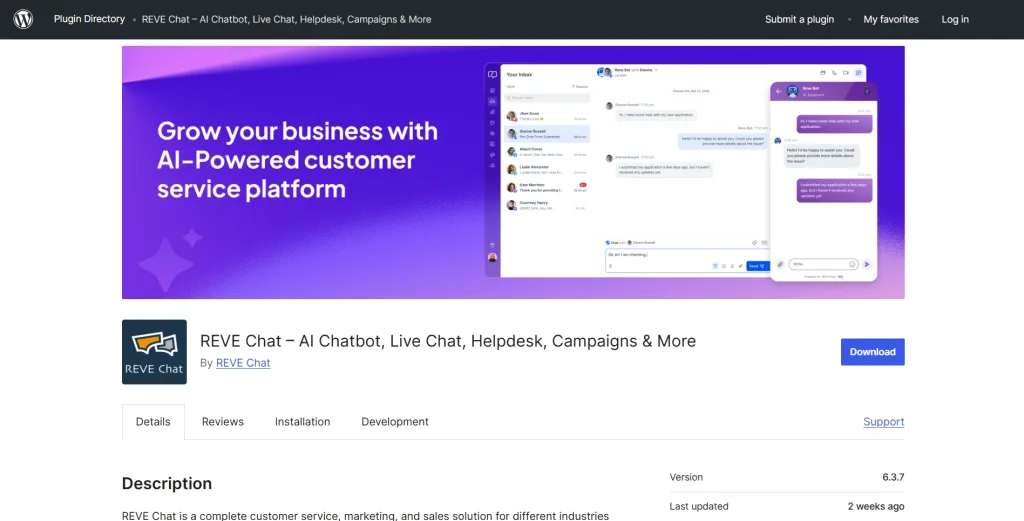
Best for: AI-driven customer support across multiple channels and languages
REVE Chat is the best WordPress chatbot plugin for businesses that want real AI, not just basic automation. It runs on advanced LLM technology and handles up to 85% of customer queries on its own. You can add it to your WordPress site directly from the dashboard. No coding needed.
It works across WhatsApp, Facebook Messenger, and your website at the same time. Customers in any country can get help in their own language since REVE Chat covers 40+ languages with real-time translation.
The visual flow builder makes it easy to set up conversation paths. You do not need technical skills to build complex chat flows. For businesses that want to cut support costs and improve customer satisfaction at the same time, this chatbot plugin for wordpress delivers on both fronts.
Key Features
- Multilingual support in 40+ languages with real-time translation for global reach
- Omnichannel engagement across WhatsApp, Facebook Messenger, and your website
- Visual drag-and-drop flow builder with buttons, carousels, and branching paths
- Sentiment analysis and NLP for context-aware, human-like conversations
- Brain AI integration that trains on your knowledge base for accurate FAQ responses
- Deep API and webhook integration with CRMs and third-party databases
- Customizable analytics dashboard to track performance by channel and goal
- End-to-end encryption with GDPR and PCI DSS compliance built in
- Appointment scheduling, custom forms, and media processing directly in chat
Pros
- Resolves up to 85% of inquiries without a human agent
- No-code builder works for beginners and advanced users
- Real-time multilingual translation removes communication barriers
- Proactive triggers engage visitors based on site behavior like pricing page visits
- Omnichannel reach keeps conversations going across platforms
- Affordable plans with a 14-day free trial
- GDPR and PCI DSS compliance keeps customer data safe
Cons
- Advanced features take some time to train properly at the start
- Multilingual accuracy improves significantly with a larger knowledge base
Pricing
- Free plan available for life.
- Paid plans start at $14.99/month
2. Tidio
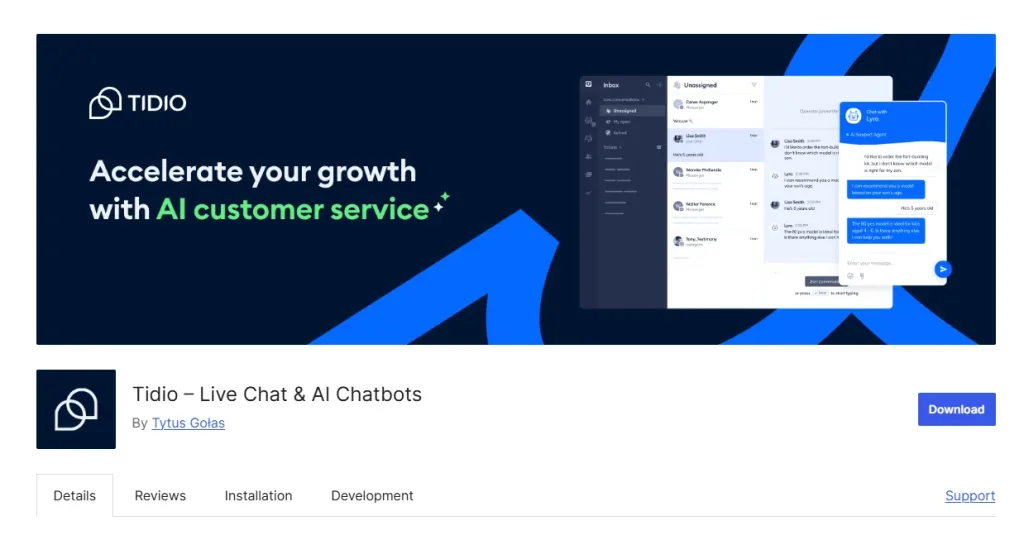
Best for: E-commerce stores that need live chat and bot automation together
Tidio is a popular chatbot plugin used by many website owners, especially e-commerce stores. It combines live chat with automation so teams can manage customer messages without getting overwhelmed.
Its Lyro AI handles simple questions on its own and sends more complex issues to a human agent when needed, without confusing handovers. It also offers more than 27 ready-made templates for things like FAQs, lead capture, and cart recovery.
Tidio works with WooCommerce and lets support agents see what items are in a customer’s cart directly inside the chat. This makes it easier to help customers finish their purchase.
In testing, Tidio managed around 70% of common questions without human help. It is a good option for anyone looking for a chatbot WordPress plugin that is easy to set up and simple to run every day.
Key Features
- Lyro AI chatbot with NLP for natural, flowing conversations and live handover
- Ticketing system that converts chat conversations into organized support tickets
- Visual drag-and-drop flow builder with 27+ pre-built templates
- Facebook and Instagram integration for cross-platform messaging
- Mobile apps for iOS and Android so agents can respond on the go
- Automated lead capture flows with customizable triggers
Pros
- Setup takes minutes, even for non-technical users
- Pre-built templates get you live fast without starting from scratch
- WooCommerce cart preview helps agents close sales in real time
- Free plan covers the core features for small stores
Cons
- Advanced AI features are locked behind paid tiers
- Analytics could go deeper into customer journey data
- Some users report occasional glitches with third-party integrations
Pricing
- Paid plans start at around $24/month
3. ProProfs Chat
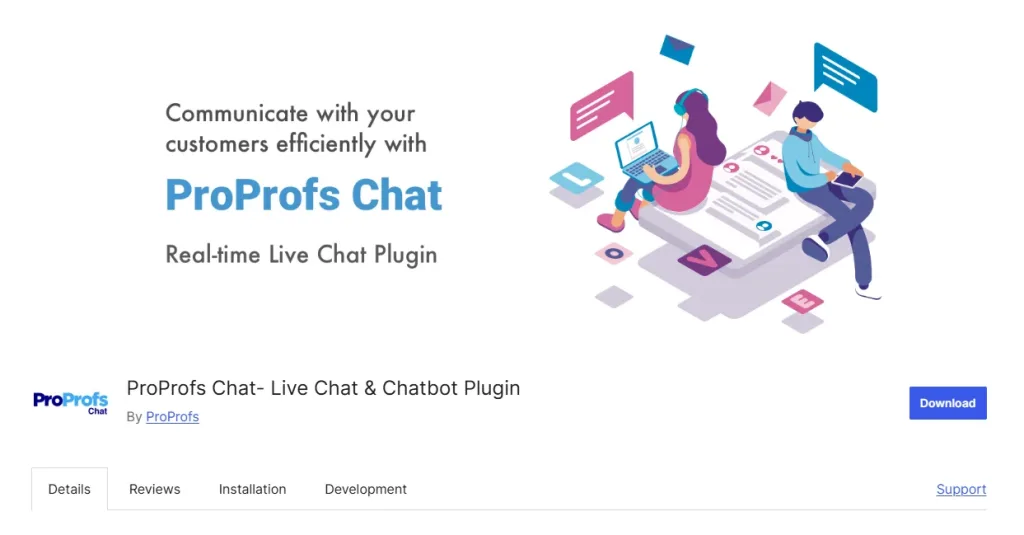
Best for: Small teams needing 24/7 support with proactive chat triggers
ProProfs Chat is a useful option for teams that want 24/7 customer support without extra effort. It uses AI bots to answer common questions anytime and sends harder issues to a human agent when needed.
The tool can track visitor behavior and start a chat if someone spends too long on a page, like pricing or checkout. It also offers a free plan with more features than many basic plans, which helps small teams and startups.
With multilingual replies and WhatsApp support, it works well as an AI chatbot WordPress plugin for growing websites.
Key Features
- AI chat routing that sends each chat to the right available agent
- Visitor tracking that starts chats when users need help
- Saved replies for quick answers in different languages
- Easy drag and drop bot builder with no coding
- WhatsApp support for customer messages
- CRM connections to save and manage leads
- Strong security and GDPR support
Pros
- The forever-free plan includes core features most tools charge for
- Visitor tracking lets the bot engage at the right moment
- No-code builder is genuinely beginner-friendly
- Multilingual support covers global audiences without extra tools
Cons
- Advanced AI is limited in the base tier
- The dashboard can feel cluttered when managing multiple chats
- Support response times can be slow during peak hours
Pricing
- Paid plans start at $19.99 per operator per month
4. WPBot
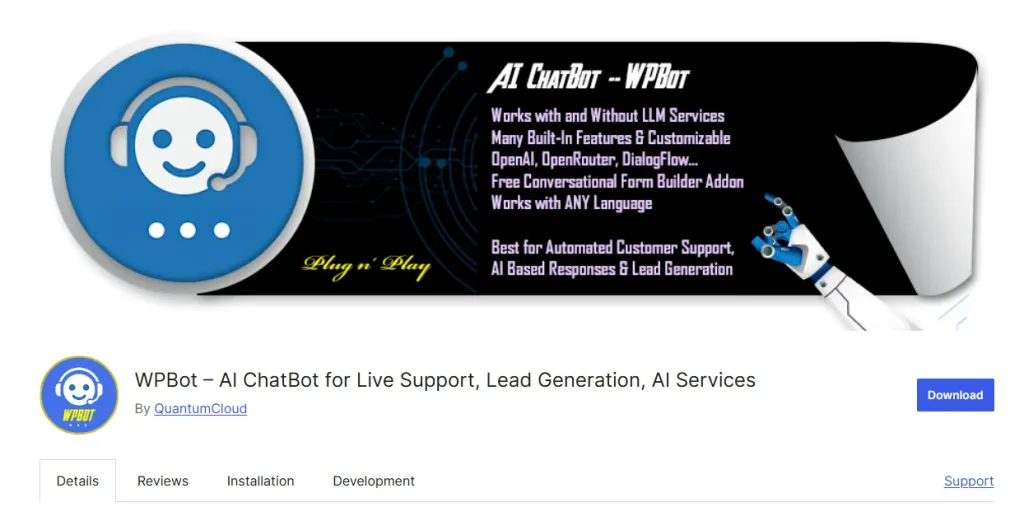
Best for: WordPress-native chatbot with OpenAI and Dialogflow integration
WPBot is a WordPress chatbot plugin that works directly inside your WordPress dashboard, so there is no need for external platforms. It connects with OpenAI and Dialogflow to give smart replies and also uses keyword matching when needed.
Setup is quick and simple, and you can have it running in less than an hour. It can answer FAQs, collect leads, and book appointments through chat forms. It also supports offline basic flows, which is rare.
It supports multiple languages, including right-to-left ones. This makes it one of the best WordPress chatbot plugin options for simple, native WordPress use.
Key Features
- OpenAI and Dialogflow support for smart language understanding
- A keyword system for questions the AI cannot answer
- Drag and drop chat forms for leads, feedback, and bookings
- Multi-language support with full control over text, including right-to-left languages
- FAQ automation that uses content from your WordPress site
- Voice input in the pro version for hands-free use
- Offline mode for basic chat without external API
Pros
- Feels native inside WordPress, no separate platform needed
- Free version is functional enough for small sites to get started
- RTL language support covers Arabic, Hebrew, and similar scripts
- Works offline for basic flows, a rare feature among chatbot plugins
Cons
- Pro features require purchasing a paid license
- Omnichannel support is limited without add-ons
- The user interface looks dated compared to newer competitors
Pricing
- Paid plans start at $39/year
5. HubSpot Chatbot
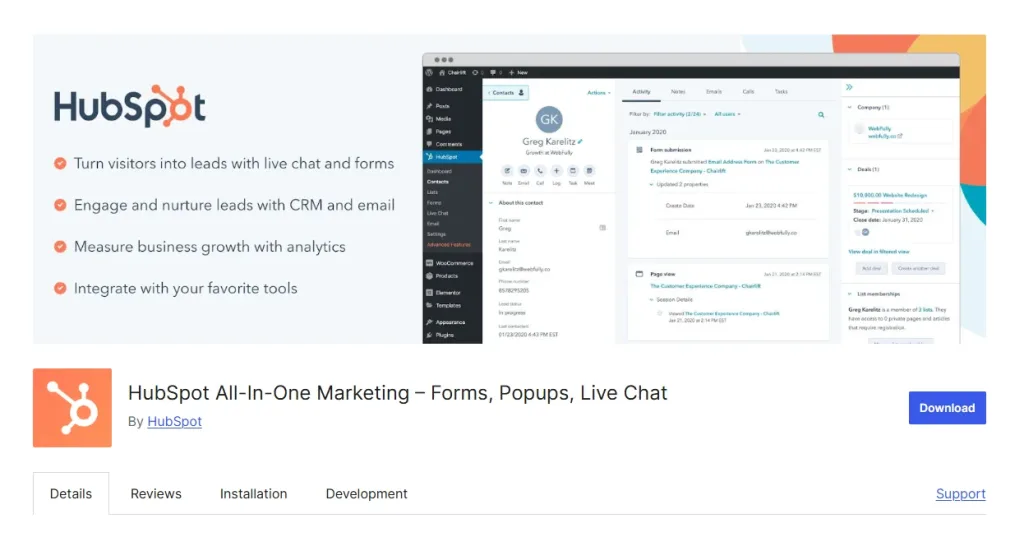
Best for: Sales teams that need CRM-connected lead capture and qualification
HubSpot Chatbot is a good choice for teams already using a CRM. It connects directly with the HubSpot system, so every chat is saved as a contact automatically. This helps make sure no lead is missed. The bot can also ask simple questions to qualify visitors before sending them to the sales team.
It reduced manual data work in testing because chats and CRM updates happen on their own. The free plan includes live chat, lead capture, and basic reports.
It works best inside the HubSpot system, which makes it the best WordPress chatbot plugin for CRM-focused teams.
Key Features
- Automatic CRM sync that saves all chat data in HubSpot contact profiles
- Live chat handover with full visitor history shown to agents
- Personalized chat flows based on past user activity
- Email and call tools built into the HubSpot system
- Lead scoring based on chat activity and form answers
- Analytics to track submissions, drop-offs, and lead quality
- Zapier support to connect with other tools outside HubSpot
Pros
- Free plan includes genuinely useful lead capture and CRM sync
- Automatic data sync eliminates manual entry and reduces errors
- Lead scoring helps sales teams focus on high-value prospects
- Integrates with email, calls, and ads inside one ecosystem
- Scalable reporting grows with your team’s needs
- Visitor history gives agents full context before they take over
- Zapier support extends the tool to hundreds of third-party apps
Cons
- Works best when you are already inside the HubSpot ecosystem
- Learning curve is steep for users new to HubSpot
- Free bot has limited conversation complexity and branching
Pricing
- Free plan available.
- Paid Starter plans begin at around $9 to $15 per seat per month.
6. Jotform Chatbot
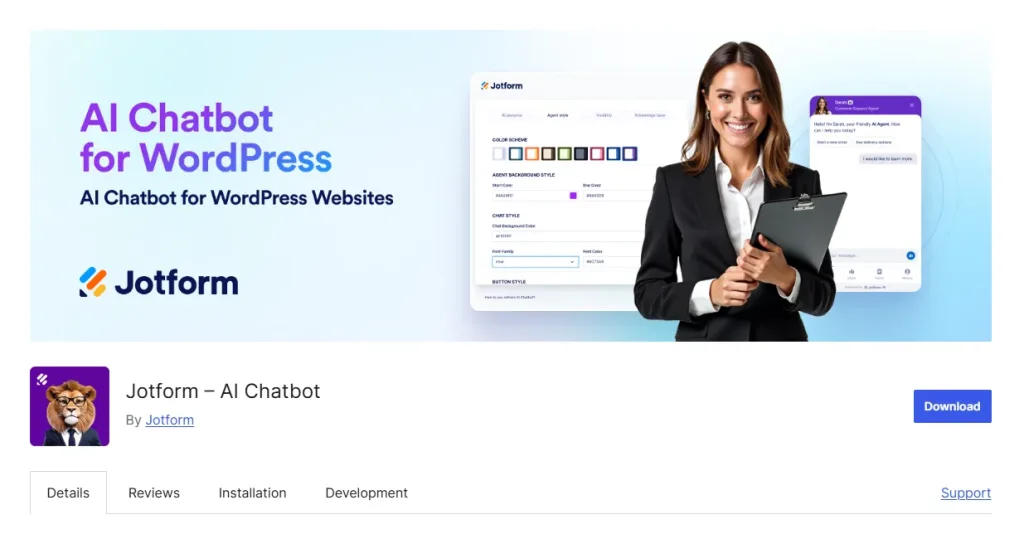
Best for: Data collection, surveys, and form-based workflows with automation
Jotform turns regular forms into chat-style conversations. Instead of showing a long form that users often leave halfway, it guides them step by step like a chat. This helps more people finish filling out the form.
It offers over 7,000 ready templates for different needs like jobs, healthcare, education, and more. After a form is submitted, it can automatically send data to a CRM, book meetings, or create support tickets without manual work.
It is the best WordPress chatbot plugin for businesses that focus on forms, surveys, and bookings because it improves completion rates and saves time.
Key Features
- Real-time checks that catch mistakes before submitting
- Automation that sends form data to CRM, email, or calendar tools
- Automatic support ticket creation from submitted forms
- More than 7,000 templates for HR, healthcare, education, and support use
- Multi-channel embed options like WhatsApp and Facebook Messenger
- Custom design options for colors, branding, and chatbot style
- Phone support option for completing forms using voice
- Analytics to track form completion rates and where users drop off
Pros
- Huge template library covers almost every use case out of the box
- Conversational format improves form completion rates noticeably
- Automation workflows save hours of manual follow-up work
- No-code setup is accessible to non-technical users
Cons
- Costs scale up quickly for high-volume plans
- Design customization has some limitations at the lower tiers
- Complex multi-step workflows occasionally need manual oversight
Pricing
- Paid plans start at around $24 to $34/month
7. Smartsupp
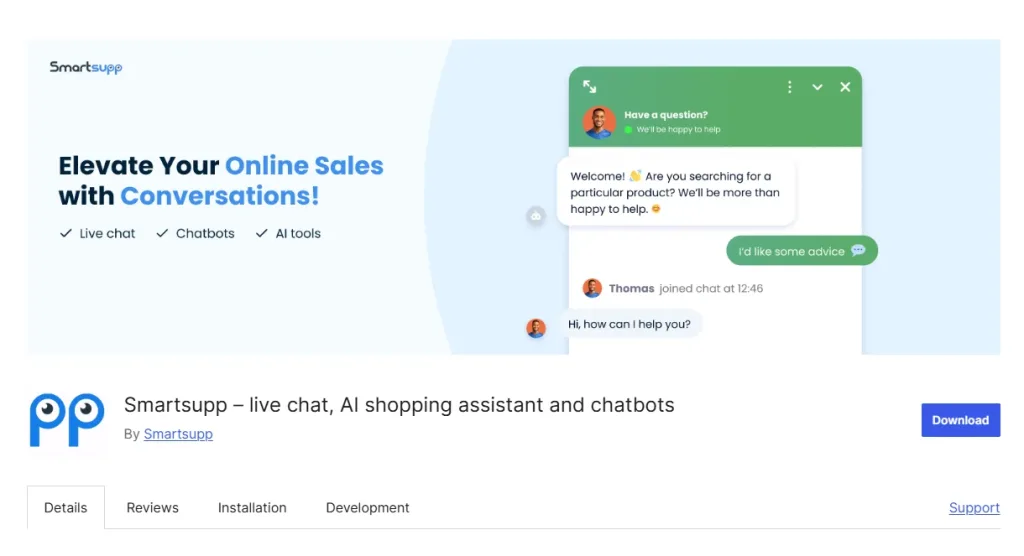
Best for: E-commerce stores focused on cart recovery and shopper behavior insights
Smartsupp is built for e-commerce stores and offers a unique feature that shows how visitors move through your website using session recordings. This helps you understand where shoppers get stuck and improve both your site and chatbot.
Its “Smarty” bot answers questions, qualifies leads, checks purchase history, and sends reminders to recover abandoned carts. It has helped recover a good share of lost carts during testing.
It is GDPR compliant and hosted in the EU, which is useful for European businesses.
It is the best wordpress chatbot plugin for online stores because it combines chat automation with real shopper behavior insights.
Key Features
- Session recording feature that shows how shoppers move through the site
- Live chat with mobile apps so agents can reply from anywhere
- Real time visitor list with purchase history for better support
- Cart recovery messages to bring back lost sales
- Multi language support for global customers
- GDPR compliant data storage hosted in the EU
- Built in consent tools inside the chat widget
- E-commerce integration for product and order details during chats
Pros
- EU hosting and GDPR compliance cover European data requirements
- Live chat mobile apps keep agents available outside the office
- Affordable entry-level plan for smaller stores
- Purchase history in the visitor list gives agents immediate context
- Multi-language support reaches international shoppers
Cons
- Bot templates are basic and need manual customization
- AI depth is limited compared to full LLM-based platforms
- Costs climb noticeably as team size and traffic volume grow
Pricing
- Paid plans start at around €19/month (approximately $20 to $21 USD).
8. Collect.chat
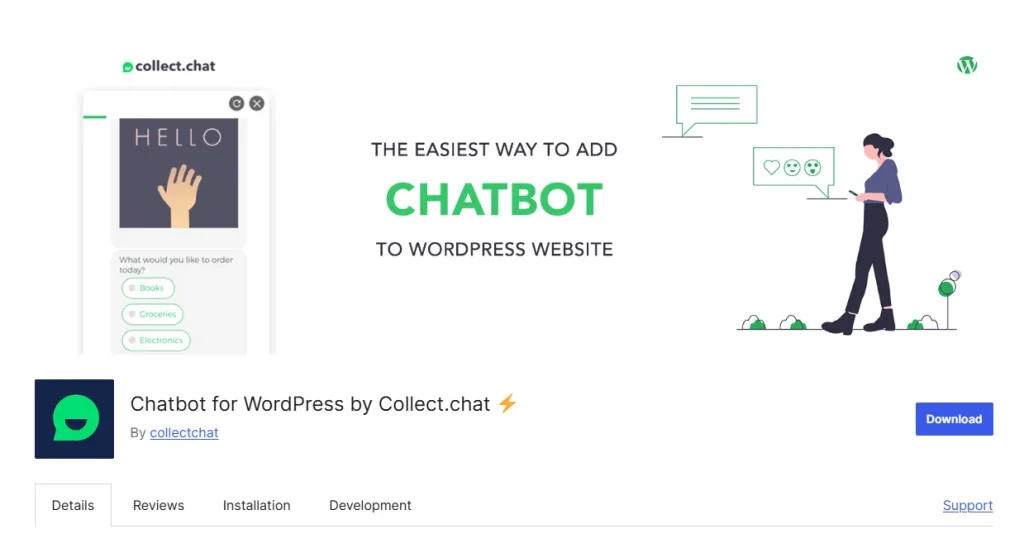
Best for: Lead capture and appointment booking with fast template-based setup
Collect.chat is designed to collect information from visitors in a friendly, chat-style format instead of using long forms. It comes with 50+ templates for lead capture, bookings, surveys, and more, so you can set it up quickly.
Many users see much higher completion rates because people find it easier to answer one question at a time. The no-code editor lets you build custom chat flows easily, and it connects to Google Calendar and Zapier for smooth automation. It is the best wordpress chatbot plugin for small businesses that want a lightweight, fast way to capture leads and bookings.
Best for: Lead capture and appointment booking with fast template-based setup
Key Features
- No-code visual editor with branching logic for personalized chat paths
- In-chat polls and surveys to gather visitor opinions and preferences
- Email notifications for every new conversation or form submission
- Media embeds including images and videos inside chat flows
- Google Workspace and Zapier integrations for wider automation
- Unlimited bots available on the free plan
Pros
- Template library gets a working bot live in under 10 minutes
- Up to 35% higher engagement compared to static forms in testing
- Free forever plan includes unlimited bots, a rare offering
Cons
- Rule-based logic means it lacks true AI conversation ability
- Limited to website chat, no native WhatsApp or social channel support
- Reporting is basic and lacks detailed analytics on visitor behavior
Pricing
- Paid plans start at $18/month
9. IBM WatsonX
Best for: Enterprise teams needing advanced NLP and deep AI customization
IBM WatsonX brings advanced, enterprise-level AI to WordPress. It understands complex questions, detects intent accurately, and handles tasks that basic bots usually cannot.
This makes it suitable for healthcare, finance, and enterprise teams that need proper security and compliance. It also works with tools like Zendesk and Twilio and supports images, voice, and other rich media in chats.
It isn’t a beginner-friendly option, but it is the best WordPress chatbot plugin for businesses that need deep customization and reliable, high-level AI performance.
Key Features
- Advanced language understanding that identifies intent and key details
- Learns from conversations and improves its responses over time
- Supports rich media like images, pauses, buttons, and even VOIP calling
- Integrates with Zendesk and Twilio for support and communication needs
- Offers flexible APIs for connecting to internal tools and systems
- Cloud hosting options for reliable, scalable performance
- Detailed analytics to review conversations and spot improvements
Pros
- Advanced NLP handles complex, nuanced queries other bots miss
- Continuous learning means accuracy improves over time automatically
- Scales to handle large data volumes across enterprise operations
- VOIP and multimedia responses create richer interaction options
Cons
- Pricing is significantly higher than most small-business tools
- Setup and training require technical expertise and time investment
- Excessive for small sites or businesses with basic support needs
Pricing
- A free Lite plan is available.
- Paid and enterprise plans start at around $140+/month
10. Join.Chat
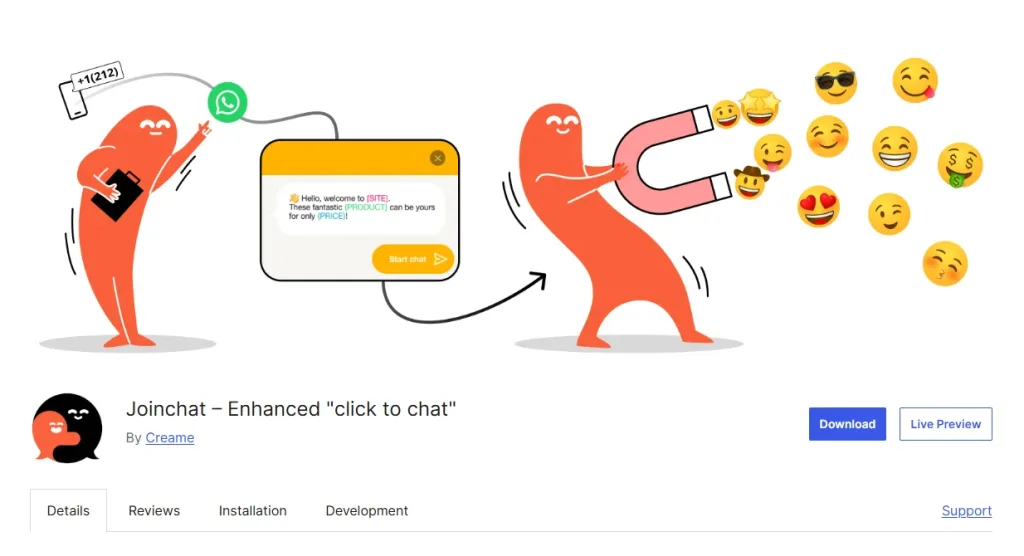
Best for: WhatsApp-first businesses wanting direct mobile chat engagement
Join.Chat is built for one purpose: helping WordPress sites connect instantly with customers on WhatsApp. If most of your audience prefers messaging instead of email or live chat, this plugin makes the shift easy.
Visitors can start a WhatsApp chat through QR codes, click-to-chat buttons, or simple funnels. The Svabot AI feature answers basic FAQs so you don’t repeat the same replies all day.
The free version handles the essentials, which works well for small businesses and local service providers. It is the best wordpress chatbot plugin for WhatsApp-focused businesses that want quick, direct, and high-engagement mobile conversations.
Key Features
- One click WhatsApp chat so visitors can start a conversation instantly
- QR codes and click to chat links for both online and offline promotion
- Svabot AI that answers common questions inside WhatsApp chats
- Funnel builder that guides visitors toward WhatsApp with simple prompts
- Page based chat triggers that show the widget on specific pages
- Custom branding options for logo and colors in the chat widget
- Product and cart integration to send shopping questions through WhatsApp
Pros
- Dedicated WhatsApp focus gives it an edge for mobile-heavy audiences
- Free core plan covers the essential features with no time limit
- QR codes extend your WhatsApp reach to physical marketing materials
- High open and reply rates on WhatsApp compared to email or website chat
Cons
- Single-channel focus means no coverage on other platforms
- AI is basic and rule-based, not suitable for complex queries
- The desktop experience feels less polished than the mobile version
Pricing
- The core plan is free.
- Premium add-ons are available at around $49
How to Choose the Best WordPress Chatbot Plugin?
Picking the right WordPress chatbot plugin in 2026 can make or break your site’s customer experience.
With countless options, from free tools to enterprise-grade solutions, the choice hinges on your business goals and audience needs.
A great plugin saves time, engages visitors, and boosts conversions through smart automation. We’ve distilled insights from testing 10 top plugins into a practical checklist and tailored recommendations for businesses of all sizes.
Let’s break down the key factors to ensure you choose a plugin that fits perfectly.
- AI and Automation Capabilities: Seek plugins with strong natural language processing (NLP) for human-like responses. Top picks handle complex queries, automate FAQs, and learn from interactions. For example, advanced plugins can resolve up to 80% of inquiries without agents, saving time and resources.
- Ease of Installation and Setup: A no-code interface is ideal for quick deployment. Look for drag-and-drop builders that integrate smoothly with WordPress themes and plugins. This ensures setup takes minutes, not hours, even for non-tech users.
- Integrations with Existing Tools: Your chatbot should connect with CRMs, e-commerce platforms, or messaging apps like WhatsApp. Seamless integrations, like those offered by REVE Chat, sync data effortlessly, enhancing lead tracking and omnichannel support. You can book a demo hassle-free here.
- Customization Options: Brand alignment matters. Choose plugins with flexible widget styling, custom greetings, and flow builders to match your site’s look and tone, creating a cohesive user experience across pages.
- Scalability and Performance: Ensure the plugin grows with your traffic. Enterprise-ready options handle thousands of chats without lag, while robust analytics track performance to optimize ROI for high-volume sites.
- Multilingual Support: For global reach, prioritize real-time translation. Plugins supporting 40+ languages let you engage international audiences with personalized, context-aware replies, breaking language barriers.
- Security and Compliance: Data protection is critical. Opt for plugins with end-to-end encryption and GDPR/PCI DSS compliance to safeguard customer information and build trust.
- Analytics and Reporting: Detailed dashboards reveal chat trends, conversion rates, and satisfaction scores. Look for channel-specific metrics and goal-setting tools to refine strategies and measure success.
- Free Plan or Trial Availability: Test before you invest. Many top plugins offer free tiers or trials, letting you explore features like AI responses or lead capture without upfront costs.
- Mobile Responsiveness: With mobile users dominating, your chatbot must shine on all devices. Responsive widgets ensure smooth interactions on iOS and Android, keeping engagement consistent.
Common WordPress Chatbot Challenges and Fixes
Deploying a WordPress chatbot plugin can transform your site’s customer experience, but it’s not always smooth sailing.
It’s from setup hurdles to limited AI responses, businesses often face challenges that can stall progress.
Based on our testing of top plugins and user feedback, we’ve identified five common issues when using the best WordPress chatbot plugins in 2026.
Let’s tackle these obstacles and keep your chatbot running like a well-oiled machine.
Challenge 1: Complex Setup and Configuration
For non-technical users, setting up a WordPress chatbot can feel overwhelming. Many plugins demand coding skills or lengthy training, causing delays or missteps.
Compatibility clashes with WordPress themes can further disrupt your site’s functionality, frustrating efforts to launch smoothly.
Fix
Opt for a plugin with a no-code, drag-and-drop interface to streamline setup. Test on a staging site to catch theme conflicts early. Tools like REVE Chat provide intuitive visual flow builders, enabling complex flows in minutes without coding.
Follow plugin tutorials and keep your WordPress core and themes updated to ensure seamless integration.
Challenge 2: Limited AI for Handling FAQs
Some chatbots struggle with repetitive or nuanced FAQs, giving generic replies that frustrate users. Weak natural language processing (NLP) can lead to unresolved queries, pushing customers to human agents.
Fix
Opt for plugins with advanced NLP and intent detection. Train your chatbot with a robust knowledge base, including FAQs and site content. Regularly update training data to improve accuracy.
Top WordPress AI chatbots, like those with LLM technology, learn from interactions, resolving up to 85% of queries autonomously.
Challenge 3: Language Barriers for Global Audiences
Serving international users is tough if your chatbot only supports one language. Without multilingual capabilities, you risk alienating non-English-speaking customers, reducing engagement.
Fix
Select a plugin with real-time translation for 40+ languages. Ensure it offers context-aware responses to maintain conversation quality.
Test multilingual flows to verify cultural accuracy. Many best chatbot plugins for WordPress now include AI translation, making global support seamless and inclusive.
Challenge 4: Weak Lead Generation Capabilities
Chatbots that fail to capture or qualify leads miss opportunities to drive conversions. Basic bots may collect data poorly, leaving gaps in your CRM or sales funnel.
Fix
Use plugins with conversational forms and proactive triggers, like cart abandonment nudges. Integrate with CRMs to sync lead data instantly.
Customize flows to ask targeted questions, boosting qualification rates. In our tests, advanced plugins increased lead capture by 35% through smart automation.
Challenge 5: Lack of Performance Insights
Without analytics, it’s hard to know if your chatbot is effective. Limited reporting can obscure user satisfaction, conversion rates, or areas for improvement, stalling optimization efforts.
Fix
Choose a plugin with a customizable analytics dashboard. Track metrics like chat volume, resolution rates, and channel performance. Set goals to benchmark success.
Plugins with detailed reporting, like those offering channel-specific insights, help you refine strategies and prove ROI. It ensures your WordPress AI chatbot performs at its peak.
Conclusion
Choosing the best WordPress chatbot plugin in 2026 can elevate your site from functional to phenomenal, transforming how you engage visitors and drive growth.
Our in-depth review of 10 top plugins highlights the power of AI chatbots for WordPress to deliver instant support, capture leads, and personalize experiences across the globe.
After rigorous testing, one thing is clear: a well-chosen WordPress AI chatbot can cut response times, boost conversions, and delight customers like never before.
Ready to take your site to the next level? Explore our top pick’s free trial to experience seamless automation and smarter engagement today.
Start with a free trial of REVE Chat now, no credit card required, just plug it into your WordPress dashboard and watch your customer experience soar!
Frequently Asked Questions
The best WordPress chatbot plugin depends on your needs, but our top pick excels with advanced AI, no-code setup, and omnichannel support for seamless customer engagement.
REVE Chat offers a 14-day free trial with no credit card required. Its affordable plans scale to suit businesses of all sizes.
Install a plugin from the WordPress dashboard, configure it with a no-code builder, and embed the widget. Most top plugins offer step-by-step setup guides.
Yes, many plugins support 40+ languages with real-time translation. This ensures personalized engagement for global audiences.
Chatbots boost SEO by increasing user engagement, reducing bounce rates, and providing instant answers, which signals quality content to search engines.
Build AI-powered support with Wize AI
Connect business knowledge, automate support conversations, and improve response quality without managing a complex AI stack.
Explore Wize AI Agent Rate the article

Mohaimin Talha
Lead Product Manager
Mohaimin Talha is a seasoned Product Manager, known for his ability to combine creativity with analytical thinking. His strategic vision and customer-centric approach make him a key driver of product success and business growth.
View all articles