
Table of Content
AI SUMMARY
Quick Answer
A strong FAQ page helps customers find answers quickly, reduces repetitive support requests, improves the user experience, and can support SEO and conversions. This guide reviews 15 effective FAQ page examples from brands such as ASOS, Nike, Slack, Dropbox, Airbnb, and REVE Chat, highlighting approaches like clear categorization, search, helpful navigation, and well-structured content.
It also explains how to build an effective FAQ page by using real customer questions, writing clear answers, optimizing the design and SEO, regularly updating the content, and combining traditional FAQs with chatbots and other self-service tools.
When repetitive support questions flood your inbox, or customers keep bouncing because they can’t find answers to common questions, a lack of a properly structured Frequently Asked Questions page is a big issue.
A powerful FAQ page is a strategic asset that solves customer issues faster. It deflects routine inquiries, enhances user experience, and drives SEO growth through question-based traffic.
FAQ pages are evolving as well. With AI chatbots now powering the majority of customer interactions, leading brands are blending traditional FAQs with conversational AI for maximum efficiency.
In this article, we’ll discuss the best FAQ page examples that excel in design, functionality, and results with standout chatbot integrations.
What is an FAQ Page?
An FAQ page (Frequently Asked Questions page) is a dedicated section or standalone page on a website that presents a curated list of common customer questions paired with clear, concise answers.
Its primary purpose is to enable self-service by proactively addressing the most repetitive or frequently asked inquiries, such as those related to products, services, shipping, returns, pricing, account management, or policies.
It enables users to quickly find information without needing to contact support.
Why Does Your Website Need a Strong FAQ Page?
A well-optimized FAQ page is no longer optional; it’s an important page that delivers measurable benefits for customer experience, operational efficiency, SEO, and conversions. The major reasons your website needs a strong FAQ page:
1. Reduces Support Tickets and Saves Resources
A strong FAQ page empowers customers to self-serve, deflecting routine inquiries before they reach your support team. This proactive approach minimizes repetitive emails, chats, or calls, allowing your team to focus on higher-value interactions.
2. Improves User Experience and Builds Trust
Customers expect quick, clear answers, and an intuitive FAQ page delivers exactly that, reducing frustration and bounce rates.
Anticipating common questions and providing concise, helpful responses demonstrates that your brand understands user needs, fostering trust and loyalty.
3. Boosts SEO and Organic Traffic
FAQ pages naturally target long-tail, question-based keywords, helping you rank in Google’s “People Also Ask” sections and voice searches. With proper FAQ schema markup, they can earn rich snippets, increasing click-through rates by up to 35% and driving targeted traffic.
4. Drives Conversions and Sales
By addressing objections (e.g., shipping, returns, pricing) upfront, FAQs guide hesitant visitors toward purchase decisions.
Clear answers reduce purchase anxiety, shorten the sales funnel, and can increase conversion rates while encouraging repeat business.
15 Best FAQ Page Examples in 2026
We’ve curated 15 standout FAQ page examples across industries, selected for their exceptional design, usability, SEO performance, and innovative features in 2026.
Ecommerce FAQ Page Examples
Ecommerce FAQs focus on reducing purchase anxiety with clear categories for shipping, returns, payments, and products, often featuring search bars and branded visuals for seamless shopping experiences.
ASOS
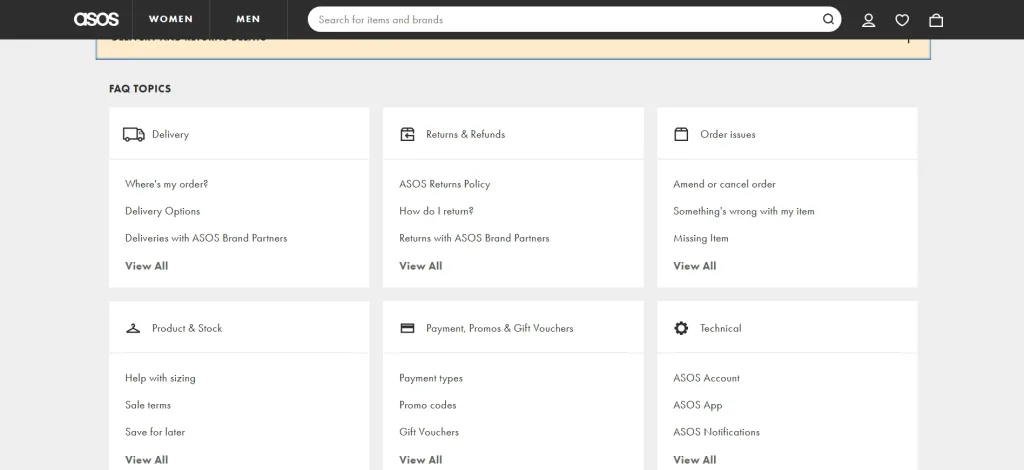
Their FAQ page is also named the Customer Care Page, linked from the “Help” section of the “Help and Information” tab in the footer. There are multiple categories of FAQs listed on the page. Each category is linked to a page that discusses the FAQs of the specific category.
There are 6 categories of FAQs: Delivery, Returns & Funds, Order Issues, Product & Stock, Payment-Promos-Gift Vouchers, and Technical; each category of FAQ is linked to its specific page of FAQs.
Zappos
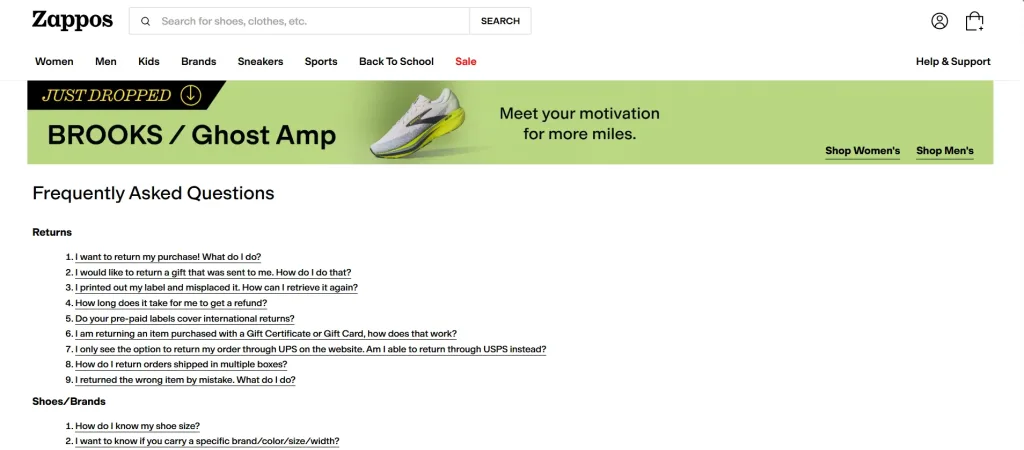
Zappos has a detailed FAQ page. It is designed in a user-friendly way as well. The FAQs are divided into different categories. There are sub-categories for each question with an answer, and below each answer there is a “return to top” button for a better user experience.
Nike
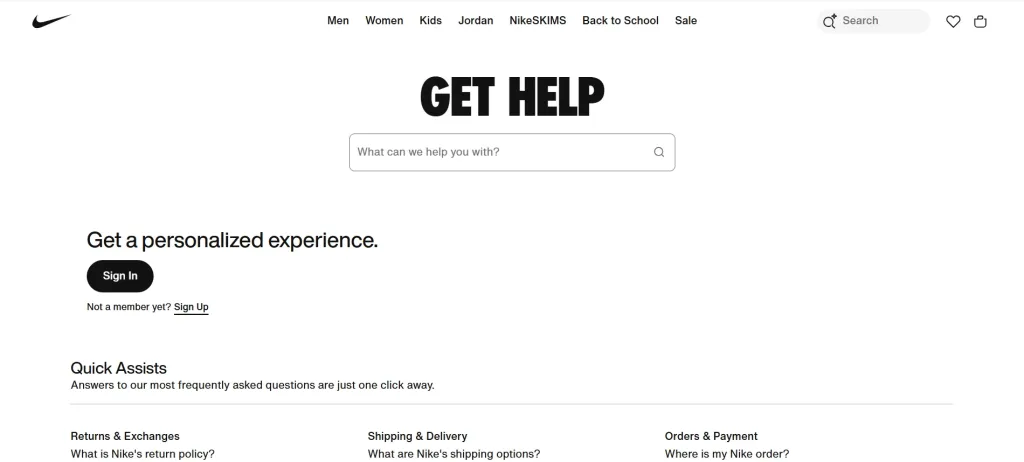
Nike’s FAQ page is the Help or Get Help page. The FAQs are divided into 6 categories: Returns & Exchanges, Shipping & Delivery, Orders & Payments, Shopping, Nike Membership & Apps, and Company Info.
Under each category, each FAQ takes the shopper to a page where the question is answered, and each page also includes a set of relevant FAQs that the customer can access directly without going back and forth.
Jeffree Star Cosmetics
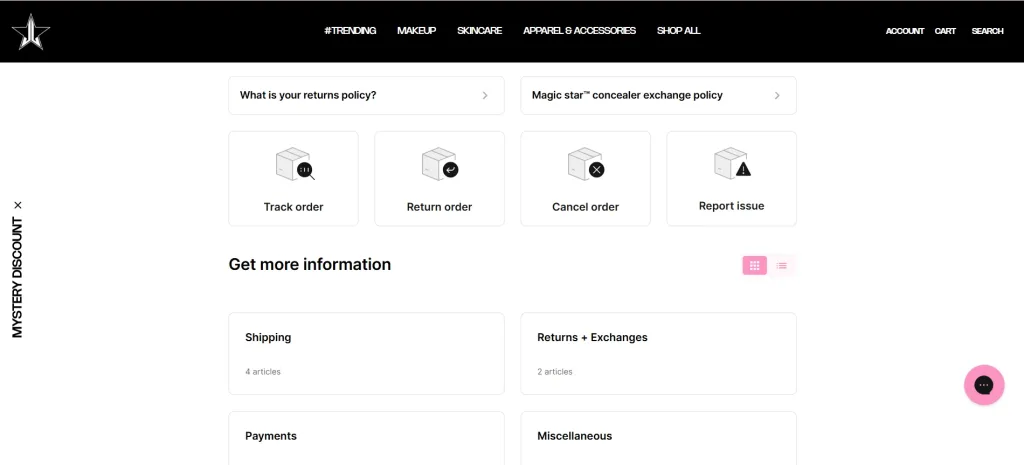
They present a particularly well-designed and categorized FAQ page. The FAQs are presented as topics of discussion in separate boxes, making an aesthetically interesting choice of presentation.
Glossier
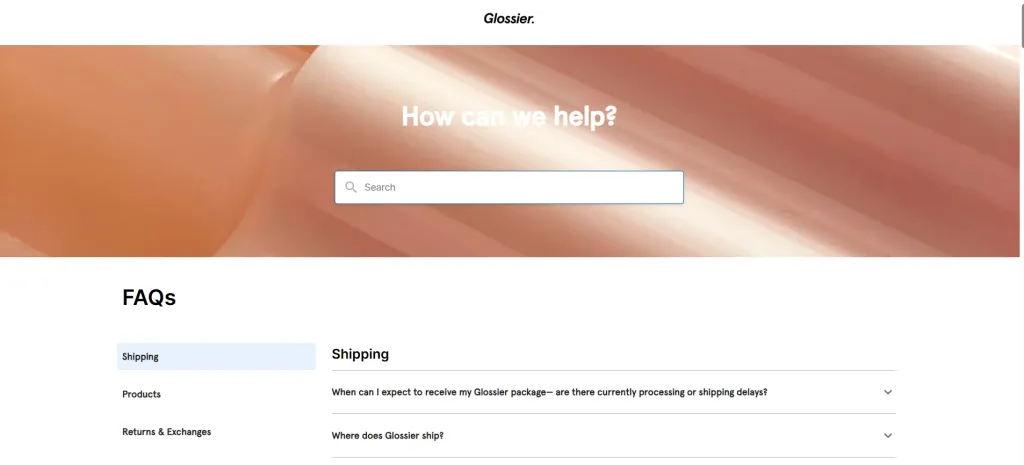
Glossier also has a detailed FAQ section on a single page, divided into separate categories, mirroring the brand’s minimalistic, clean aesthetic.
SaaS and Tech FAQ Page Examples
SaaS FAQs often evolve into full help centers with search, deep linking to docs, and integrations, prioritizing technical clarity and scalability.
Slack
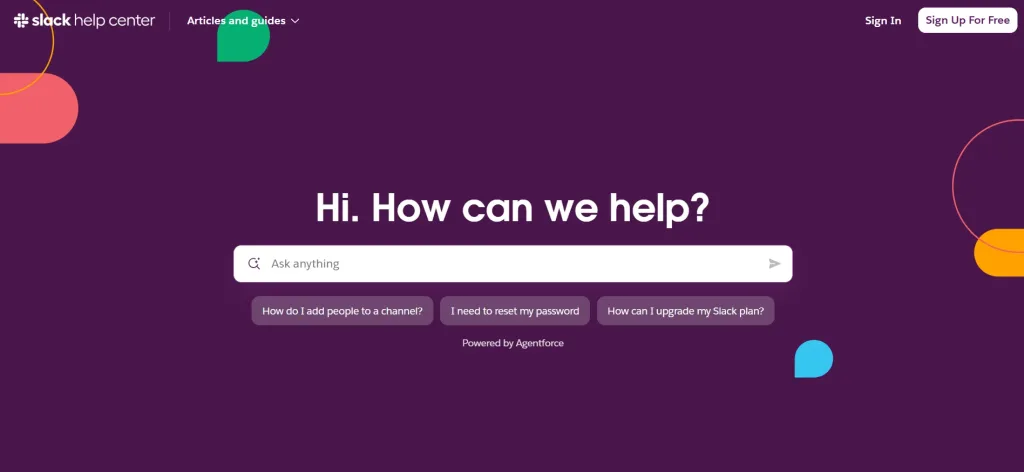
Slack’s Help Center’s FAQ answering system is interesting. They’ve incorporated a search system where customers can type their queries or click on the category of their query; then the search results take them to the relevant linked articles to answer their queries. It’s a neat, personalized, and modern FAQ answering method.
Dropbox
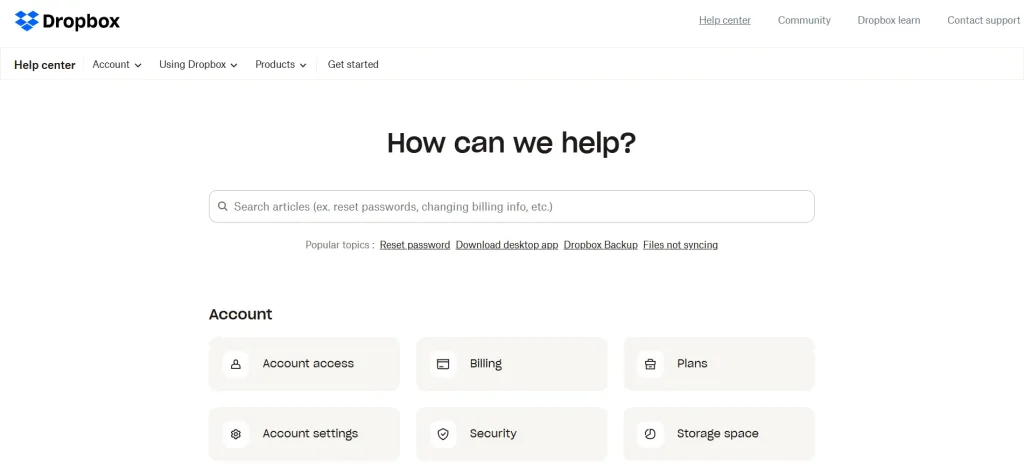
Similar to Slack, Dropbox also has a help center where customers can type their queries, and the results will fetch relevant linked documents specifically identifying the answer to the query. There are also a few follow-up FAQs listed below each category of question as well.
Airtable
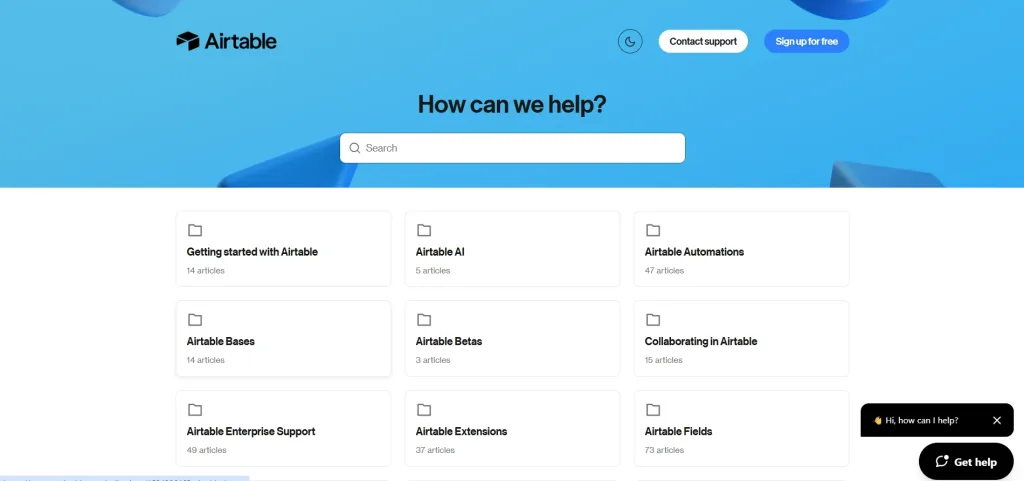
Airtable delivers a comprehensive help center with powerful search, docs, and community links. The help center empowers no-code users by blending quick FAQs with in-depth guides for maximum productivity.
Mailchimp
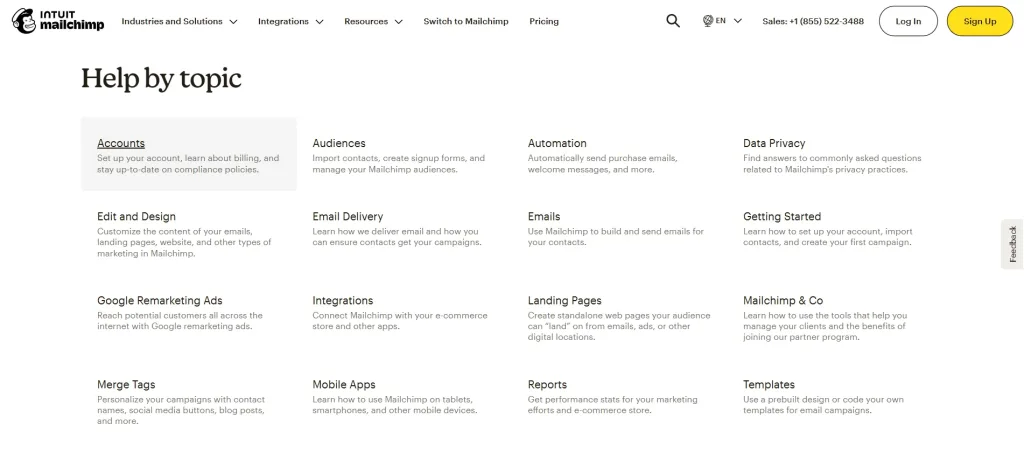
Mailchimp’s help center has a search bar as well as categories of topics laid out under the search space. Clicking on each of the categories will take the customer to a list of related topics that are linked to an article answering that question.
REVE Chat
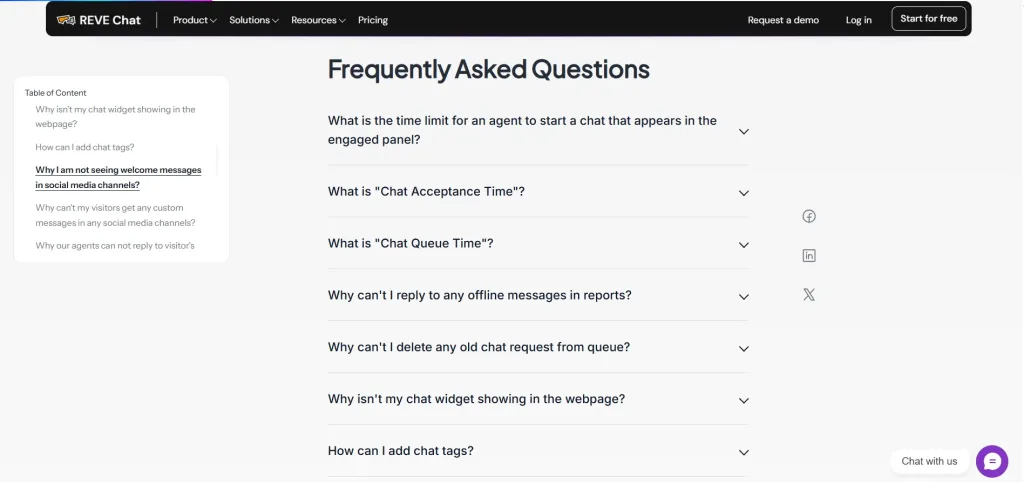
REVE Chat’s help center offers clean, categorized FAQs focused on tool setup, usage, and best practices. The page demonstrates deep expertise in the tools and AI solutions while providing clear, actionable guidance for implementing them.
Notion
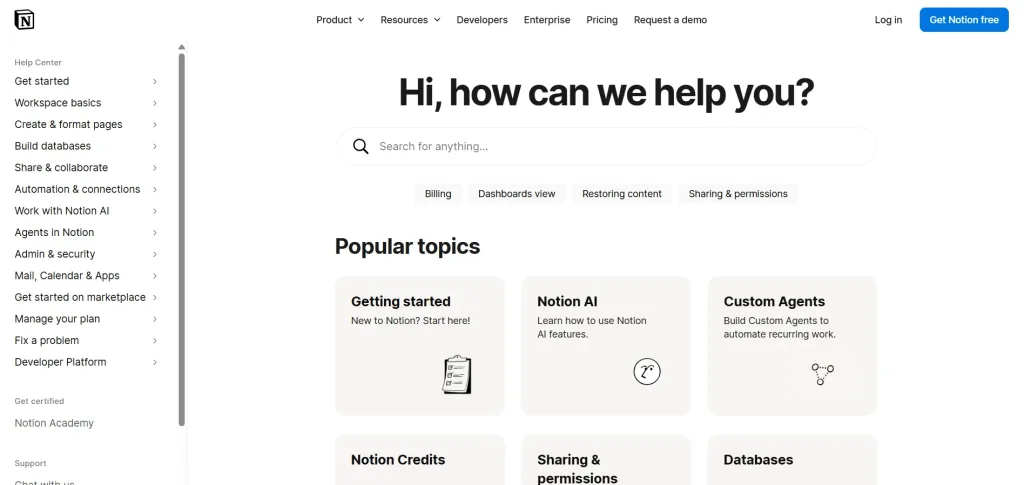
Notion’s help center is an advanced FAQ page that incorporates embedded videos, searchable templates, and well-structured categories, and reflects the tool’s flexible nature, helping users fully leverage its productivity features.
Service and Other Industry FAQ Page Examples
Service-based FAQs emphasize policies, bookings, and escalations, often with humor or visuals for non-retail brands.
Airbnb
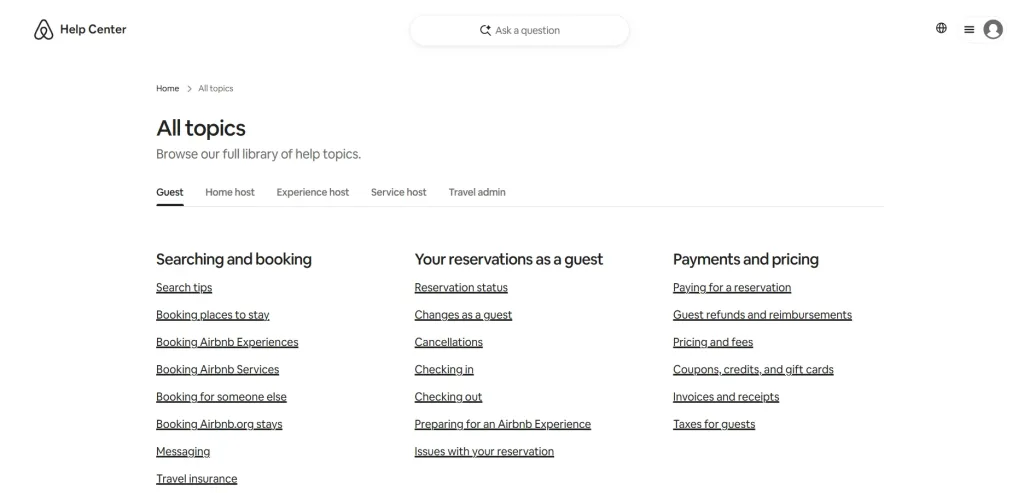
Airbnb organizes content into gamified categories with distinct host/guest sections and strong search. They tackle trust and safety concerns head-on, significantly reducing disputes and support needs.
The customer can either click on “All Topics” and find answers to suggested query topics, or they can simply search for their query and be directed to an article containing their answer.
McDonald’s
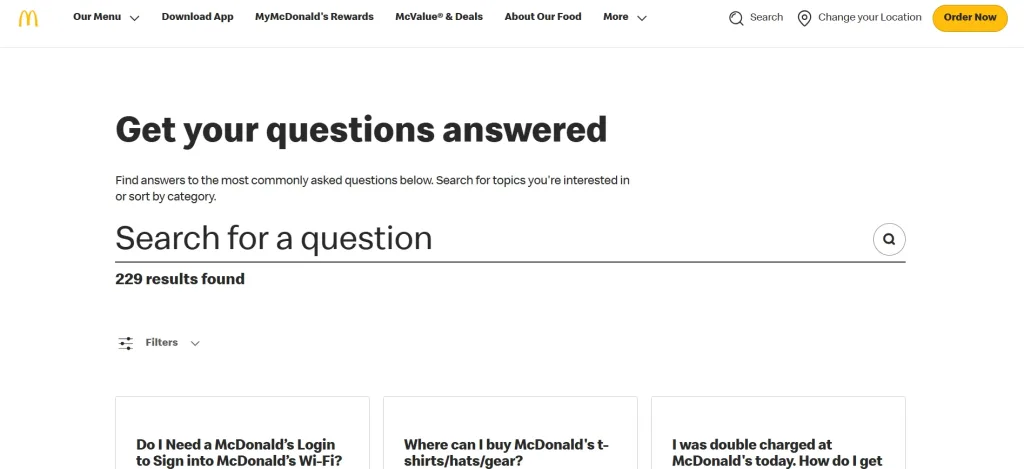
McDonald’s FAQ page features a simple layout with a prominent search bar and straightforward categories. There are hundreds of FAQs with answers available on this page related to the chain’s services, laid out in detail so that service and information are swiftly accessed.
Spotify
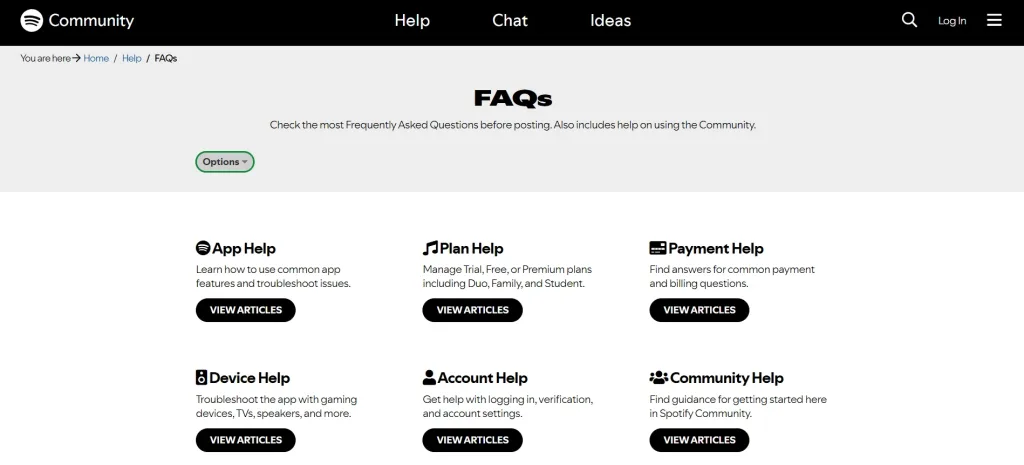
Spotify’s FAQ page can be accessed through the Community tab. It integrates community resources alongside FAQs with easy push/pull access. It combines self-service with user forums to resolve music and account-related queries effectively.
P&O Cruises
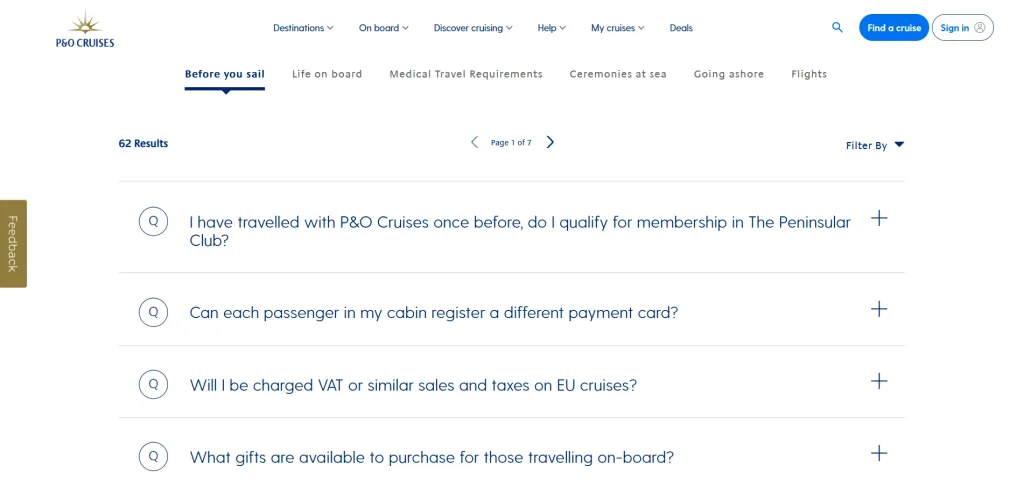
Their FAQ page answers many frequently asked questions, divided into different categories as well. Customers/clients can apply filters to look for their relevant question as well.
How to Create Your Own Winning FAQ Page
Building an effective FAQ page doesn’t have to be complicated. Follow this step-by-step process to create one that reduces support tickets, improves UX, and boosts SEO.
Whether you’re starting from scratch or upgrading an existing page, these steps will help you deliver real value to your customers.
Step 1: Gather Common Questions
The foundation of any great FAQ page is authenticity, so focus on questions your customers actually ask, not what you think they might.
Mine data from support tickets, live chat logs, email inquiries, search console queries, and customer feedback surveys to identify the top 20-50 recurring issues.
Supplement with tools like Google Analytics, “People Also Ask” results, or competitor FAQs to uncover gaps and long-tail questions.
Prioritize by frequency and impact (e.g., pre-sale objections like shipping or returns), aiming for a mix of categories such as account, product, billing, and troubleshooting.
Step 2: Choose Your FAQ Format and Template
Select a format that balances scannability, mobile-friendliness, and engagement for your audience size and content volume.
The accordion (collapsible sections) is the most popular choice. It keeps pages clean, reduces clutter, and loads content progressively for better performance.
Alternatives include categorized tabs for larger sets, simple open lists for short FAQs, or embedded sections on relevant pages (e.g., product or pricing).
Use ready-made templates from platforms like WordPress plugins (e.g., Ultimate FAQ), Shopify apps, or builders like Elementor/Wix for quick, responsive setups.
Step 3: Write Clear and Helpful Answers
Craft answers that are concise, customer-focused, and easy to understand; aim for 1-3 short paragraphs per response.
Phrase questions naturally (as customers would ask, e.g., “How long does shipping take?”) and provide direct, actionable answers without jargon.
Include internal links to related resources, step-by-step instructions where needed, and polite escalations like “Still need help? Contact us.”
Maintain a consistent, friendly brand voice while ensuring accuracy; also test readability with tools like Hemingway App.
Step 4: Design for Optimal User Experience
Prioritize clean, intuitive design to make finding answers effortless and encourage self-service.
Organize into logical categories with clear headings, anchor links for quick jumps, and a consistent layout across devices.
Use bold questions, bullet points/numbers for steps, and ample white space for scannability.
Incorporate your brand colors/fonts subtly, add icons or subtle animations, and ensure fast load times for a frustration-free experience.
Step 5: Add Advanced Features
Elevate your FAQ from basic to exceptional with features that handle more queries and improve engagement.
Include a prominent search bar at the top for instant filtering. It is essential for pages with 20+ questions.
Embed visuals like screenshots, infographics, short videos, or links to tutorials for complex answers.
Step 6: Optimize for SEO with FAQ Schema
Make your FAQ work harder by targeting question-based searches and earning rich results in Google.
Implement FAQ schema markup using JSON-LD (Google’s preferred format), add it via plugins (e.g., Rank Math, Yoast) or manually in the page head.
Ensure markup matches visible content exactly: one FAQPage item with Question/Answer properties for authenticity and compliance.
Target long-tail keywords naturally, use proper headings (H2/H3), and monitor via Google Search Console for impressions, clicks, and rich snippet eligibility.
Step 7: Test, Update, and Measure Performance
Launch isn’t the end; treat your FAQ as a living resource that evolves with your customers.
Test usability with real users (e.g., via heatmaps or feedback forms) and check mobile/accessibility compliance.
Track metrics like page views, search usage, bounce rates, ticket deflection, and conversions using Google Analytics or support tools.
Schedule regular reviews (quarterly or after changes) to add new questions, remove outdated ones, and refine based on data for ongoing improvement.
The Rise of FAQ Chatbots: The Modern Upgrade to Traditional FAQ Pages
The evolution of self-service on websites has been a game-changer; it’s gone from clunky text walls to intelligent, always-on assistants.
Here’s the quick transformational journey:
Early 2000s: Static Text Lists
Plain, long pages of questions and answers in open text. Users scrolled endlessly; no search, no interaction, high bounce rates, and little engagement.
2010s: Accordion and Searchable FAQs
Collapsible sections and basic search bars arrived. Pages became scannable and mobile-friendly, reducing frustration and deflecting more support queries.
2020s: AI-Powered Chatbots Enter
Conversational AI took over routine questions. Bots understand natural language, answer instantly 24/7, and personalize responses, resolving 60-80% of inquiries autonomously.
2026 Today: Seamless Hybrids Dominate
The best setups combine clean accordion FAQs with embedded AI chatbots. Users get speed from the bot, depth from the page, and effortless escalation. It delivers superior UX, massive ticket deflection, and real cost savings.
Conclusion
A well-designed FAQ page makes it easier for customers to find answers, understand your products or services, and move forward without unnecessary friction. The strongest FAQ pages combine clear information, intuitive organization, useful search and navigation, and content that reflects the questions customers actually ask.
The examples and best practices in this guide can help you evaluate your current FAQ page and identify where it can be improved. Start with the areas that matter most to your customers, keep the content accurate and easy to navigate, and continue refining it as new questions emerge.
As customer expectations evolve, FAQ pages can also work alongside search, chatbots, and other self-service tools to create a more complete support experience. With the right structure and content, your FAQ can become a valuable part of both the customer journey and your overall support strategy.
Frequently Asked Questions
Aim for 10–30 questions, depending on your business complexity. It’s enough to cover 80-90% of common inquiries without overwhelming users.
Yes, if it aligns with your brand voice (e.g., Mailchimp, Liquid Death), humor can make answers memorable and humanize your brand.
A single, well-organized page with categories and search works best for most sites, improving SEO and user flow.
Review and update quarterly at a minimum, or whenever you launch new features, change policies, or notice spikes in specific support tickets.
Yes. Duplicate content, thin answers, or keyword stuffing can trigger penalties or poor rankings.
Always provide unique, valuable responses, use proper schema, and avoid copying competitor FAQs verbatim.
Absolutely. Place a clear “FAQ” or “Help” link in your main navigation, footer, and key pages (e.g., product, checkout).
Build AI-powered support with Wize AI
Connect business knowledge, automate support conversations, and improve response quality without managing a complex AI stack.
Explore Wize AI Agent Rate the article

Juwel Rana
Senior Content Writer
Juwel is a Sr. Content Writer at REVE Chat. He specializes in writing about customer service and customer engagement. He is passionate about helping businesses create a better customer experience.
He strongly believes that businesses will be able to understand their customers better and ultimately create more meaningful relationships with them.
View all articles