Omnichannel Contact Center Software for Your Business
- March 3, 2026
- 29 mins read
- Listen

Customer service should always be exceptional. It must be consistent even if consumers keep switching between multiple devices. On top of that, maintaining quality in service is equally important, irrespective of the channels chosen by customers.
And if you plan to deliver great service, the first priority is to ensure customers get help as, when, and where they want it. You must also meet customer service needs, whether through a live agent or real-time self-service options.
Thanks to the omnichannel contact center software, it’s now incredibly easy to engage with your customers wherever they are. The software makes it hassle-free to support customers on their preferred channels, be it chat, email, voice, or social media.
So, ditch the single-channel customer support strategy and switch to an omnichannel contact center platform immediately if you wish to delight customers through their journey with your brand.
In this blog, we will discuss the significance of omnichannel customer solutions and their benefits for businesses.
What is an Omnichannel Contact Center Platform?
An omnichannel contact center platform is a unique approach to providing superior customer service experiences and smooth interactions across touchpoints. It helps businesses interact with customers when they want it, through the channel of their choice.
To benefit from an omnichannel call center solution, an organization needs a piece of software that streamlines business communication through automatic syncing of interactions across devices and channels.
Agents that use call center software will find it easy to move between channels and touchpoints, therefore seamlessly helping customers regardless of the channel. When done right, such contact centers can hugely enhance the customer service experience and customer engagement throughout the customer journey.
When an omnichannel contact center software is used, agents find it easy to assist customers by looking at the entire history. Similarly, it allows customers the flexibility to choose their preferred mode of communication, leading to higher customer satisfaction.
For example, an omnichannel platform gives agents the freedom to switch conversations from one channel to another, from Facebook Messenger to phone calls or web chat, without having to leave the dashboard.
Plus, the service team can handle all conversations from different channels like live chat, messaging, VoIP telephony phone system, email, social channel, and SMS without being there. This can add great value to customer service.
Omnichannel vs Multichannel Contact Center: What Is the Difference?
Multichannel and omnichannel contact centers both allow customers to communicate with a business through different channels. The main difference is whether those channels operate separately or as part of one connected customer experience.
A multichannel contact center may offer phone, email, live chat, social media, and messaging applications. However, each channel may use a separate system, conversation record, queue, and workflow. When customers move from one channel to another, the new agent may not know what has already happened.
An omnichannel contact center connects those channels and synchronizes the relevant customer data. This enables customers to continue a conversation without starting again.
For example, a customer may initially ask about a delayed delivery through WhatsApp. If the issue later requires a video call or live agent, the agent can review the previous messages, order information, and actions already taken. The conversation continues from the same point rather than becoming a separate interaction.
| Area | Multichannel Contact Center | Omnichannel Contact Center |
|---|---|---|
| Available channels | Offers multiple channels | Offers multiple connected channels |
| Conversation history | Often separated by channel | Unified across channels |
| Customer data | Stored in different systems | Accessible through a centralized view |
| Channel switching | May require the customer to repeat information | Context moves with the conversation |
| Agent experience | Agents may switch between several tools | Agents work through a unified interface |
| Reporting | Frequently measured separately | Measured across the complete journey |
| Routing | Usually based on individual channel queues | Can consider skills, availability, intent, priority, and context |
| Customer experience | Available across multiple channels | Continuous across multiple channels |
Multichannel support gives customers more ways to contact a business. Omnichannel support connects those options to create one consistent service experience.
How Does an Omnichannel Contact Center Work?
An omnichannel contact center brings customer channels, conversation records, business data, automation, and human support into a connected service environment.
A typical interaction follows these steps:
1. The Customer Starts a Conversation
The customer contacts the business through a preferred channel such as live chat, WhatsApp, Facebook Messenger, email, voice, video, or a mobile application.
2. The Platform Identifies the Customer and Context
The platform connects the interaction with available customer information. This may include previous conversations, contact details, purchases, support requests, account status, or the pages the customer visited.
3. The Inquiry Is Classified
The system identifies the customer’s intent, language, priority, and the type of assistance required. Depending on the configuration, this can be handled through predefined rules, an AI Agent, or both.
4. The Conversation Is Routed or Automated
A routine request may be resolved through automation or self-service. More complex inquiries can be routed to an appropriate agent based on availability, skills, department, language, workload, or customer priority.
5. The Agent Receives the Full Context
When a human agent joins, the agent can review the conversation history and relevant customer data from the same interface. This reduces unnecessary questions and helps the agent provide a more informed response.
6. The Customer Can Move Between Channels
The conversation may continue on another channel when necessary. A customer can move from messaging to live chat, voice, video, or co-browsing without losing the context of the original request.
7. The Interaction Data Is Synchronized
The resolution, conversation history, tags, notes, and customer information are stored for future use. Supervisors can then analyze performance across channels instead of reviewing each channel independently.
The goal is not simply to offer more communication options. It is to make every interaction part of the same customer relationship.
Why Does Your Business Need an Omnichannel Contact Center Software?
Companies that implement omnichannel customer engagement strategies retain, on average 89% of their customers. Yours too can benefit from omnichannel contact center solutions to redefine the way you communicate with customers. The most important part, the software not only helps customers but can make tasks easier for service agents as well.
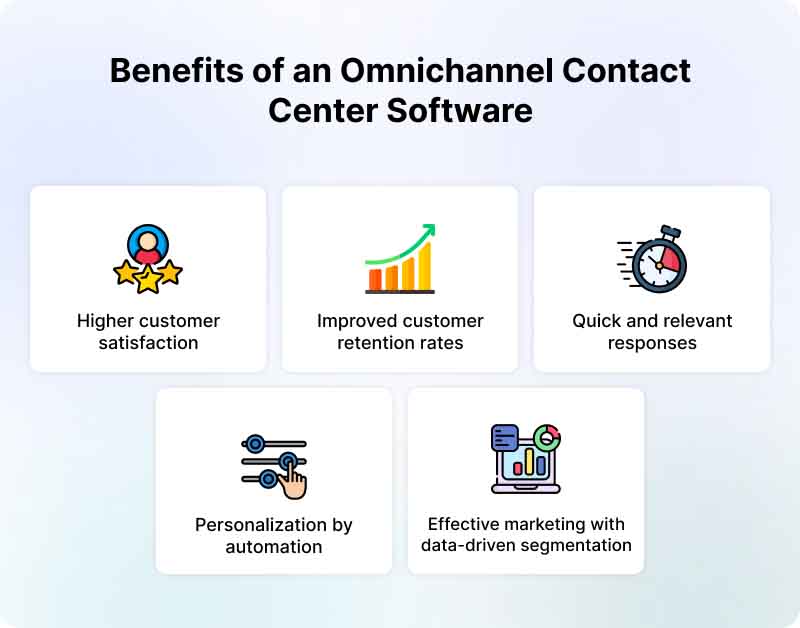
Leveraging the power of an omnichannel platform can bring a whole variety of benefits.
- Higher customer satisfaction – Companies that use an omnichannel communication strategy are able to provide a consistent cross-platform experience to customers without making them switch between channels or repeat themselves. This ensures higher customer retention rates for businesses.
- Improved customer retention rates – Omnichannel solution gives customers the option to reach agents on the channel of choice, experience less wait time, and find quick answers to their queries. All this can drastically improve customer retention rates.
- Quick and relevant responses – Businesses that switch to contact center solutions make it easy for customers to connect to an agent, get immediate help, and benefit from self-service options. Agents have access to customer data or history and therefore offer quick responses.
- Personalization by automation – Customers always love personalized responses, as it caters to their needs perfectly. Thanks to omnichannel contact centers, it will be easy to personalize the experience by automating emails, text messages, and responses, therefore hugely improving customer experience.
- Effective marketing with data-driven segmentation – Omnichannel software gives the advantage of segmenting customers into the right audience type and improving conversion rates through effective marketing.
Features of an Omnichannel Contact Center Software
Having a single-channel approach to customer service is never an ideal scenario in a time when people love switching between devices and channels. You should rather focus on omnichannel customer engagement to easily interact with customers wherever they are. This kind of engagement is driven by advanced contact center software whose features ensure value for both customers as well as agents.
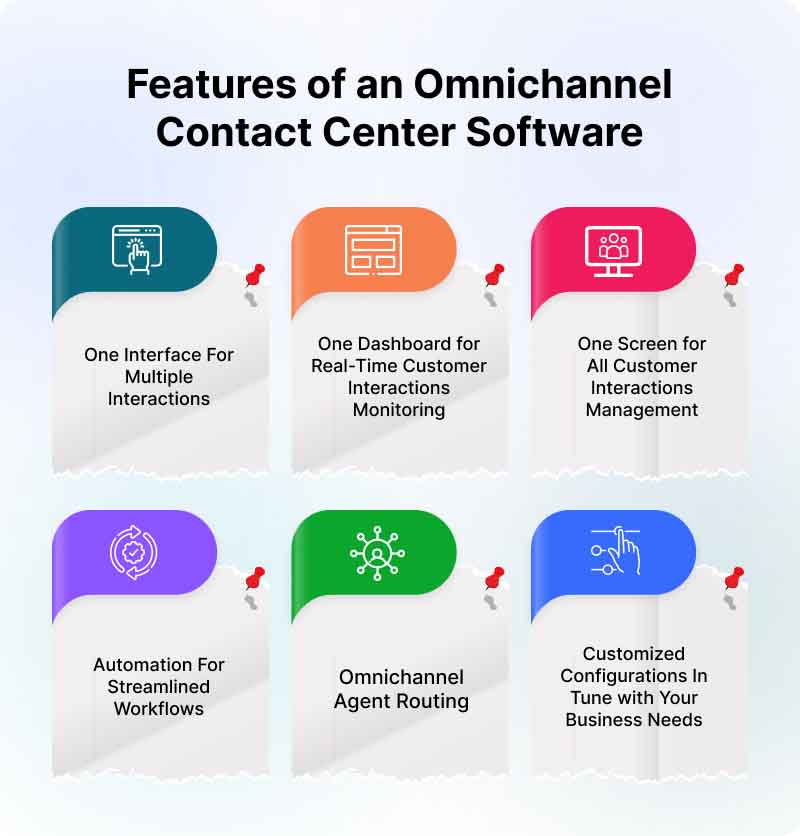
High-quality contact center software often comes packed with a whole host of support-friendly features.
1. One Interface For Multiple Interactions
Gone are the days when agents had to keep a watch on different channels to cater to customers efficiently. Now, omnichannel software makes it possible to not only engage customers across their preferred communication channels but also engage in multiple interactions simultaneously through a single interface.
2. One Dashboard for Real-Time Customer Interactions Monitoring
Customers using different channels to reach you is no longer a problem. Thanks to the software for omnichannel communication, agents can keep track of all interactions in real-time, and that too through one dashboard. This way, all the interactions through specific channels can be tracked from a single source.
3. One Screen for All Customer Interactions Management
Your customer service reps will no longer be troubled by the constant screen toggling hassles. With the omnichannel platform, there will be a unified agent desktop to manage all interactions through different channels. Now, all the team collaboration features and capabilities are packed into one screen, which makes customer service simple and easy.
4. Automation For Streamlined Workflows
Call center agents needn’t worry about tasks and workflow management when there are automated operations for help. With an omnichannel solution, it will always be easy to set automation rules for customer service tasks and achieve efficiency at every level.
5. Omnichannel Agent Routing
You can make sure customers are routed to the right agents all the time. With omnichannel agent routing, it’s simple to route incoming interactions from different channels to the best agent. The routing feature will help you achieve operational efficiency in customer service.
6. Customized Configurations In Tune with Your Business Needs
One of the great aspects of the software is the flexibility to get it customized according to its own unique business specifications and requirements. So, you can expect to configure your dashboards and reports in a reasonable omnichannel contact center pricing.
How to Implement an Omnichannel Contact Center
Implementing an omnichannel contact center requires more than connecting several communication channels to one dashboard. The channels, customer data, workflows, service standards, and teams must work together.
Step 1: Map the Existing Customer Journey
Identify where and why customers currently contact your business.
Review:
- The channels customers use
- The questions asked on each channel
- Common points of frustration
- Channel-switching behavior
- Response and resolution times
- Escalation requirements
- Repeated customer information
This will help you understand which parts of the journey need to be connected first.
Step 2: Select Priority Channels
You do not need to introduce every possible channel immediately. Begin with the channels your customers already use most frequently.
For example, an ecommerce business may prioritize website live chat, WhatsApp, Instagram, Facebook Messenger, email, and voice. A bank may prioritize mobile applications, web chat, secure messaging, voice, video, and co-browsing.
The right channel mix depends on customer behavior rather than the number of integrations a platform offers.
Step 3: Create a Unified Customer Record
Connect conversation data with your CRM, ecommerce platform, help desk, account system, or other customer database.
Agents should be able to see the information needed to assist the customer without searching through several applications. At the same time, access to sensitive information should be controlled according to roles and responsibilities.
Step 4: Define Routing and Escalation Rules
Decide how incoming conversations should be distributed.
Routing rules may consider:
- Customer intent
- Selected language
- Agent skills
- Department
- Conversation priority
- Customer segment
- Agent workload
- Operating hours
- Previous conversation ownership
You should also define when an automated interaction needs to be transferred to a human agent.
Step 5: Add Automation and Self-Service
Use automation for repetitive, predictable, and high-volume requests. This may include answering common questions, collecting customer information, checking an order status, booking an appointment, qualifying a lead, or creating a support ticket.
Automation should make the process easier for customers. It should not prevent them from reaching a human agent when the situation requires judgment, empathy, authorization, or detailed investigation.
Step 6: Standardize Service Across Channels
Customers may use different channels, but the quality of service should remain consistent.
Create shared guidelines for:
- Brand voice
- Response standards
- Data collection
- Authentication
- Escalation
- Follow-up
- Conversation closure
- Customer privacy
Channel-specific differences may still be necessary. For example, live chat typically requires a faster response than email. The underlying service experience, however, should remain consistent.
Step 7: Train Agents for Omnichannel Support
Agents need more than technical platform training. They must understand how communication styles, customer expectations, and workflows differ between channels.
Training should include:
- Managing simultaneous conversations
- Reading previous interaction history
- Switching between channels
- Using AI Copilot recommendations
- Handling automated handovers
- Protecting customer information
- Writing for digital channels
- Managing voice and video conversations
- Documenting resolutions consistently
Step 8: Launch in Phases
Start with a defined group of channels, teams, or customer journeys. Test the workflows and review agent and customer feedback before expanding.
A phased rollout makes it easier to identify routing errors, integration gaps, duplicated records, and training requirements.
Step 9: Measure and Improve
Review performance across the entire customer journey. Do not optimize one channel at the expense of another.
For example, reducing live chat handling time is not a real improvement if it causes more customers to call again about the same issue.
Best Practices for Omnichannel Contact Center Platform
Compared to single-channel, customer retention rates are 90% higher for omnichannel. This explains why customers switch over to competitors when they don’t get quality service. To avoid that, you need to think of a strategy that ensures value to customers on the channel and device of their choice. In a way, you need to implement an omnichannel solution to meet and exceed customer service experiences.
To get the most out of contact center solutions, you need to be aware of the best practices.
1. Focus on Providing a Consistent Cross-Channel Experience
Be where your customers are. Give them the freedom to choose the channel they like to reach you. Don’t force them to align with choices you have made for providing round-the-clock customer service. Rather, let them enjoy the flexibility to choose what they want.
And if you don’t give them the option to choose the channel or device, it means your customer service strategy is faulty. The right approach is to respect their preferences and align your service with their choices.
This could only become possible when you make use of omnichannel call center software. This way, you will be in the right place to serve customers and deliver them value at each stage of the journey.
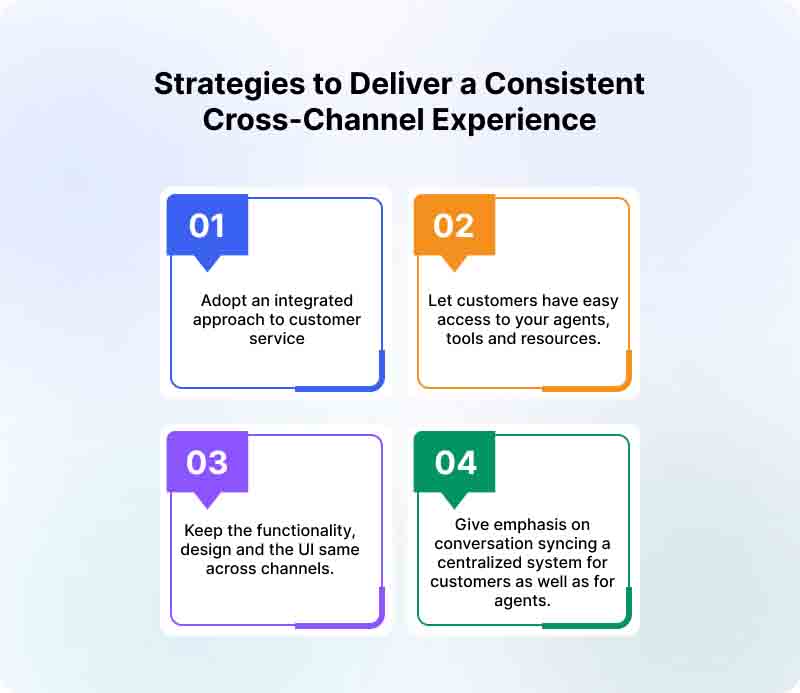
How to achieve a cross-channel experience?
- Adopt an integrated approach to customer service as it will help them have easy access to your agents, tools, and resources.
- Keep the functionality, design, and UI the same across channels.
- Give emphasis on conversation syncing so that everything is managed from a centralized place, both for customers as well as for agents.
2. Map Online Customer Journey
Great customer service is not possible unless you’re aware of the customer journey with your brand. When you map the online customer journey, you know what is expected of you or what needs to be done.
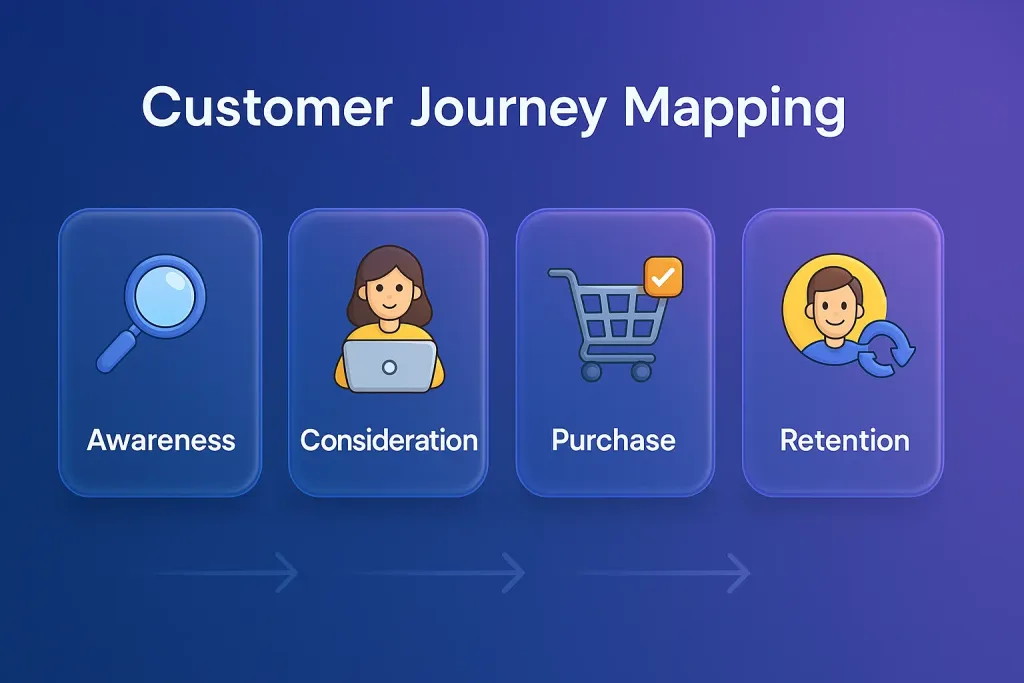
With customer journey mapping, service agents are always in a better position to understand the exact requirements and cater to consumers accordingly. In fact, reps are better prepared when they map the journey.
Thanks to the use of omnichannel software, it’s always easy to understand the customer journey, irrespective of the channel or device chosen by customers.
| Stage | Touch Point | Customer Process |
|---|---|---|
| Awareness | Facebook Posts, Browsed through the posts and photo albums on the Facebook Page | Browsed Facebook and stumbled upon a post by your child care centre, Signed up for email enquiry |
| Consideration | Website, Email Enquiry, Phone Call | Searched and arrived at your school website via mobile phone, Asked about the school curriculum, Scheduled a phone call to find out more |
| Decision | School Tour, Sign up | Consider the location and price. Decided to enroll after comparing, Considered the location and price. Decided to enroll after comparing. |
| Delight | Referral | Referred a friend after 2 months. |
How does customer journey mapping tie in with omnichannel solutions?
- Journey mapping will help you easily know the journey customers take through the website or mobile app, or the information they seek.
- You will be aware of the actions taken by customers on specific web pages and then use this information to drive the conversion.
- The details gained from customer journey mapping can also be used to personalize customer experiences and enhance the value of customer service.
3. Make It Easy for Customers To Connect With A Live Agent
There is absolutely no substitute for the human touch when it comes to offering exceptional customer service. No matter how advanced technology is in place, the kind of connection a real person provides has no match.
In fact, 79% of customers prefer connecting to live agents purely because of the immediacy it offers compared to other channels. Many of them trust this way of communication as opposed to a chatbot or IVR-assisted system.
Plus, most customer issues are often complex, requiring human support for better resolution and an enhanced experience.
With an omnichannel center, you will find it easy to offer live support across multiple channels, and that too without having to stretch the resources thin. This way, you can ensure a human touch to customer service irrespective of the channel or device used by customers.
How does an omnichannel call center facilitate live agent support across channels?
- The omnichannel center makes it simple to offer live support across chat, phone, or video calling.
- Chatbot-powered automation can give a big push to your attempt to offer live chat support across channels of choice.
- You can always combine automation and internal knowledge bases to meet the requirements of live support on any scale.
4. Include an AI-powered Bot as Part of Customer Engagement Initiatives
Customers expect quick replies to their queries. They don’t like waiting. Giving instant answers to their questions and removing their doubts at the earliest can add to their overall experience with your brand.
On the other hand, if you make them wait longer than usual, they might leave you forever. But the reality is that agents are often too busy to offer quick replies. They are stressed and overworked, so expecting them to be quick all the time is a bit too harsh.
You, however, can tide you over this challenge by including an AI-powered chatbot in your customer service mix. With bots, there will be great value to your customer engagement effort.
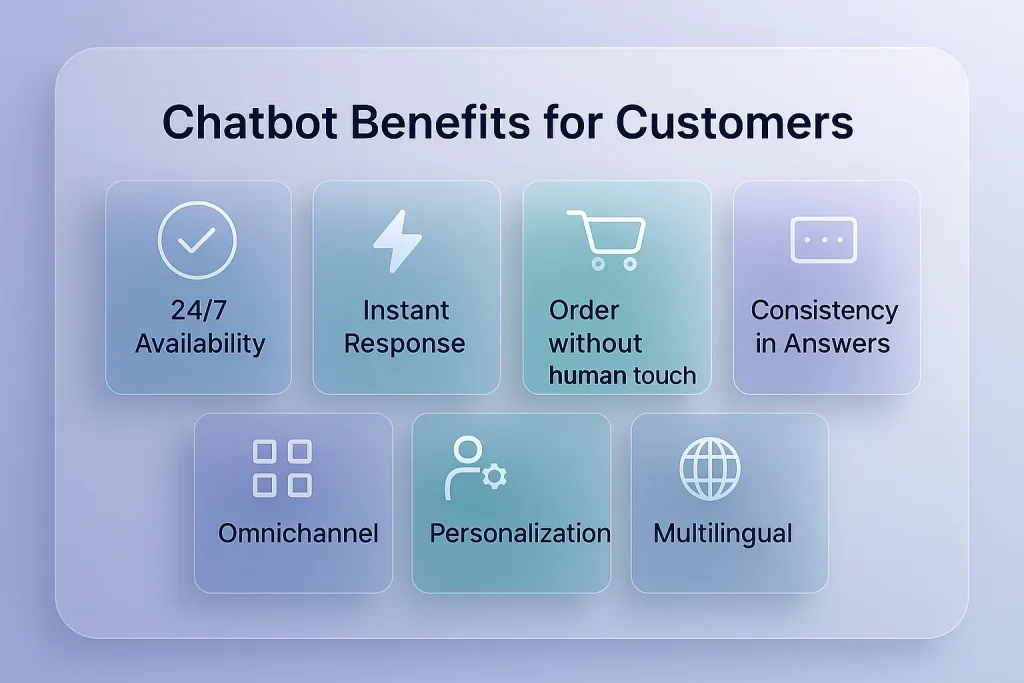
This is where contact center software can make a difference. When you use AI with omnichannel, it will ensure huge improvements in service delivery. Such an improvement is helpful given that nearly 75% of customers spend more with a company that provides positive customer service.
More importantly, agents become more productive and find time for other, more important tasks once omnichannel integrates artificial intelligence.
5. Give Equal Attention to Social Media Service
Social media is now a key element in offering customer support. Popular platforms like Facebook, Twitter, and Instagram are where customers try to reach out to brands or voice their problems.
Despite that, not many businesses include social platforms in their service mix. And those who are included are not too serious about considering social channels for customer support.
In fact, customers’ queries over social media often don’t get the kind of attention they deserve. This happens despite the ease associated with these channels in terms of offering quick replies.
With an omnichannel customer center platform, this kind of approach to social media can be avoided. You can trust the omnichannel solution to enhance customer service for queries coming via social networks.
How can omnichannel centers enhance social media customer service?
- You should focus on offering automated responses to social media queries, as it helps better deal with customers on any scale
- Businesses that set up omnichannel alerts to include social channels are able to deliver enhanced experiences to customers on social platforms.
- Tie your social media service with an online knowledge database to give self-service options to customers who try to reach your business via social media.
6. Move Your Contact Center Solution to the Cloud
Offering an omnichannel customer experience is not expensive by any means. In fact, its pricing is something that is easily affordable for any enterprise level.
Sadly, many businesses wrongly assume otherwise, and this stops them from leveraging something that can drastically change their customer support.
The reality is, it takes very little to set up an entire system to offer an omnichannel experience. All you need is the willingness to move your contact center to the cloud. And yes, the omnichannel contact center cost is too negligible to matter beyond a point.
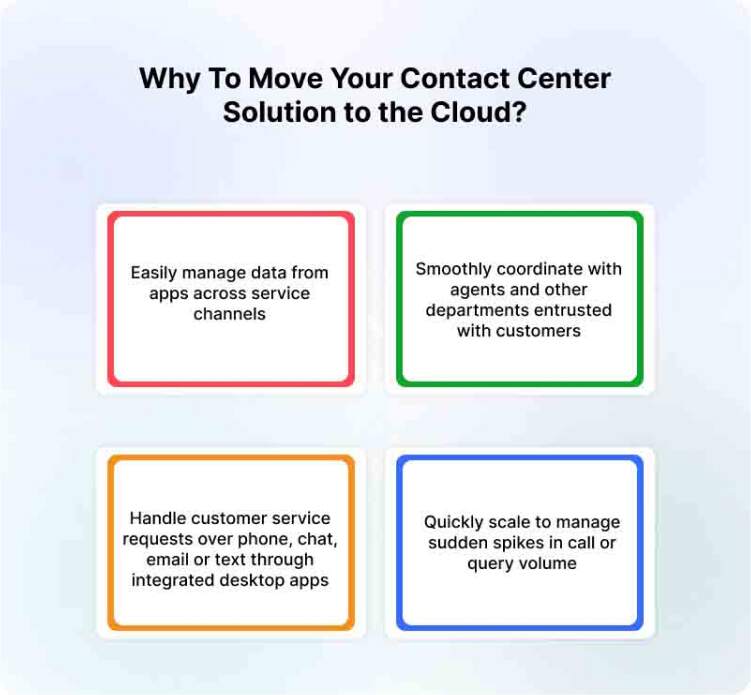
When you move the contact content to the cloud, you can –
- Easily manage data from apps across service channels
- Smoothly coordinate with agents and other departments entrusted with customers
- Handle customer service requests over the phone, chat, email, or text through integrated desktop apps
- Quickly scale to manage sudden spikes in call or query volume
When the omnichannel cloud contact center is used, it streamlines processes. And this is how you can redefine the way you offer customer service.
7. Work on CRM System Integration
Your customer service strategy is faulty if customers have to repeat themselves with multiple agents. Such a scenario is never ideal, neither for customers nor for your business. You might lose prospects this way.
And when customers are made to repeat themselves, it shows your agents-
- Don’t have details about previous interactions
- Feel clueless about customer history
- Lack of information on past orders
To avoid this kind of situation, you should think of CRM system integration. It could give a huge boost to your omnichannel communication strategy.
When the integration happens, it results in –
- Agents get a unified and synced conversation history
- Your service team finds it easy to speed up the overall resolution process
- Service reps will have all the relevant information, which can help them serve better
Apart from the CRM integration, you should also think of syncing all your communication tools so that agents are always in a better position to understand what customers want.
Common Omnichannel Contact Center Challenges
An omnichannel contact center can improve service quality and operational efficiency, but poor implementation can create new forms of complexity.
1. Disconnected Legacy Systems
Older CRM, telephony, ticketing, and messaging tools may not share data easily. Connecting channels at the interface level without connecting the underlying records can leave customer information fragmented.
How to address it: Prioritize platforms with suitable integrations and APIs. Create a clear source of truth for customer and conversation data.
2. Duplicate Customer Records
The same customer may contact the business through different phone numbers, email addresses, social accounts, or devices. Without identity matching, these interactions may appear as separate customers.
How to address it: Establish identity resolution rules and allow agents to merge or associate verified customer profiles.
3. Inconsistent Service Between Channels
Customers may receive different answers depending on whether they contact the company through live chat, email, social media, or phone.
How to address it: Maintain centralized knowledge, shared policies, approved responses, and consistent escalation procedures.
4. Poorly Designed Routing
Routing based only on the channel can send customers to agents who are available but not qualified to resolve the issue.
How to address it: Consider intent, skill, priority, language, capacity, account type, and previous ownership when configuring routing.
5. Difficult Agent Workflows
A platform may technically connect several channels while still requiring agents to search through different screens and applications.
How to address it: Evaluate the complete agent workflow. The relevant customer history, business data, knowledge, and actions should be accessible without excessive screen switching.
6. Automation Without Effective Human Handover
Automation can frustrate customers when it repeatedly provides irrelevant answers or makes it difficult to reach a human agent.
How to address it: Define clear handover conditions and transfer the conversation history, collected information, and identified intent to the agent.
7. Data Privacy and Security
A unified platform may contain personal information, payment details, account records, and sensitive conversation data.
How to address it: Apply role-based access, data masking, authentication, retention policies, audit controls, and security practices appropriate to your industry.
8. Cross-Channel Performance Measurement
Teams may continue measuring each channel separately even after adopting an omnichannel platform.
How to address it: Track customer-level and journey-level performance, including repeat contacts, transfers, channel changes, total resolution time, and the final outcome.
Omnichannel Contact Center KPIs to Track
The success of an omnichannel contact center should be measured through customer experience, resolution quality, operational performance, and automation effectiveness.
1. First Response Time
The time between the customer’s first message and the initial response. It should be measured separately by channel because expectations for live chat, messaging, voice, and email are different.
2. Average Resolution Time
The total time required to resolve an issue, including any channel changes, transfers, or follow-up conversations.
3. First Contact Resolution
The percentage of customer issues resolved without requiring another interaction. This is especially valuable for evaluating whether connected customer data is helping agents solve problems more effectively.
4. Customer Satisfaction
Customer satisfaction surveys can show how customers feel about the support experience immediately after an interaction.
5. Customer Effort Score
This measures how easy or difficult it was for the customer to get help. Repeated explanations, unnecessary transfers, and disconnected channels generally increase customer effort.
6. Transfer Rate
The percentage of conversations transferred between agents, departments, or channels. A high transfer rate may indicate ineffective routing, limited agent access, or inadequate knowledge.
7. Abandonment Rate
The percentage of customers who leave a queue or conversation before receiving assistance. This can reveal capacity problems, long wait times, or ineffective self-service.
8. Repeat Contact Rate
The percentage of customers who contact the business again about the same issue. This provides a more complete view of resolution quality than handling time alone.
9. Automation Resolution Rate
The percentage of conversations successfully completed by an AI Agent, chatbot, voice bot, or automated workflow without unnecessary human intervention.
This metric should be reviewed together with customer satisfaction and repeat contact rates. A conversation should not be counted as successfully automated merely because the customer left before reaching an agent.
10. Human Handover Rate
The percentage of automated conversations transferred to human agents. The objective is not necessarily to minimize handovers, but to ensure they happen at the right point and include sufficient context.
11. Agent Occupancy and Workload
Measure how agent time is distributed across conversations, administrative tasks, and availability. Workload should account for the fact that an agent may handle several messaging conversations but generally only one voice or video call at a time.
12. Cost per Resolution
Calculate the total cost of resolving customer issues across channels, including staffing, software, infrastructure, automation, and repeat contacts.
How to Choose Omnichannel Contact Center Software
The best omnichannel contact center software is not necessarily the platform with the longest feature list. It is the one that connects your priority channels, customer data, workflows, and agents effectively.
Consider the following factors before selecting a solution.
1. Supported Customer Channels
Confirm that the platform supports the channels customers currently use and the ones your organization expects to introduce later.
These may include:
- Website live chat
- Voice
- Video
- SMS
- Facebook Messenger
- Telegram
- Viber
- Mobile applications
- In-app messaging
Check whether the channels are natively connected or depend heavily on external tools.
2. Unified Conversation History
Agents should be able to view previous interactions across channels in one place. The platform should also identify the customer correctly when conversations originate from different sources.
3. Intelligent Routing
Look for routing based on skills, departments, workload, customer priority, intent, language, operating hours, and availability.
4. AI Agents and Agent Assistance
Evaluate whether the platform can:
- Answer questions using approved business knowledge
- Recognize customer intent
- Collect information
- complete connected workflows
- Transfer complex conversations to agents
- Summarize conversations
- Suggest replies
- Translate messages
- Help agents access relevant information
The AI capabilities should support both customer self-service and human agent productivity.
5. CRM and Business-System Integrations
The platform should connect with the systems agents need to resolve customer requests. These may include CRM, ecommerce, ticketing, payment, order management, scheduling, account management, and knowledge systems.
6. Automation and Workflow Builder
A visual workflow builder can help business teams configure routing, data collection, qualification, API requests, notifications, ticket creation, and handovers without depending on developers for every change.
7. Reporting and Analytics
Look for real-time and historical reporting across channels. The platform should make it possible to measure the complete customer journey rather than generating disconnected reports for each channel.
8. Scalability and Reliability
Consider how the system handles:
- Seasonal conversation spikes
- Increasing numbers of agents
- New departments
- Multiple regions
- Additional channels
- Multilingual support
- Remote teams
- High-volume automation
9. Security and Access Controls
Review data encryption, access management, privacy controls, audit records, data masking, authentication options, and relevant compliance requirements.
10. Implementation and Ongoing Support
Understand what is required to configure, integrate, test, and launch the platform. Also review the quality and availability of vendor support after implementation.
11. Pricing Transparency
Compare the total cost rather than only the advertised starting price.
Potential costs may include:
- Agent seats
- Channel fees
- Messaging usage
- Voice minutes
- AI usage
- Automation limits
- Integrations
- Implementation
- Support packages
- Data storage
A scalable pricing model should allow your business to expand without introducing unpredictable costs.
How AI Is Transforming Omnichannel Contact Centers
Artificial intelligence is expanding the role of automation within omnichannel contact centers. Instead of responding only to basic questions, modern AI systems can understand customer intent, use business knowledge, retrieve information from connected systems, perform defined actions, and transfer conversations to human agents when necessary.
AI can support an omnichannel contact center in four primary ways.
1. AI Agents for Customer Self-Service
AI Agents can independently handle suitable customer requests across digital channels. They may answer product questions, check order information, collect lead details, explain processes, book appointments, or guide customers through common service tasks.
The same business knowledge and policies can be used across different channels, helping maintain consistency.
2. AI Copilots for Human Agents
An AI Copilot works alongside the agent rather than replacing the interaction.
It can help by:
- Suggesting relevant responses
- Retrieving knowledge
- Summarizing long conversations
- Rewriting messages
- Translating communication
- Identifying the customer’s intent
- Recommending the next action
This reduces the time agents spend searching for information and completing repetitive administrative work.
3. Intelligent Routing and Prioritization
AI can analyze the content and context of an inquiry before assigning it. This can help route conversations according to intent, urgency, sentiment, language, customer profile, and the skills required for resolution.
4. Automated Workflows
AI Agents can connect conversations with business processes. For example, an AI Agent may collect the necessary information, check an external system through an API, update a customer record, create a ticket, and then notify the appropriate team.
Human agents remain essential for sensitive decisions, exceptions, complaints, complex troubleshooting, and situations requiring empathy or authority. The strongest omnichannel model uses AI to manage appropriate volume while enabling human agents to focus on higher-value conversations.
Omnichannel Contact Center Use Cases
1. Ecommerce
A shopper asks about product compatibility through website live chat. An AI Agent answers using the product knowledge base and recommends an appropriate item. The shopper later contacts the business through WhatsApp about delivery. The agent can review the product discussion and continue the same buying journey.
2. Banking and Financial Services
A customer begins with a secure chat about a transaction. After authentication, the request is routed to a specialist. If visual guidance is required, the agent can start a video or co-browsing session without losing the earlier context.
3. Telecom
A subscriber reports a network issue through a mobile application. Automation collects the account and location information before routing the case. The receiving agent can review the details and avoid asking the customer to repeat the troubleshooting steps already completed.
4. Healthcare
A patient uses messaging to ask about appointment availability. An automated workflow collects the preferred date and department. A human representative can then confirm the booking while accessing the information already provided.
5. Travel and Hospitality
A traveler starts a conversation through social media about a reservation and later continues through WhatsApp. The service team can see the booking context and previous request while helping with a date change or cancellation.
6. SaaS and Technology
A user reports a technical issue through live chat. An AI Agent collects the account details and identifies the feature involved. If the issue requires investigation, the conversation is converted into a ticket and transferred with the full transcript and diagnostic information.
Call Center, Contact Center, Multichannel, and Omnichannel Explained
These terms describe different approaches to managing customer communication.
Call center: Primarily manages inbound and outbound telephone calls.
Contact center: Supports voice and additional digital channels such as email, live chat, social media, and messaging.
Multichannel contact center: Gives customers several ways to communicate, but the channels may operate independently.
Omnichannel contact center: Connects communication channels, customer data, interaction history, routing, and reporting to create one continuous service experience.
An omnichannel contact center is therefore not defined by the number of channels it offers. It is defined by how effectively those channels share context and work together.
How Can REVE Chat Serve As An Excellent Contact Center Platform?
Instant replies and a human touch to conversations are two of the most vital aspects of customer service. And if you manage both, you will achieve happy customers.
REVE Chat understands the role live chat software plays in facilitating a human touch to interactions and that too, at any stage of the customer journey.
Our live chat comes packed with a whole gamut of advanced features that can ensure great value to your omnichannel call center solution.
In addition, you can combine live chat with an AI-powered chatbot to automate responses and ensure quick replies on a 24×7 basis. This is how a robust omnichannel call center approach delivers great results.
With a chatbot, you not only enhance customer service but also spare precious time for agents, and this contributes to improving their overall productivity.
Final Thoughts on the Value of Contact Center Solutions
Omnichannel communication has become a necessity when it comes to delivering amazing customer service. It makes redundant customers’ inclination to switch between multiple devices every day.
When you have an omnichannel communication technology in place, you assure a seamless experience for customers, and this adds to the value propositions your business offers.
You can start a free trial of some of the top customer service tools and sync them with your omnichannel approach to elevate the level of customer experience.
This is how you’re always available for customers through contact center omnichannel technology and stay present on multiple channels without having to invest in considerable resources.
Frequently Asked Questions
An omnichannel contact center connects customer conversations across channels such as live chat, email, voice, video, social media, SMS, and messaging applications. It gives agents access to a unified customer history so conversations can continue without unnecessary repetition.
Multichannel support offers customers several communication options, but those channels may operate separately. Omnichannel support connects the channels, customer data, and conversation history to create a continuous experience.
Common channels include phone, email, website live chat, video, SMS, WhatsApp, Facebook Messenger, Instagram, mobile applications, and other messaging platforms. The exact channel mix should reflect customer preferences and business requirements.
The main benefits include more consistent support, faster resolution, lower customer effort, greater agent productivity, improved personalization, better routing, and unified performance insights.
No. Automation and AI can resolve repetitive requests and support agents, but human involvement remains important for complex, sensitive, or high-value conversations.
Yes. Cloud-based platforms allow smaller businesses to begin with their most important channels and expand gradually as conversation volume and support requirements grow.
The timeline depends on the number of channels, integrations, workflows, agents, and existing systems involved. A phased implementation is often more effective than attempting to connect every customer journey at once.
Important metrics include first response time, first contact resolution, average resolution time, repeat contact rate, customer satisfaction, customer effort, transfer rate, abandonment rate, automation resolution rate, and cost per resolution.
CRM integration gives agents access to customer identity, history, account information, and previous interactions. This context helps agents personalize support and resolve inquiries without repeatedly asking for the same information.
Businesses should evaluate supported channels, unified conversation history, routing, integrations, automation, AI capabilities, reporting, scalability, security, implementation support, and total pricing.