
Table of Content
Customer service tools and software help generate more revenue and increase customer loyalty. With the right tools, you can ensure that your customer service is a competitive advantage.
Besides, customer service management tools help businesses manage, capture, and automate all their customer service processes while delivering the best possible experience.
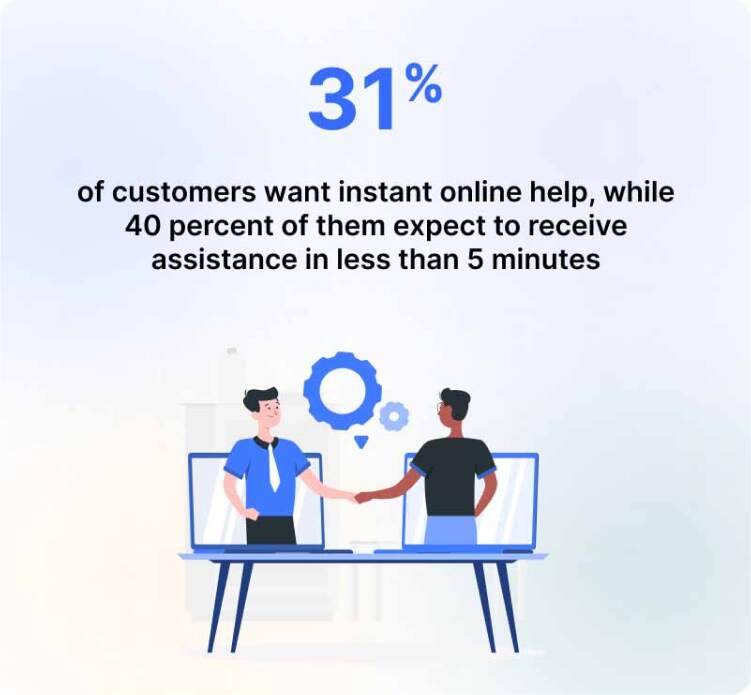
According to a recent survey, customer service is a top issue worldwide, with 58% of customers indicating they’ll take their business elsewhere if they don’t receive good customer service. A staggering 43% of customers say they’ve actually left a company because of bad customer service.
One of the main reasons customer service fails is due to a lack of communication between departments and personnel. By automating customer service, you can increase your response time, reduce the number of calls you receive, and better manage customer requests.
In this article, we’ll demonstrate the 5 best customer service tools, characteristics, and benefits.
What Are Customer Service Tools?
Customer service tools are software applications that help businesses manage, automate, track, and improve interactions with customers before, during, and after a purchase.
Traditionally, a business might have used separate tools for email, phone calls, live chat, and support tickets. Modern customer service platforms increasingly bring these functions together so agents can work from a connected environment rather than switching continuously between systems.
Depending on the platform, customer service software may include live chat, ticket management, AI Agents, chatbots, shared inboxes, knowledge bases, workflow automation, social and messaging channels, customer history, analytics, voice support, and integrations with CRM, ecommerce, and other business systems.
The goal is not simply to give customers more ways to contact a company. The best tools help businesses resolve requests faster, maintain context across interactions, automate repetitive work, and make it easier for agents and customers to get the outcome they need.
How We Evaluated Customer Service Tools
There is no single customer service platform that is ideal for every organization. A useful comparison therefore needs to look beyond the number of features a vendor offers.
For this guide, customer service tools should be evaluated across several areas:
- Omnichannel capabilities: Can teams manage conversations from website chat, email, messaging apps, social media, voice, and other relevant channels without losing customer context?
- Ticket and conversation management: Can requests be assigned, prioritized, categorized, escalated, and followed through to resolution?
- AI and automation: Does the software simply offer a basic chatbot, or can AI answer questions, assist agents, summarize conversations, route requests, access knowledge, and automate tasks?
- Self-service: Can businesses provide customers with knowledge bases, FAQs, automated assistance, or other ways to resolve routine issues independently?
- Agent productivity: Does the platform offer shared inboxes, internal collaboration, customer history, AI assistance, routing, and other features that reduce manual work?
- Analytics and reporting: Can teams monitor response times, conversation volumes, resolutions, customer satisfaction, agent activity, and other important service metrics?
- Integrations: Can the customer service platform connect with CRM, ecommerce, productivity, marketing, and other systems used by the business?
- Ease of implementation: How much configuration, training, and technical expertise will a team need before it can use the software effectively?
- Scalability and control: Can permissions, workflows, channels, automation, and reporting grow with the support operation?
- Overall value: Do the capabilities provided make sense for the platform’s target customer and pricing structure?
These criteria reflect many of the dimensions buyers increasingly encounter when comparing modern customer service platforms, including omnichannel service, self-service, routing, analytics, integrations, AI, security, and scalability.
10 Best Customer Service Tools & Software 2026
Choosing a customer service tool is no longer simply a matter of adding live chat or setting up a help desk. Modern customer service teams need to manage conversations across multiple channels, automate repetitive requests, give agents the right customer context, measure performance, and provide customers with faster ways to find answers.
The right platform therefore depends on what your team needs most. A small ecommerce business may prioritize live chat, messaging, and AI automation, while a large support operation may need sophisticated ticket routing, reporting, security controls, and integrations.
Here is a quick look at 10 customer service tools worth considering in 2026.
| Customer Service Tool | Best For | Key Strength | Consideration |
|---|---|---|---|
| REVE Chat | AI-powered omnichannel customer engagement | Combines AI Agents, live chat, chatbot, ticketing, omnichannel messaging, and human assistance | Businesses should compare plans and AI usage requirements |
| Zendesk | Large and complex support operations | Customization, ticketing, reporting, and broad support functionality | Can be more complex than smaller teams need |
| Freshdesk | Growing customer support teams | Ticket management, automation, self-service, and AI features | Advanced requirements may require higher-tier plans |
| Intercom | AI-first digital customer service | Conversational support and AI-driven customer service | Premium capabilities may not suit every budget |
| Help Scout | Customer-centric and email-focused teams | Simple shared-inbox experience and collaboration | Less suited to teams requiring highly complex enterprise workflows |
| Zoho Desk | Businesses using the Zoho ecosystem | Help desk functionality combined with automation and AI | Most attractive when other Zoho products are already in use |
| Gorgias | Ecommerce customer service | Commerce-focused workflows and customer/order context | Primarily designed around ecommerce requirements |
| Hiver | Gmail-centric support teams | Turns email workflows into a collaborative support environment | Less suitable when email is only a small part of the support mix |
| Tidio | Small businesses using live chat and automation | Accessible live chat and chatbot functionality | Complex support organizations may need broader service-management features |
| Salesforce Service Cloud | Enterprise CRM-centered service operations | Deep customer data, automation, AI, and Salesforce integration | Implementation and administration can be substantial |
REVE Chat’s current platform combines AI Agents, live chat, chatbots, ticketing, omnichannel messaging, integrations, analytics, and a shared customer-conversation environment. The positioning of the other platforms above reflects the use cases emphasized across the competitor comparisons reviewed for this article.
1. REVE Chat — Best for AI-Powered Omnichannel Customer Engagement
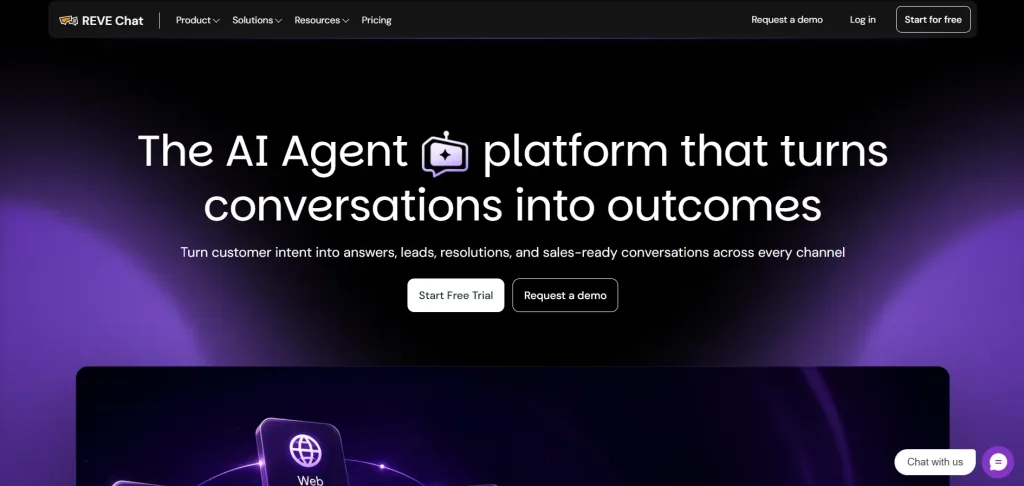
REVE Chat is a customer service and engagement platform designed to connect AI automation with human-assisted support.
Instead of treating live chat, AI, messaging, and ticketing as completely separate systems, REVE Chat brings customer conversations together in an omnichannel environment. Businesses can manage interactions from website chat, WhatsApp, Facebook, Instagram, email, and other supported channels while maintaining conversation context in a unified inbox.
Its AI layer includes Wize AI Agent, chatbots, knowledge sources, automation workflows, and AI Copilot capabilities. Wize AI Agents can be configured to respond using business knowledge and can be connected with workflows, external data, conditions, and human handover when a request requires an agent.
REVE Chat is particularly relevant for organizations that want AI automation and human customer service to operate within one connected platform rather than building a support stack from several standalone products.
Best fit: Businesses looking for omnichannel support, AI automation, live customer engagement, ticketing, and agent assistance in one platform.
2. Zendesk — Best for Customizable Customer Service Operations
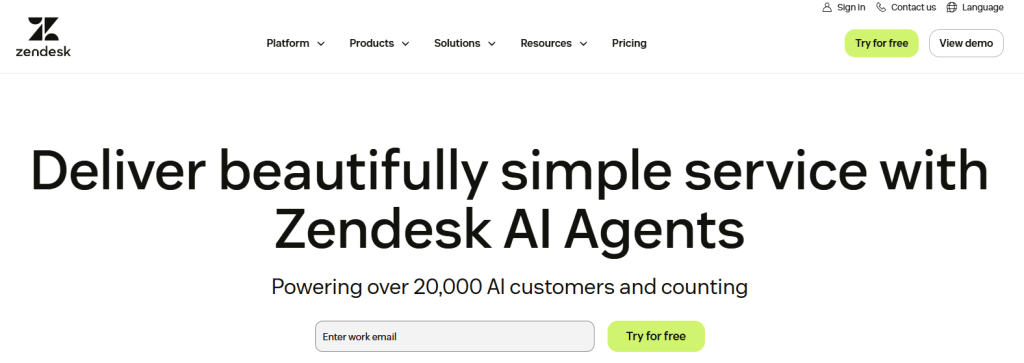
Zendesk is one of the most established platforms in the customer support software category and is designed for organizations that need extensive configuration and service-management functionality.
Its strengths include ticketing, reporting, customer communication across multiple channels, self-service, collaboration, and customization. Zapier particularly highlights Zendesk’s reporting and customization capabilities when comparing customer service software.
This depth makes Zendesk attractive for larger or more complex customer service environments. The trade-off is that businesses looking for a very simple solution may encounter more functionality and configuration than they actually need.
Best fit: Growing and enterprise support teams that need configurable workflows, reporting, and broad customer service capabilities.
3. Freshdesk — Best for Growing Support Teams
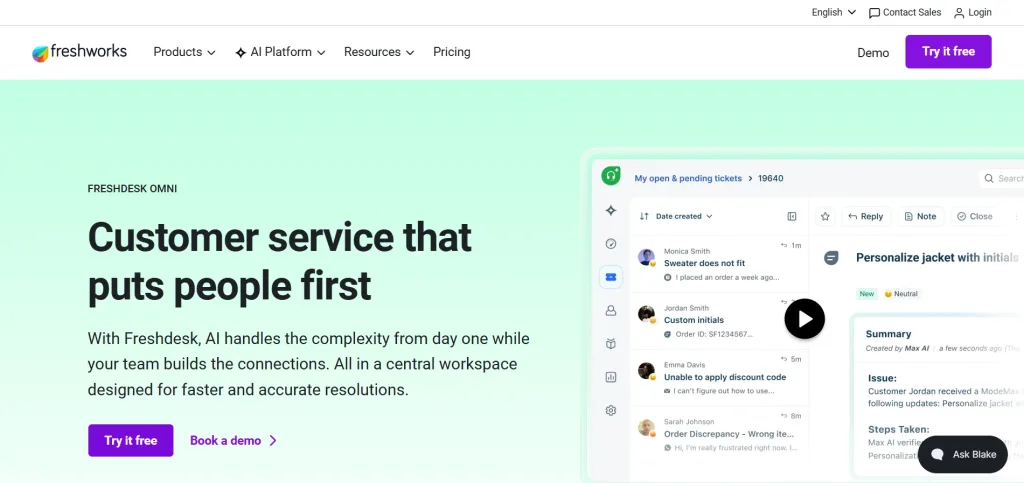
Freshdesk provides help desk and customer support functionality built around ticket management, automation, self-service, reporting, and increasingly AI-assisted service.
It is a strong option for organizations moving beyond basic shared email or live chat and looking for a more structured way to manage customer requests. Competitor comparisons particularly position Freshdesk around ease of use, ticket management, integrations, and support for growing teams.
Businesses evaluating Freshdesk should determine which automation, AI, omnichannel, and reporting capabilities are included in the plans they are considering rather than comparing plans on ticketing alone.
Best fit: Small and mid-sized teams that want a conventional help desk platform capable of scaling with their support operation.
4. Intercom — Best for an AI-First Customer Service Experience

Intercom has evolved from conversational messaging software into a broader AI-focused customer service platform.
It is particularly attractive to digital businesses that want customer messaging, support workflows, and AI-driven resolution within a highly conversational experience. Zapier identifies Intercom as a strong option for organizations seeking a premium AI-powered customer service experience.
When evaluating Intercom, companies should consider both the functionality they require from human-agent seats and the way AI usage affects the overall service model and cost.
Best fit: SaaS and digital-first businesses prioritizing conversational support and AI automation.
5. Help Scout — Best for Simple, Human-Centered Support

Help Scout focuses on making customer service feel less like managing conventional support tickets and more like communicating naturally with customers.
Its shared-inbox approach is particularly useful for teams accustomed to email-based workflows. Collaboration, customer context, knowledge resources, and a relatively approachable interface make it suitable for organizations that want structure without creating an unnecessarily complicated agent experience. Competitor comparisons consistently position it around collaboration and email-oriented customer service.
Best fit: Small and mid-sized customer service teams that value simple collaboration and relationship-focused communication.
6. Zoho Desk — Best for Businesses in the Zoho Ecosystem
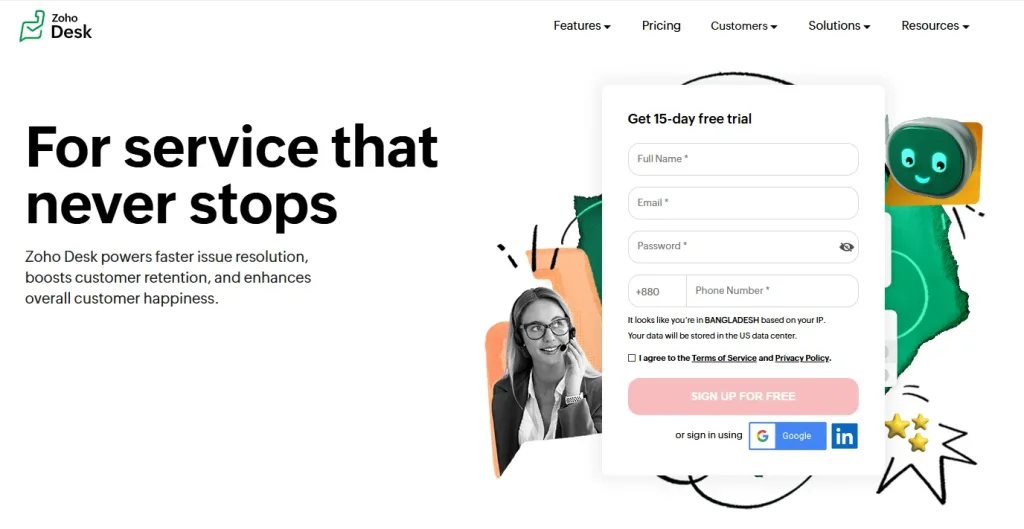
Zoho Desk is a customer service platform combining ticketing, automation, self-service, reporting, and AI capabilities.
Its strongest advantage can be its relationship with the wider Zoho ecosystem. Organizations already using Zoho for CRM and other business processes may find it easier to connect customer service with information and workflows that already exist elsewhere in the business.
Competitor analyses commonly highlight Zoho Desk for AI capabilities, value, and integration with the broader Zoho environment.
Best fit: Businesses already invested in Zoho or teams looking for a feature-rich help desk within a broader business-software ecosystem.
7. Gorgias — Best for Ecommerce Customer Service
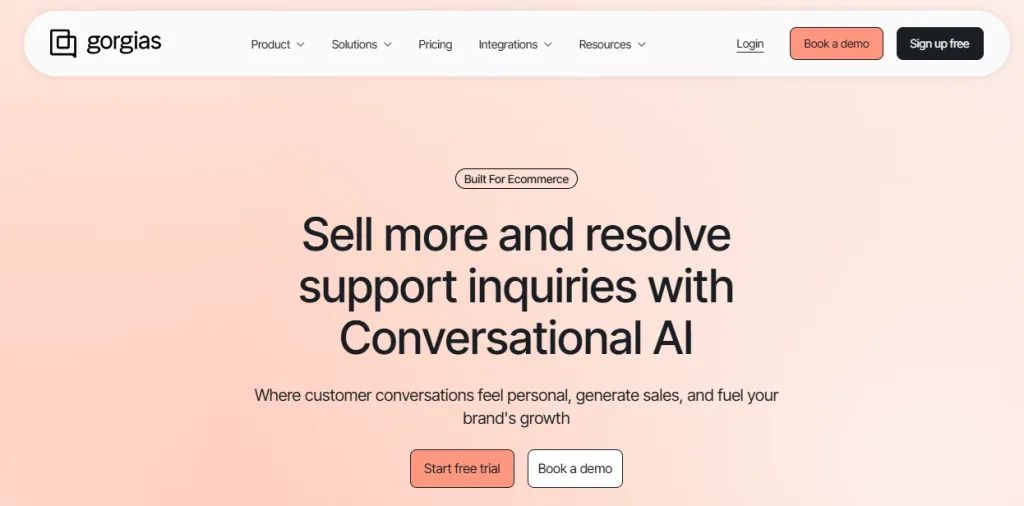
Gorgias is designed specifically around ecommerce customer service rather than general-purpose help desk requirements.
Its value comes from connecting support conversations with commerce-related customer and order information, allowing agents to handle common ecommerce requests with more context. TimeToReply consequently places Gorgias among its strongest options for ecommerce use cases.
This specialization can be a major advantage for online retailers, although organizations outside ecommerce may find a broader customer service platform more appropriate.
Best fit: Ecommerce brands that want their customer service workflows closely connected to store and order activity.
8. Hiver — Best for Gmail-Based Customer Service Teams
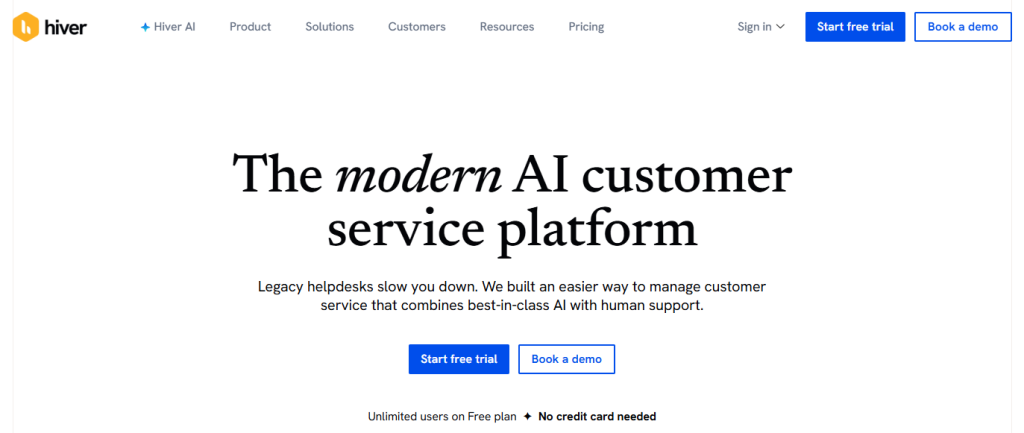
Hiver approaches customer service from the shared-email perspective.
It allows teams that already spend much of their day in Gmail to introduce assignments, collaboration, accountability, and customer-service workflows without forcing agents into a completely different working environment. Both TimeToReply and Zapier highlight Hiver’s connection with email workflows.
For organizations where email remains the dominant service channel, this can reduce adoption friction. Businesses operating heavily across messaging, voice, social, and other channels should compare its broader omnichannel capabilities with alternatives.
Best fit: Customer-facing teams that rely heavily on Gmail and want more structure around shared email support.
9. Tidio — Best for Small Businesses Using Live Chat and Chatbots
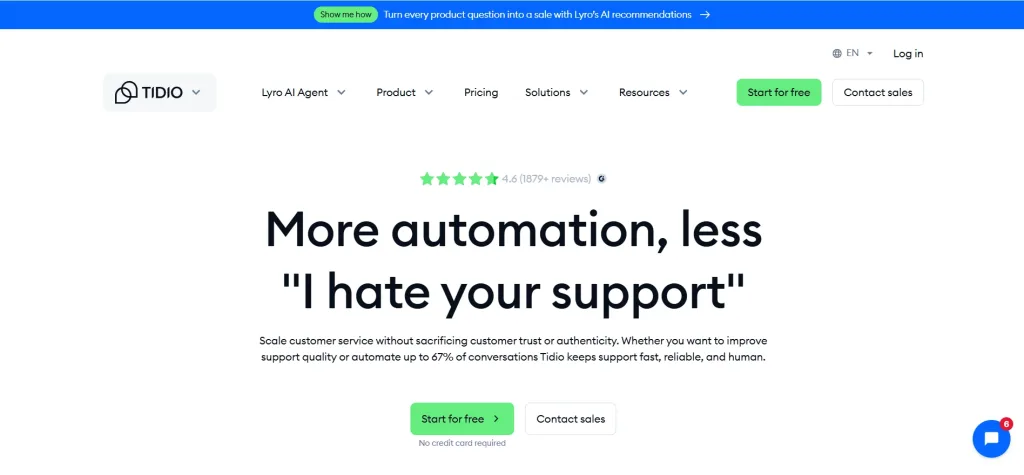
Tidio is particularly well known among smaller businesses looking for website live chat and chatbot automation without adopting a heavyweight enterprise service platform.
Its no-code-oriented conversational tools make it accessible to teams that want to automate common interactions while keeping live agents available when customers need human assistance. TimeToReply positions it particularly strongly for live chat, bots, and smaller teams.
Organizations with more complex ticketing, governance, reporting, or multi-department service requirements should compare those needs carefully before choosing a chat-led platform.
Best fit: Small businesses wanting an accessible combination of website chat and automation.
10. Salesforce Service Cloud — Best for Enterprise CRM-Centered Service
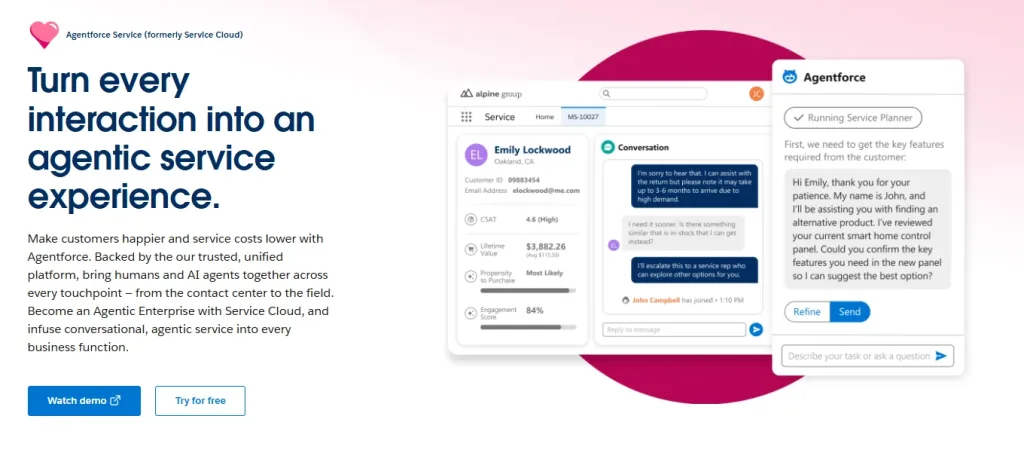
Salesforce Service Cloud is aimed at businesses that want customer service deeply connected with their wider Salesforce environment.
Its biggest advantage is the ability to combine customer-service activities with CRM data, enterprise workflows, automation, analytics, and other Salesforce products. This makes it especially relevant where service agents require a broad view of the customer’s relationship with the organization.
Competitor roundups consistently place Salesforce toward the enterprise end of the category and emphasize its CRM ecosystem and advanced service requirements.
The same breadth can make implementation more involved than adopting a lightweight help desk or live-chat platform.
Best fit: Enterprises already using Salesforce or organizations that require customer service to operate as part of a large CRM ecosystem.
Characteristics of the Best Customer Service Tools?
When you are looking for AI in customer service tools, it may be tempting to just pick one and start using it. This is an easy thing to do, especially when you’re busy and need to get up and running. But don’t overlook cost-effective ways to evaluate your options.
A good customer service software doesn’t just answer the question but also helps you decide.
If your customer service team doesn’t like or actively dislike the customer service tool, it’s probably not going to be used.
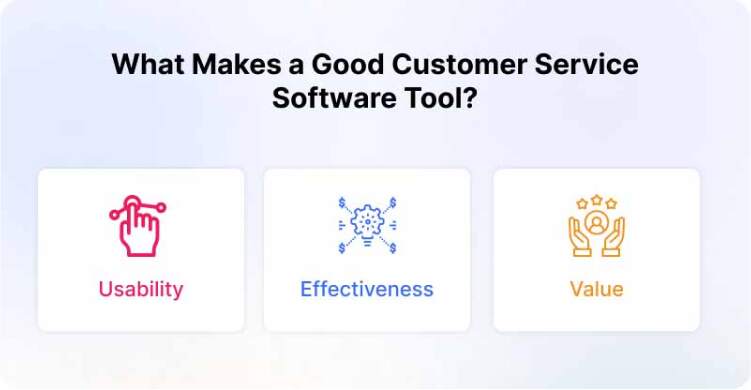
Here are the key factors of the best customer service tools.
Usability
Excellent customer service software should be usable by anyone, with no prior knowledge of how to use it. A bad customer service software tool will require a lot of training before it’s ready to go.
Usability is a factor that should not be underestimated. The tool you choose must be easy to operate and customers should not spend more time learning how to use it than actually interacting with your business.
If you are in the customer service business, you need to provide service to your customers. Your digital customer service tools should allow easy access to your customers.
You don’t want to interrupt your customers during their shopping by making them read your instruction or navigate through your complicated customer service tool.
Effectiveness
A customer service software gives you the opportunity to create multiple online channels for communication, including live video chat, text messaging, and email.
With the help of customer service software, you can give your customers a convenient way to get in contact with you. Using this type of software will help you save on costs, ensure efficiency, and offer optimal convenience for your clients.
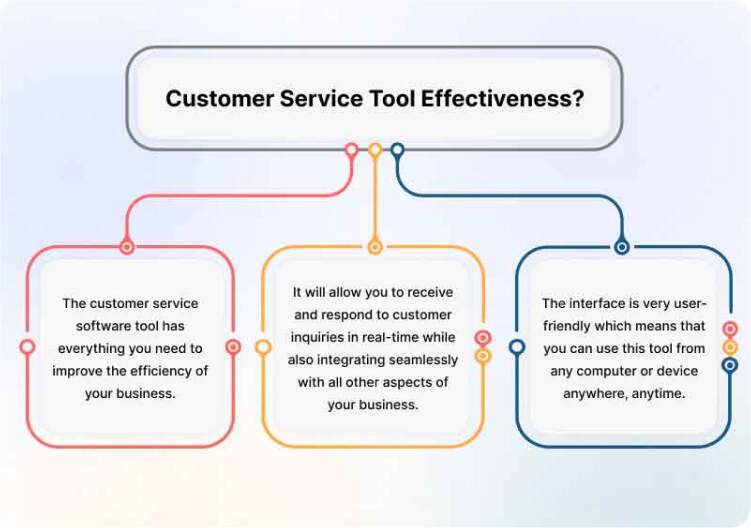
- The customer service software has everything you need to improve the efficiency of your business.
- It will allow you to receive and respond to customer inquiries in real-time while also integrating seamlessly with all other aspects of your business.
- The interface is very user-friendly which means that you can use this tool from any computer or device anywhere, anytime.
Value
- On average, companies lose 10 percent of their annual revenue due to dissatisfied customers. A customer service tools for business help your company reduce those losses, by improving communication and satisfaction.
- The customer service tool captures customer service requests and unauthorized contact in real-time, forward them to the companies, and replies to the customers on behalf of their support team.
Reasons We Need Customer Service Tools and Software?
There are many reasons why we need customer service tools. Even though many businesses are doing a great job on their customer service, they could do better, and there is always room for improvement. Automating your customer service is one of the best ways to reduce costs and improve performance.
- Customer service is an integral part of your business and must be treated as an important investment. As a business owner, you have to look at the big picture and evaluate the return on investment (ROI) for the time and money spent on your customer service.
- Tools help the agents to collaborate with other agents and help more customers.
- It helps to solve customer problems faster.
Benefits of Customer Service Software
Customer service tools make it easy to respond to customer requests and feedback. The tools make it easier to be sociable and friendly while responding to customer requests and feedback. Because the tools are automated, it allows companies to be more efficient.
Whether you want to chat with customers on Facebook Messenger, email links, or text links, there is a tool for you.
Not only do these tools reduce the number of manual responses required by your team but they also provide automated responses to frequent inquiries that can help increase conversions and sales.
- Drives Customer Satisfaction and Loyalty
- Streamlines Self-service
- Fosters a Seamless Agent Experience
- Gives Businesses the Ability to Scale Smarter
- Enables Smaller Teams to Do More, Faster
1. Drives Customer Satisfaction and Loyalty
Businesses and organizations of all types rely on customer service software to manage their operations and improve customer satisfaction. A customer service software is designed to help organizations keep track of incoming complaints and requests for help, as well as provide multiple channels for customers to seamlessly exchange information with the company.
The primary benefit of customer service software is how effective it is at helping businesses manage customer interactions. Using an integrated software platform, businesses can efficiently support all interactions with customers.
Information between departments is shared seamlessly, so customer service issues can be resolved quickly and efficiently. Businesses can also leverage the information recorded in the system to better target their marketing efforts and improve the experience for all customers.
For example, a company may use the data gathered from its customer service software to determine which products appeal more to which types of buyers to help drive future sales and marketing strategies.
- Improved employee satisfaction – In many cases, those who interact with customers on a regular basis are also required to go through other processes before doing so. This can lead to frustration among employees and a lack of motivation. Customer service software helps to simplify the process by allowing employees to multi-task, which can ultimately save them time, leading to higher employee satisfaction.
- Improved customer relationships – As an organization grows, it becomes increasingly important that they proactively communicate with their customers. This is a challenge for companies that have a substantial amount of customers and varying degrees of contact with them. The use of customer support automation or service software can help organizations manage these relationships through automated communications and improved tracking capabilities.
2. Streamlines Self-service
Industries today are undergoing a technological revolution, fueled by the rapid growth of mobile devices and cloud computing. As a result of the shift to digital technology, companies must find creative ways to deliver superior customer experiences. Customer service departments have been among the first lines of business to adopt right-now solutions that save time, cut costs and empower customers.
A self-service app takes the heavy lifting out of day-to-day inquiries. The benefits of such software are self-evident. But what may not be as obvious is the role a customer service person plays in facilitating engagement, and driving customer satisfaction and loyalty.
3. Fosters a Seamless Agent Experience
Self-service is already an essential part of customer service in many industries and sectors. For example, the United States Postal Service has a robust self-service channel, allowing customers to locate ZIP codes, calculate shipping costs, pay bills, and more on their own.
But while self-service is a great way to supplement customer service, many businesses have not figured out the best way to integrate it into their operations.
DemandGen Report (a leading customer intelligence company) found that only 10% of companies are highly effective at both engaging customers and managing tickets through self-service. Successful companies need to streamline their self-service and integrate it with their other existing customer service channels.
4. Gives Businesses the Ability to Scale Smarter
Most businesses face challenges when it comes to customer service: they lack visibility of their customers, they can’t keep up with the volume of interactions, or they’re not prepared to offer a high level of service.
5. Enables Smaller Teams to Do More, Faster
Customer service is an integral part of any business. It’s the means to an end: a way to communicate with your customers and keep them happy.
Customer service tools help agents to do more, faster, giving your customers the best possible experience. With more information and control over your support inbox, agents can be more precise and make the most of their time.
Types of Customer Service Tools Businesses Use
Customer service software is a broad category. The tools within a customer service technology stack generally serve different purposes, and modern platforms may combine several of them.
AI Agents and customer service automation can handle repetitive conversations, retrieve information from business knowledge, perform defined actions, and escalate customers to human agents when necessary.
Live chat software connects customers with agents in real time and is particularly useful when customers need immediate assistance while browsing a website, evaluating a product, or completing a transaction.
Ticketing systems turn customer requests into trackable cases that can be assigned, categorized, prioritized, escalated, and followed through to resolution.
Omnichannel inboxes bring conversations from channels such as website chat, messaging applications, social media, and email into a common agent workspace.
Knowledge bases and self-service tools allow customers to find answers independently while also giving AI systems and support agents access to consistent information.
AI Copilots and agent-assistance tools work alongside human agents by helping draft responses, summarize conversations, retrieve relevant knowledge, and reduce repetitive work.
Chatbots automate conversational flows for FAQs, lead collection, qualification, bookings, and other structured interactions.
Voice, video, and co-browsing tools help agents resolve issues that are difficult to explain through text alone and can provide more guided assistance during complex digital journeys.
Analytics and reporting tools help customer service leaders understand conversation volume, response performance, resolution patterns, customer satisfaction, and agent activity.
This broader framework is more representative of how modern customer service platforms are evaluated today than treating live chat or chatbots as complete substitutes for ticketing, self-service, analytics, integrations, and automation.
Essential Features to Look for in Customer Service Software
Feature lists can quickly become overwhelming. Instead of choosing the platform with the most features, focus on whether it supports the workflows that matter to your customers and agents.
Start with channel coverage. Determine whether customers primarily contact you through website chat, email, WhatsApp, social media, phone, mobile applications, or a combination of channels.
Next, examine conversation and ticket management. Agents should be able to identify ownership, priorities, previous interactions, and the current status of a request without manually reconstructing the customer journey.
Evaluate AI and automation separately from basic chatbot functionality. Modern AI can potentially answer routine questions, assist human agents, route conversations, summarize interactions, retrieve knowledge, and automate parts of service workflows.
Look closely at knowledge and self-service capabilities as well. A well-maintained knowledge source can help customers resolve simple issues independently while also improving consistency for agents and AI systems.
For teams handling significant volumes, routing, SLA management, analytics, and reporting become increasingly important. Managers need visibility into where conversations are accumulating, how quickly customers receive responses, and where service processes are breaking down.
Finally, review integrations, APIs, permissions, security, and scalability. Customer service rarely operates independently from CRM, ecommerce, payments, order management, marketing, and other business systems.
How to Choose the Right Customer Service Tool
Choosing customer service software should begin with the customer journey rather than a vendor feature list.
First, map the channels your customers actually use. A company receiving most requests through email needs a different setup from an ecommerce brand handling website chat, Instagram, WhatsApp, and order-related conversations simultaneously.
Next, identify the operational problem you are trying to solve. It might be slow response times, repetitive questions, disconnected channels, poor ticket ownership, limited self-service, inconsistent agent responses, or a lack of reporting.
Then separate your requirements into must-have capabilities and nice-to-have capabilities. This prevents an impressive but unnecessary feature from outweighing something essential to daily operations.
Consider how automation and human service should work together. Not every request needs an agent, but not every conversation should be automated either. Determine which interactions can be resolved automatically, which need agent assistance, and how customers will move between the two.
Integration requirements should be evaluated early. If agents need order information, CRM records, account data, or other business information to answer customers, determine how easily the service platform can make that context available.
Calculate the broader cost of ownership rather than comparing headline subscription prices alone. Seats, AI usage, messaging channels, integrations, implementation, add-ons, training, and support requirements can all influence actual cost.
Finally, test the platform with real workflows. A demo looks very different from an agent handling several conversations while searching for customer history, collaborating with another team, and managing an escalation. A realistic pilot is often the best way to determine whether a customer service tool fits your operation.
Customer Service Software Trends to Watch in 2026
Customer service software is moving beyond basic ticket handling toward connected systems that combine AI automation, customer context, human expertise, and business actions.
One major shift is from simple FAQ chatbots toward AI Agents capable of using knowledge, following workflows, interacting with business data, and determining when human assistance is required. At the same time, AI Copilots are becoming more important for helping human agents respond accurately and efficiently rather than attempting to automate every conversation.
Omnichannel service is also becoming less about merely supporting multiple channels and more about maintaining continuity between those channels. Customers increasingly expect businesses to remember the context of an interaction even when the conversation moves from automation to an agent or from one communication channel to another.
Self-service, workflow automation, conversational commerce, and deeper integrations are also shaping the category as companies look for ways to resolve customer needs rather than simply respond to messages. Similar AI, omnichannel, self-service, and conversational-commerce trends feature prominently in current customer-service-software analysis.
How REVE Chat Customer Service Tool Will Help You?
You need to be mindful of what your customers think about your product, service, and more. In fact, according to a report by Harvard Business Review, bad customer service can cost a business upwards of $5 million to $15 million a year. So it’s no surprise that many businesses are starting to look at tools that provide a more personalized approach to customer service.
REVE Chat is a customer service chatbot that allows you to make the most of your customer care team with live chat, email, phone, website, and social media support all in one place.
The platform features an agent dashboard for real-time updates and tracking, as well as custom fields for any kind of information. With REVE Chat, your agents can handle the influx of messages from a simple interface, so you can focus on other important tasks in your business. Start a 14-day free trial now.
Frequently Asked Questions
Customer service tools are software applications businesses use to communicate with customers, organize requests, automate service tasks, provide self-service, assist agents, and measure customer service performance. Examples include ticketing systems, live chat, AI Agents, chatbots, knowledge bases, shared inboxes, and omnichannel service platforms.
There is no universal best customer service tool. The best option depends on your support channels, team size, customer volume, automation needs, integrations, budget, and operational complexity.
For example, a small email-focused team may prioritize a simple shared inbox, while an ecommerce business might require live chat, messaging channels, automation, and commerce integrations. Larger enterprises may prioritize ticket routing, analytics, security controls, CRM integration, and scalability.
Core capabilities to consider include ticket and conversation management, omnichannel communication, automation, AI, self-service, agent collaboration, customer history, analytics, integrations, security, and workflow customization.
The importance of each capability will vary by business, so requirements should be based on actual customer and agent workflows.
Help desk software traditionally focuses on receiving, organizing, assigning, and resolving support tickets. Customer service software can have a broader scope, combining ticketing with live conversations, messaging channels, AI automation, knowledge management, customer context, analytics, and proactive engagement.
The categories increasingly overlap because many modern platforms include both help desk and broader customer engagement capabilities.
AI can help businesses automate repetitive questions, search knowledge, summarize conversations, classify or route requests, suggest responses to agents, and support customer self-service.
More advanced AI Agent systems can also work with workflows and connected business data, while AI Copilots focus on helping human agents complete their work faster and more consistently.
Customer service software can be useful even for small teams if customer requests are becoming difficult to track manually. A shared workspace, basic automation, live chat, or ticket management can prevent conversations from being overlooked and give a growing team a more structured service process.
Small businesses should generally prioritize ease of setup and the capabilities they currently need rather than adopting a complex enterprise platform too early.
Compare the total expected cost rather than only the advertised starting price. Check how the vendor charges for agent seats, AI usage, conversations, messaging channels, phone usage, integrations, storage, reporting, and add-ons.
Pricing models can change frequently, so current plan information should always be checked directly with the vendor before making a purchasing decision.
A chatbot typically handles conversations through predefined flows or conversational automation. An AI Copilot primarily assists human agents by providing suggestions, summaries, knowledge, or response support.
An AI Agent can take a more autonomous role by understanding requests, using knowledge and connected information, following workflows, performing supported actions, and deciding when human intervention is required.
Build AI-powered support with Wize AI
Connect business knowledge, automate support conversations, and improve response quality without managing a complex AI stack.
Explore Wize AI Agent Rate the article

Juwel Rana
Senior Content Writer
Juwel is a Sr. Content Writer at REVE Chat. He specializes in writing about customer service and customer engagement. He is passionate about helping businesses create a better customer experience.
He strongly believes that businesses will be able to understand their customers better and ultimately create more meaningful relationships with them.
View all articles