


Table of Content
Struggling to keep your store running smoothly, even with multiple tools? Orders get missed, customer messages pile up, and checkout problems make shoppers leave. Along with you, many ecommerce businesses face this every day. So, how to solve it?
Ecommerce integrations can fix this issue. They connect your website, payment systems, emails, and support so everything works together. You save time, avoid mistakes, and keep customers happy, which helps in business growth.
So, in this blog, you will learn about the 22 best tools for ecommerce integrations to help your store run more easily and grow faster. Here, you will find advanced tips for choosing the right tool.
What is an Ecommerce Integration?
Ecommerce integration is the process of connecting your online store (Shopify, WooCommerce, BigCommerce, Magento, etc.) with third-party tools, systems, or marketplaces. So, they automatically exchange data, trigger actions, and share information in real time, which eliminates manual work and data silos.
It allows two or more platforms to “talk” to each other instantly. So when a customer places an order on your website, the inventory updates in your warehouse, the payment is recorded in your accounting software, a shipping label is created, an email/SMS is sent, and a support ticket is only raised if something goes wrong, all automatically.
Why Integrations Are Critical for Ecommerce Success
Here are the 4 most important reasons (backed by real data and proven ROI) why top-performing stores treat integrations as non-negotiable:
1. Eliminate Manual Work & Human Error
Without integrations, teams waste hours copy-pasting orders, updating inventory spreadsheets, and reconciling payments. Automated integrations instantly sync orders, stock levels, customer data, and financials across every tool.
As a result, a 50–70% reduction in operational busywork, near-zero data-entry mistakes, and your team focusing on growth instead of admin.
2. Prevent Overselling & Stockouts
Selling an item that’s out of stock costs the average store 5–15% of yearly revenue and destroys customer trust. Real-time inventory integrations (e.g., Shopify → warehouse → Amazon → Walmart) update stock levels across every channel the moment an order is placed.
This virtually eliminates overselling, reduces returns by 30%, and keeps your brand looking professional.
3. Deliver Instant, Personalized Customer Experiences
Today’s shoppers expect Amazon-level speed and relevance. Integrations let you combine behavioral data (browsing + purchase history) with instant support tools (chatbots, live chat, co-browsing) and marketing platforms.
The outcome: proactive messages, guided selling, abandoned-cart recovery, and support tickets resolved in seconds instead of days, directly translating to higher AOV and repeat purchases.
4. Scale Without Chaos or Adding Headcount
Growing from $1M to $10M in revenue with a disconnected tech stack forces you to hire entire departments just to keep the lights on.
A properly integrated stack (payments → inventory → shipping → marketing → support) lets the same small team handle 5–10× more orders with zero extra overhead.
7- and 8-figure brands consistently cite “smart integrations” as the #1 reason they scaled profitably instead of burning out.
Ecommerce Platforms
An ecommerce platform is a system you use to set up and run your online store. It lets you manage products, accept payments, and connect the apps you need for your business. You can create pages, arrange your items, and add new features as you grow.
A ecommerce platform’s main role is to keep everything working smoothly. You need it because every ecommerce integration you use depends on it.
So, some of the popular ecommerce website platforms are:
- Shopify
- WooCommerce
- BigCommerce
- SureCart
Let’s explore each platform here in detail.
1. Shopify

While reviewing, I noticed how easily businesses can set up their store, add products, and start taking payments. I also checked how its ecommerce integrations work, and it easily connects with tools for marketing, emails, and social media.
While checking the platform, I saw that everything stays organized even as a store grows. It is easy to track sales and handle orders. Shipping, discounts, and promotions run smoothly.
Shopify lets businesses set up their storefront and manage products. Taking payments is easy. It also works with integrations that help with marketing, customer messages, inventory, and other daily tasks.
Many sellers choose Shopify because these integrations help them keep everything simple and easy to manage as their business expands.
Key Features
- Fast and secure checkout process
- Easy and simple drag-and-drop store builder
- Complete point of sale system setup
- Built-in marketing and promotion tools
- Efficient inventory control system
- Accurate payment tracking features
- Access to a large app marketplace
- Reliable customer support options
- Flexible shipping and delivery tools
How It Works
- Create your Shopify account. Let’s see the step-by-step process of how Shopify works:
- Choose a theme for your store
- Add your products and organize them
- Set up payments and shipping
- Install the ecommerce integrations you need
- Customize your storefront
- Publish your store and start selling
- Manage orders and track sales from your dashboard
Pricing
Shopify offers a free 3-day trial, then $1 for the first three months. Paid plans start at $5, with higher plans at $24, $69, and $299, plus Shopify Plus for larger brands.
2. WooCommerce

WooCommerce is a fully customizable ecommerce platform integration built on WordPress. It is open-source, so you can add the WooCommerce plugin to any WordPress site for free.
While evaluating the plugin, I found that it makes setting up an online store quick and straightforward. It supports ecommerce integrations for payments, shipping, and marketing.
I also checked how extra plugins work for subscriptions, product filters, and shipment tracking. These give businesses control over both the look and functionality of their store.
WooCommerce also lets you add features like subscription plans, shipment tracking, and product filters using plugins, making it easy to customize the store to your needs.
Key Features
- Customizable product pages with product blocks
- Create and manage coupons easily
- Express payment options like Apple Pay
- Conditional shipping and payment rules
- Multiple marketing and payment extensions
- Inventory and order management
How It Works
Let’s explore the WooCommerce work process:
- Install the WooCommerce plugin on your WordPress site
- Add your products and organize them
- Set up payment options and shipping methods
- Choose a theme and customize your store design
- Add extensions and ecommerce integration solutions for extra features
- Launch your store and start selling
- Manage orders, inventory, and sales from your dashboard
Pricing
It’s free. However, you need to pay for hosting and a domain, like with Kinsta. Some plugins and extensions may cost extra.
3. BigCommerce

I looked at BigCommerce for stores with lots of products and orders. It lets you create multiple storefronts and manage everything from one dashboard. It also works well with apps and ecommerce integrations to connect other tools.
Multi-currency and multi-language support make it easy to sell to customers worldwide. Marketing, promotions, and shipping are simple to manage. The platform keeps running a big online store, organized and straightforward.
For ecommerce businesses, using BigCommerce makes it possible to sell globally with support for different currencies and languages.
Key Features
- Managed multiple storefronts from one dashboard
- Customer and order management tools
- Multi-currency and multi-language support
- Drag-and-drop page builder
- WordPress integration
- Access to apps and ecommerce integration solutions
How It Works
Let’s see the step-by-step process of how BigCommerce works:
- Created a BigCommerce account
- Added and organized products
- Set up payments and shipping
- Customized the store
- Connected apps and ecommerce integration solutions
- Launched the store
- Managed orders, customers, and sales
Pricing
BigCommerce had a free 15-day trial. Paid plans were Standard ($29.95/mo), Plus ($79.95/mo), Pro ($299.95/mo), and Enterprise available on request.
4. SureCart
I evaluated SureCart for WordPress stores and found that it makes managing an online shop much easier. The store runs on WordPress, but SureCart’s secure servers handle the heavy tasks.
It lets you add products, manage payments, and handle subscriptions without any stress. It also connects smoothly with other tools and plugins commonly used on WordPress.
SureCart keeps everything organized and saves time. Features like automated checkout upsells can help boost sales, making it a useful option for online stores.
Key features
- Easy setup with a guided wizard
- Fully customizable storefront and checkout pages
- Supports subscriptions and installment plans
- Works with popular WordPress plugins
- Simple dashboard to manage the store
- Cart recovery and order bump features
- Multi-currency display and automatic tax handling
How It Works
Let’s see the step-by-step process of how SureCart works:
- Install SureCart on WordPress
- Add products and organize them
- Set up payments and shipping
- Customize the storefront and checkout
- Connect ecommerce integration software for extra features
- Launch the store
- Manage orders, subscriptions, and customers
Pricing
- SureCart has a free launch plan.
- Paid plans are Grow ($19/month) and Scale ($49/month).
Customer Support Software Integrations
Customer support software integrations make it easy for businesses to help their customers. Tools like live chat, chatbots, and ticket systems let you answer questions quickly.
You can send personal messages, product suggestions, or special offers. This makes customers feel valued and cared for.
Customer support software for ecommerce integrations can also reduce cart abandonment and encourage people to come back. Overall, these tools help build trust, keep customers happy, and grow your business.
So, some of the famous customer support software are:
- REVE Chat
- Tidio
- Zendesk
- LiveChat
Let’s learn about these 4 software in detail.
1. REVE Chat

When my ecommerce store started getting more traffic, I realized I couldn’t manage everything on my own. Customers were messaging on Shopify, WooCommerce, Facebook, Instagram, and WhatsApp, and I kept missing important questions. That’s when I connected everything through REVE Chat. After all my channels were synced, I could reply faster, guide shoppers during checkout, and stop them from leaving without buying.
If you run an online store, you honestly can’t afford to delay ecommerce integration anymore. Online shoppers move fast. If they don’t get help right away, they close the tab and buy from someone else. I learnt this the hard way.
After I integrated my store with REVE Chat, abandoned carts dropped, support got quicker, and sales went up because customers finally got the help they needed on time.
You can link Shopify, WooCommerce, payment tools, CRMs, and all your social channels. The more you connect, the smoother your store runs.
Every day without proper ecommerce integrations means missed orders and lost revenue. If you want your store to grow, you should set it up now before more customers slip away.
Key Features
- Unified Omnichannel Inbox: All customer messages appear in one place, and agents can see order details right away.
- Real-Time Product Catalogues and Carousels: Agents can open the store catalogue during a chat and share products customers can swipe through and add.
- In-Chat Purchasing and Payment Links: Agents can build an order, apply discounts, and send a quick payment link for an easy checkout.
- WhatsApp Catalogue Sync: Your WhatsApp catalogue updates on its own, so customers can browse and pick items directly in chat.
- Agent Assistance Tools: Agents get instant translation, helpful reply suggestions, and easy access to information that supports faster responses.
- Video and Audio Calls with Co-Browsing: Switching to a call is simple, and agents can guide customers on-screen while keeping sensitive details hidden.
- Instant Ticket Creation: Any chat can be turned into a ticket with one click, keeping customer details and history in one place.
- Advanced Reporting and Revenue Tracking: You can see how chats impact sales, track recovered carts, and view team performance to improve results.
How It Works
Let’s see the step-by-step process of how REVE Chat works:
- Connect REVE Chat to Shopify, WooCommerce, BigCommerce, and more instantly.
- Bring website chat, WhatsApp, Messenger, and Instagram into one dashboard.
- See what visitors are looking at in real time and engage them before they leave.
- Set up automated chats fast with the easy visual flow builder.
- Let the AI Brain Agent handle FAQs and capture leads automatically.
- Share product catalogs, suggest items, and guide shoppers during checkout.
- Send in-chat payment links for faster purchases.
- Keep every conversation organized and never lose a customer query.
- Track performance, reduce abandoned carts, and boost sales immediately.
Pricing
Plans start at $15 monthly for each support agent using REVE.
2. Tidio
I evaluated Tidio for ecommerce and checked how it works with different stores. It brings chat, automation, and AI into one place. This makes customer replies faster and easier to manage. It connects with Shopify, WooCommerce, WordPress, Instagram, Facebook, and email.
Everything stays in one dashboard, so teams do not lose messages. Many small and medium stores choose it because it improves customer support and helps them close more sales. As an ecommerce integration software, it helps stores reply faster and reduce abandoned carts.
One thing I noticed is that Tidio becomes expensive when you need the advanced AI features.
Key Features
- Custom live chat widget
- AI chatbot for common questions
- Automated chat flows
- Real-time visitor tracking
- Easy team chat assignment
- Shopify connection
- WooCommerce connection
- Instagram connection
- Facebook connection
- Canned replies
- Basic reports
How It Works
Let’s see the step-by-step process of how Tidio works:
- Create an account.
- Connect your ecommerce platforms.
- Add the chat widget to your site.
- Set up the automation.
- Start handling customer messages from one dashboard.
Pricing
Free plan, 7-day trial, Starter $24.17 per month, Growth $49.17 per month, Plus $749 per month, Premium $2999 per month.
3. LiveChat

I evaluated LiveChat to see how it helps ecommerce stores. It allows real-time conversations with customers and answers their questions quickly. It connects easily with Shopify, WooCommerce, BigCommerce, WordPress, and many other ecommerce integration platforms.
I noticed it keeps chats organized and helps agents respond faster. Businesses choose it because it improves sales, reduces abandoned carts, and makes support simple.
LiveChat works well with tools to give a complete ecommerce integration solution. It is reliable, easy to set up, and keeps customers happy. One drawback is that higher plans can get expensive for bigger teams.
Key Features
- Live chat widget
- Custom chat forms
- Chat automation
- Visitor tracking
- Lead qualification
- Shopify integration
- WooCommerce integration
- Facebook integration
- Instagram integration
- Order and cart support
- Reports and analytics
How It Works
Let’s see the step-by-step process of how LiveChat works:
- Create an account.
- Add the chat to your store.
- Connect your ecommerce tools.
- Set rules for chats.
- Start helping customers in real time.
Pricing
- Starter $20 per month per agent.
- Team $41 per month per agent.
- Business $59 per month per agent.
- Enterprise on request.
- Free trial available.
4. Zendesk

I have evaluated and checked Zendesk as an ecommerce integration platform. It is a complete customer service suite that helps businesses of all sizes stay organized and respond to customers faster.
Zendesk connects with Shopify, WooCommerce, BigCommerce, and many other ecommerce integration platforms, giving you all customer information in one place. I found it helps reduce repetitive tasks and makes support smoother.
Businesses choose it because it improves customer experience and helps agents focus on important issues.
Key Features
- Live chat and messaging
- Ticketing system
- Help desk software
- AI-powered responses
- Single customer view
- Knowledge base
- Social media integrations
- Reporting and analytics
- Ecommerce integrations
How It Works
Let’s see the step-by-step process of how Zendesk works:
- Connect your store and support channels.
- Manage tickets with AI and automation.
- Provide fast support to customers.
Pricing
- Suite Team: $49 per month per agent,
- Suite Growth: $79 per month per agent,
- Suite Professional: $99 per month per agent,
- Suite Enterprise: $150 per month per agent.
- Free 14-day trial available.
Email Marketing Integrations
Email marketing integration connects your store with your email tool so everything runs smoothly. It brings customer details into one place and keeps them organized. This matters because it helps you reach the right shoppers with the right message.
You can grow your list, send offers, set up simple automations, and follow up after each purchase. You can also share news, send reminders, and ask for feedback. It helps you guide customers, build trust, and turn more visitors into buyers.
So, some of the famous email support software are:
- MailChimp
- Kit (ConvertKit)
- Drip
Let’s learn more about these tools in detail.
1. MailChimp

I have evaluated Mailchimp as an integrated ecommerce platform, and it works well for stores that want to grow using email marketing. The setup is simple, and it connects easily with Shopify, WooCommerce, BigCommerce, and other tools.
I liked how it uses ecommerce data integration to understand customer behavior so emails feel personal. This helps stores get more opens, clicks, and sales without extra effort.
Other businesses may choose it because the automation saves time, the templates make designing emails easier, and analytics help see what is working. One small downside is that advanced features can get expensive for bigger contact lists.
Key Features
- Smart audience segmentation
- Simple customer journey builder
- Ready-made email templates
- Pop-up form builder
- Real-time analytics
- Product recommendations
- Personalized email triggers
- Mobile-friendly email design
- Integrations with most ecommerce tools
How Mailchimp Works for Ecommerce
Let’s see how MailChimp works for Ecommerce businesses to offer email support:
- Sync your store data with Mailchimp
- Track customer actions like product views, purchases, and carts
- Segment customers by behavior and preferences
- Set up automated emails at the right time
- Recover abandoned carts with reminders
- Promote products to likely buyers
- Send personalized offers to encourage repeat purchases
- Manage all email marketing with integrated ecommerce solutions
- Check results to improve campaigns and grow your store
Pricing
- Free plan for one user
- Essentials from $13/month
- Standard from $20/month
- Premium from $350/month
2. Kit (ConvertKit)
I have evaluated Kit as an integrated ecommerce platform. It helps stores grow using email marketing. The setup is simple. It connects with Shopify, Squarespace, and many other apps.
Kit tracks customer actions and sends emails at the right time. This helps recover abandoned carts, promote products, and keep customers coming back.
It organizes audiences, automates email sequences, and lets you manage everything in one place. It works as online ecommerce software for stores that want steady growth.
Key Features
- Segment audience by behavior
- Send personalized emails
- Use tags and smart filters
- Create landing pages and sign-up forms
- Build email sequences visually
- Suggest products automatically
- Track results with analytics
- Integrate with 100+ apps
- Test emails with A/B split
How Kit Works
- Connect your store to Kit
- Import customers and subscribers
- Track purchases, clicks, and sign-ups
- Segment audience by interest
- Build automated email sequences
- Send emails at the right time
- Recover abandoned carts
- Promote products and offers
- Check analytics and improve campaigns
Pricing
- Free plan available
- Creator $15/month
- Creator Pro $29/month
3. Drip

I have evaluated Drip as an ecommerce email integration platform. It works well for online stores that want to grow with email marketing. Setting it up is easy, and it connects with Shopify, WooCommerce, Magento, and more.
Drip uses ecommerce data to understand customer actions and send emails at the right time. This helps recover abandoned carts, promote products, and encourage repeat purchases.
Key Features
- Automated email workflows
- Personalized emails using customer data
- Ready-made templates
- Popups and forms to grow your list
- Track clicks, opens, and revenue
- Segment customers by behavior
- Abandoned cart reminders
- Post-purchase emails
- Integrates with ecommerce platforms
How Drip Works
- Connect your store
- Import customers
- Track actions like purchases and clicks
- Segment customers
- Set up automated emails
- Send personalized messages
- Recover abandoned carts
- Check results and improve campaigns
Pricing
- Free 14-day trial
- Starts at $39 per month for 2,500 contacts
Payment Gateway Integrations
Payment gateway integration helps your store take payments online safely. For ecommerce businesses, it keeps everything on your site so customers don’t have to leave to pay.
Checkout becomes quick and easy. You can accept cards, digital wallets, and other payments. It also helps shoppers trust your store and reduces abandoned carts.
Popular options of payment gateway integrations are:
- Stripe
- PayPal,
- Authorize.net.
- Synder
Let’s explore more details about the famous payment gateway integrations
1. Stripe

I’ve used Stripe as an ecommerce integration platform, and it makes accepting payments simple. It connects with Shopify, WooCommerce, Magento, and other stores quickly. You can take payments, manage subscriptions, send payouts, and track sales easily. Invoices and taxes are handled automatically, which saves time.
I like Stripe because it offers reliable ecommerce integration services. You can manage payments, billing, fraud protection, and reporting without extra tools. It works worldwide, supports many currencies, and helps your store grow steadily.
Key Features
- Accept payments online and in-person
- Issue virtual and physical cards
- Automatic invoicing
- Manage subscriptions and recurring payments
- Fraud detection
- Quick payment links
- Works with popular ecommerce systems
- Global payouts
- Automatic tax calculations
How Stripe Works
- Connect your store
- Set up payment options
- Track orders and transactions
- Send invoices automatically
- Automate taxes
- Protect against fraud
- Pay vendors or partners
- Check analytics for insights
- Add more integrations as needed
Pricing
- Pay-as-you-go starting at 3% per transaction
- Custom enterprise plans available
2. PayPal

I’ve evaluated PayPal for ecommerce, and I found that it connects smoothly with platforms like Shopify, WooCommerce, and BigCommerce. The setup is quick, the checkout feels familiar to customers, and that helps build trust early on.
Payments come in fast, refunds are easy to manage, and the system sends clear updates so you can follow each order without any confusion. It also supports several payment options, which makes checkout easier for shoppers.
Key Features
- Easy integration with major ecommerce platforms
- Fast payment processing
- Simple refund handling
- Clear order notifications
- Supports multiple payment methods
- Strong buyer protection
- Mobile-friendly checkout
How PayPal Works
- Connect it to your ecommerce store.
- Customers pick PayPal at checkout.
- They log in and confirm payment.
- You receive the payment instantly.
- Orders update automatically in your store.
- Refunds are easy to issue from the PayPal dashboard.
- PayPal monitors transactions to reduce fraud.
- Both sides get instant payment notifications.
- You can transfer the money to your bank anytime.
Pricing
- PayPal charges based on the type of transaction.
- Rates vary for local and international payments.
3. Authorize.Net

I have evaluated Authorize.Net for ecommerce. It makes accepting payments easy and secure. You can use credit cards, debit cards, Apple Pay, and eChecks.
Connecting it to your store is quick. I like that it sends clear email notifications for payments and refunds, so both you and your customers always know what is happening.
It works well with ecommerce integrations and ecommerce integration services. It helps your store run smoothly and keeps customer communication clear.
Key Features
- Add a payment button to your site
- Accept credit cards, debit cards, Apple Pay, and eChecks
- Integrates with WooCommerce, BigCommerce, and Chargify
- Mobile payments supported
- Automatic email notifications
- Built-in fraud detection
- Developer tools with APIs and SDKs
- Recurring billing support
- Easy refunds
How Authorize.Net Works
- Connect your store
- Set up payment methods
- Customers pay online
- Payments go to your account
- Emails notify you and customers
- Fraud checks run automatically
- Refunds are easy
- Transactions are recorded
- Works with ecommerce integration solutions
Pricing
- All-in-one: $25/month + 2.9% + 30¢ per transaction
- Payment Gateway Only: $25/month + 10¢ per transaction
4. Synder

I have evaluated Synder for ecommerce, and it really makes managing payments and accounting easier. It connects platforms like Stripe, PayPal, and Square with QuickBooks or Xero. Everything from sales and fees to refunds and taxes comes together in one place.
I found it saves a lot of time and reduces mistakes. It also sends clear email updates, so both customers and store owners always know what’s happening. Businesses like it because it keeps everything organized and works with multiple online sales channels.
Synder is perfect for online stores and subscription businesses. It helps track money, automate reports, and manage finances without extra effort.
Key Features
- Syncs payments from 30+ platforms
- Two sync modes: Per Transaction or Daily Summary
- Detects duplicates and has Roll Back feature
- Supports multiple currencies
- Shows full cash flow
- Automates reconciliation
- Smart Rules for categorization
- Tracks subscription revenue
- Integrates with QuickBooks, Xero, and more
How Synder Works
- Connect your payment platforms
- Choose a sync mode
- Sales, fees, and refunds sync automatically
- Data is categorized with Smart Rules
- Cash flow and reports are ready
- Revenue recognition is tracked
- Email notifications keep everyone updated
- Fix mistakes easily with Roll Back
Pricing
- Free 15-day trial
- Medium: $48/month, yearly billing
- Scale: $88/month, yearly billing
- Large: $220/month, yearly billing
- Enterprise: available on request
CRM Management Tools for Ecommerce Integrations
CRM management tools help your store understand customers and their needs. They connect well with ecommerce setups and keep customer details easy to view. This helps you see how people shop and what they want.
You can use CRM tools to plan better marketing, improve support, and stay closer to your customers. They also help you follow up on leads and track buying habits.
Famous CRM management tools for ecommerce integrations are:
- Salesforce
- HubSpot
- Zoho
- Jotform
Let’s learn about these tools in detail here.
1. Salesforce

I have evaluated Salesforce for ecommerce, and it works well for stores that want their customer data, emails, and daily tasks to stay synced. Everything stays organized, so it’s easier to understand what customers need and how they shop.
Salesforce helps teams reply faster, send better emails, and keep customers engaged. I also found that it handles large amounts of data without feeling messy, which is helpful for growing stores.
Key Features
- Connects customer data from different systems
- Email marketing through Marketing Cloud
- Automatic workflows
- Social insights
- Live reports
- Shared customer profiles
- Easy team access
- Ecommerce integrations
- Customer activity tracking
How Salesforce Works
- Connect your store
- Sync customer purchases and activity
- Set up automated emails
- Group customers by behavior
- Send targeted messages
- Track email results
- Use data to improve support and sales
Pricing
- Essentials: $25
- Professional: $75
- Enterprise: $150
- Unlimited: $300
2. HubSpot
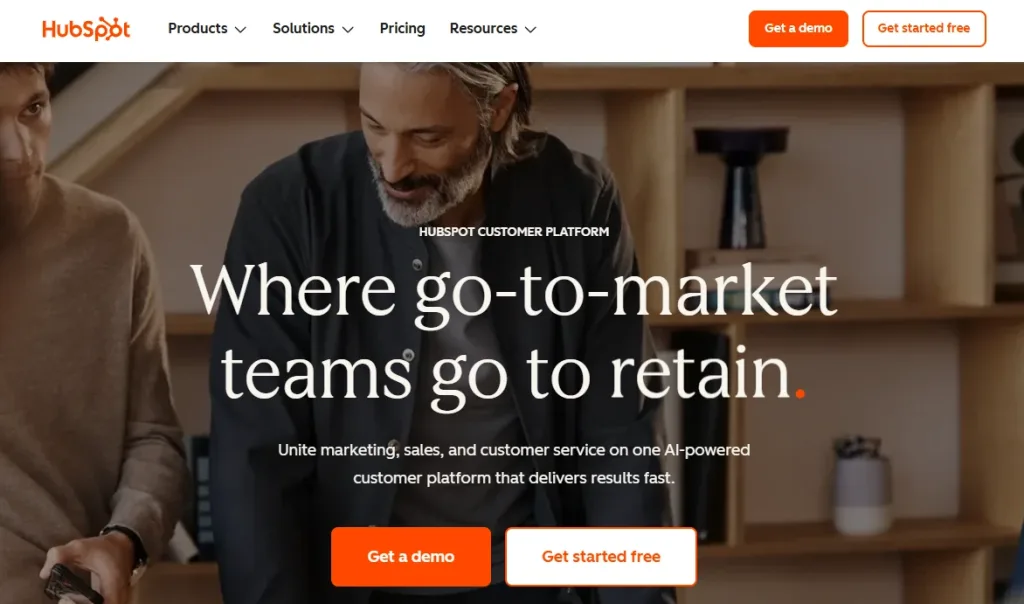
I find HubSpot very effective as an ecommerce integration platform. It keeps customer data, emails, and sales organized in one place. This makes managing support and marketing easier.
HubSpot helps businesses grow by automating tasks, tracking leads, and improving email support. Many choose it because it connects well with multiple tools and makes customer communication faster.
Key Features
- Complete customer profiles
- Email and interaction tracking
- Automated workflows
- Lead generation tools
- Shared inbox for support
- Customer feedback surveys
- Contact and task management
- Integrates with ecommerce platforms
- Real-time analytics
How HubSpot Works
- Collect customer and sales data in one place.
- Organize and update the information across all apps.
- Track interactions and activities automatically.
- Automate communication with customers through email and other channels.
- Connect all tools and platforms for smooth ecommerce integration services.
- Analyze data to make informed business decisions.
Pricing
- Starter: $50/mo
- Professional: $1780/mo
- Enterprise: $5000/mo
3. Zoho

I have looked at Zoho as an ecommerce integration platform, and it helps keep sales and customer data organized. This tool automates emails and routine tasks. This lets me spend more time growing the business. It connects with over 1,000 apps, which makes ecommerce integrations simple.
I see why other businesses rely on it. It helps teams stay coordinated. It gives real-time insights. It makes customer email support easier. It also handles orders, invoices, and inventory. Everything stays organized and easy to manage.
Key Features
- AI agents for automating emails
- Contact management
- Workflow automation
- Advanced analytics
- Inventory and order management
- Integration with 500+ apps
- Customer engagement across channels
- Reporting and dashboards
- Custom team spaces
How Zoho Works
- Collects customer and sales information.
- Organizes all the data.
- Sends emails automatically.
- Connects with many apps for easy integration.
- Tracks what customers do.
- Shows insights to make better decisions.
- Manages orders, invoices, and inventory.
- Helps teams work together.
Pricing
- Free trial available
- Standard (€20/mo/user)
- Professional (€35/mo/user)
- Enterprise (€50/mo/user)
- Ultimate (€65/mo/user)
4. SugarCRM

After exploring SugarCRM, I found it very useful for businesses that want to manage customer relationships better. It helps track every interaction with clients, automate workflows, and create personalized marketing campaigns.
I liked that it works with multiple languages and currencies, which is great for businesses that operate internationally. The platform also uses AI to improve sales, marketing, and customer support.
SugarCRM keeps everything organized, helps teams work efficiently, and gives clear insights through its reporting tools. Overall, it adapts well to different business needs and simplifies day-to-day operations.
Key Features
- Flexible and customizable CRM platform
- AI tools to boost sales and marketing
- Multi-language and multi-currency support
- Detailed reporting and analytics
- Connects with many apps and systems
- Complete tracking of customer interactions
How SugarCRM Works
- Keep all customer information in one place
- Automate workflows and marketing tasks
- Use AI to support sales and service teams
- Integrate with apps, e-commerce platforms, and websites
- Generate reports to understand trends and improve decisions
Pricing
- Free trial available
- Contact SugarCRM for pricing based on your business needs
Shipping Integrations
Shipping integrations help your store get products to customers on time. They connect with your ecommerce system and make it easy to manage orders and inventory. These tools can handle shipping automatically and let customers track their packages.
A good shipping setup keeps buyers informed and happy. It also saves you time and makes running your store easier. Using these tools helps your store run smoothly and encourages customers to come back.
So, some popular options are:
- ShippingEasy
- Shippo
- OrderCup
1. ShippingEasy
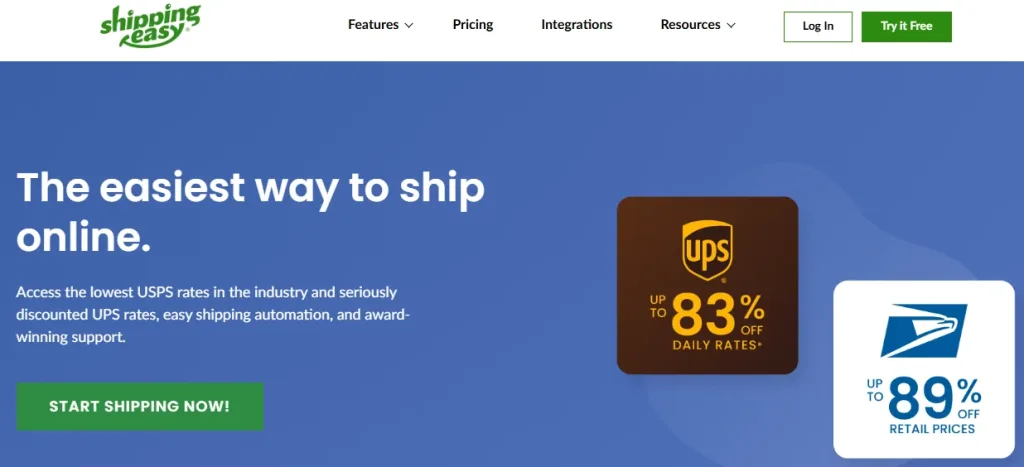
After evaluating ShippingEasy, I found it very helpful for eCommerce stores. It keeps all orders in one place, making shipping faster and easier. Automatic shipping rules save time, and printing labels, packing slips, and pick lists is simple.
Tracking shipments and sending updates to customers is easy. It connects with most marketplaces and online stores, so managing orders is much smoother.
Key Features
- Integrates with major marketplaces and stores
- Automates shipping rules
- Prints labels, packing slips, and pick lists
- Tracks shipments and notifies customers
- Gives shipping reports and insight
- Allows splitting or combining orders
How ShippingEasy Works
- All orders are gathered into one place
- Shipping rules are applied to sort and prepare them
- Labels and packing slips are created
- Shipments are tracked and customers get updates
- Reports and data are checked in one simple dashboard
Pricing
- Free plan for up to 25 shipments per month
- Growth plan from $19.99 per month for 26 to 200 shipments
2. Shippo
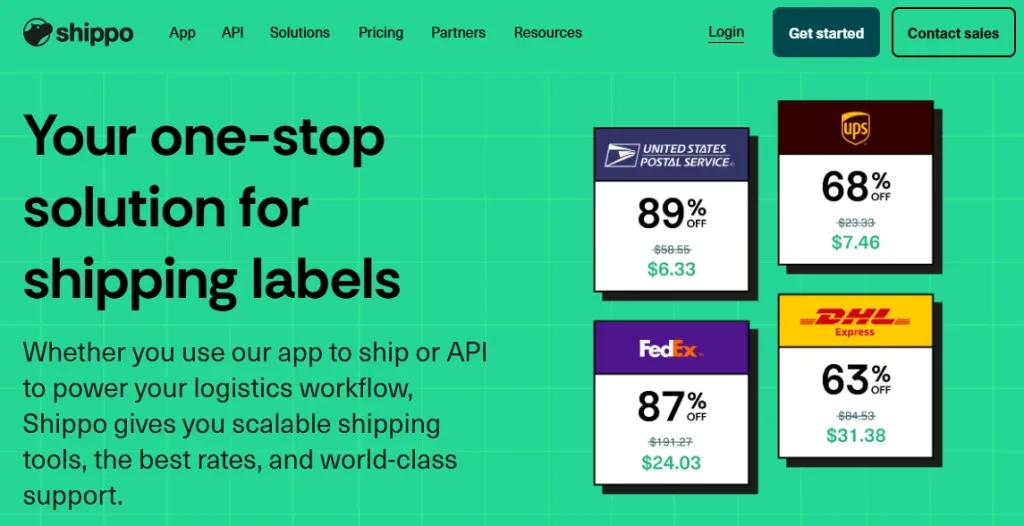
I have checked Shippo, and it works well for eCommerce shipping. It keeps all orders in one place, making it easy to print labels, track shipments, and update customers. The discounted rates from major carriers help save money, and syncing orders from different stores is simple.
Shippo works with many carriers and platforms, so it fits well with most online stores. The reports make it easy to see how shipping is going and where improvements can be made. Overall, Shippo makes shipping faster, easier, and more organized.
Key Features
- Discounted shipping labels
- Syncs orders and tracking
- Personalized labels
- Works with many carriers and stores
- Easy-to-read shipping reports
How Shippo Works
- Orders are collected from all connected stores
- Labels are created with the best rates
- Customers get tracking updates automatically
- Shipments are managed in one place
- Reports show shipping performance
Pricing
- Free plan available
- Professional plan from $10 per month
3. OrderCup

While evaluating, I checked OrderCup and found it to be a highly effective tool for eCommerce businesses. It keeps all orders in one place and automates a lot of the shipping work. It works well with popular stores and marketplaces like Amazon, eBay, Etsy, Shopify, WooCommerce, and Magento.
I liked that it supports many carriers and gives built-in shipping discounts with USPS, DHL, and UK Mail, which helps save money. Filters and shipping rules make managing orders easy, and the returns system is simple to use.
Key Features
- Supports multiple carriers like UPS and FedEx
- Built-in shipping discounts
- Easy order filtering
- Shipping rules to automate orders
- Simple returns management
- Works with major marketplaces and stores
How OrderCup Works
- Orders from all stores are collected in one place
- Shipping rules and filters organize orders automatically
- Labels and packing slips are printed
- Shipments are tracked, and returns are handled
- Reports and data are available in one dashboard
Pricing
- Short plan $25 per month
- Tall plan $45 per month
- Grande plan $65 per month
- Venti plan $95 per month
- Trenta plan $180 per month
Ecommerce Integrations: Key Takeaway
And that’s what ecommerce integration brings to your business. If all your systems work together, you can manage the store easily.
With integrations, you can avoid mistakes, reduce human effort and offer the best customer service. You will sell products through more channels and stay organzied with the proper integration.
So, integrations that should be added to every ecommerce store are:
- Website platforms
- Customer support software
- Email marketing integrations
- Payment gateways
- CRM management tools
- Shipping integrations
- Inventory management tools
- Accounting software
Ensure that you choose the tool that goes with your business model.
How to Choose the Right Integrations for Your Store in 2026
Are you getting overwhelmed with choosing the best integration for your ecommerce store, as there are tons of options available?
Let’s take a look at the crucial factors that you can look for to find the best integration solution for your business. Let’s dive deep in.
1. Map Your Revenue Leaks First
Check your analytics for the biggest money losers: abandoned carts, stockouts, slow fulfillment, or long support wait times. Fix the largest leak first; that single integration usually delivers the fastest visible results.
2. Match Tools to Your Current Revenue Stage
Early-stage stores stay lean with free or low-cost native apps. Mid-market brands add automation layers. Larger operations choose enterprise-grade platforms. Picking the wrong tier either wastes budget or limits growth.
3. Require 1-Click Native Installation
Only consider apps from the official Shopify App Store, BigCommerce Marketplace, WooCommerce Extensions, or Magento Marketplace that install in minutes with strong recent reviews.
4. Demand True Real-Time, Two-Way Sync
Look for webhooks and instant API connections, not scheduled CSV imports. A sale on any channel should immediately update inventory, fulfillment, and customer data everywhere else.
5. Build Around a Connected Core Stack
Most successful stores today run a tight core: platform → marketing automation → fulfillment → finance → customer engagement. Every new tool must connect natively to at least two of these pillars.
6. Apply the Simple Payback Test
Ask: “Will this save significant time or clearly add revenue within the first few months?” If the answer isn’t an obvious yes, skip it.
7. Read Recent Reviews from Stores Like Yours
Filter reviews on G2, Capterra, or the app stores by your niche and platform. Real user screenshots and workflow examples beat polished marketing copy every time.
8. Future-Proof with AI and Headless Compatibility
Choose tools already adding AI features (predictive analytics, smart chat, dynamic segmentation) and confirmed ready for composable/headless commerce. These will still be relevant years from now.
End Note
Building a world-class tech stack is only half the battle. The other half is choosing one integration that actively sells for you while you sleep.
REVE Chat excels here. It becomes your unfair advantage: deep catalog integration, real-time cart visibility, AI-driven product carousels, co-browsing, abandoned-cart recovery, and payment links shared directly in chat. All features designed from day one to shorten the path from “just looking” to “sold.” Stores using it don’t just improve support; they unlock a new growth channel that scales without extra ad spend or headcount.
Make 2026 the year your store stops leaking sales at checkout. Start with REVE Chat, sign up for your free trial or schedule a personalized demo.
Frequently Asked Questions
Payments, email marketing, shipping/fulfillment, and customer engagement tools are the core four. They handle transactions, recover abandoned carts, automate logistics, and reduce friction at the point of purchase.
Successful stores typically run 5–10 well-chosen integrations. Beyond that, complexity often outweighs the benefits unless you’re enterprise-scale.
Yes. Choose multi-channel tools (e.g., inventory sync like Cin7, order routing like Linnworks, and universal shipping platforms) to keep everything in sync across marketplaces and your store.
With native apps and no custom development, a complete core stack can be fully live and tested in 1–3 weeks.
Customer engagement tools (live chat, chatbots, co-browsing) often show the quickest impact because they directly influence conversions and recover revenue that would otherwise be lost at checkout.
Build AI-powered support with Wize AI
Connect business knowledge, automate support conversations, and improve response quality without managing a complex AI stack.
Explore Wize AI Agent Rate the article

Juwel Rana
Senior Content Writer
Juwel is a Sr. Content Writer at REVE Chat. He specializes in writing about customer service and customer engagement. He is passionate about helping businesses create a better customer experience.
He strongly believes that businesses will be able to understand their customers better and ultimately create more meaningful relationships with them.
View all articles