Best Customer Service Chatbots in 2026: Top 10 Platforms Reviewed
- February 19, 2026
- 19 mins read
- Listen
Nothing annoys people more than telling their story twice or three times to different agents. They explain the problem in chat, get transferred to email, repeat it all on the phone, and still end up with half-answers.
Meanwhile, your team wastes time piecing together scattered notes instead of actually helping. Customers walk away feeling like nobody cares, and your churn rate creeps up quietly. Chatbots cut through that mess.
A solid chatbot remembers what the customer said from the first word, pulls up their order history automatically, gives clear answers without back-and-forth, and only hands off when it makes sense, with full details ready for the agent. Support starts feeling personal again, not like a game of telephone.
I’ve watched teams go from overwhelmed to calm after switching to the right tool. This review covers the top 10 customer service chatbots for 2026, highlighting what really works (and what falls short) based on hands-on use.
What is a customer service chatbot?
A customer service chatbot is a software tool that chats with your customers in real time, usually through text on your website, app, or messaging channels like WhatsApp or Facebook.
It acts as the first responder for support, answering questions instantly, tracking orders, handling returns, or fixing basic issues without making anyone wait on hold or dig through emails.
Most good ones use AI to understand everyday language, remember what the customer said earlier, and pull info from your systems so replies feel personal and spot-on.
When a problem gets too complicated, it passes the chat smoothly to a human agent with all the details already there, no repeating the story.
Benefits of Chatbots for Customer Service
Chatbots change how support works in everyday ways. They take over the boring, repeating parts so teams breathe easier and customers don’t hang around frustrated.
Here are the main wins we’ve seen time and again in real support setups.
Instant replies, no waiting around
People message about a problem and expect help right now, not in an hour or tomorrow. Chatbots hit back in seconds, day or night. This kills the old hold music nightmare and keeps customers from bouncing to a competitor who answers faster.
Support that never closes
Your team sleeps, takes weekends off, or hits holidays. Chatbots don’t. They handle questions at 3 a.m. or during a product launch rush. Customers in different time zones get the same quick help, which stops small issues from turning into big complaints overnight.
Cuts down on support costs big time
Hiring more agents for every busy period gets expensive fast, such as salaries, training,and shifts. Chatbots grab 60-80% of the stuff (order status, FAQs, resets) without extra paychecks. Teams spend less overall while still covering more ground.
Handles tons of chats at the same time
One busy day can flood your inbox with hundreds of messages. A single agent juggles maybe five chats max. Chatbots manage hundreds together without slowing down or mixing things up. Your support scales up instantly when traffic spikes.
Keeps context, so no repeating yourself
Nothing annoys people more than typing their order number three times to different people. Good chatbots remember the whole conversation, pull up past tickets or details automatically. When they pass to a human, the agent jumps in already knowing the story, no starting over.
Frees agents for the real tough stuff
Routine questions eat up hours: “Where’s my package?” or “How do I return this?” Chatbots clear those out.
Humans get the emotional, complicated cases that actually need listening, empathy, or creative fixes. Agents feel less burned out and do better work.
Gives consistent answers every time
Human agents vary; some days they’re sharp, others tired or new. Chatbots stick to the facts, company rules, and best answers without mood swings. Customers get reliable info no matter who (or what) they talk to first.
Collects useful info quietly in the background
Every chat logs what people ask, when, and how they feel. Over time, you spot patterns such as common pain points, product confusion, and peak complaint times.
Use that to tweak your site, fix bugs early, or train the bot better. Support turns into smart data instead of just putting out fires.
How We Evaluated Customer Service Chatbots?
I looked at a bunch of chatbots hands-on over the past couple of years, putting them through the same daily support grind that real teams face.
No fancy lab stuff, just actual businesses dealing with angry customers at midnight, peak-hour floods, and the usual mix of simple and tricky questions.
Here’s what we checked hardest:
Quick, always-on replies
Customers hate waiting. The chatbot has to jump in right away, any hour, any day, and give answers in seconds, not minutes. We tested how well each one stays up 24/7 without dropping chats or slowing down during busy times.
Real understanding of what people say
Not just matching keywords. Good ones pick up on natural talk, typos, slang, even frustration in the words. We threw messy questions at them (like “my stuff hasn’t come and I’m pissed”) and saw if they got the point or spat back useless replies.
Memory and context across the chat
Nobody wants to repeat their order number five times. The best way is to keep track of what was said earlier, pull up past tickets or account details automatically, and carry that info if they hand off to a human agent.
Working with your other tools
A chatbot alone isn’t enough. We care a lot about how easily it connects to CRMs, helpdesks, order systems, or email, so it can check status, update records, or create tickets without a manual copy-paste mess.
Handling lots of chats at once without breaking
Small team? Big rush? The chatbot needs to manage hundreds (or thousands) of conversations together, deflect the easy ones, and only pass real problems to people. We looked at how smoothly it scales when things get crazy.
Passing to humans the right way
When the bot can’t fix it, the switch has to feel smooth. Full context goes over, no repeating yourself. We checked if agents get a clear handoff summary or if it’s a confusing jump.
Multilingual and multi-channel support
Customers message from WhatsApp, Facebook, email, website, sometimes in different languages. The stronger ones handle that mix without losing the thread or forcing everyone onto one channel.
Learning and getting better over time
From feedback, failed chats, or new questions, the chatbot should improve. We favored ones that let teams train it easily or that auto-learn from real use without constant babysitting.
Top 15 Chatbots for Customer Service in 2026
Picking the right chatbot feels overwhelming these days. Tons of options promise the world, but many fall flat when your inbox explodes, or customers expect instant, personal answers on their phone at midnight.
For e-commerce,e especially, the wrong one means lost sales from slow replies or generic bots that scare shoppers away. The good ones handle routine questions fast, remember details, switch to humans smoothly, and actually help close more orders.
We’ve sifted through real use cases to find the ones that deliver without headaches.
Here’s our ranked list for 2026, starting with the clear winner that checks every box for most businesses.
1. REVE Chat
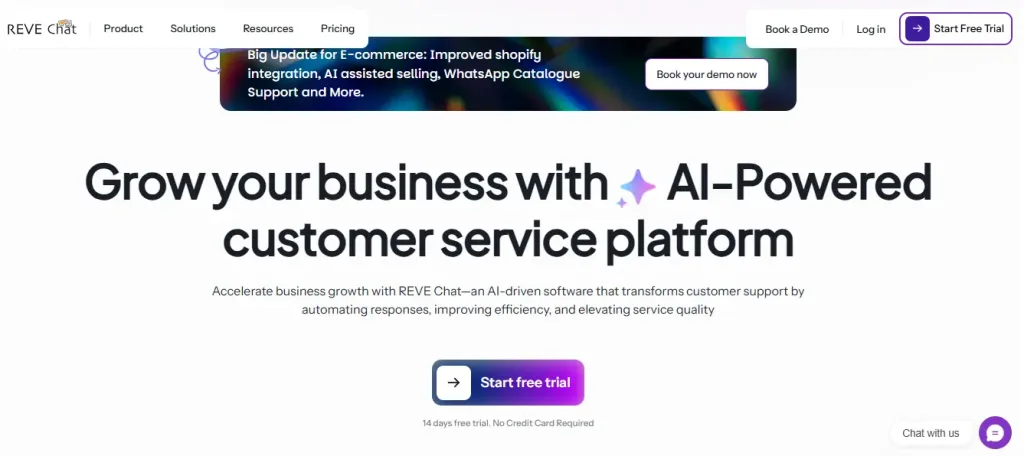
Best for E-commerce stores and growing businesses that need fast, smart support across channels without breaking the bank or needing developers. It handles high-volume queries, boosts conversions, and keeps customers happy 24/7.
REVE Chat stands out as the top pick because it mixes powerful AI with easy human backup in a way that feels natural and reliable. Built for e-commerce, it jumps on chats instantly across your website, WhatsApp, Facebook, and more, answering questions, guiding purchases, checking orders, or qualifying leads automatically.
Businesses see up to 85% of routine queries resolved without agents, freeing teams for bigger issues while cutting wait times and support costs. The no-code visual builder lets anyone set up flows fast, with no tech headaches.
Brain AI pulls from your knowledge base or docs for spot-on, multilingual replies that match your brand. Seamless handover gives agents full context, so nothing gets lost. Add in solid analytics to spot trends, plus strong security and 40+ integrations, and it’s the one that grows with you without constant tweaks.
Key Features
- Brain AI with LLM & Sentiment Analysis — Uses advanced language models to grasp natural talk, typos, frustration, or urgency in messages. Detects emotions in real time and adjusts replies to calm things down or escalate gently. Trained on your FAQs, site content, or databases for accurate, personalized answers. It handles up to 85% of support queries automatically. Customers feel understood and helped fast, cutting frustration and repeat contacts while agents tackle only the emotional or complex cases.
- Seamless Human Handover with Full Context — When the bot hits a limit, it transfers the chat to an agent in one click with complete history, customer profile, prior messages, and any notes. No customer repeats their story; agents jump in ready to solve. This turns potential bad experiences into smooth resolutions, boosts satisfaction scores, and makes the hybrid setup feel truly reliable for support teams.
- Omnichannel Unified Inbox for Consistent Support — Pulls chats from websites, WhatsApp, Facebook, Instagram, YouTube, and 40+ channels into one dashboard. Agents see everything in one place, reply once, and stay consistent across platforms. Great for scattered customer traffic; prevents dropped threads and keeps service personal and quick, no matter where the message starts.
- Visual Flow Builder for Service Workflows — Drag-and-drop to create smart conversation paths without code, set up troubleshooting trees, return processes, or status checks easily. Non-tech support folks tweak flows anytime to match new policies or common issues. Speeds up handling routine service questions, reduces errors, and lets teams focus on quality replies instead of rigid scripts.
- Multilingual AI Translation & Global Readiness — Automatically translates and responds in languages like English, Spanish, French, Japanese, and more. Customers get native-feeling help without waiting for bilingual agents. Opens support to international buyers, lowers bounce from language gaps, and makes service inclusive, key for growing businesses with diverse audiences.
- Advanced Analytics & Performance Insights — Dashboard tracks resolution rates, popular queries, drop-offs, sentiment trends, and channel performance. Spot patterns fast like recurring complaints, and use them to train the bot or fix product issues. Turns support data into actionable improvements, helping teams reduce tickets over time and make service proactive rather than reactive.
- Proactive Triggers & Intent Detection — Watches visitor behavior and jumps in with timely help (e.g., “Need help with that order?”) or detects intent to qualify issues early. Pulls context from past chats for smarter responses. Prevents small problems from growing, engages customers before they leave unhappy, and guides them to fast self-service, a big win for keeping satisfaction high and support volume down.
Pros
- Super easy no-code setup for fast launches
- High query resolution (up to 85%) saves agent time
- Affordable scaling with a strong free trial and plans
- Great e-commerce tools like guided flows and omnichannel
- Reliable handover and multilingual out of the box
Cons
- Advanced custom scripts need some learning for power users
- Free plan limits sessions (good for testing, not heavy use)
Pricing
- Free: $0 (1 seat, 50 chatbot sessions/month, 10 AI credits) — perfect to start small.
- Starter: $14.99/month (1 seat, 500 chatbot sessions, 50 AI credits; add seats $8.99 each; up to 10 seats; extra sessions $0.039).
- Growth: $59.99/month (3 seats, 4000 sessions, 200 AI credits; add seats $13.99; up to 25 seats; unlimited live chat).
- Enterprise: $291.99/month (10 seats, 10000+ sessions, 1000 AI credits; unlimited seats/scaling; custom needs).
2. Intercom
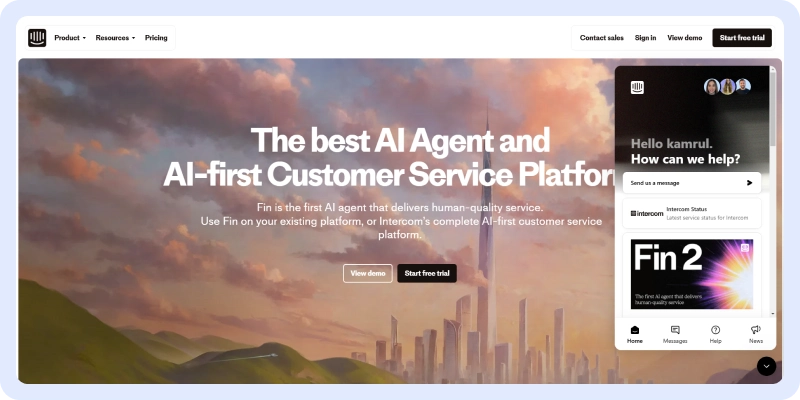
Best for growing SaaS or tech companies that want conversational marketing mixed with support, strong on personalized messaging, and AI agents for mid-size teams.
Intercom shines with its Fin AI agent that resolves simple questions fast and hands off complex ones smoothly. It combines chat, email, in-app messages, and bots in one place, pulling customer data for tailored replies.
Good for businesses focused on engagement and self-serve, but it can get pricey as seats add up and resolution fees kick in. Setup is straightforward, with solid reporting to track interactions.
Works well for product-led growth where support doubles as sales nudges, though less ideal for pure high-volume e-commerce without extra costs.
Key Features
- Fin AI Agent for auto-resolutions
- Shared inbox and ticketing
- In-app messaging and product tours
- Custom bots and workflows
- Analytics and reporting
- Multi-channel (chat, email, Messenger)
Pros
- Great for personalized, proactive support
- Strong AI that learns from your data
- Nice UI and team collaboration
Cons
- Pricing scales quickly with seats and resolutions
- Can feel more marketing-focused than pure support
- Higher cost for basics compared to alternatives
Pricing
- Starts around $29/seat/month (Essential) + $0.99 per Fin resolution; higher tiers $85–$132/seat/month.
3. HubSpot

Best for Businesses already deep in HubSpot’s CRM ecosystem that want basic chat tied to tickets and contacts. It is good for inbound leads turning into support.
HubSpot’s Breeze Customer Agent handles simple queries and routes to agents with context from your CRM data. It fits well if you’re using HubSpot for sales/marketing too, pulling customer history for smoother replies. Live chat and bots are straightforward, with workflows for automation.
But advanced AI needs higher tiers, credits burn on conversations, and it’s less focused on pure high-volume support or omnichannel mess. Setting up ties you to their world, which helps consistency but limits flexibility if you outgrow it.
Solid for mid-size teams wanting everything in one place, though resolution rates lag behind dedicated service bots.
Key Features
- Breeze Customer Agent for AI replies
- Conversational bots and live chat
- Ticket pipelines and routing
- Shared inbox with CRM pull
- Knowledge base integration
- Reporting dashboards
Pros
- Seamless with HubSpot CRM/sales tools
- Free tier for basics
- Good for lead-to-support flow
Cons
- AI limited to higher plans (Professional+)
- Credit usage adds unpredictable costs
- Less strong on multilingual or heavy e-commerce
Pricing
- Starter ~$20/seat/month; Professional ~$90–$100/seat/month (Breeze Agent uses credits, e.g., 100/conversation); Enterprise custom $150+/seat/month; 14-day trials paid.
4. Zoho SalesIQ
Best for Teams in the Zoho suite, needing affordable chat with visitor tracking—decent for small to mid businesses mixing sales and support.
Zoho SalesIQ’s Zobot mixes rules and AI for website chats, pulling data from Zoho CRM for personalized replies. It tracks visitors, handles basics, and hands off to agents. Cheap entry and integrations keep costs low if you’re Zoho-heavy.
But AI feels basic compared to newer tools, customization takes effort, and omnichannel isn’t as broad. Works for simple support but struggles with complex queries or global scale without extras.
Good value for budget teams, though not the fastest resolver.
Key Features
- Zobot AI and rule-based flows
- Visitor tracking and segmentation
- Live chat and messaging
- CRM integrations (Zoho ecosystem)
- Analytics and reports
- Multilingual support
Pros
- Low starting price
- Strong if using other Zoho tools
- Easy visitor insights
Cons
- AI is less advanced than pure bots
- Setup can feel clunky outside Zoho
- Limited for high-volume escalations
Pricing
- Starts ~$7–$11/operator/month; higher tiers for more bots/channels; 15-day trial.
5. Gorgias
Best for E-commerce brands (especially Shopify) wanting support that ties into orders and boosts sales through replies.
Gorgias focuses on shop support, such as pulling order data, automating refunds/returns, and using AI for quick answers. Great for product questions or post-purchase help, with macros and views that speed agents.
But it’s pricey for non-ecom, setup leans Shopify-heavy, and AI resolution isn’t as high as broader tools. Solid niche player for online stores, though less flexible across channels or non-retail.
Key Features
- Order/CRM pull for context
- AI automation and macros
- Multi-channel inbox (email, chat, social)
- Shopify/Woo integrations
- Reporting on sales impact
Pros
- E-com specific wins (e.g., returns fast)
- Boosts conversions via support
- Nice team views
Cons
- Expensive for small teams
- Less ideal outside retail
- Can be overwhelmed with e-commerce focus
Pricing
- Starts ~$10–$60/month basic; AI/automation tiers $117+/month (ticket-based); trials vary.
6. ProProfs
Best for Small teams or startups needing simple, cheap 24/7 chat without a fancy setup.
ProProfs offers easy chatbots for FAQs and basics, with live chat backup. Affordable and quick to launch, and good for low-volume support.
But AI is basic, integrationsare limited, and it doesn’t scale well for complex or high-traffic services. Fine starter, but teams outgrow it fast when queries get tricky.
Key Features
- Drag-and-drop bot builder
- Live chat and knowledge base
- Basic AI responses
- Multi-channel widgets
- Simple analytics
Pros
- Very low cost/free options
- Fast setup
- Good for beginners
Cons
- Limited AI depth
- Not great for scale
- Fewer integrations
Pricing
- Paid ~$19–$50/operator/month; trials available.
7. Chatbot (Chatbot.com)
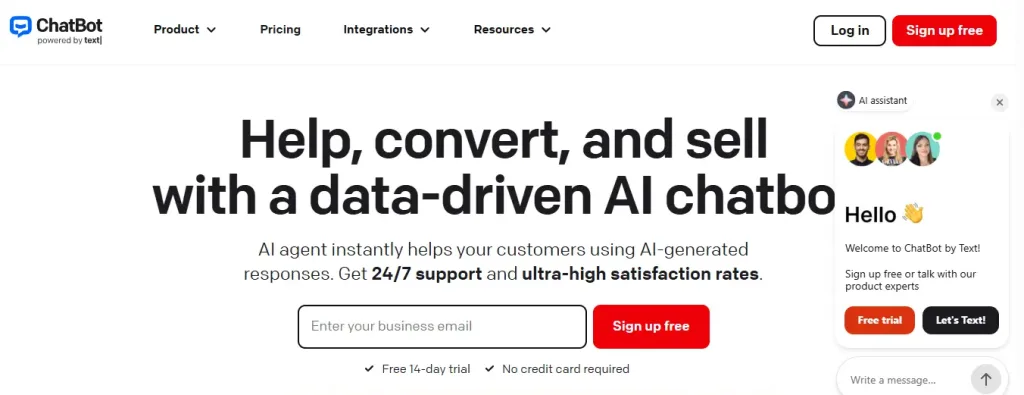
Best for Businesses wanting visual bot building with some AI, it is decent for guided flows on sites or messengers.
Chatbot.com lets you design conversations easily, add AI for natural replies, and connect channels. Visual and no-code friendly.
But resolution rates vary, handover can feel clunky, and it’s more marketing-leaning than deep support. Okay for simple service, less for tough cases.
Key Features
- Visual story builder
- AI-enhanced responses
- Channel integrations
- Analytics on flows
- Human handover
Pros
- Intuitive builder
- Flexible channels
- Affordable entry
Cons
- AI not top-tier
- Can need tweaks often
- Less context memory
Pricing
- Starts ~$50–$100/month; higher for advanced; free trial.
8. Ada
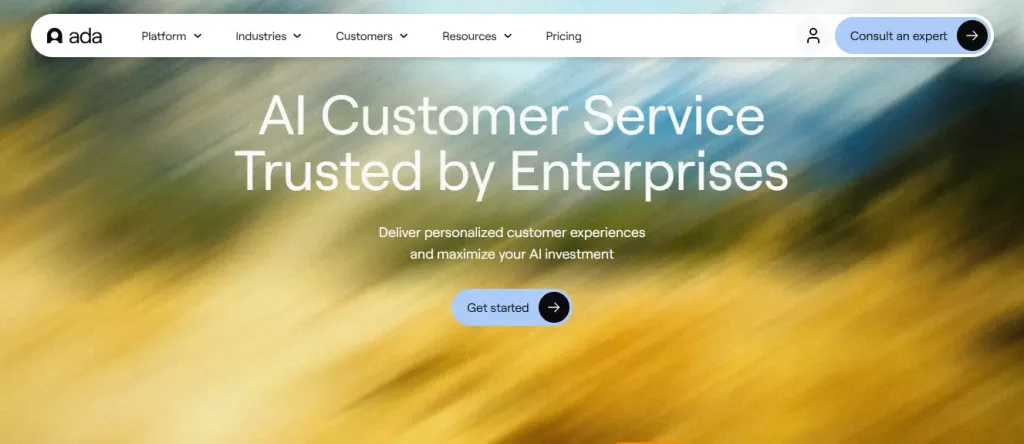
Best for Enterprises with huge volumes needing scalable AI agents across channels.
Ada deploys strong AI for self-service, multilingual, and integrations. Handles tons of chats autonomously.
Great for big ops, but setup takes time, pricing outcome-based can surprise, and it’s overkill for small teams. Enterprise-focused, not everyday support.
Key Features
- Autonomous AI agents
- Multilingual support
- Omnichannel
- Analytics and optimization
- Integrations hub
Pros
- High auto-resolution
- Scales well
- Global ready
Cons
- Complex/expensive setup
- Best for large volume
- Less no-code ease
Pricing
- Custom, often usage/resolution-based; starts high for enterprises.
9. Netomi
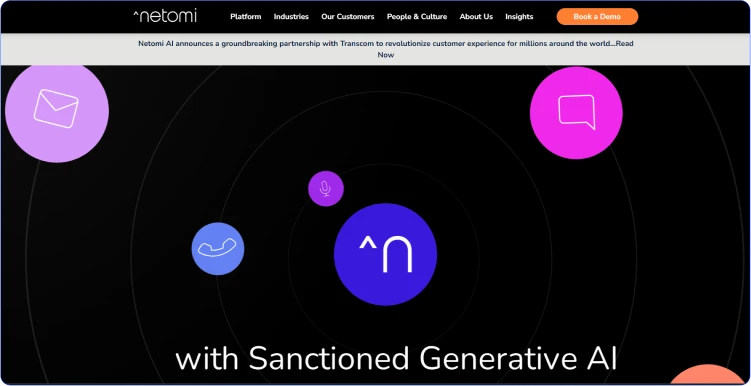
Best for Teams needing AI across email/chat/voice with a strong resolution focus.
Netomi automates replies intelligently, learns from data, and covers multiple channels. Good for consistent answers.
But the interface is dated, pricing is not transparent, and setup needs help. Solid for mid-large, less for quick starts.
Key Features
- AI across channels
- Auto-resolution engine
- Learning from tickets
- Analytics
- Voice support
Pros
- Strong automation
- Multi-channel
- Improves over time
Cons
- Setup effort
- Pricing opaque
- Not cheapest
Pricing
- Custom enterprise; contact for quotes.
10. Certainly
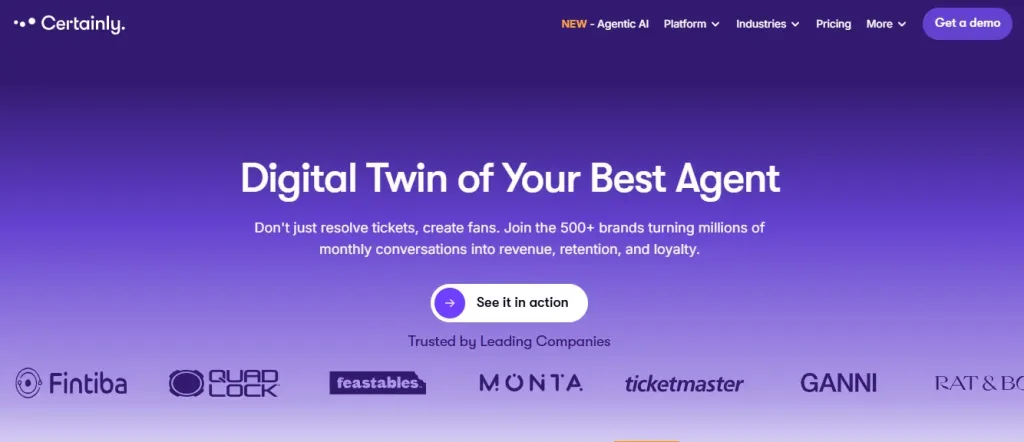
Best for Brands wanting conversational AI with personalization and low-code.
Certainly builds smart bots for support/sales, with good natural language. Focuses on engagement. But less emphasis on deep handover, and costs rise with usage. Nice for customer-facing, not heavy ticket volume.
Key Features
- Conversational builder
- Personalization
- Integrations
- Analytics
- Multi-channel
Pros
- Engaging replies
- Low-code
- Good for brands
Cons
- Scaling pricey
- Less support depth
- Handover average
Pricing
- Usage-based; starts mid-range.
How to Pick the Best Chatbot for Customer Service?
Picking a chatbot isn’t about grabbing the shiniest name or the one with the most buzz. It’s about finding something that actually lightens your support load without creating new headaches. We’ve seen teams waste months on tools that promised everything but delivered slow replies, confusing handoffs, or surprise bills when traffic spiked.
The industry is crowded, AI has gotten smarter, but so have customer expectations. People want instant help that feels personal, not robotic scripts. The right choice matches your business size, channels, and common questions.
Start by looking at your ticket history: What repeats most? Where do customers drop off? Then match that to what the tool does well.
Here are the 6-7 most important areas to weigh when deciding.
1. How well it understands real customer talk
Customers type messy sentences, typos, slang, or get frustrated. Look for strong natural language processing that catches intent, not just keywords. Test with your own tricky questions, like does it get the point or spit back generic stuff? The best ones resolve 70-85% of simple queries without humans, saving your team time and keeping customers calm.
2. Smooth handover to humans when needed
No bot solves everything. The switch has to feel natural, such as full chat history, customer details, and notes passed over so agents don’t start from zero.
Check if it keeps context across channels too. Bad handoffs make customers repeat themselves, which kills satisfaction fast.
3. Easy setup and customization without developers
You shouldn’t need a coder to launch or tweak flows. No-code builders let your support team add new FAQs, update policies, or fix replies quickly.
If it takes weeks of back-and-forth with sales or IT, skip it. Especially if you’re a small or mid-size shop.
4. Integrations with your current tools
It has to pull data from your CRM, order system, helpdesk, or knowledge base for accurate answers (like checking shipment status live).
Look for 20+ solid connections and real two-way sync, no manual copy-paste. This turns the bot into a helper that actually knows your customers.
5. Pricing that scales predictably
Avoid models where costs explode with every extra chat or seat. Clear plans (per session, flat monthly, or tiered) help budget better.
Factor in free trials that let you test real volume. Hidden fees for AI credits or resolutions add up quickly, pick ones transparent about growth.
6. Omnichannel and multilingual support
Customers message on WhatsApp, Facebook, site chat, email, sometimes in different languages.
The tool should handle that mix in one inbox without losing threads. Multilingual replies keep global buyers happy and prevent lost sales from language barriers.
7. Analytics to improve over time
Good ones track what works: resolution rates, drop-offs, popular questions, and sentiment. Use that data to spot patterns, train the bot better, or fix product issues early.
Without solid insights, you’re flying blind, and support stays reactive instead of getting smarter.
Conclusion
Customer service isn’t about having more agents; it’s about having the right help ready for someone to message you. The chatbots we reviewed show one thing: the ones that understand people, remember details, and pass to humans gracefully win every time.
REVE Chat leads the pack because it turns routine support into something that actually helps your business grow in such ways: higher satisfaction, fewer tickets, better sales from guided chats, and agents who aren’t drowning. Waiting means more frustrated customers, more bad reviews, and more lost revenue. The fix is sitting right here. Start your 14-day free trial of REVE Chat with full enterprise features and up to 1000 sessions, no card needed, or jump straight to the lifetime free plan and test it on your site today.
Frequently Asked Questions
Choose a chatbot with smart AI, easy setup, and multi-channel support to meet your business needs effectively.
They reply fast, work 24/7, and solve issues instantly, boosting NPS and keeping customers happy and loyal.
Yes, they’re simple to build, letting non-tech teams create effective support bots quickly and efficiently.
Rule-based bots follow fixed scripts; AI bots learn, adapt, and handle complex customer queries better.
Costs range from free to $100+/month, depending on features, scalability, and business requirements.
Most sync with CRMs to personalize support, streamline data, and improve customer interactions.
They excel at simple tasks but need human agents for complex issues to ensure customer satisfaction.
They respond in seconds, cutting wait times and improving the customer experience significantly.
Many offer multilingual support, helping businesses reach global customers with seamless communication.
They automate FAQs, reducing staff needs and cutting support costs by up to 20% for businesses.