



Table of Content
Having trouble replying to customers fast and helping them buy from your online store? Well, customers get frustrated when they don’t get a reply on time, which may affect your revenue.
For an ecommerce business, choosing the best live chat software is a necessity. A strong ecommerce live chat lets you turn visitors into buyers, answer questions instantly, guide customers to the right products, and help them complete their purchases.
In this blog, you’ll find a list of the 12 best ecommerce live chat software, along with a clear breakdown of features, pricing, and use cases. I have evaluated all the tools for you to choose from, laying out what to look for, what you need, and how to choose the right live chat solution for your budget and business size.
How Evaluated Live Chat Apps
To create this list, I spent time reviewing and testing different platforms from a practical business perspective. Each tool was evaluated based on how well it supports real ecommerce workflows before, during, and after a purchase.
The evaluation process included the following criteria:
- User Experience – A simple, clean interface and easy-to-use support matter more than a long list of features.
- Integration – How well it connects with ecommerce platforms, CRMs, email tools, and other apps
- Ecommerce Workflow – How well can the tool handle much-needed ecommerce workflows
- Feedback & Reviews – Ratings, comments, and real customer experiences show how well the tool performs.
- Customization – Ability to personalize chat widgets, messages, and workflows.
- Pricing – Affordable plans, trials, and small-team options help you stay on budget.
The goal for this evaluation was to understand how each tool performs, how easy it is to use, and how it can handle ecommerce operations.
Essential Features Needed For an Ecommerce Live Chat
While there are evaluation criteria, certain features are a necessity. Thus, here are the much-needed features an ecommerce business should look for in a live chat solution.
1. Response Speed
Fast replies keep people engaged during checkouts or product comparisons while slow responses tend to frustrate users, causing them to abandon carts.
2. Issue Resolution
The live chat software must have the required tools needed for an agent to solve problems in a single chat, resolving issues without going back and forth.
3. Automation and AI Tools
Features like AI Copilots, smart routing, and such are present for agents to utilize whenever needed, helping teams solve a large volume of requests easily.
4. Supporting Multiple Channels
Apps that connect with social media, email, and mobile messaging make support smoother. They also reduce confusion by keeping agents from switching between tools constantly.
5. Multilingual Support
Accurate translations are important for ecommerce businesses as customers can communicate in different languages.
6. Instant Messaging
Chats should deliver real-time messages and keeps conversations smooth, letting agents respond instantly without delays.
7. Analytics and Monitoring
Real-time dashboards and reports help track busy times and agent performance. Features that suggest messages to customers or trigger automatic prompts can improve engagement without feeling pushy.
8. Role-Based Access Management
Clear permission control ensures sensitive data is protected and workflows remain organized, especially for larger teams.
12 Best Ecommerce Live Chat Software for Your Store in 2026
Let’s see a glimpse of the 12 best ecommerce live chat software for your store in 2026:
| Tool | Key Features | Best for | Pricing Detail |
|---|---|---|---|
| REVE Chat | Omnichannel inbox, AI Copilot, store integrations, cart & order visibility, proactive chat, canned responses | Best for Ecommerce teams needing an omnichannel live chat system for both sales and support | Offer a free plan, and the starter plan starts at $14.99 |
| Tidio | Canned responses, visitor tracking, cart recovery flows | Ecommerce stores needing website/store live chat | Free plan available; paid plans start around $29/month |
| Gorgias | Shopify context sync, ticket-based workflows, macros | Shopify stores managing orders via live chat | Plans start at $10/month (50 tickets); higher tiers ~$60+/month+ usage-based pricing. |
| LiveChat | Canned replies, conversation analytics, chat transfers | Businesses focused on website-based conversations | Starts around $20/agent/month. |
| Intercom | Conversation routing, agent inbox, visitor segmentation | Teams using live chat as a part of broader customer engagement | Starts at about $29/seat/month (Essentials); higher plans cost more. |
| Zendesk | Chat to ticket conversion, agent workflows, reporting dashboards | For Enterprise businesses needing live chat operations | Starts around $14–$19/agent/month for chat/basic; the full suite is higher. |
| Help Scout | Shared inbox, customer profiles, chat history tracking | Email-first support with built-in live chat | A free plan is available; the paid plan starts at $25/user/month. |
| Olark | Visitor insights, chat transcript, quick replies | Simple and easy live chat for small teams | Plans from about $29/agent/month; add-ons available. |
| Tawk.to | Free chat, auto messages, save offline chats | Businesses needing cost-free live chat with core functionality | Free forever; add-ons (AI Assist, branding removal, etc.) at extra cost. |
| ProProfs Chat | Proactive chat, pre-chat forms, routing rules | Teams using live chat for basic inquiries and functionalities | Forever free for a single operator; paid from $19.99/operator/month. |
| Richpanel | Post-purchase workflows, ticket workflows, unified inbox | Ecommerce teams managing high volume of post-purchase support | Plans typically cost around $59–$89/agent/month. |
| Social Intent | Chat in Slack/Teams, saved replies, basic reporting | Businesses responding to live chat from collaboration tools | Starts around $49/month. |
Let’s learn more in detail for each tool here.
1. REVE Chat
Best for Ecommerce teams needing an omnichannel live chat system for both sales and support
REVE Chat is a complete omnichannel engine for ecommerce, bridging the gap between social media engagement and long-term customer loyalty. By unifying social media channels such as WhatsApp, Facebook Messenger, and Instagram, it creates a single hub where agents can manage every interaction on all touchpoints, whether it’s a first-time visitor commenting on a social post or a long-time customer checking an order status.
For new visitors, the platform turns the chat window into a virtual storefront where agents can browse the product catalog, offer personalized recommendations, and send direct checkout links to close sales on the spot without the customer ever having to leave the conversation.
REVE Chat is equally effective for post-purchase support, ensuring that existing customers receive fast, informed assistance that keeps them coming back. Through deep store integrations, agents have a 360-degree view of live order history and cart details directly within the dashboard, allowing them to resolve shipping queries or return requests in seconds.
This full-lifecycle approach is backed by AI Copilot and proactive triggers, which empower your team to provide a seamless experience that feels personal and helpful, regardless of which channel the customer chooses to use or what language they wish to communicate in.
Thus making REVE Chat the best Ecommerce live chat solution in the industry.
Core Features
Unified Omnichannel Inbox
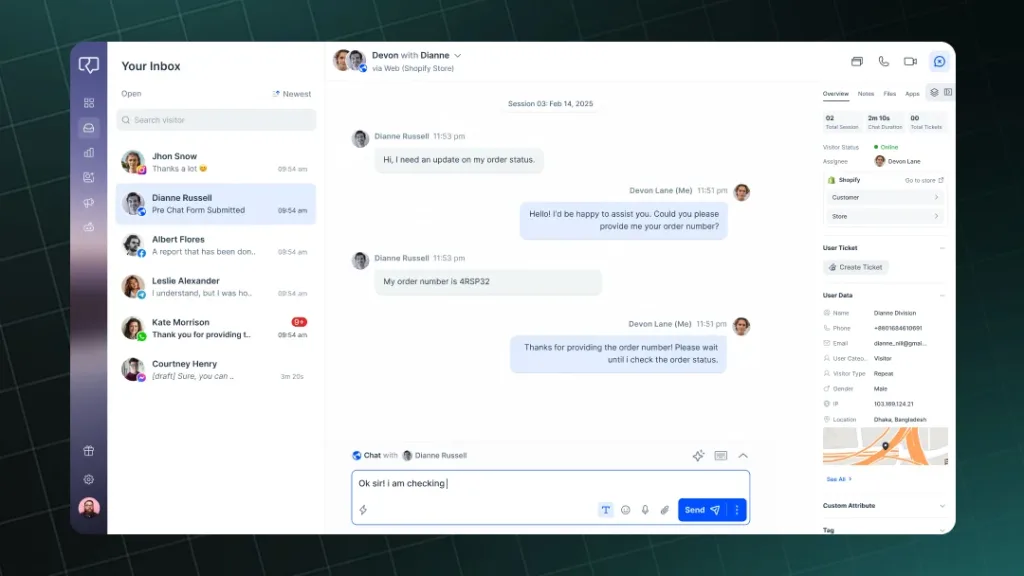
See all customer messages in one inbox from different platforms such as Website, Shopify & WooCommerce Stores, WhatsApp, Messenger, Instagram, email, and more. Agents can track customer history including cart status and past orders to provide personalized service to users.
Deep Store Integrations
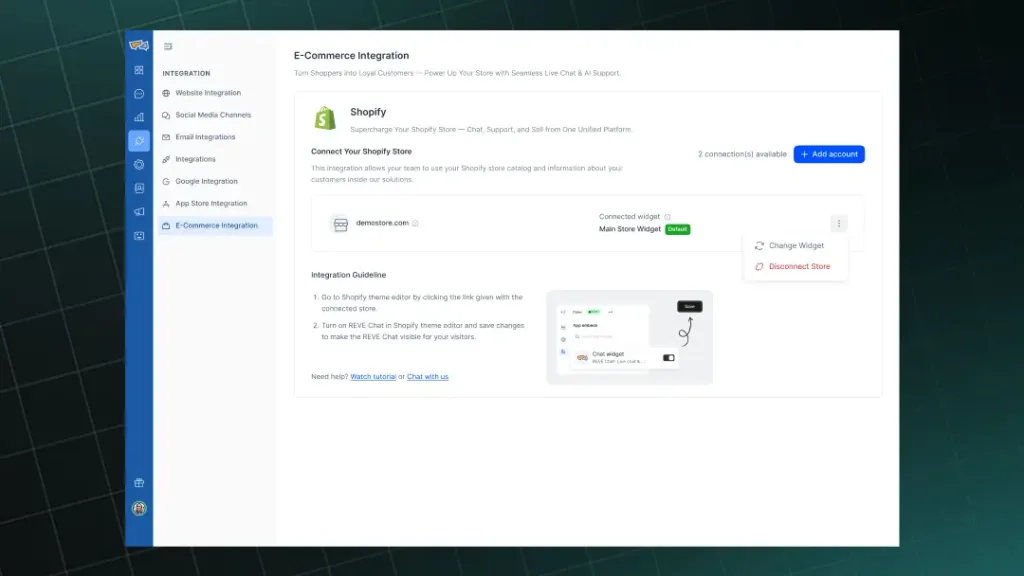
Experience deep integrations with Shopify, WooCommerce, and other stores, to collect user & product information from the respective storefronts. With a deep integration, agents can provide personalized product assistance whenever a customer needs help.
Real-Time Product Catalogs and Carousels
Agents can open your store catalog while conversing with a customer and provide recommendations in an instant. Recommendations can be fully personalized based on past order history and customer needs. Products can be easily shared via carousels or single items, allowing customers to easily view items, add to cart, and checkout.
In-Chat Purchasing and Payment Links
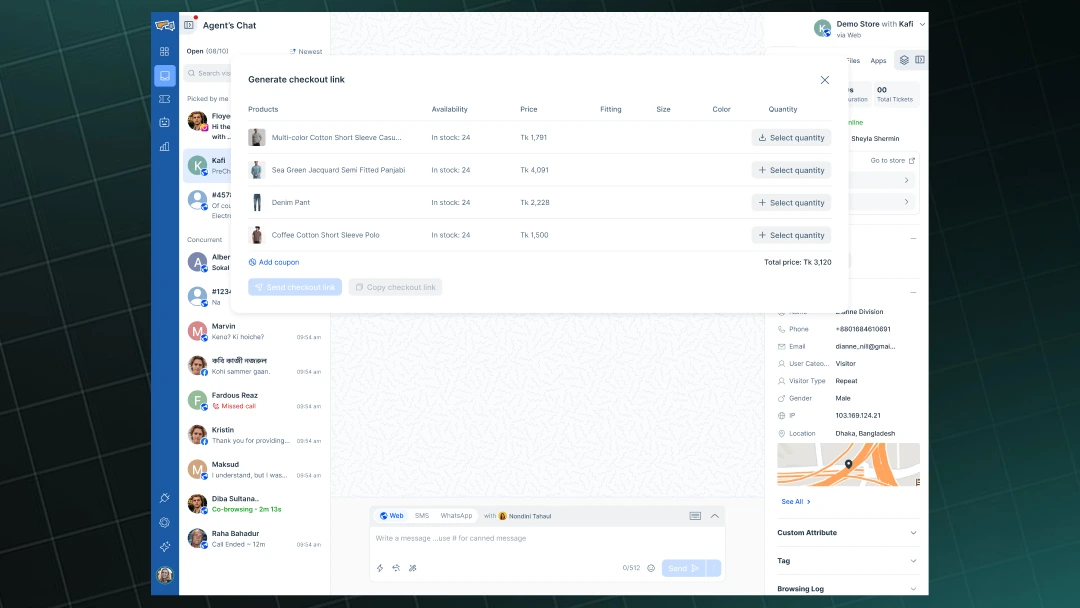
Create orders from live chat simply creating a checkout link for a customer’s cart. Agents can easily add products, provide checkout links, add discount codes, modify carts, and more. All the customer needs to do is fill out shipping details and complete payment.
Sync Product Catalogs
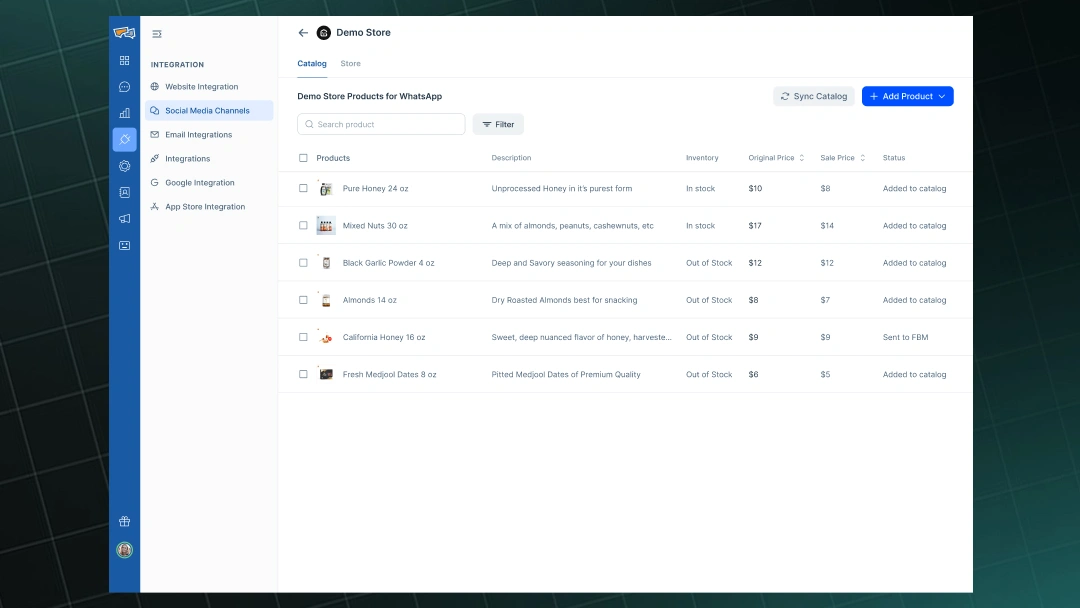
Manage and sync product catalogs from our solution. With catalogs, an agent can search for the product and send it to customers via live chat seamlessly.
Agent Assistance Tools and Multilingual Support
With REVE Chat’s AI Copilot, agents can use real-time translations and communicate with customers in over 100 languages. Get smart reply suggestions and quick access to return or refund policies whenever needed, allowing agents to respond faster and close more orders.
Instant Ticket Creation
Turn any conversation into a ticket with one click. Understand customer complaints or issues regarding orders or delivery and escalate the issue by creating a ticket with all the information. An organized support system for large-scale ecommerce companies.
Role-Based Access Management
Create and manage departments and roles inside our solution. Assign agents with roles and departments to adjust permissions provided to employees as needed. Extremely important for enterprise ecommerce businesses looking to streamline operations.
Pros
- Efficiently handles multiple channels in a single inbox
- AI-powered responses reduce repetitive work
- Deep Store Integrations for Shopify and WooCommerce
- Real-time visitor tracking improves engagement
- Works well for teams and businesses of all sizes
- Customizable chat widgets match my website design
- Detailed analytics help improve team performance
Cons
- Advanced features take time to master
- Some integrations require paid plans
- Mobile experience could be smoother
Pricing
A free plan is available, the Starter plan starts at $14.99, and a 14-day free trial is available with advanced features

2. Tidio
Best for Ecommerce stores needing website or store live chat
Tidio works well as a simple chat tool with support for answering common questions and ecommerce queries. In our evaluation, canned responses proved helpful for saving time, and Lyro, the AI assistant, handled repetitive queries during busy periods.
It brings chat, email, and automation together in one place. The analytics show where visitors pause or leave, which helps improve messaging and recover potential sales. The chat widget is easy to set up, and the mobile app keeps teams connected on the go.
However, Tidio has some limitations for ecommerce as it lacks advanced omnichannel support. This platform is the best for its live chat capabilities on your web or store.
Core Features
- Canned Responses: Send pre-written answers to common questions to save time.
- Multichannel Messaging: Manage chats, emails, and social messages all in one place.
- Real-Time Typing Preview: See what customers type before they send it.
- Visitor Analytics: Track visitor behavior, conversions, and chat performance.
- CRM-Style View: Keep all customer info and interactions in one easy dashboard.
Pros
- Clean interface for efficient support
- Supports abandoned cart recovery
- Visitor analytics and tracking
- Combines chat, email, and bots effectively
- Simple integration with ecommerce platforms
Cons
- Free plan has limited features
- Lacks advanced omnichannel support and single inbox
- Canned responses can be better
- Analytics and reporting could be more detailed
Pricing
Starts at $29 per month
3. Gorgias
Best for Shopify stores managing orders via live chat
When evaluating Gorgias, I found it handles messages and orders in one place. Automatic routing helps send questions to the right team, and macros save time on common replies. The Shopify integration makes it easy to check orders, shipments, and products.
It’s also simple to track customer messages and run promotions. The AI can answer repetitive questions, letting the team focus on bigger issues. Overall, it makes support faster and more organized.
However, Gorgias is primarily a ticketing solution, and their live chat doesn’t have any advanced features or chat automation and is limited to Shopify primarily. Furthermore, their solution and pricing are geared towards ticketing and helpdesk-based automation.
Core Features
- Automated Routing: Sends customer questions to the right agent quickly.
- Shopify Integration: Check orders and shipments without leaving Shopify.
- Macros: Use saved messages for common questions.
- Unified Helpdesk: Handle emails, live chats, and social messages in one place.
- Order Tracking View: See order status and past orders easily.
Pros
- Fast and accurate customer query routing
- Excellent for Shopify stores
- Supports multiple channels in one dashboard
- Saves time with macros and automation
- Self-service reduces ticket volume
Cons
- Can be costly for large ticket volumes as pricing is ticketing based
- Limited to Shopify for Ecommerce
- Initial setup takes time
- Not ideal for small stores
- Advanced features require higher plans
Pricing
Starts at $10 per month
4. LiveChat
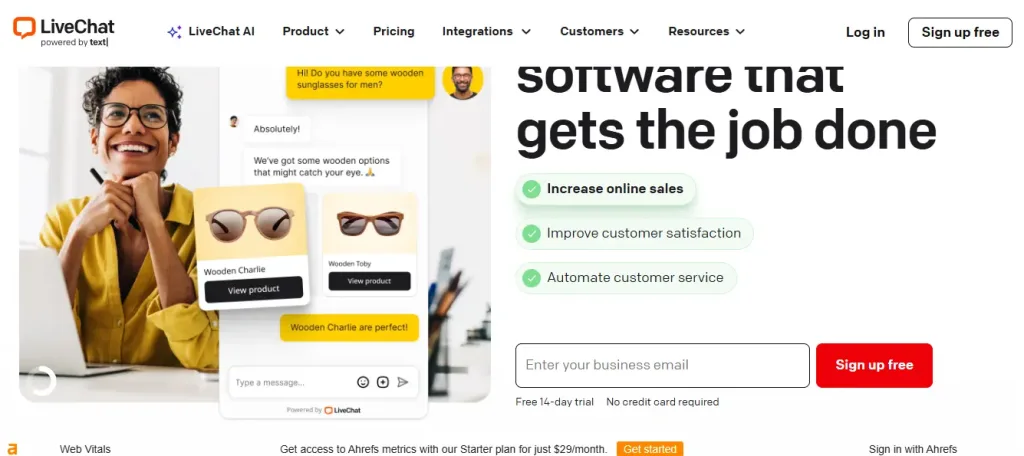
Best for classic live chat with CRM integration
LiveChat is a veteran live chat solution offering a dependable set of features. It keeps all customer messages organized and prevents tickets from getting lost. Automation can send quick replies for common questions about returns, shipping, or sizing.
The Shopify integration lets you communicate with customers in the store and offer assistance as needed. The strongest point about LiveChat is their build in CRM, which allows a business to track their customers seamlessly.
While all of the features you want for your business is available for LiveChat, it lacks the ecommerce automation and flows an ecommerce store needs. A solid option but not really suited for Ecommerce businesses.
Core Features
- Real-Time Chat Widget: Chat with visitors as soon as they arrive.
- File Upload: Share customer or product images in chats.
- Live Video: Solve complex questions visually.
- Team Reports: See response speed, satisfaction, and performance.
- Customer History: View past support sessions instantly.
Pros
- Reliable chat with minimal downtime.
- Solid integration ecosystem
- File sharing makes problem-solving easier.
- Good fit for teams that want a classic chat experience
Cons
- Costs can rise as the team grows.
- Mobile app runs slower than desktop.
- Not built for Ecommerce deep integration or order management
- Initial setup can be tricky for new users.
Pricing
Starts at $20 per agent per month
5. Intercom
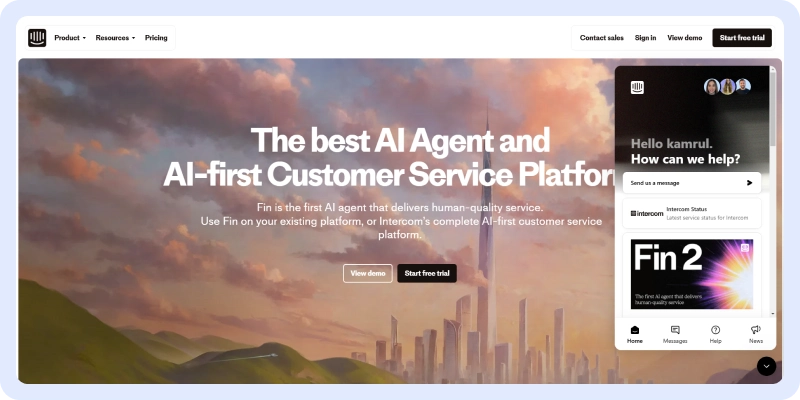
Best for teams using live chat as a part of broader customer engagement
Intercom is the popular customer engagement solution that provides targeted messages, product tours, and automated workflows in addition to live chat. It’s often used by product-led companies and SaaS but also by ecommerce teams that prioritize segmented engagement.
To me, their targeted message is one of the best features they have at their disposal to reduce cart abandonment. Also, their chat widget is unique and has a sleek design, with a help center tab built into the widget.
However, as suggested earlier, Intercom is a solution best suited for SaaS or tech companies and does not support many of the integrations or workflows an ecommerce business needs. So, while its solution is powerful, this is not what you want in your ecommerce store.
Core Features
- Website/in-app chat & unified inbox
- Automation workflows and message sequencing
- AI-assisted reply suggestions
- Customer segmentation & targeted outbound messaging
- Product tours and onboarding flows
Pros:
- Inbox keeps all messages organized.
- Automation saves time on repetitive tasks.
- Insights show which messages work best.
- Product tours explain features to customers.
- Segmentation sends relevant messages to groups.
Cons:
- No support for deep Ecommerce workflows
- Costs rise fast for mid-size teams.
- Customization options are limited.
- Workflows setup is complex.
6. Zendesk
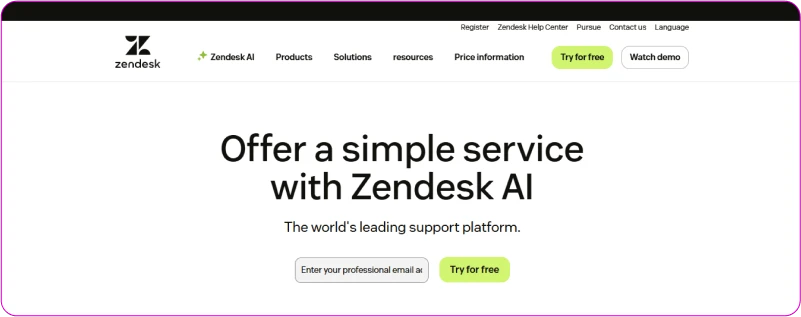
Best For Enterprise businesses needing live chat operations
Zendesk is a broad support platform providing ticketing, routing, a knowledge base, and live chat. It helps to keep everything organized and structured so customers could reach the team easily.
Messages are handled well, sending them to the right team, and past conversations are visible, which makes replies faster and smoother. With self support options and organizational structures, Zendesk provides features best fit for enterprise businesses
But their features, while great, are not for ecommerce and their helpdesk is their standout feature. Hence, if you are an ecommerce business looking for something more tailored for your business, Zendesk may fall short for you.
Core Features
- Central Workspace: See all chats, emails, and support tickets in one organized screen.
- Guided Ticket Routing: Messages go to the right team member automatically.
- Knowledge Base: Customers can find answers themselves without opening a ticket.
- Customer History View: Agents can view past interactions to reply quickly.
- Role-based Permissions: Allows businesses to set roles and departments.
Pros
- Ticket workflows keep support organized.
- The knowledge base cuts down repeat questions.
- Scales well for large teams and complex workflows.
- Reports show how the team is doing.
Cons
- Setup and admin can be very complex.
- Chat tools are good but not ecommerce focused.
- Learning curve is high
- Primarily a ticketing solution with live chat
Pricing
Starts at $19 per agent per month
7. Help Scout
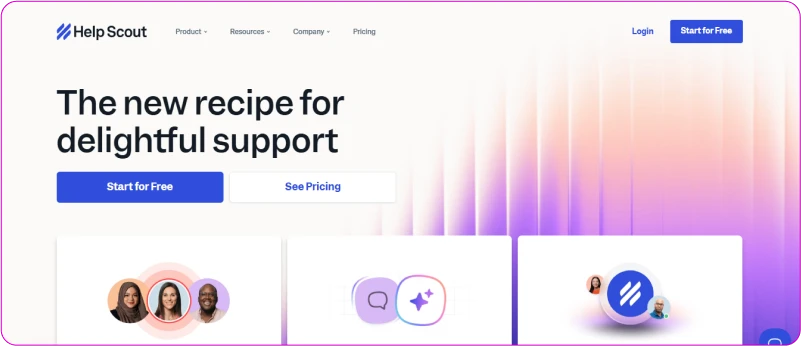
Best for email-first support with built-in live chat
I evaluated Help Scout to see how it handles customer questions for an ecommerce store. The shared inbox keeps the team organized, as everyone can see all messages with full context.
The chat works smoothly, and the knowledge base allows customers to find answers without opening tickets. The interface is clean and easy for the team to use.
However, Help Scout doesn’t have deep Shopify, WooCommerce, or Magento integrations, and as a result you may face some issues while using this for ecommerce.
Core Features
- Shared Inbox: Emails, chats, and support messages all appear in one place.
- Chat Widget: Visitors can ask questions anytime without interrupting browsing.
- Knowledge Base: Customers can find answers on their own.
- Customer Profiles: See contact info and past interactions for personalized replies.
- Organized Mailbox: Messages stay sorted and easy to manage.
Pros
- Easy to learn and use.
- Clean interface makes busy periods manageable.
- Chat and email in one inbox.
- Knowledge base handles common questions.
- Good for companies with email-heavy teams.
Cons
- Doesn’t have advanced AI automation.
- Limited deep ecommerce integrations
- Some workflows need frequent manual updates.
- Not ideal for large or enterprise teams needing heavy automation.
Pricing
Starts at $25 per user per month
8. Olark

Best for simple and easy live chat for small teams
Olark is a simple live chat solution with lightweight widget, visitor monitoring, transcripts, and canned responses. It’s aimed at very small teams or shops that need straightforward chat.
Every conversation is saved as a transcript, so you can review past chats. Real-time visitor monitoring shows what people are doing on the site, allowing the team to reach out before visitors leave.
But Olark offers limited advanced features and fewer integrations, which might be an issue for ecommerce businesses as omnichannel, and other key features are a necessity.
Core Features
- Chat Widget: Visitors can chat through a simple, distraction-free interface.
- Real-Time Monitoring: See what visitors are doing on your site instantly.
- Chat History: All conversations are saved for later reference.
- Accessibility: Works with screen readers, so everyone can use it.
- Visitor Info: Quickly see location, browsing history, and past interactions.
Pros
- Easy to set up and use.
- See visitors and chat before they leave.
- Works well for all users.
- Simple and clean interface.
- Very reliable, rarely goes down.
Cons
- Has fewer advanced features and integrations
- Limited design and styling options.
- Reports are not very detailed.
- Not suited for multi-channel ecommerce stores
Pricing
Starts at $29 per seat per month
9. Tawk.to
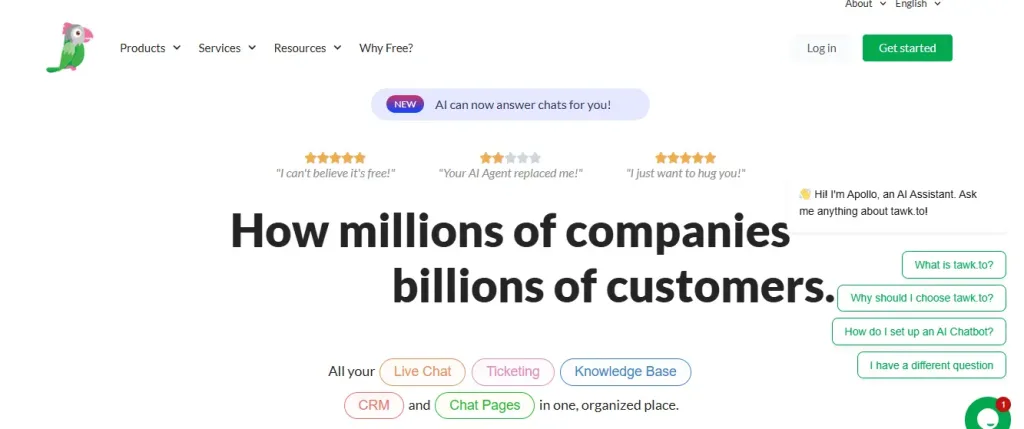
Best for businesses needing cost-free live chat with core functionality
Tawk.to provides a free chat widget with fundamental features like triggers, visitor monitoring, and offline messages. It’s a practical option when budget is the primary constraint.
It’s chat limit, number of agents, and such are unlimited with their dashboard aiding to self-support assistance. Most of the basic features are available for Tawk.to.
However, the solution is too simple for an ecommerce business trying to scale and make more sales. Thus, even with paid advanced features, Tawk.to is not a solution made for ecommerce growth.
Key Features
- Unlimited free chats and agents
- Dashboard knowledge base
- Triggered proactive messages & canned replies
- Visitor monitoring
- Offline message capture
Pros
- Free to use, perfect for small or new stores.
- Visitor monitoring shows what shoppers are doing.
- File sharing makes solving problems easier.
- Offline ticketing saves messages when no one is online.
Cons
- Free plan doesn’t have advanced AI tools.
- Interface looks basic compared to other tools.
- Few ecommerce-specific features even with extra add-ons.
Pricing
Free forever
10. ProProfs Chat
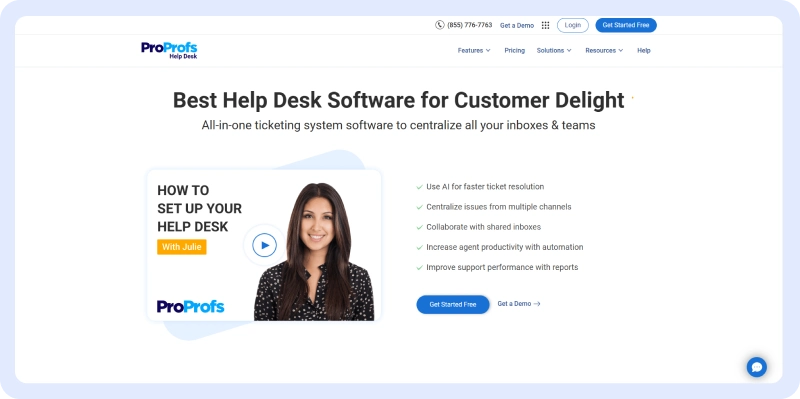
Best for teams using live chat for basic inquiries about sales
ProProfs Chat is a solution that focuses on proactive invites and pre-chat forms that helps to qualify visitors and capture leads.
Pre-chat forms let teams capture leads and guide visitors through the buying process. The inbox brings messages from Instagram, Facebook, SMS, and email together, so nothing is missed.
Real-time visitor monitoring shows where people hesitate, helping improve those pages. ProProfs also connects with Shopify, Magento, and BigCommerce.
But the platform can lag when handling many simultaneous chats for ecommerce business. So with deficiencies in handling high volume of chats and deep integrations, ProProfs lacks in serving growing or medium to large ecommerce businesses.
Core Features
- Proactive Chat: Send messages to visitors who hesitate to start a chat.
- Pre-Chat Forms: Capture leads before they leave the site.
- Omnichannel Inbox: See messages from Instagram, email, text, and chat in one place.
- Visitor Monitoring: Track visitor activity to engage them at the right moment.
- Canned Responses: Save frequent answers for quick replies.
Pros
- Proactive messages boost engagement.
- Leads are captured reliably.
- Unified inbox keeps track of all channels.
- Visitor monitoring highlights problem areas.
- Routing ensures chats go to the right person quickly.
Cons
- Some features feel basic.
- Mobile app could be smoother for multitasking.
- Costs increase if many agents are active.
- Performance dips with many simultaneous chats.
- Reporting is limited.
Pricing
Starts at $19.99 per agent per month
11. Richpanel

Best for ecommerce teams managing high volume of post-purchase support
Richpanel is well known for self-service and post-purchase support, enabling customers to track orders, process returns, and find answers in a portal. This reduces the number of incoming tickets and the volume of requests agents have to handle.
Automation workflows assign tickets automatically, and reports show common questions that help improve the knowledge base. However, Richpanel offers limited customization which means chat widget design and behavior options are somewhat restrictive. Also, Richpanel is better known for structured, helpdesk solutions as opposed to an excellent live chat software for ecommerce.
Core Features
- Self-Service Portal: Customers can find answers on their own, reducing tickets.
- Automated Workflows: Tickets are assigned automatically based on set rules.
- Unified Inbox: All chats, emails, and support messages appear in one place.
- Order Tracking: Shoppers can check order status without leaving support.
- Integrations: Works with Shopify and other platforms to keep context.
Pros
- Self-service reduces daily support tickets.
- Order tracking helps shoppers without extra support.
- Automation keeps message assignments clear.
- Good for stores with many post-purchase questions.
Cons
- More expensive than simple tools for small shops.
- New agents may need time to learn workflows.
- Chat features aren’t as advanced as specialized chat tools.
- Primarily a help desk and self-support solution.
Pricing
Starts at $59 per month
12. Social Intents

Best for businesses responding to live chat from collaboration tools
Social Intents sends website chat messages into a collaboration tool they already use. Messages go straight to Slack or Microsoft Teams, so the team can reply without switching tools. This keeps chats organized and easy to handle.
Customer details show up in every chat, helping the team understand needs quickly. Offline messages are saved, and canned replies make answering common questions faster. The team can respond right away in Slack, making support simple, fast, and easy to manage.
But this platform has limited omnichannel features, as it only works well with Microsoft Teams and Slack. So, if an ecommerce business uses other platforms like WhatsApp, then it will be an issue as Social Intents is more of a routing-first solution than a chat platform.
Core Features
- Slack Integration: Chats appear in Slack so the team can reply easily.
- Microsoft Teams: Messages go straight to Teams for easy support.
- Pre-Chat Forms: Visitors share details before chatting to give agents context.
- Offline Messages: Questions sent after hours are saved.
Pros
- Responding in Slack or Teams keeps team communication smooth.
- Easy setup, no costly training needed.
- Chat routing sends questions to the right agents quickly.
- Offline messages make sure nothing is missed.
Cons
- Not a full omnichannel solution
- Lacks deep ecommerce integrations, workflows, and automation
- Analytics are basic compared to other tools.
- Best for teams that use Slack or Teams daily no other tool.
Pricing
Starts at $49 per month
How to Choose the Best Live Chat for Your Ecommerce Store?
Choosing the wrong live chat tool can cost you sales, waste budget, and frustrate customers.
The difference between a good and a great live chat isn’t just price; it’s how perfectly it fits your store’s platform, traffic, team size, and growth goals.
Here are the 7 most important factors to evaluate before you commit (check these and you’ll never regret your decision).
1. Seamless Integration with Your Ecommerce Platform
Your live chat must plug directly into Shopify, WooCommerce, BigCommerce, Magento, or whichever platform you use. You should look for native apps that sync orders, customer data, product catalogs, and cart contents in real time.
2. AI-Powered Chatbots & Automation That Actually Work
The best tools offer pre-built ecommerce flows (abandoned cart recovery, product Q&A, upsell prompts) and let you train the bot with your FAQs in minutes.
3. Mobile-First Design & App for Agents
Over 60% of ecommerce traffic is mobile, your chat widget must look beautiful and load lightning-fast on phones. Equally important: your team needs a rock-solid iOS/Android agent app so they can reply from anywhere, not just desktop.
4. Proactive Triggers & Visitor Behavior Tracking
Top tools watch what pages visitors view, how long they hesitate, and what’s in their cart, then fire personalized proactive messages like “Need help choosing the right size?” This alone can lift engagement 300–500%.
5. Multilingual & Omnichannel Capabilities
If you sell (or plan to sell) internationally, insist on real-time translation (100+ languages) and unified inboxes for WhatsApp, Instagram DM, Facebook Messenger, email, and live chat, one dashboard for the entire world.
6. Pricing That Scales with Your Business
Avoid tools that charge per agent seat AND per conversation. Always look for transparent plans that grow with your traffic or orders, include unlimited agents on higher tiers, and don’t punish you when you finally hit 10k visits/month.
7. Advanced Analytics & ROI Tracking
You need to see the exact revenue generated from chats, recovered carts, average order value uplift, and CSAT scores.
The best platforms tag every conversation with dollar value so you can prove (and optimize) your return on investment.
Conclusion
Look at your store right now: every unanswered question is a sale walking out the door forever.
That silent leak stops today. You’ve just armed yourself with the most complete 2026 guide to the best ecommerce live chat and one tool that consistently turns those lost moments into money.
Choose the REVE Chat’s free plan or upgrade to Starter for $14.99. You can also get a 14-day free trial with 10 seats, advanced features, and 1,000 chatbot sessions. Custom plans are available. Sign up today!
Frequently Asked Questions
Customers now expect instant answers 24/7; live chat meets that demand, rescues abandoned carts, and turns casual browsers into buyers faster than email or phone ever could.
Yes, stores that actively use proactive triggers and in-chat selling typically see 20–40% higher conversions from visitors who engage in chat compared to those who don’t.
The winning formula is hybrid: AI chatbots handle 70–80% of routine questions instantly while real agents jump in for complex or high-value conversations—best of both worlds.
All top tools integrate natively, but REVE Chat, Gorgias, Tidio, and LiveChat are especially loved by Shopify stores; REVE Chat and Tidio also shine on WooCommerce and BigCommerce.
No. Smart AI bots answer common questions after hours, collect leads, book appointments, and hand off to agents the next morning—giving you global coverage without burning out your team.
Build AI-powered support with Wize AI
Connect business knowledge, automate support conversations, and improve response quality without managing a complex AI stack.
Explore Wize AI Agent Rate the article

Mamunur Rouf
Head of Growth
Mamunur Rouf is the Head of Growth at REVE Chat. With extensive experience in product management and marketing analysis, he focuses on creating innovative communication tools to enhance customer engagement and meet the needs of businesses worldwide.
View all articles