


Co-Browsing
- September 28, 2025
- 2 mins read
Table of Content
REVE Chat’s co-browsing solution helps you to collaborate with your customers in real time on websites and mobile apps for the best experience. Co-browse with your visitors and customers for your sale. Here is a video tutorial that explains what exactly co-browsing is and how it works.
Steps to use co-browsing
Step 1: In order to enable a co-browsing solution, you have to log in to your dashboard, go to settings -> chat widget -> select any of the available widget for which you want to enable cobrowsing -> Widget Features.
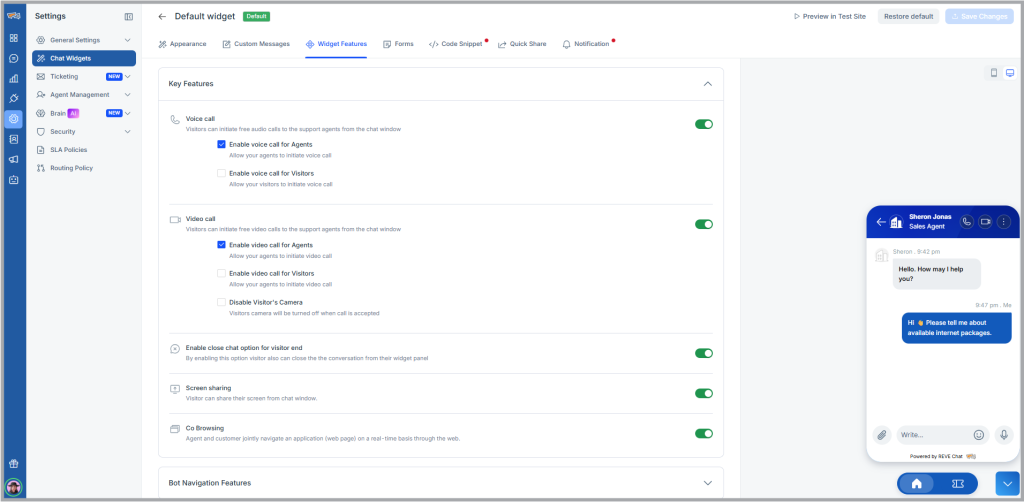
Step 2: Enable the Co-browsing option -> Save the changes by clicking the Save option at the bottom of the page.
How co-browsing works?
When your agent initiates co-browsing for assistance and the visitor accepts it, the icon appears on the top right side of the chat window.
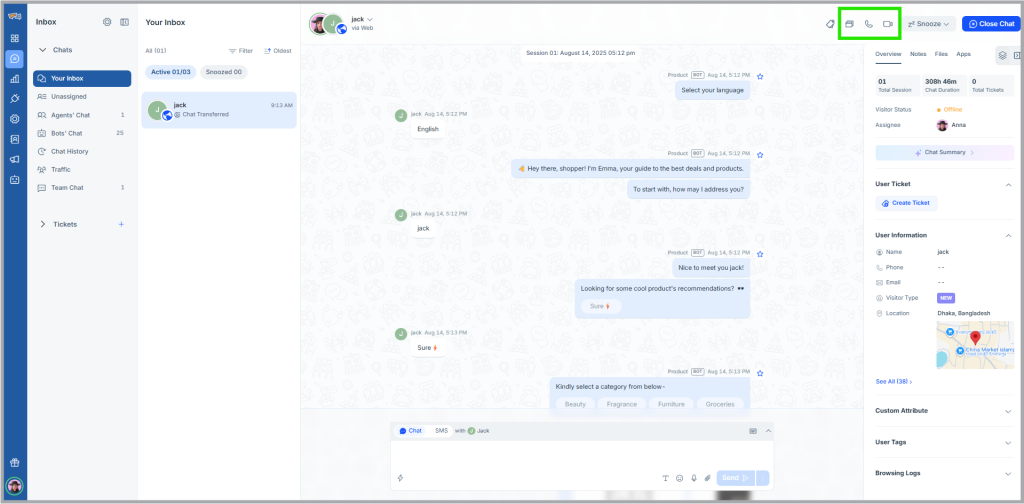
The co-browsing solution offers key tools and features such as:
- Highlighter – Guide your customers in the right way by using the highlighting and drawing tools.
- Point and Scroll – Allows you to scroll the page up and down and show your cursor to the customers.
- Data masking – Control the information you want to share with the agents and hide sensitive data like personal details.
- Switch pages – Navigate your customers seamlessly through your web pages by taking the control of swapping or shifting pages on their behalf.
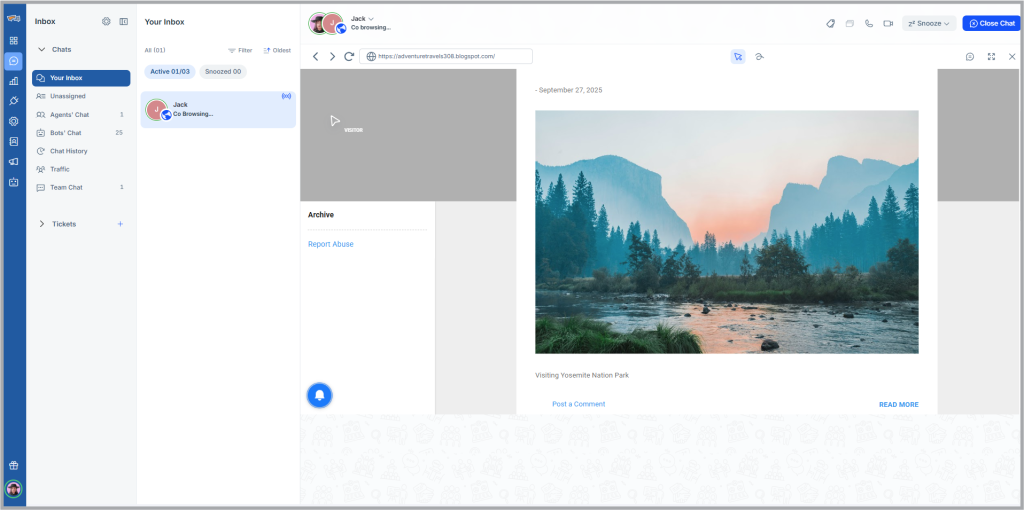
When the co-browsing session is started, the chat window from the agent’s side will be appearing as below:
And the screen for the visitor will be appearing as below:
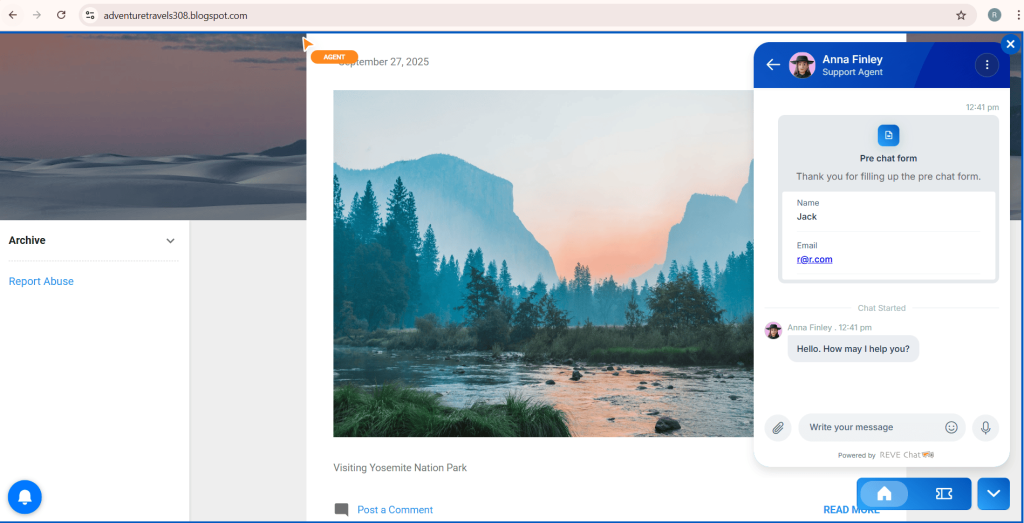
Thus co-browsing session successfully happens between the agent and the visitor.

 Start free trial