

Table of Content
What makes you stick with a brand you love? Maybe it’s the coffee shop that nails your order every time or the online store that resolves issues before you even ask.
Let’s think of a situation where a single frustrating call or ignored complaint sends you running to a competitor.
Customer sentiment analysis cuts through the clutter, using AI to uncover the emotions behind every interaction, whether it’s a tweet, a support ticket, or a survey.
In this guide, we’ll show you how it works and why it’s a must. Ready to turn customer emotions into loyalty and growth? Let’s dive in and explore how to make every interaction count.?
What is Customer Sentiment Analysis?
Customer sentiment analysis is the art of decoding emotions from text or speech. It uses tools like natural language processing to break down language.
It boils down to figuring out how people really feel about your brand. It scans words in reviews, chats, and posts. Then, it labels those feelings happy, upset, or indifferent. Simple, right? But the magic lies in turning those insights into actions that keep customers coming back.
This approach has grown smarter over time. Now, with AI at the helm, it digs deeper than ever. Businesses use it to spot trends early.
That way, they fix issues before they blow up. So, why should you care? It’s your direct line to what customers think and feel.
How Customer Sentiment Analysis Works: The Technology Behind It
Did you wonder how a computer can tell if a customer is thrilled or fuming just from a few words? It’s not magic, it’s tech, and it’s pretty fascinating.
Customer sentiment analysis uses cutting-edge tools to dig into what people say and feel about your brand. It’s from tweets to support chats, it sifts through mountains of data to spot emotions fast.
Let’s break down the nuts and bolts of how it works. So you can see why it’s such a game-changer.
Core Technologies: NLP and Machine Learning
At the heart of sentiment analysis lies natural language processing (NLP) and machine learning (ML). Think of NLP as a super-smart librarian who can read and understand every book in seconds. It breaks down human language, messy, emotional, and full of quirks, into something a computer can process.
NLP uses algorithms to parse text or speech, spotting keywords, grammar, and context. For example, it can tell that “This product is awesome!” is positive, while “This is a total letdown” is negative.
Machine learning takes it further. ML models learn from massive datasets, getting better at spotting patterns over time. They’re trained on examples like thousands of reviews to predict sentiment accurately.
Newer tools, like transformer models (think BERT or GPT-style tech), dive deeper into context. They understand that “not bad” isn’t glowing praise but mild approval.
This combo of NLP and ML makes sentiment analysis fast, scalable, and scarily precise.
Learn More: What is NLP Chatbot
Data Sources and Collection Methods
Where does all this data come from? Everywhere, your customers are talking. Sentiment analysis pulls from a wide range of sources to get the full picture:
- Social Media: Tweets, Instagram comments, LinkedIn posts, anywhere customers vent or praise.
- Support Tickets: Emails, live chats, and call transcripts packed with raw feedback.
- Reviews and Surveys: Star ratings, open-ended survey responses, or comments on sites like Yelp.
- Voice Data: Phone calls or video chats, where tone and inflection add extra clues.
- Forums and Blogs: Places where customers discuss your brand freely, like Reddit or industry blogs.
Step-by-Step Process Overview
How does raw data become useful insights? Here’s the process, broken down into clear steps:
- Data Collection: Tools gather text or voice data from your chosen sources. APIs pull tweets; CRMs export tickets. It’s all centralized for analysis.
- Preprocessing: The data gets cleaned. Typos, emojis, and slang are standardized. For example, “gr8” becomes “great.”
- Text Analysis: NLP kicks in, breaking text into tokens (words or phrases). It tags sentiments such as positive, negative, neutral, and sometimes emotions like joy or frustration.
- Scoring: Each piece of data gets a sentiment score. Simple systems use a basic scale (e.g., +1 for positive, -1 for negative). Advanced ones might score from 1 to 100.
- Insight Generation: The system spots patterns. Are customers mad about shipping delays? Thrilled about your new feature? Dashboards or reports summarize it all.
- Actionable Outputs: Insights feed into your workflow, routing urgent tickets to top agents or flagging product issues for your dev team.
This pipeline runs in real time for live chats or in batches for monthly reports. The faster it moves, the quicker you can act.
Common Challenges and Solutions
Human language is messy, full of sarcasm, slang, and subtleties that can trip up even the smartest AI. Sentiment analysis, while powerful, isn’t flawless.
Below, we outline the key challenges you might face and practical solutions to keep your insights sharp and reliable.
Sarcasm and Ambiguity
Challenge: Comments like “Wow, great service… not!” can confuse basic systems, mislabeling them as positive.
Solution: Leverage advanced NLP models, such as transformers (e.g., BERT), which excel at catching context. Training models on diverse datasets with sarcastic examples boosts accuracy.
Multilingual Data
Challenge: Customers use varied languages and regional slang, complicating analysis.
Solution: Employ multilingual NLP models or translation APIs to standardize text before processing.
Bias in AI
Challenge: Skewed training data can lead to misjudged sentiments, like overrating positive feedback from certain groups.
Solution: Regularly audit models and retrain with diverse, balanced datasets to ensure fair and accurate results.
Volume Overload
Challenge: Massive data from social media or chats can overwhelm systems, slowing insights.
Solution: Use cloud-based platforms like Brandwatch for scalable processing. Apply filters to prioritize high-impact feedback, like urgent complaints.
Types of Customer Sentiment Analysis
Customer sentiment analysis is not limited to labeling feedback as positive, negative, or neutral. Modern AI-powered sentiment tools can go deeper and identify the specific emotion, topic, urgency, and intent behind each customer message.
Here are the main types of customer sentiment analysis businesses should know.
1. Polarity-Based Sentiment Analysis
Polarity-based sentiment analysis classifies customer feedback into broad emotional categories such as positive, negative, or neutral.
For example:
- “The support agent solved my problem quickly” = Positive
- “I waited too long for a response” = Negative
- “I contacted support yesterday” = Neutral
This is the simplest form of sentiment analysis and works well when you need a quick overview of how customers feel about your brand, product, or service.
2. Fine-Grained Sentiment Analysis
Fine-grained sentiment analysis adds more detail by measuring the intensity of the customer’s feeling.
Instead of only saying a comment is negative, the system can identify whether it is mildly negative, very negative, or extremely negative. This helps support teams prioritize responses more effectively.
For example, a mildly unhappy customer might need a helpful follow-up, while an angry customer may need immediate escalation to a senior agent.
3. Emotion Detection
Emotion detection identifies specific feelings such as happiness, frustration, anger, confusion, disappointment, or excitement.
This is useful because two negative comments may require different responses. A confused customer may need clearer instructions, while an angry customer may need empathy, reassurance, and fast resolution.
For support teams, emotion detection helps agents adjust their tone and respond with the right level of care.
4. Aspect-Based Sentiment Analysis
Aspect-based sentiment analysis breaks customer feedback into specific topics, features, or service areas and then analyzes the sentiment attached to each one.
For example, a customer might say:
“The chatbot was helpful, but the delivery update was inaccurate.”
A basic sentiment tool may classify this as mixed feedback. Aspect-based analysis goes deeper:
- Chatbot = Positive
- Delivery update = Negative
This makes the insight much more actionable. Your team can see exactly what customers like, what frustrates them, and which product or service areas need improvement.
5. Intent and Urgency Detection
Intent detection identifies what the customer wants to do next, such as cancel an order, request a refund, renew a plan, report a bug, or speak to a human agent.
Urgency detection identifies how quickly the issue needs attention. For example, words such as “cancel,” “angry,” “legal,” “urgent,” “not working,” or “manager” may indicate that the conversation requires immediate action.
When combined with sentiment analysis, intent and urgency detection help businesses route high-risk conversations to the right team before the issue escalates.
Examples of Customer Sentiment Analysis in Action
Customer sentiment analysis becomes more powerful when you apply it to real customer conversations across channels. Here are some common examples.
1. Live Chat Sentiment Analysis
Live chat is one of the richest sources of real-time customer sentiment. Customers often share their problems, expectations, and frustrations directly during chat conversations.
For example, if a customer writes, “I have contacted support three times and still have no answer,” sentiment analysis can detect frustration and urgency. The system can then alert an agent, prioritize the conversation, or trigger a faster escalation workflow.
With REVE Chat, businesses can collect customer conversations in real time and use AI-powered insights to understand customer emotions while the interaction is still happening.
2. Chatbot Conversation Analysis
Chatbots handle large volumes of repetitive customer queries. Sentiment analysis helps businesses understand whether customers are satisfied with automated responses or becoming frustrated.
For example, if many customers show negative sentiment after receiving a specific chatbot answer, it may mean the bot flow is unclear, the knowledge base answer is incomplete, or the customer needs an easier path to a human agent.
This insight helps teams improve chatbot scripts, update FAQs, and create smoother automation flows.
3. Support Ticket Analysis
Support tickets often contain detailed feedback about product issues, billing concerns, delivery problems, account access, and service quality.
By analyzing ticket sentiment, businesses can identify recurring pain points. For example, if negative sentiment increases around “refund delay” or “login issue,” the support and product teams can investigate the root cause quickly.
Sentiment analysis also helps managers assign urgent tickets to experienced agents and reduce the risk of escalation.
4. Customer Review Analysis
Online reviews show how customers feel after using your product or service. Sentiment analysis can group reviews by topics such as pricing, product quality, customer support, delivery, usability, or reliability.
For example, a business may discover that customers love the product quality but often complain about slow delivery. This gives the operations team a clear area to improve.
5. Survey Response Analysis
NPS, CSAT, and CES surveys often include open-ended comments. These comments explain the “why” behind the score.
For example, a customer may give a low CSAT score and write, “The agent was polite, but I had to repeat my issue several times.” Sentiment analysis can identify the negative driver as repeated effort, not agent behavior.
This helps businesses go beyond scores and understand the actual reason behind customer satisfaction or dissatisfaction.
Manual vs AI-Powered Sentiment Analysis
| Criteria | Manual Sentiment Analysis | AI-Powered Sentiment Analysis |
|---|---|---|
| Speed | Slow and time-consuming | Analyzes large volumes of feedback quickly |
| Scalability | Works for small samples | Works across thousands of chats, tickets, reviews, and surveys |
| Consistency | Can vary from person to person | Uses consistent rules and models |
| Detail | Usually limited to positive, negative, or neutral | Can detect sentiment, emotion, topic, urgency, and intent |
| Best for | Small businesses, early research, sample analysis | Growing teams, high-volume support, omnichannel customer experience |
| Limitation | Difficult to maintain accuracy at scale | Requires proper setup, training, and regular optimization |
Manual analysis can be useful when you are just getting started or reviewing a small number of comments. But as your customer conversations grow, AI-powered sentiment analysis becomes more effective because it can process feedback faster, detect patterns earlier, and help your team act in real time.
How to Turn Customer Sentiment Insights into Action
Collecting sentiment data is only the first step. The real value comes from using those insights to improve customer experience, reduce churn, and support better business decisions.
Here is how to make customer sentiment analysis actionable.
1. Prioritize High-Risk Conversations
Not every negative comment has the same level of urgency. A customer saying “I am confused about this feature” needs help, but a customer saying “I want to cancel my account today” needs immediate attention.
Use sentiment analysis to identify high-risk conversations and route them to the right team. Negative sentiment combined with cancellation intent, repeated complaints, or urgent language should trigger faster follow-up.
2. Track Sentiment Trends Over Time
One negative review may be an isolated case. But a steady rise in negative sentiment around the same topic is a signal that something needs attention.
Track sentiment trends weekly or monthly by topic, channel, product, or customer segment. For example, if negative sentiment around “response time” increases after a support policy change, managers can quickly investigate and adjust staffing, workflows, or automation rules.
3. Share Insights Across Teams
Customer sentiment insights should not stay inside the support team. They can help multiple departments make better decisions.
- Support teams can improve response quality and escalation handling.
- Product teams can identify bugs, usability issues, and feature requests.
- Marketing teams can understand what customers love and use those points in campaigns.
- Sales teams can identify objections and customer expectations.
- Leadership teams can track customer experience health at a broader level.
When insights are shared across departments, customer feedback becomes a company-wide improvement engine.
4. Connect Sentiment with NPS, CSAT, and CES
Traditional metrics tell you what happened. Sentiment analysis helps explain why it happened.
For example, a low NPS score tells you a customer may not recommend your business. The customer’s written feedback can reveal whether the reason is poor support, product complexity, pricing, delivery delays, or lack of communication.
By combining sentiment analysis with NPS, CSAT, and CES, businesses get a more complete view of customer experience.
5. Create Response Playbooks for Common Sentiments
Once you know the most common negative emotions and topics, create response playbooks for your agents.
For example:
- Frustrated customers: Acknowledge the issue, apologize clearly, and provide a fast next step.
- Confused customers: Give simple instructions and offer guided support.
- Angry customers: Escalate quickly and avoid generic responses.
- Happy customers: Thank them, ask for a review, or identify upsell opportunities.
This helps agents respond with empathy and consistency.
How to Choose Customer Sentiment Analysis Software
The right sentiment analysis software should do more than label comments as positive or negative. It should help your team collect feedback, understand emotions, detect risks, and take action quickly.
Look for these capabilities when choosing a tool.
1. Omnichannel Data Collection
Choose software that can collect customer feedback from live chat, chatbot conversations, email, support tickets, social media, reviews, and surveys. A single-channel view can miss important signals.
2. Real-Time Sentiment Detection
Real-time sentiment detection helps agents respond while the conversation is still active. This is especially useful for live chat, chatbot handoff, and high-priority support cases.
3. Topic and Aspect Detection
The tool should identify not only how customers feel, but also what they feel that way about. Topic-level insights help teams find the exact issues driving positive or negative sentiment.
4. Integration with Your Existing Tools
Sentiment analysis works best when it connects with your CRM, helpdesk, live chat software, chatbot platform, and reporting tools. This allows insights to flow directly into the systems your team already uses.
5. Customizable Dashboards and Reports
Different teams need different views. Support managers may need escalation alerts, product teams may need issue trends, and executives may need overall customer sentiment health.
A good tool should make insights easy to understand and share.
6. Automation and Workflow Triggers
Look for tools that can trigger actions based on sentiment. For example, negative sentiment can alert a manager, route a chat to a senior agent, open a support ticket, or start a follow-up workflow.
7. Multilingual Support
If your business serves customers across regions, multilingual sentiment analysis is essential. The tool should understand different languages, local expressions, and cultural context as accurately as possible.
8. Human Review and Optimization
AI is powerful, but it should still allow human review. Your team should be able to audit results, adjust categories, improve accuracy, and refine the model based on your business context.
Key Benefits of Customer Sentiment Analysis
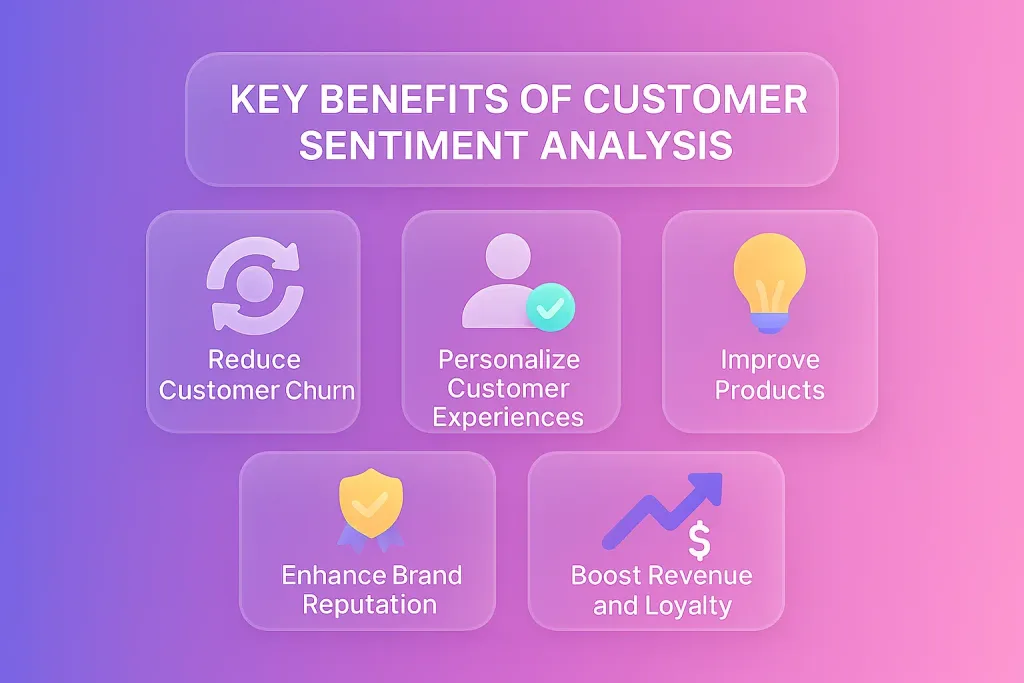
Digging into customer feelings isn’t just a nice perk.
It’s a must for any business aiming to thrive. Sentiment analysis gives you that edge, spotting what delights or disappoints before it hits your bottom line.
It’s from slashing turnover to sparking loyalty, the payoffs stack up. We’ll cover the top ones here, backed by real stats and examples.
Think of it as your roadmap to turning emotions into results. Let’s jump in.
Reducing Customer Churn
Churn happens when customers walk away. Sentiment analysis spots the warning signs early. It flags negative vibes in feedback or chats.
That lets you step in fast. For example, if reviews show frustration with slow support, you can fix it before they bolt.
One-third of customers will quit a brand they love after just one bad experience. Tools like these cut churn by highlighting at-risk accounts.
Businesses using them see retention climb. It’s proactive, not reactive. Result? Fewer goodbyes and steadier revenue.
Personalizing Customer Experiences
Everyone wants to feel seen. Sentiment analysis makes that happen. It reads the mood in real time during calls or messages. Agents then tailor responses with empathy for the upset, enthusiasm for the happy.
Research ties 70% of buying choices to emotions over logic. Personalization boosts satisfaction. In this case, routing urgent complaints to your best handlers. Or suggesting products based on positive past feedback.
It builds trust. And keeps customers coming back.
Improving Products and Services
Feedback is gold for tweaks. Sentiment analysis pinpoints what works and what flops. It breaks down comments by features like praising an app’s speed but knocking its bugs.
This leads to smarter updates. Companies spot trends across reviews or surveys. Fix the pain points, and watch ratings soar.
Plus, it uncovers hidden gems, ideas customers love but you missed. Over time, your offerings get sharper. That means happier users and fewer returns.
Enhancing Brand Reputation
Word spreads fast online. A bad review can snowball. Sentiment analysis monitors social media and forums. It catches negativity early, so you can respond.
Positive buzz gets amplified, too.
Brands using these tools see reputation scores rise. For instance, addressing complaints publicly shows you care. It turns critics into fans.
And with the market for sentiment software hitting $3 billion in 2025, more businesses are jumping in.
A strong reputation draws new customers. It’s your shield in a noisy world.
Boosting Revenue and Loyalty
Happy customers spend more. Sentiment analysis fuels that cycle. It identifies loyal fans for upsell chances.
Or turns neutrals into advocates with targeted fixes.
Eighty-three percent of software firms using it report major satisfaction jumps in a year. Loyalty follows. Repeat business grows.
Referrals pour in. Revenue ticks up as churn drops and spending rises. It’s a win-win. Brands that listen closely see the biggest gains.
These benefits show why sentiment analysis is essential. It’s not hype, it’s results.
How to Measure Customer Sentiment: Step-by-Step Guide
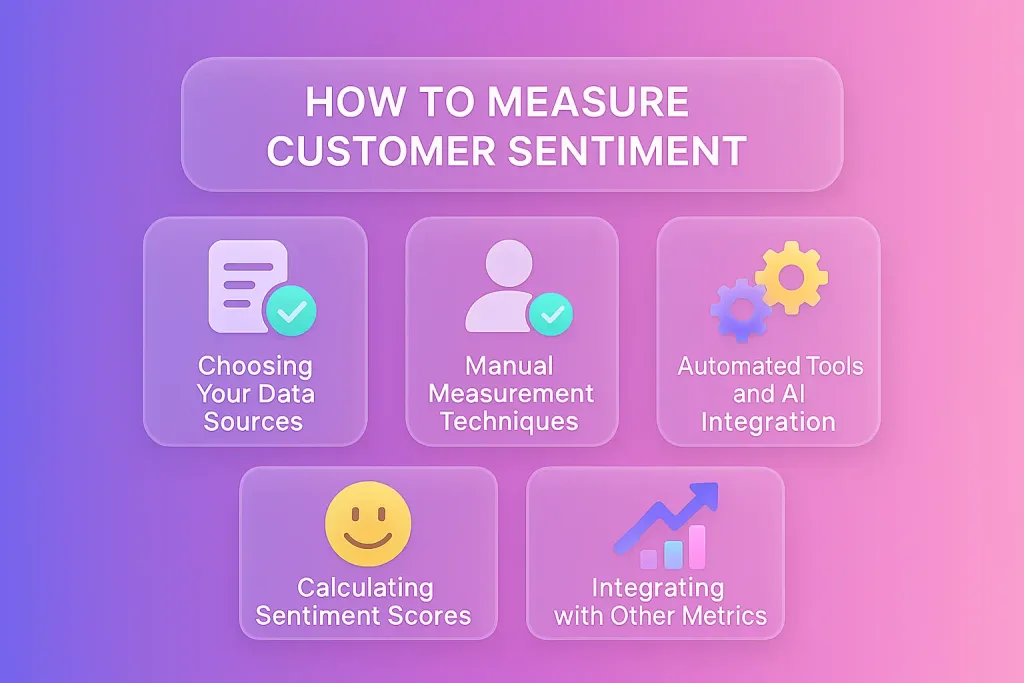
Want to know what your customers really feel? Measuring sentiment is your ticket to unlocking those insights. It’s not just about collecting data, it’s about making sense of it in a way that drives action.
Let’s dive in and make sentiment measurement a breeze.
Choosing Your Data Sources
First things first: where’s the data coming from? Customers are chatting everywhere, and you need to know where to listen.
The best sources give you a clear view of their emotions.
- Social Media: Platforms like Twitter, Instagram, or Reddit are goldmines for raw opinions. Look for comments, mentions, or hashtags about your brand.
- Support Interactions: Emails, live chats, and call transcripts are packed with unfiltered feedback. These show real-time reactions to your service.
- Reviews and Surveys: Sites like Yelp or Google Reviews, plus post-interaction surveys, offer direct input. Open-ended responses are especially rich.
- Voice and Video: Phone calls or Zoom chats add tone and context that text alone misses.
Manual Measurement Techniques
Don’t have fancy AI yet? No problem. You can measure sentiment by hand, though it’s best for small datasets.
Here’s how to do it in five steps, inspired by real-world methods but made simpler:
- Gather Feedback: Collect a sample of, say, 100 recent reviews or chat logs. Use a spreadsheet (Excel or Google Sheets works great).
- Tag Sentiments: Read each piece and label it positive, negative, or neutral. For example, “Love this product!” is positive; “Terrible service” is negative.
- Add Intensity: Go deeper by scoring intensity. Use a 1-5 scale: 1 for very positive, 5 for very negative. “It’s okay” might be a 3 (neutral).
- Categorize Topics: Group feedback by themes like “shipping” or “customer support.” This is called aspect-based analysis and pinpoints specific issues.
- Summarize Trends: Count how many positives vs. negatives per topic. Visualize it with a simple bar chart for clarity.
Automated Tools and AI Integration
Manual analysis is great for learning, but automation scales it up. AI-powered tools handle thousands of data points in seconds, giving you real-time insights.
Here’s how they fit in:
- Natural Language Processing (NLP): Tools use NLP to parse text, spotting emotions and context. For example, they believe that “not bad” means mild praise.
- Machine Learning Models: These learn from past data to predict sentiments accurately. Think of them as getting smarter with every review.
- Real-Time Alerts: Advanced systems flag urgent issues instantly, like a spike in negative feedback about a product glitch.
Calculating Sentiment Scores
Once you’ve got data, it’s time to score it. Sentiment scores turn fuzzy feelings into clear numbers.
Here’s the breakdown:
- Basic Scoring: Label feedback as positive (+1), negative (-1), or neutral (0). Simple, but limited.
- Fine-Grained Scoring: Use a scale, like 1 (very positive) to 5 (very negative). Some tools go 1-100 for precision.
- Aspect-Based Scores: Break feedback into topics (e.g., “pricing” or “usability”) and score each. For example, a review might score +2 for design but -1 for speed.
- Weighted Scores: Advanced systems weigh scores by impact. A negative comment from a VIP customer might carry more weight.
Integrating with Other Metrics
Sentiment analysis shines brightest when paired with other metrics. It adds emotional depth to numbers like NPS or CSAT.
Here’s how to blend them:
- Net Promoter Score (NPS): NPS measures loyalty (“Would you recommend us?”). Sentiment analysis explains why someone’s a detractor or promoter. For example, low NPS with negative sentiment about support points to a clear fix.
- Customer Satisfaction (CSAT): CSAT gauges satisfaction post-interaction. Sentiment analysis digs into open-ended comments for nuance, like spotting frustration in a “good” rating.
- Customer Effort Score (CES): CES checks how easy your service is. Pair it with sentiment to see if “easy” still feels negative due to other issues.
- Churn Rate: Sentiment flags at-risk customers early. Combine with churn data to predict who’s likely to leave and why.
Best Practices for Implementing and Improving Customer Sentiment Analysis
Getting customer sentiment analysis right isn’t just about flipping a switch. It’s about strategy, execution, and staying ahead of the curve.
Done well, it transforms raw data into a competitive edge, keeping customers happy and your business thriving.
Let’s dive into how to do it smartly and what’s coming next.
Integrating Omnichannel Data
Customers talk on every channel, such as social media, emails, chats, calls, and reviews. If you’re only listening to one, you’re missing half the story. Omnichannel integration pulls all these voices into one place for a complete view.
- Prioritize Key Channels: Focus on where your customers are loudest. For retail, it’s reviews; for SaaS, it’s support chats. Tailor your approach.
- Standardize Formats: Different channels use different lingo. Normalize data (e.g., convert emojis to text) for consistent analysis.
Acting on Insights Effectively
Insights are useless if you don’t act. Sentiment analysis hands you a map, using it to drive change fast.
- Prioritize Urgent Issues: Negative sentiment in support chats? Route those to the top agents instantly. Tools like SupportLogic flag high-risk cases.
- Share Across Teams: Send product complaints to developers, service issues to support leads. Dashboards make this easy to distribute.
- Set Clear Goals: Want to cut churn? Boost NPS? Tie insights to specific outcomes. For example, address slow response times if sentiment dips there.
- Test and Iterate: Try a new script for upset customers. Check if sentiment improves. Adjust based on results.
Avoiding Common Pitfalls
Sentiment analysis isn’t foolproof. Sidestep these traps to keep your insights sharp.
- Ignoring Context: Sarcasm or slang can trick AI. “Great job… not!” reads positive without context. Fix: Use advanced NLP models like transformers to catch nuances.
- Over-Reliance on Automation: AI misses some human subtleties. Fix: Spot-check results manually, especially for high-stakes feedback.
- Data Silos: If teams don’t share data, insights stay stuck. Fix: Use a single platform to break silos, like Qualtrics’ centralized dashboards.
- Bias in Models: Skewed training data can misjudge sentiments. Fix: Audit and retrain models regularly with diverse datasets.
Training Teams and Agents
Your team is the front line. Equip them to use sentiment insights effectively.
- Teach the Basics: Explain how sentiment scores work. Show agents how to read dashboards and say, spotting a -2 score as urgent.
- Role-Specific Training: Support reps need empathy skills for negative sentiment. Product teams need to interpret feature feedback. Tailor sessions accordingly.
- Real-Time Coaching: Use tools like SupportLogic to suggest responses during live chats. For example, if a customer’s frustrated, prompt agents with empathetic scripts.
- Ongoing Learning: Run monthly workshops. Share success stories like how addressing sentiment cut resolution time by 25%.
Future Trends in Sentiment Analysis
The future is bright and fast-moving. Here’s what’s coming for sentiment analysis in 2026 and beyond:
- Multimodal Analysis: Beyond text, tools will analyze voice tone, facial expressions, and even video feedback. Expect 50% of enterprise tools to include this by 2026.
- Real-Time Precision: AI will get faster, with 80% of platforms offering sub-second sentiment scoring by 2027.
- Ethical AI Focus: Bias reduction and transparency will dominate. Regulations will push for explainable models, with 60% of tools adopting ethical frameworks.
- Predictive Insights: Tools will forecast customer behavior like churn risk, based on sentiment trends. Early adopters already see 15% better prediction accuracy.
Top Customer Sentiment Analysis Tools
Picking the right tool for customer sentiment analysis can transform how you connect with your audience.
These five tools stand out in 2026 for turning feedback into actionable insights. Each offers unique features, with REVE Chat leading in its seamless real-time feedback collection.
Below, we provide a concise overview and break down key features, highlighting what each excels at to help you choose wisely.
1. REVE Chat
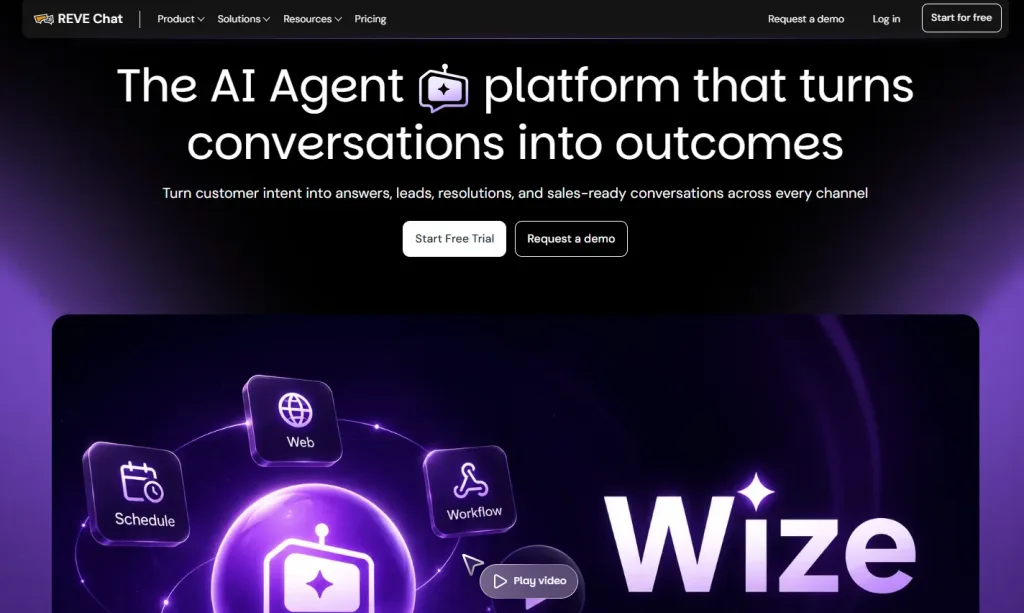
REVE Chat is a powerhouse for real-time customer engagement, blending chatbot and live chat to capture feedback instantly.
Its AI-driven sentiment analysis shines in support settings, making it easy to spot emotions during conversations.
The tool integrates smoothly with CRMs, turning chats into insights. It’s a go-to for businesses focused on immediate, actionable customer data.
Key Features:
- Real-time chatbot and live chat for feedback collection: Perfect for capturing live customer emotions during support interactions, ensuring no feedback slips through.
- NLP-powered sentiment tagging: Identifies positive, negative, or neutral tones in chats, ideal for quick response adjustments in customer service.
- CRM integrations: Streamlines data flow, great for teams tracking sentiment alongside other metrics like CSAT.
- Customizable triggers for proactive engagement: Triggers auto-responses based on sentiment, useful for de-escalating upset customers fast.
2. Wizr AI
Wizr AI delivers deep sentiment analysis with cutting-edge NLP, handling complex emotions across multiple channels.
It’s built for businesses needing detailed insights from diverse data sources. With robust dashboards, it turns feedback into clear strategies.
Perfect for enterprises aiming to stay ahead with predictive analytics.
Key Features:
- Advanced NLP for sarcasm detection: Catches subtle tones in feedback, ideal for analyzing tricky social media posts or reviews.
- Customizable dashboards: Visualize trends for product or support teams, helping prioritize issues like feature complaints.
- Predictive insights: Forecasts customer behavior like churn, useful for strategic planning in marketing or retention.
3. Sentisum
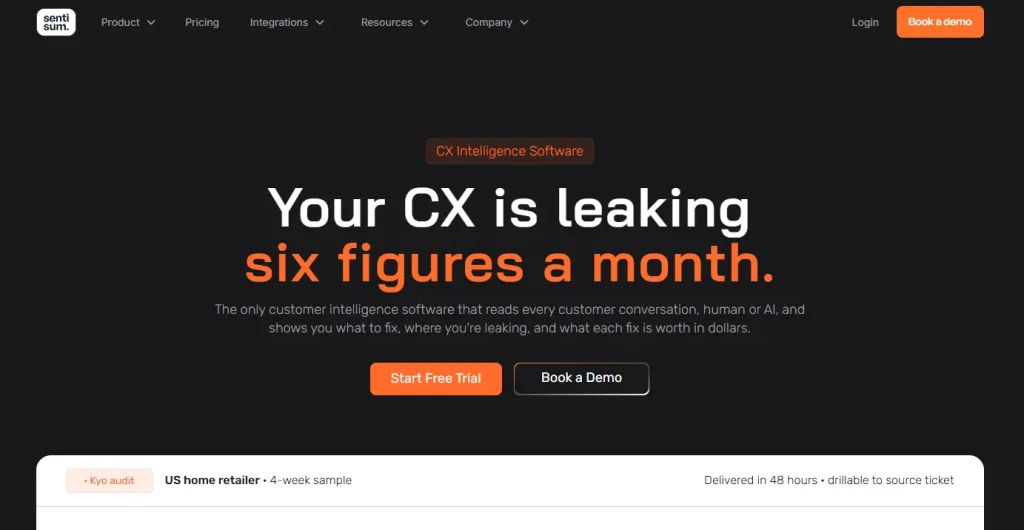
Sentisum specializes in customer support optimization, digging into feedback to uncover root causes of issues.
It excels at clustering data from support interactions, making it a favorite for service teams. Its integration with chat tools enhances real-time analysis.
A solid choice for operational efficiency.
Key Features:
- Root cause analysis: Pinpoints why customers are upset (e.g., slow replies), perfect for improving support workflows.
- Automated feedback categorization: Groups feedback by themes like “billing,” ideal for prioritizing fixes in customer service.
- Real-time issue flagging: Alerts teams to urgent complaints, useful for quick response in high-volume support settings.
Conclusion
Customer sentiment analysis opens a window into what your customers truly feel, empowering you to make smarter, faster decisions.
By listening to emotions across channels, whether through social media, reviews, or live chats powered by platforms like REVE Chat, you can cut churn, tailor experiences, and strengthen loyalty.
Leverage tools like REVE Chat’s chatbot and live chat to capture feedback in real time. Ready to take control of your customer relationships? Book a demo with REVE Chat to see sentiment analysis in action.
Frequently Asked Questions
Sentiment analysis focuses on real-time emotional insights from unstructured data, such as chats or reviews, whereas market research often employs structured surveys to identify broader trends. It’s faster and more granular, capturing immediate customer feelings.
Yes, advanced tools with multilingual NLP, like those integrated with REVE Chat, can interpret cultural slang or context. However, accuracy depends on training models with diverse, region-specific data.
Absolutely, small businesses can use tools like MonkeyLearn or manual methods with our free template to analyze chat or review data. Even small datasets reveal actionable trends.
It spots negative sentiment spikes on social media or support channels, enabling quick responses to prevent PR disasters. Brand24 excels at real-time alerts for such scenarios.
Aspect-based analysis, used by tools like Wizr AI, breaks feedback into parts (e.g., praising the product but criticizing the service). This isolates mixed emotions for targeted action.
Build AI-powered support with Wize AI
Connect business knowledge, automate support conversations, and improve response quality without managing a complex AI stack.
Explore Wize AI Agent Rate the article

Ehsanur Rahman
Head of Customer Communication
Ehsanur Rahman, the Head of Customer Communication at REVE Chat is dedicated to implementing advanced solutions that boost customer interactions and satisfaction. Ehsanur's passion for technology and customer service drives his commitment to delivering exceptional experiences.
View all articles