



Table of Content
Running a WooCommerce store starts out exciting. You add products, tweak the design, and wait for sales to roll in. Then it happens, visitors drop items in their cart and vanish. Pages load slowly. Search gives useless results or nothing at all. Questions pop up late at night with no quick reply. Sales just fade away.
The real issue? It’s rarely the products. It’s those small frustrations driving people off. The best WooCommerce plugins fix exactly that. They make searches to actually find things, speed up your site, add live chat so help is instant, and help turn more visitors into paying customers.
Stores that keep growing rely on a few smart plugins to kill those daily headaches. Let’s check out the ones worth your time.
Why Having the Right WooCommerce Plugins Is Crucial for Success?
Your WooCommerce store might look fine at first glance. Core setup handles products, payments, and basic orders. But without the right plugins, small issues turn into big roadblocks that quietly kill sales and growth.
Here are the most important reasons why picking the proper ones makes or breaks everything.
1. They stop most cart abandonments.
Customers bail when search fails, pages load slowly, checkout feels messy, or no one answers questions fast. Plugins for better search, speed, live chat, and smoother checkout fix these right away, and more orders get completed.
2. They bring in and keep more visitors.
Basic WooCommerce doesn’t stand out or pull people back. Plugins for SEO, faster loading, and email/SMS follow-ups drive traffic and repeat buyers. Without them, visitors stay low and rarely return.
3. They add features without custom coding.
Want subscriptions, upsells, custom checkouts, or automated shipping? Plugins add these quickly and cheaply. Your store stays flexible as your business grows, with no expensive rebuilds.
4. They cut down manual work.
Plugins automate taxes, inventory, abandoned cart emails, and order follow-ups. You spend less time on boring tasks and more on products or customers. The shop feels much easier to run.
5. They keep things safe, fast, and scalable.
Good plugins protect data, handle traffic spikes, and avoid crashes. As orders grow, your site stays reliable, with no lost sales from slowdowns or security issues.
How We Tested and Reviewed WooCommerce Plugins
We don’t just look at feature lists or marketing pages. We tested on our demo WooCommerce store by installing the plugins and using them as a regular shop owner would. This means testing on live-ish setups with products, traffic simulation, and actual customer flows. Nothing fancy, just honest use to see what holds up and what falls apart.
Here are the 7 criteria we followed:
Impact on Customer Experience
We evaluated how effectively the plugin drives engagement. Does it help you close sales faster or reduce support tickets? We prioritized tools that turn frustrated browsers into happy, repeat buyers.
Ease of Setup & Daily Workflow
Installation should take minutes, not hours. We looked for intuitive interfaces and clear settings that don’t require a developer to navigate. If a plugin makes daily management a “guessing game,” it loses points.
Performance & Site Speed
We measured page load times before and after installation. In e-commerce, slow stores lose sales. We penalized plugins that added unnecessary bloat or slowed down the mobile experience.
Compatibility & Stability
A plugin must play nice with the latest versions of WordPress, WooCommerce, and popular themes. We monitored for crashes, CSS conflicts, and bugs during heavy use to ensure long-term stability.
Practical ROI (Value for Money)
Whether free or paid, a plugin must justify its cost (or its place in your database). We focused on features that serve the actual needs of a growing store rather than “nice-to-have” extras that add no value.
Maintenance & Roadmap
We checked for active development, regular security patches, and a clean track record. We excluded “abandoned” plugins that haven’t been updated recently or are known to break during core WordPress updates.
7 Best WooCommerce Plugins in 2026
After going through dozens of recent articles and putting these on actual live stores ourselves, here are the 7 best WooCommerce plugins in 2026.
| Rank & Plugin | Best For | Strengths | Pricing |
|---|---|---|---|
| 1. REVE Chat | Live chat + AI chatbots for instant WooCommerce customer service & reducing cart abandonment | – Fast setup with WooCommerce – 24/7 AI chatbots – Full order/cart context for agents – Proactive triggers – Omnichannel (email/WhatsApp/etc.) – Analytics on sales impact | It comes with lifetime free plan, and paid plan starts at $14.99/m |
| 2. SearchWP | Fixing poor product search – accurate results for attributes, variations, categories in WooCommerce stores | – Searches deep (titles, attrs, PDFs) – Custom weighting for accuracy – Lightweight & fast – Live Ajax previews – Strong Woo integration | Standard: $99/year (1 site) Pro: $199/year (up to 3 sites, full Woo features) All Access Bundle: $399/year (up to 100 sites) – intro discounts common |
| 3. WooCommerce Subscriptions | Recurring revenue – memberships, boxes, courses, subscriptions with trials/fees | – Official Woo extension – stable – Trials, sign-up fees, synced payments – Failed payment handling – Works with many gateways | ~$199–$279/year (official WooCommerce.com extension) – includes updates/support |
| 4. OptinMonster | Popups, forms, exit-intent for email growth, cart recovery, discounts in WooCommerce | – Exit-intent catches leavers – Many templates & targeting – Woo coupons/wheels – A/B testing (higher plans) – Email tool integrations | Basic: ~$7–$21/month (annual discount, 1 site) Plus: ~$19–$57/month Pro: ~$29–$87/month Growth: ~$49+/month – 60% off first year often |
| 5. Omnisend | Email + SMS automation tied to WooCommerce – abandoned carts, welcomes, follow-ups | – Seamless Woo sync (orders/contacts) – Email/SMS in one – E-commerce templates – Segmentation & automation – Free for small lists | Free (limited sends) Standard: From $16/month (scales by contacts/emails, e.g., $44 for 2,500 contacts) Pro: From $59/month (unlimited emails) – SMS extra |
| 6. FunnelKit Automations | Native WooCommerce marketing automation – carts, post-purchase, upsells, all in WordPress | – Deep Woo triggers/actions – Email/SMS inside dashboard – Built-in bumps/upsells – Revenue analytics – Free lite version | Free lite Pro: ~$99–$249/year (varies by sites/features) – bundles often lower |
| 7. Elementor Pro | Custom designs for product pages, checkouts, shops – drag-and-drop without code | – Woo widgets & dynamic content – Theme builder (headers/footers) – Mobile responsive – Huge templates – Easy redesigns | Essential: ~$59/year (1 site) Advanced/Expert: $84–$199+/year (more sites, credits) Agency/One: Higher for teams |
We start with our top choice for customer engagement because nothing hurts sales more than leaving shoppers hanging when they have questions.
1. REVE Chat – Best Live Chat Plugin for Customer Engagement
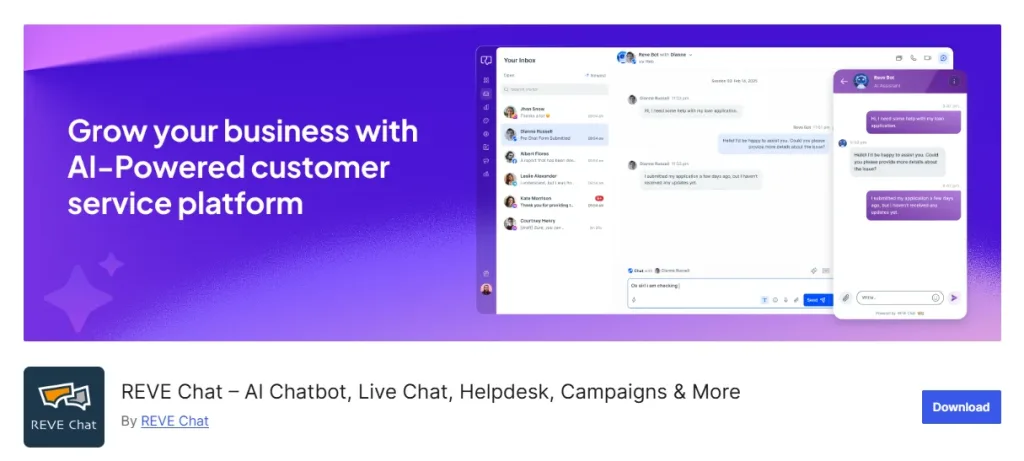
REVE Chat is a must-have for any WooCommerce store serious about customer service. It combines live chat with smart AI chatbots so you can give instant answers 24/7, even when you’re not around.
Shoppers get help right on the product page or during checkout, no more waiting for emails that might never come. This cuts down abandoned carts a lot because questions get answered fast, trust builds quickly, and people feel taken care of.
For WooCommerce specifically, it pulls in real-time order and browsing details so agents see exactly what’s going on. It turned frustrating moments into smooth sales. If customer support is your weak spot, this plugin fixes it head-on and keeps buyers coming back.
Key Features
Here are the top features that make REVE Chat perfect for WooCommerce customer service and support:
- Real-Time Live Chat — Let agents talk to customers instantly on the site. Shoppers ask about sizes, stock, or shipping right away, and get answers without leaving the page. This keeps them engaged and reduces drop-offs during purchase.
- AI-Powered Chatbots — Handles common questions automatically using natural language. Train it on your FAQs or product info so it gives accurate replies anytime, freeing agents for tougher issues and providing round-the-clock support.
- WooCommerce Integration — Connects directly to pull order history, cart contents, and browsing behavior. Agents see context like “customer is viewing red shoes” for personalized help, making support feel tailored and effective.
- Omnichannel Inbox — Brings chats from live chat, email, WhatsApp, Facebook into one place. You track every conversation without switching apps, so no customer gets lost between channels.
- Proactive Engagement — Triggers chats based on actions like viewing pricing or spending time on a page. Reach out before they leave, answer doubts early, and guide them toward buying.
- Co-Browsing & Screen Sharing — Agents guide customers by viewing their screen or drawing on it (with privacy controls). Great for troubleshooting product issues or walking through checkout in real time.
- Analytics & Reporting — Tracks response times, chat volume, and conversion impact. See which interactions lead to sales so you improve support over time.
- Mobile Support for Agents — Manage chats from your phone. Handle urgent questions even when away from the desk, keeping service consistent.
Best For
WooCommerce stores that want to cut support tickets, reduce cart abandonment, and make customers feel heard instantly, especially if you sell products needing questions answered fast.
Pros
- Super fast setup with WooCommerce
- AI chatbots handle 24/7 queries
- Agents get full context from store data
- Proactive triggers turn browsers into buyers
- Solid analytics to track support wins
Cons
- Advanced AI features need some setup time
- Pricing jumps with more agents or chats
- Relies on good training for chatbots to shine.
Pricing
- It comes with a lifetime free plan. Paid plans start at $14.99/month.
2. SearchWP – Best Search Plugin for Instant Product Discovery
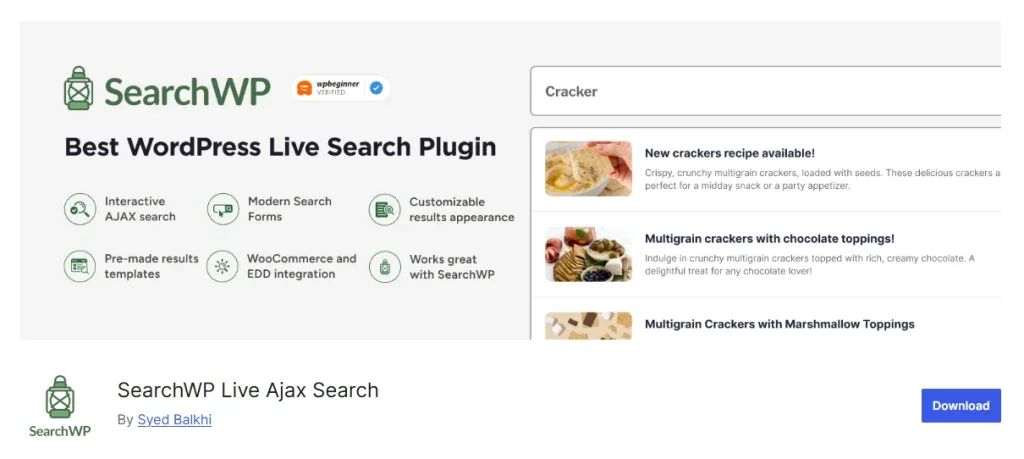
Default search in WooCommerce often lets people down hard. Someone types “blue running shoes size 10” and gets blank results or unrelated stuff, even when the exact match is sitting in your catalog.
It happens all the time in stores with dozens or hundreds of products, attributes like colors, sizes, materials get ignored. Customers get frustrated, bounce away, and head to competitors where finding things feels easy.
SearchWP changes that completely. It digs deep into everything: product titles, descriptions, categories, tags, custom fields, variations, even short descriptions or attributes. You can tweak how much weight each part gets so results feel spot-on.
Best For
Stores with lots of products where default search fails, customers type something and find nothing, even if it’s there. Perfect for fixing “woocommerce search plugin” frustrations.
Pros
- Searches everything: products, attributes, categories, even PDFs
- Super accurate results with custom weighting
- Fast and lightweight on site speed
- Great WooCommerce integration for attributes/variations
- Live Ajax search option for instant previews
Cons
- No free version, paid from the start
- Setup takes a bit if you tweak engines a lot
- Higher tiers needed for multi-site or advanced e-commerce
Pricing
Starts at $99/year for the Standard plan (1 site, unlimited queries/engines, core features including PDF and custom fields). Pro jumps to $199/year (up to 3 sites, adds full WooCommerce integration, custom ordering, metrics).
3. WooCommerce Subscriptions – Best for Recurring Revenue & Memberships
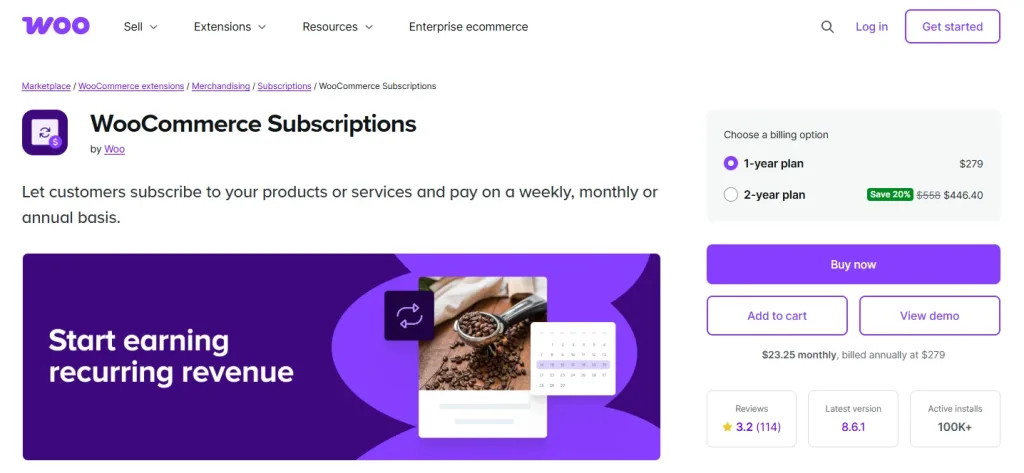
Many stores start with one-off sales and miss out on steady income. Think coffee subscriptions, monthly boxes, online courses, or membership access. Customers pay once and that’s it unless you set up recurring billing.
Without a solid tool, handling trials, sign-up fees, payment retries, or variable schedules turns messy fast. WooCommerce Subscriptions fixes this by letting you create simple or complex recurring products right in the dashboard.
It manages everything: free trials to hook people, sign-up fees for upfront costs, synced payments across billing cycles, automatic failed payment handling so you don’t lose revenue. It ties into most gateways and stays stable even as orders pile up.
Best For
Stores selling memberships, boxes, courses, or anything recurring—turn one-time buyers into steady income.
Pros
- Handles trials, sign-up fees, variable billing
- Works with tons of payment gateways
- Syncs renewals and manages failed payments
- Official WooCommerce extension that super stable
- Good for simple to complex subscription models
Cons
- Paid only—no free tier
- Can get pricey with add-ons for extras
- Setup needs care for payment retries
Pricing
- Official extension costs around $199–$279/year.
4. OptinMonster – Best for Popups & Conversion Boosting
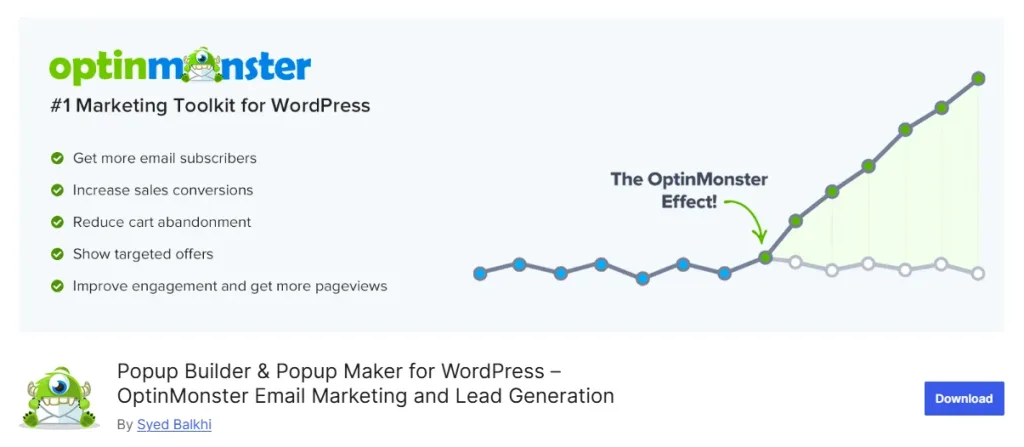
Visitors come to your site, browse a bit, then leave without buying or signing up. You lose them forever unless something grabs attention at the right moment.
OptinMonster steps in with popups, slide-ins, floating bars, and wheels that show up based on behavior like when someone’s about to exit or after adding to cart.
Exit-intent catches those almost-gone visitors with a discount or email signup. It works smoothly with WooCommerce for showing coupons, recovering carts, or pushing related products. Templates make setup quick, and targeting rules let you show the right offer to the right people.
Best For
Growing email lists, offering discounts, or recovering carts with smart popups and forms.
Pros
- Exit-intent tech catches leaving visitors
- Tons of templates and targeting rules
- Works great with WooCommerce for coupons/wheels
- A/B testing on higher plans
- Integrates with email tools easily
Cons
- SaaS-based (not pure plugin)
- Pricing adds up for bigger lists/sites
- Can feel intrusive if overused
Pricing
- Basic ~$7/month (1 site, basic features)
5. Omnisend – Best Email & SMS Marketing Plugin for WooCommerce
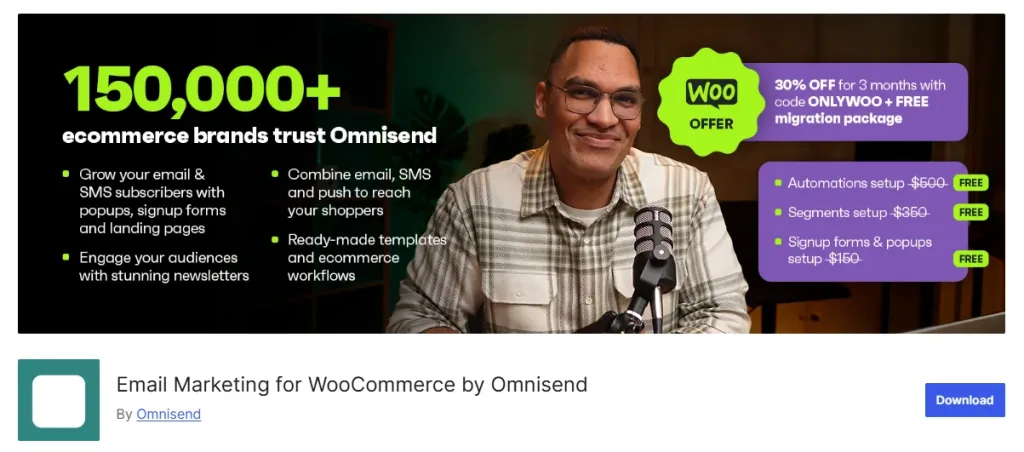
Abandoned carts, one-time buyers who never return, welcome messages that go unsent, e-commerce loses a ton here. Omnisend pulls WooCommerce data (orders, contacts, carts) and automates emails plus SMS to fix it.
Send welcome series to new signups, reminders for left-behind carts, post-purchase thank-yous with upsell ideas, or re-engagement flows for inactive customers. Templates fit e-commerce looks, segmentation targets specific groups like high-value buyers.
Best For
Automating emails and SMS for abandoned carts, welcomes, and follow-ups—all tied to WooCommerce data.
Pros
- Strong WooCommerce sync for orders/contacts
- Email + SMS in one place
- Ready templates for e-commerce flows
- Good automation for segments
- Free plan for small lists
Cons
- Costs rise with contacts/emails sent
- SMS credits extra
- Learning curve for advanced workflows
Pricing
- Paid starts $16/month
6. FunnelKit Automations – Best Marketing Automation Plugin for WooCommerce
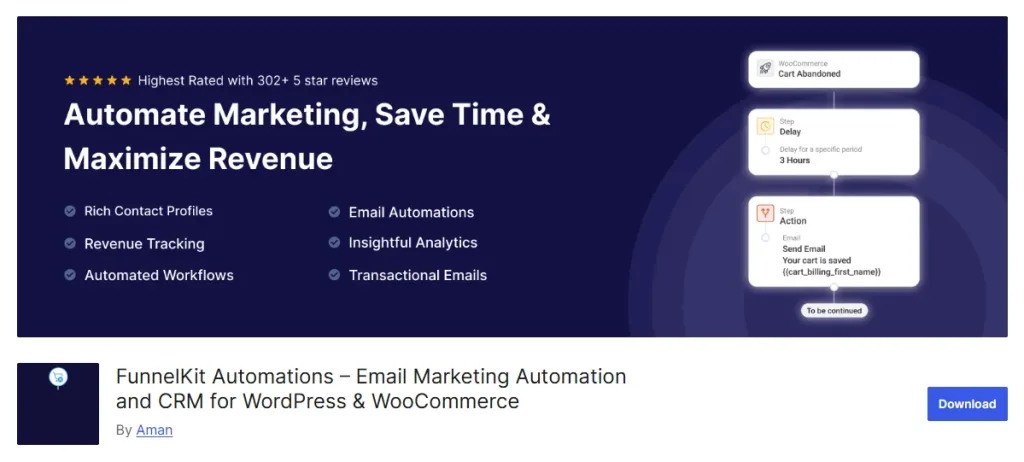
Marketing feels scattered when you juggle separate tools for emails, carts, upsells. FunnelKit keeps it all native inside WordPress/WooCommerce. Set up abandoned cart sequences, post-purchase thank-yous with bumps, welcome flows, broadcasts, or anniversary reminders. Triggers pull from orders, customer actions, everything Woo-related.
Built-in order bumps/upsells during checkout add extra revenue easily. Analytics show which automations drive actual money.
Lite version free for basics; Pro unlocks deeper stuff. In testing, follow-ups felt smooth and repeat buys went up noticeably. Great if you want powerful automation without third-party complexity.
Best For
Native WooCommerce automation: abandoned carts, post-purchase flows, broadcasts, all inside WordPress.
Pros
- Deep WooCommerce triggers and actions
- Email/SMS sequences without leaving dashboard
- Order bumps, upsells built-in
- Good analytics on revenue impact
- Free version available
Cons
- Premium needed for full power
- Can overwhelm with options at first
- Renewal pricing sometimes higher
Pricing
Pro starts ~$99–$249/year (varies by sites/features—bundles often lower).
7. Elementor Pro – Best Page Builder Plugin for Custom WooCommerce Stores
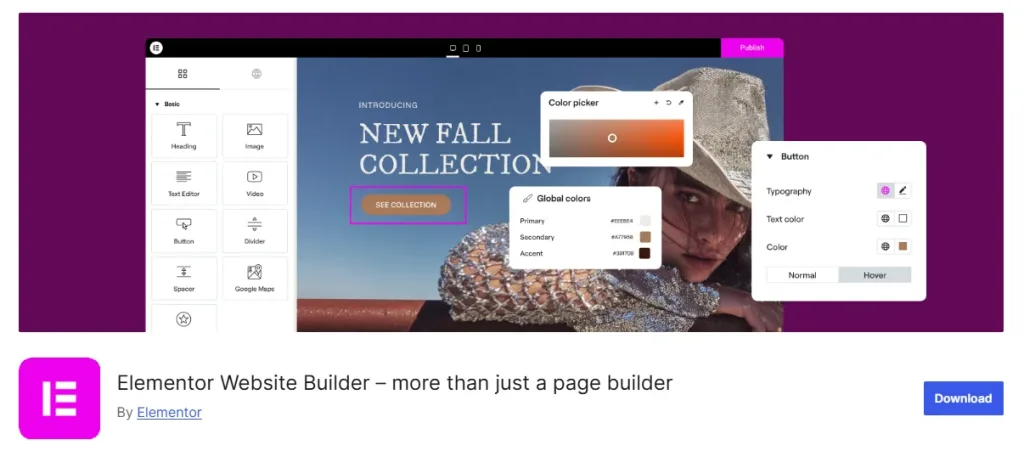
Default WooCommerce pages look plain and generic, product singles, shop archives, checkouts all feel the same as everyone else’s. Changing them usually means code or limited tweaks. Elementor Pro gives drag-and-drop control: build custom product pages, dynamic checkouts, headers/footers that pull Woo data like prices or images.
Widgets for products, add-to-cart, reviews show up live. Theme builder handles full-site design. Templates speed things up, mobile views adjust automatically.
Best For
Designing beautiful, custom product pages, checkouts, and shop layouts without code.
Pros
- Drag-and-drop WooCommerce widgets
- Theme builder for headers/footers/singles
- Dynamic content pulls product data
- Mobile-responsive out of the box
- Huge template library
Cons
- Learning curve if new to builders
- Site can get heavy if overdone
- Annual renewal required
Pricing
- Essential ~$59/year (1 site)
Key Considerations When Choosing the Best WooCommerce Plugin in 2026
Picking a plugin isn’t just about grabbing the one with the most features. The wrong choice can slow your site, break things during updates, or leave you without help when something goes wrong.
Here are the main things to think about so you end up with tools that actually help your store grow without causing headaches.
1. Compatibility with your current setup
Make sure the plugin works with the latest WordPress and WooCommerce versions. Check if it plays nice with your theme, other plugins, and any page builders like Elementor. Conflicts often show up after an update, read recent reviews or the changelog to see if people mention issues with your exact stack. A good fit means no crashes or weird bugs popping up unexpectedly.
2. How it affects site speed and performance
Plugins add code to your site, and some make pages load slower, especially on mobile. Test load times before and after install using tools like GTmetrix or PageSpeed Insights. Look for lightweight options that don’t overload your server. Slow stores lose customers fast. So, prioritize ones known for being efficient, like those with good caching or minimal scripts.
3. Quality and speed of customer support
This matters a lot, especially for something critical like live chat or payments. Check if they offer live chat, quick email responses, or detailed docs. Read reviews about how fast they fix problems, slow support can leave your store broken for days.
4. Active updates and long-term reliability
See when the plugin was last updated. Ideally within the last few months. Regular updates mean it stays compatible, secure, and gets new features.
Abandoned plugins break with WordPress changes and open security holes. Stick to ones with a solid track record and active developers.
5. Real value compared to the price
Free plugins can be great starters, but paid ones often deliver more for core needs like subscriptions or search. Ask: Does it solve a specific pain point that directly boosts sales or saves time? So, look beyond flashy features. Instead, focus on what your store actually needs right now. Start with free trials or lite versions to test without committing cash.
6. Customer reviews and real-user feedback
Don’t just trust the sales page. Read recent reviews on WordPress.org, WooCommerce.com, or Reddit for honest experiences. Look for patterns: Do people complain about bloat, bugs, or poor support? High ratings from active users (not just stars) give a better sense of reliability.
7. Scalability for your store’s growth
Think ahead. If your orders double or triple, will the plugin handle it? Check limits on agents, sessions, sites, or features in pricing tiers. Some free or cheap options cap out quickly, forcing an upgrade or switch later. Pick ones that grow with you without major rework.
Conclusion
At the end of the day, WooCommerce gives you the foundation, but plugins decide if your store feels easy and welcoming or frustrating and slow.
We’ve covered ones that handle search pains, recurring money, popups that actually convert, emails that recover lost sales, native automations, custom looks, and most importantly, real-time customer help.
REVE Chat earned the top spot because support isn’t an extra; it’s what keeps people buying instead of leaving. Their lifetime free plan lets you run live chat and basic chatbots forever, no strings.
Want to test the full power?
The free trial opens up enterprise-grade stuff, more agents, smarter AI, omnichannel, and analytics without paying upfront. Try it risk-free, see the difference in how customers stick around. Go to revechat.com today, pick the free plan to start small or the trial to go big. Small changes like this often bring the biggest jumps in sales.
Frequently Asked Questions
Update them as soon as new versions come out, ideally within a week or two to stay compatible with WordPress/WooCommerce changes, fix bugs, and patch security issues.
Plugins like YITH WooCommerce Reviews, Customer Reviews for WooCommerce, or built-in review tools with add-ons help collect and display reviews effectively. They add star ratings, photos, voting, and moderation to build social proof. Good ones reduce fake reviews and encourage more honest feedback, which boosts conversions.
Yes—plugins like WooCommerce Shipping & Tax, Table Rate Shipping, or Avalara handle real-time rates, duties, VAT, and customs automatically. They integrate with carriers like USPS, FedEx, or DHL and calculate taxes based on location. This saves time on manual calculations and avoids compliance headaches for global stores.
Use plugins like Extra Product Options for WooCommerce, TM Extra Product Options, or WooCommerce Product Add-Ons. They let you add dropdowns, checkboxes, file uploads, or custom text fields to products easily via the dashboard.
Plugins such as Wholesale Suite, B2BKing, or YITH WooCommerce Role Based Prices add bulk pricing, tiered discounts, private catalogs, and customer group rules. They hide retail prices from wholesalers, set minimum orders, or offer net pricing. Great for stores selling to businesses alongside regular customers.
Build AI-powered support with Wize AI
Connect business knowledge, automate support conversations, and improve response quality without managing a complex AI stack.
Explore Wize AI Agent Rate the article

Mohaimin Talha
Lead Product Manager
Mohaimin Talha is a seasoned Product Manager, known for his ability to combine creativity with analytical thinking. His strategic vision and customer-centric approach make him a key driver of product success and business growth.
View all articles