


DotNet Nuke
- April 6, 2026
- 1 mins read
Table of Content
REVE Chat integration with DotNetNuke
- Log into your REVE Chat account.
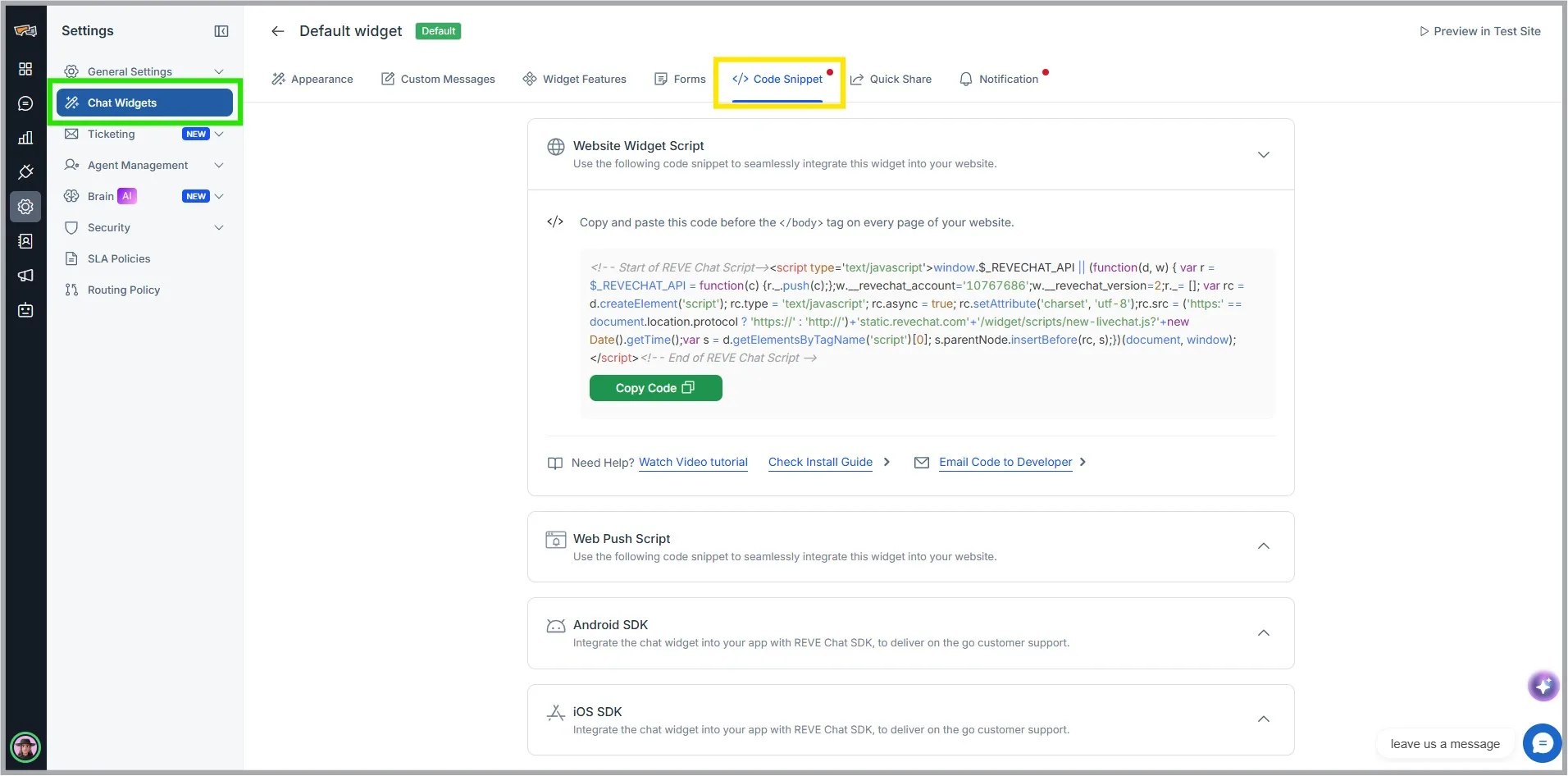
- Go to Settings> Chat Widget
- Click any of the available chat widget you want to integrate. Go to the code snippet tab and click Copy Code.

- Log in into your DotNetNuke admin account.
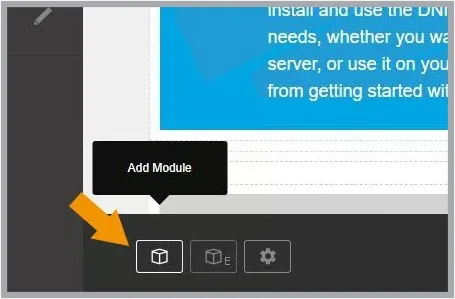
- Click on edit icon from Navigation
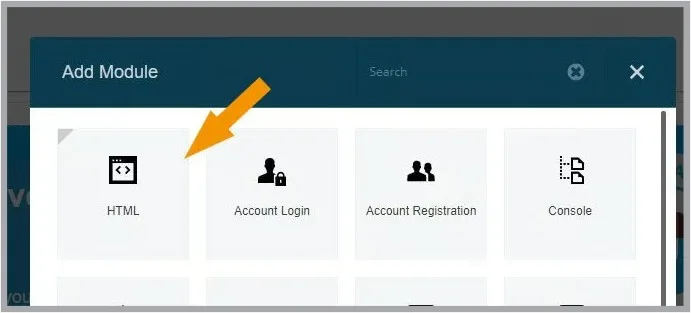
- Click on add module
- From opened modal click on HTML
- drag “HTML” Module to where you want to display the module
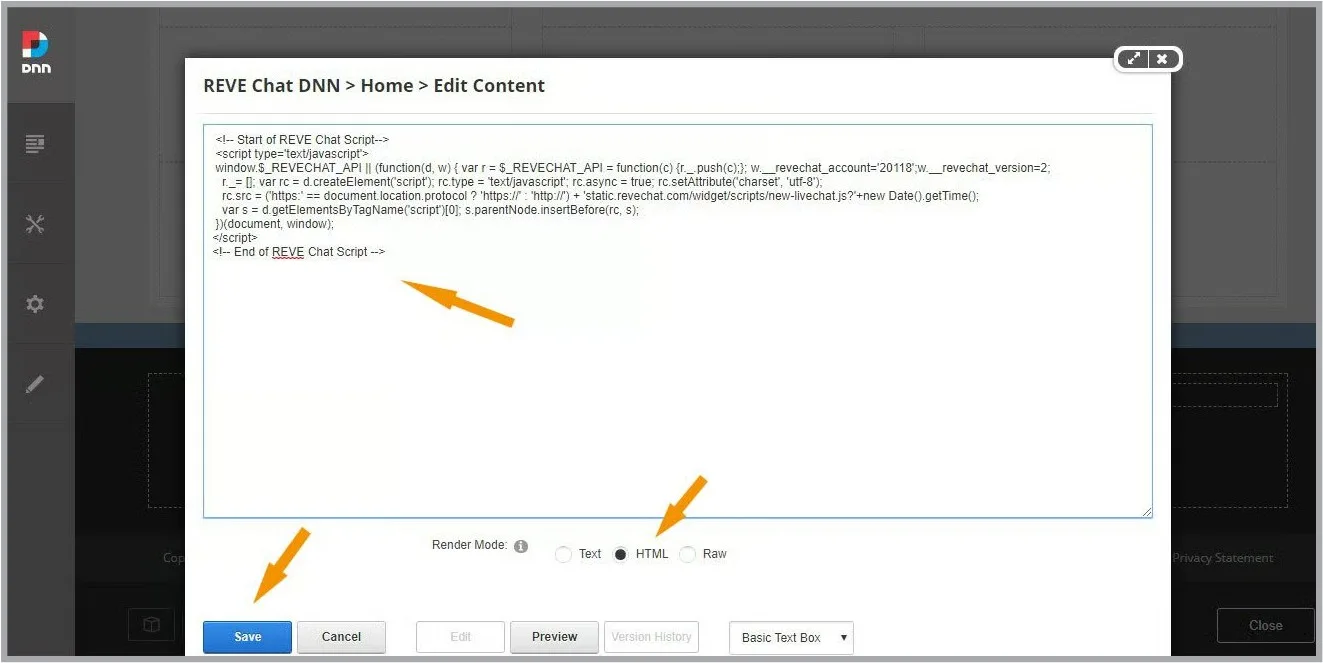
- Look for the new module in your page, roll over the “Manage” icon link and click Edit Content
- Select HTML, then paste the REVE Chat code that you have copied earlier and save it.
- Done. You will now find REVE Chat widget in your website. To chat with your visitors please log into your REVE Chat account and start chatting.

 Start free trial