


Capsule CRM
- December 10, 2025
- 2 mins read
Table of Content
What is Capsule?
Capsule is one of the cost-effective, simple, flexible and easy CRM tools for small business. The main purpose of this CRM tool is to improve the effectiveness of your sales team. This is extremely important for growing teams who need to collaborate in the most effective way and want to generate an optimal result.
Capsule CRM Live Chat Integration automate your work and easily empower your sales peoples so they can be more effective and productive in their endeavors. This CRM gives you various opportunities and milestones that are directly linked with a success factor for generating potential sales revenue.
Benefits of REVE Chat Integration with Capsule
- Help to reduce costs of mitigation and able to work with higher productivity.
- With live chat integration, you can easily track communication logs and close sales deals in a faster way.
- All customer information, as well as the chat transcript, are stored directly into CRM.
To Integrate REVE Chat with Capsule Please Follow the Below Steps
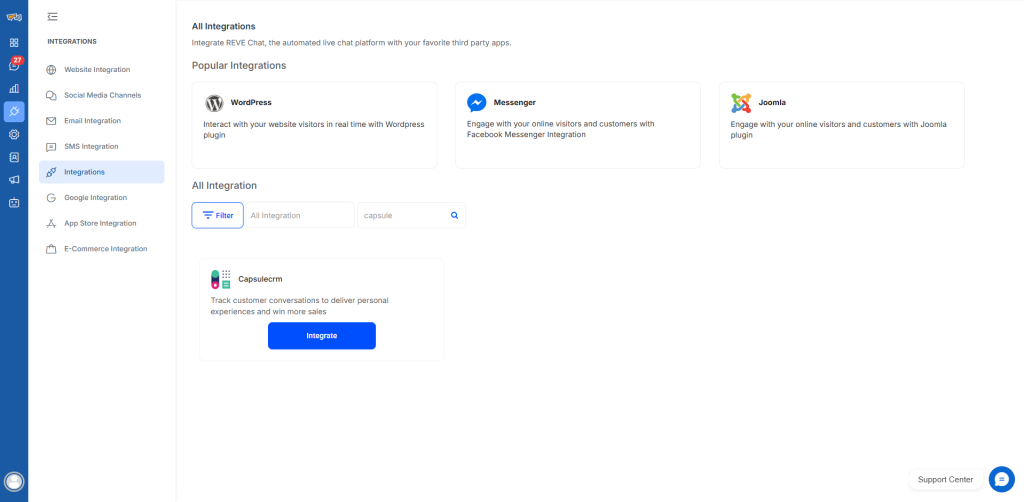
- From the vertical navigation bar in the REVE Chat dashboard, click Integrations, then open the Integrations tab to view all available integrations.
- Use the search bar to find Capsule CRM from the integration list.

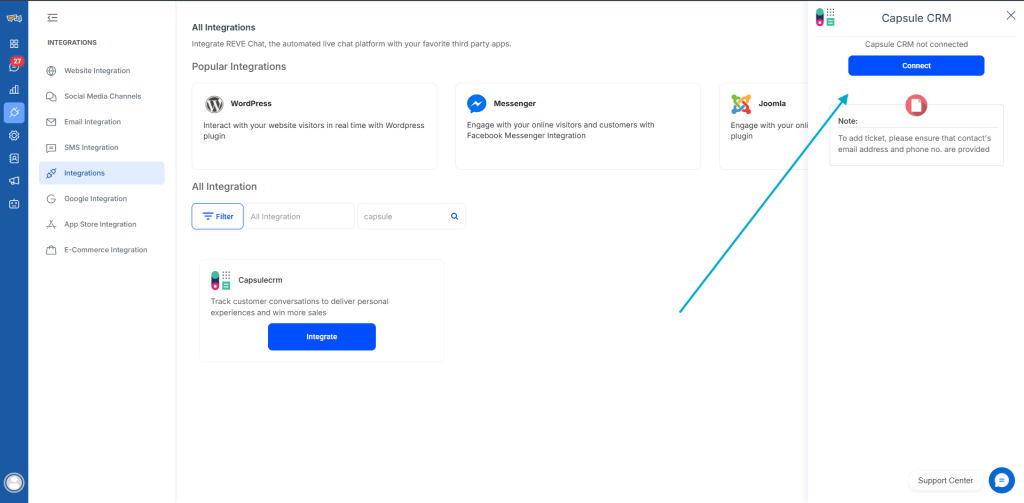
- Click Integrate, then select Connect to begin the setup process.
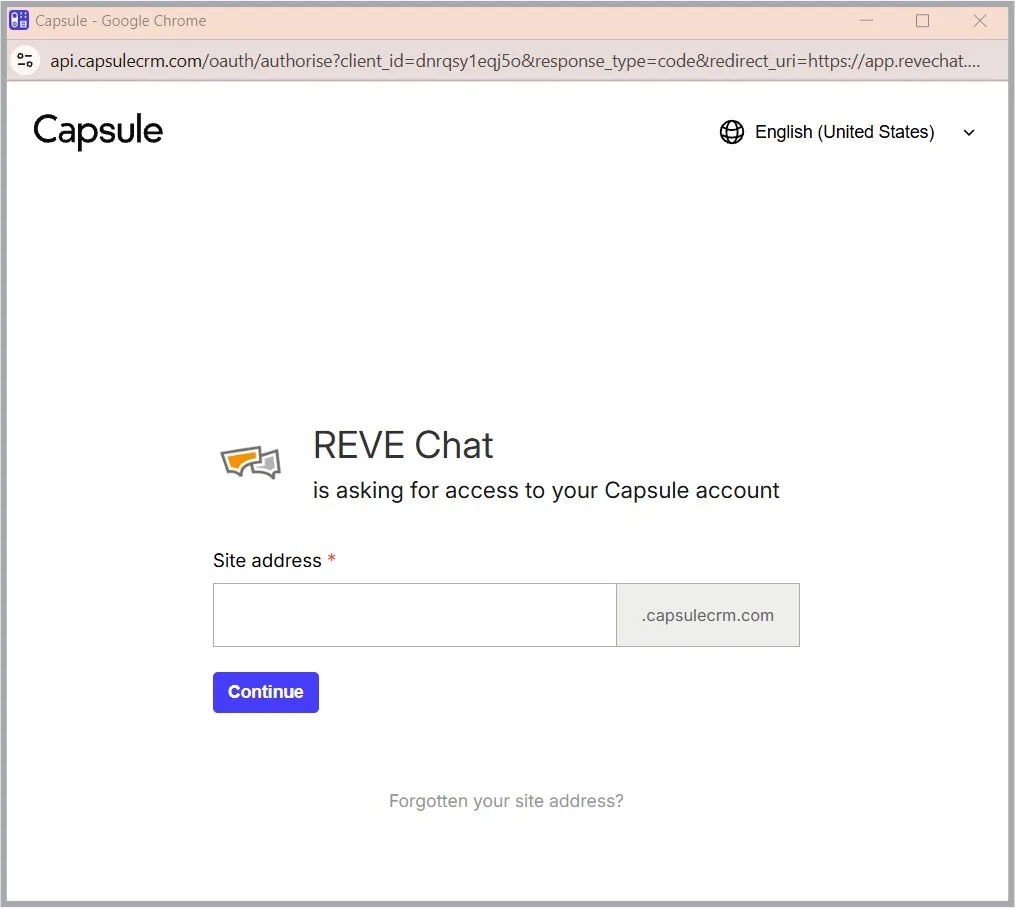
- You will be prompted to enter your Capsule subdomain. Provide the required information and proceed to the next step.
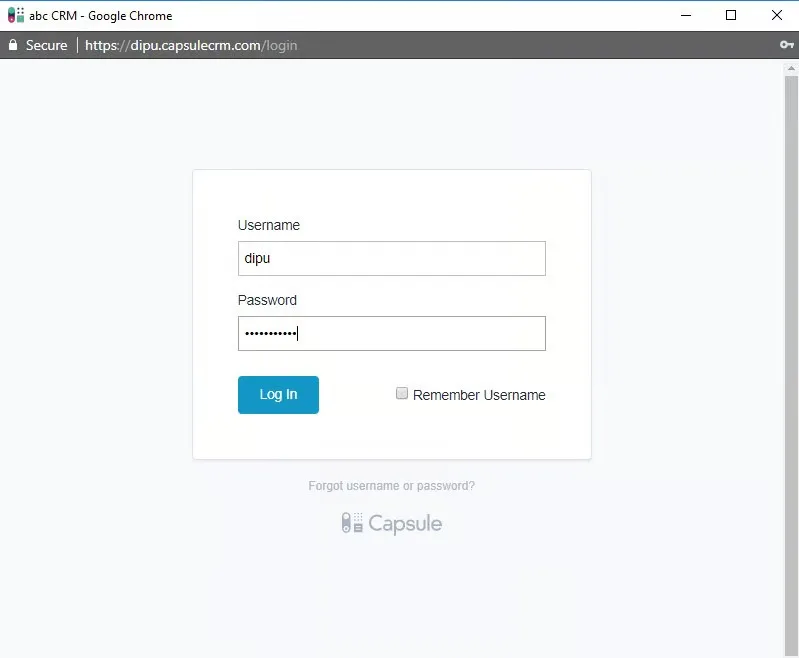
- Enter your Capsule CRM username (not your email address) and password to log in.
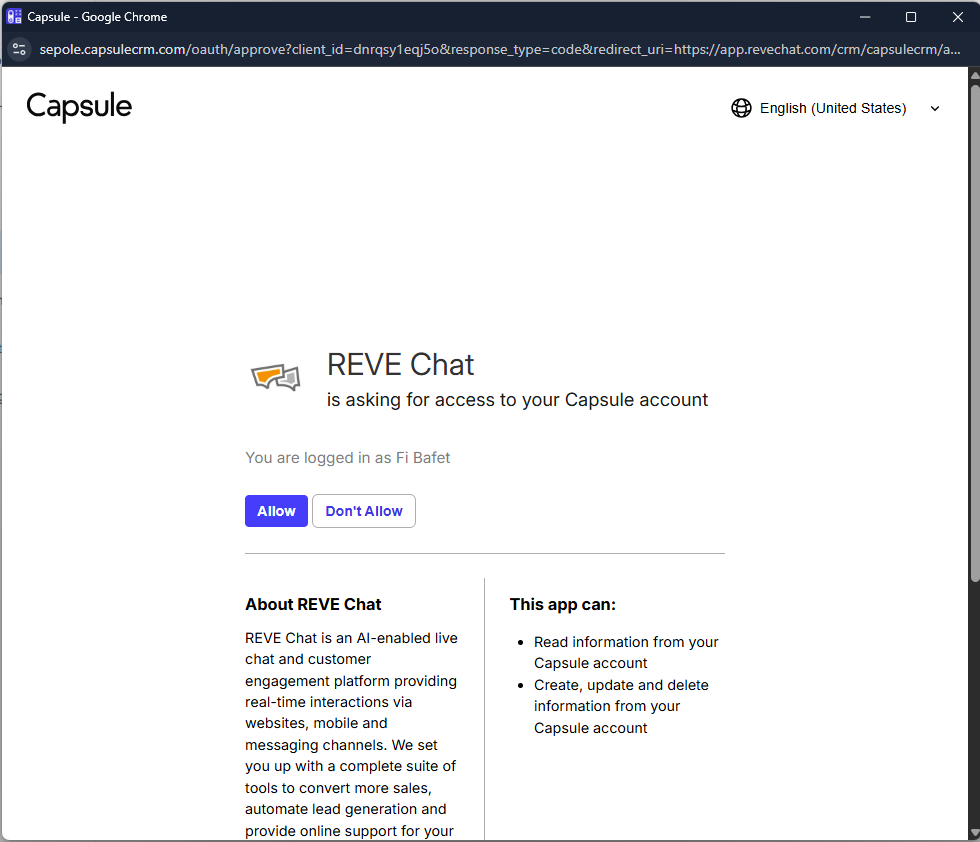
Note: If you are already logged in to your Capsule CRM account, you may not be asked to authenticate again. - Grant permission to allow the REVE Chat app to access your Capsule CRM account data.
- Once access is approved, your Capsule CRM account will be successfully connected to REVE Chat.
- Ensure that the Chat Transcript option is enabled.
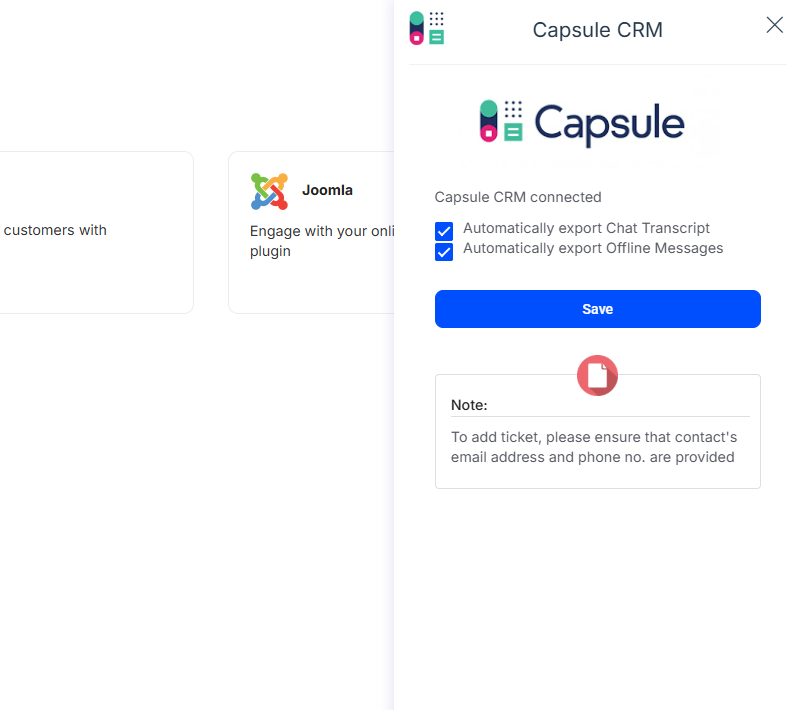
That’s it. All customer conversations from REVE Chat will now be automatically synced with your Capsule CRM account.

 Start free trial