



How to Connect Google Sheets in AI Agent
- July 5, 2026
- 2 mins read
Table of Content
You can connect Google Sheets to your Wize AI Agent workflow when the AI Agent needs to retrieve structured data such as product inventory, pricing, availability, order data, or internal records.
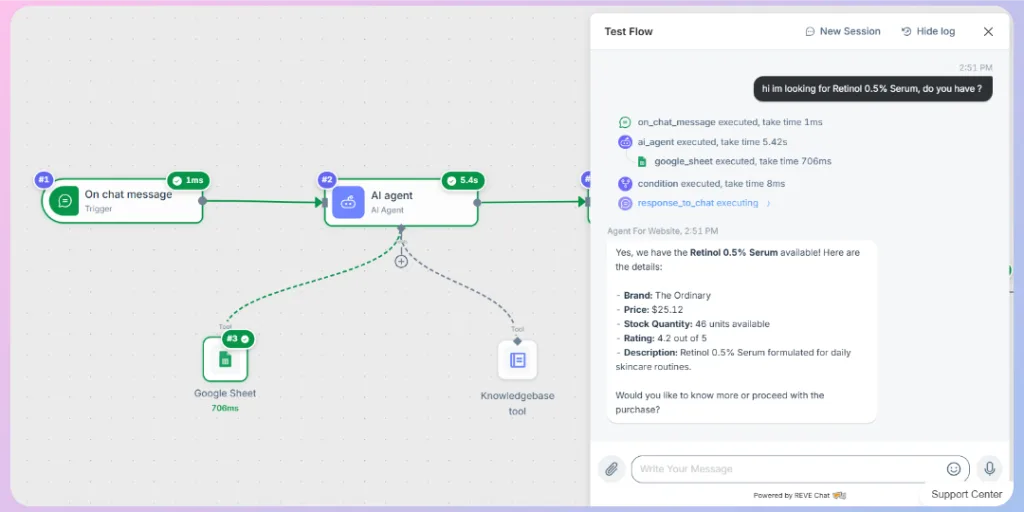
For example, an online store can use Google Sheets to help the AI Agent check product names, prices, stock quantities, ratings, and descriptions before replying to customers.
To connect Google Sheets:
- Open your Wize AI Agent workflow.
- Go to the Builder canvas.
- Click the + button from the AI Agent node.
- Search for and select Google Sheet.
- Double-click the Google Sheet tool node to open its configuration panel.
- Configure the required fields.
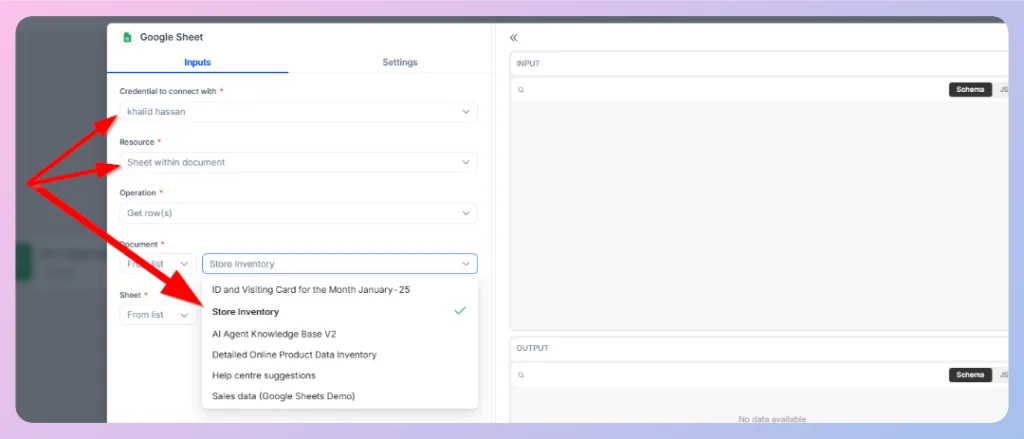
| Field | Description |
|---|---|
| Credential to connect with | Select the connected Google account or credential. |
| Resource | Select the Google Sheets resource you want to use. |
| Operation | Select the action the workflow should perform, such as getting row data. |
| Document | Select the Google Sheets document that contains the data. |
| Sheet | Select the specific sheet inside the document. |
Close the configuration panel after completing the setup.
After the Google Sheet tool is connected, the AI Agent can use the selected spreadsheet data while generating responses.
📌 Important: If this is your first time using Google Sheets in a workflow, the “Credential to connect with” field will be empty. Before you can select a credential, you need to connect your Google Sheets account from the REVE Chat Integrations section.
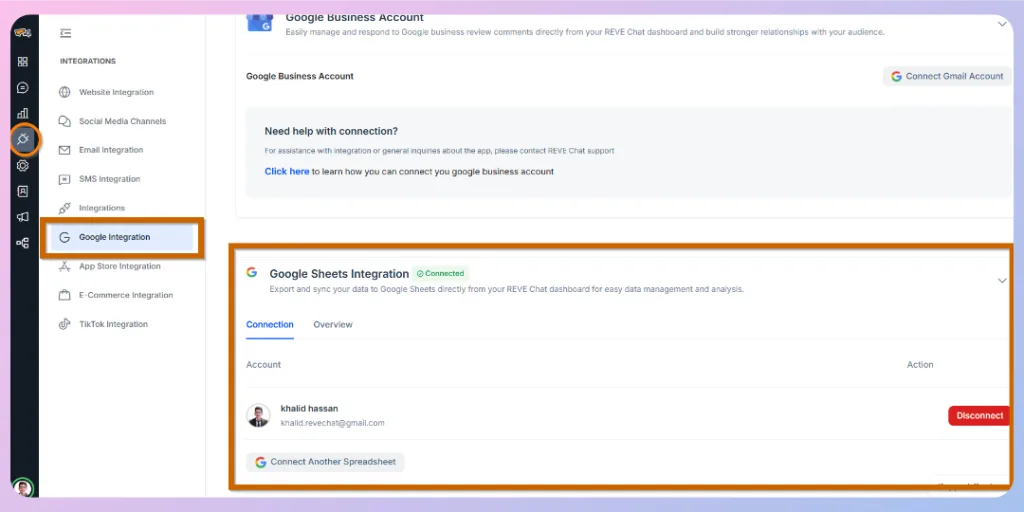
To connect Google Sheets:
- Go to Integrations → Google Integrations.
- Scroll down to the Google Sheets section.
- Connect your Google account and grant the required permissions.
Return to your workflow. You will now be able to select your Google Sheets credential in the “Credential to connect with” field.
Next Step
You have now connected Google Sheets to your AI Agent and can retrieve structured knowledge base information directly within your workflow. Next, we will show you how to apply conditions so your AI Agent can make decisions based on customer input, workflow variables, or Google Sheets data, allowing you to create smarter and more dynamic automation.
👉 Continue to: How to Apply Conditions in Your AI Agent Workflow

 Start free trial