

Table of Content
AI SUMMARY
Quick Answer
Live chat best practices help support teams respond faster and resolve customer issues with less effort. This guide covers 20 practical ways to improve live chat support, from setting response targets and routing conversations to using customer history, training agents, and setting clear AI limits. It also covers chat response examples, security, accessibility, key performance metrics, common mistakes, and a simple checklist to help teams improve their live chat service.
A customer opens your live chat because they need help right away. Following the right live chat best practices can keep the conversation moving, but a quick “Hello” followed by three minutes of silence can leave customers frustrated before an agent even responds.
Fast replies matter, but speed is only one part of good live chat support. Customers also expect clear answers, relevant questions, and a straightforward way to solve their problem. Poor routing, repeated questions, and unclear responses can turn a simple issue into a long conversation.
Good live chat support depends on how your team handles each conversation. Agents need the right customer information, clear response guidelines, and enough time to focus on each customer without rushing between chats.
In this blog, you will learn about the 20 live chat best practices to help your team respond faster, handle conversations better, and provide a better support experience.
What Are Live Chat Best Practices?
Live chat best practices are the processes that help support teams provide fast, accurate, personal, and useful assistance through chat.
They cover response times, staffing, routing, agent communication, customer history, automation, transfers, security, feedback, and performance measurement. The goal is to help each customer reach the right answer or outcome with as little effort as possible.
KEY TAKEAWAY
Best Practices for Better Live Chat Support
Live chat best practices start with clear response targets, proper chat routing, helpful agent resources, and simple communication. Use AI for routine support, set clear escalation rules, and review real conversations to improve service quality.
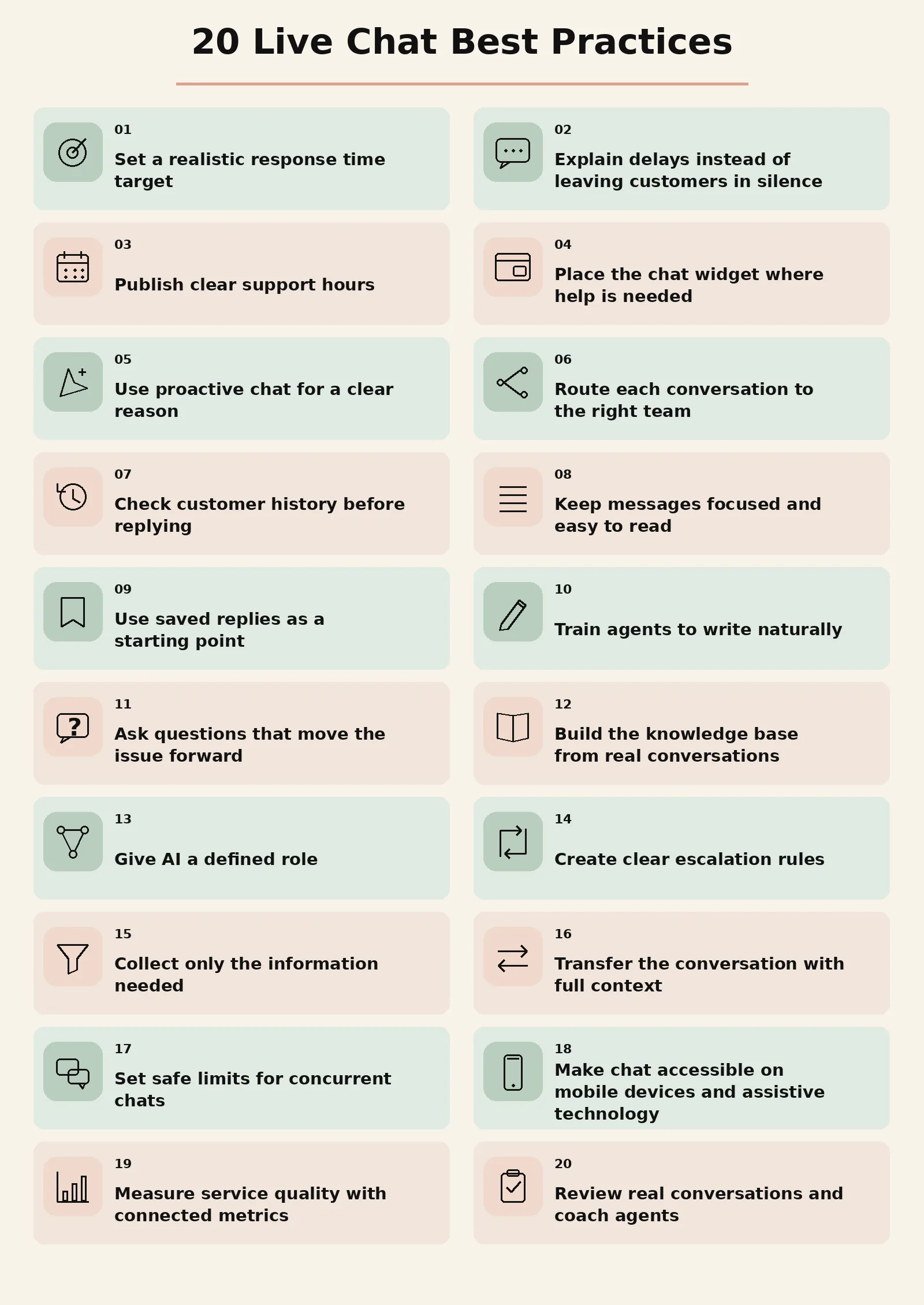
20 Live Chat Best Practices for Better Customer Support
Good live chat support helps customers get answers quickly and keeps conversations clear. Here are 20 live chat best practices to help your team handle chats better.
1. Set a realistic response time target
Customers expect a prompt reply when they open a live chat. Give agents a clear first response target, then monitor performance by queue, hour, and conversation type.
Do not copy a target from another company. Base it on your own chat volume, staffing, support hours, and issue types. A product question may receive an immediate answer, while a technical issue may require research.
Review the pattern behind delays. If response time rises at the same hour each day, the cause may be staffing or routing rather than agent performance. Adjust schedules before asking agents to handle extra conversations.
Track the first response beside customer satisfaction and resolution data. A fast greeting has little value if the customer then waits several minutes for useful help.
2. Explain delays instead of leaving customers in silence
An agent may need time to review an account, check an order, or contact another team. Tell the customer what is happening and when the next update will arrive.
For example:
I am checking your account now. Please give me a few minutes to confirm the payment details.
If the check takes longer, send another update. Silence makes customers wonder if the agent has left the conversation.
Do not promise an exact answer time unless you can meet it. An honest update builds more trust than an unrealistic promise.
3. Publish clear support hours
Show customers when human agents are available. Display the hours inside the chat window or near the chat button.
When the team is offline, explain what the customer can do next:
Our support team is offline. Leave your question and email address, and we will reply after 9 AM.
If an AI Agent provides help outside business hours, explain what it can handle and how the customer can request a person.
Review chat demand by hour and day. This can reveal when your published schedule no longer matches customer behaviour.
4. Place the chat widget where help is needed
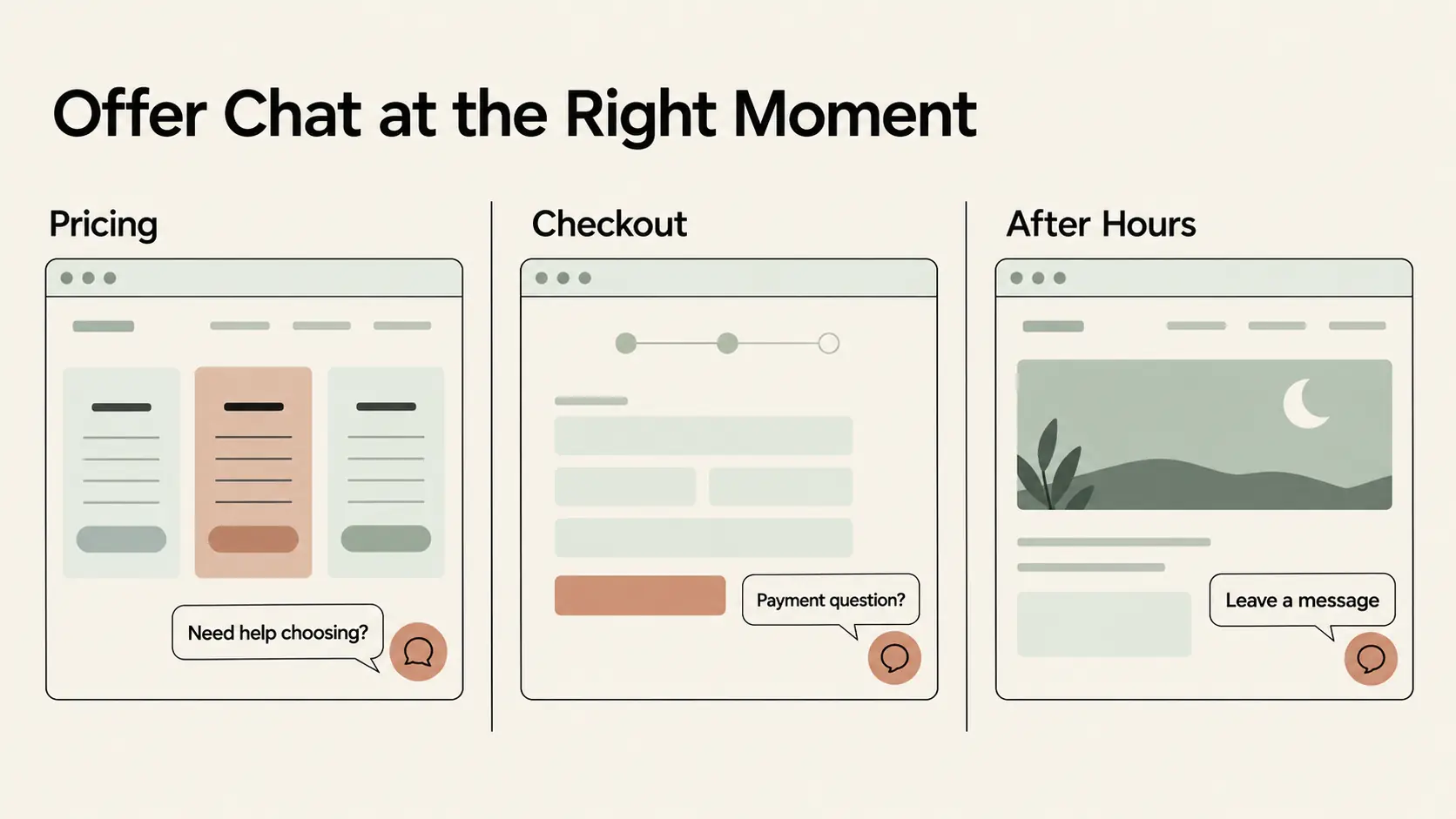
A pricing page, checkout page, account area, and help article create different questions. The same chat invitation will not suit every page.
Use page context to decide where the widget appears and what assistance it offers. On a pricing page, invite questions about plans. On a checkout page, focus on payment or delivery. Inside an account, focus on access and settings.
Keep the widget visible without covering forms, navigation, payment buttons, or important text. Test it on desktop screens, tablets, and phones.
5. Use proactive chat for a clear reason
Proactive chat can help someone who appears stuck. It can also interrupt a visitor who is reading or comparing options.
Useful signals include:
- Spending a long time on a pricing or checkout page
- Returning to the same help article
- Seeing an error during payment
- Returning with an open issue
- Leaving after starting a form
Connect the message to the page:
Need help choosing a plan? Tell me what your team needs, and I can point you to the right option.
Do not display the same invitation across the entire website. Compare acceptance, dismissal, conversion, and customer feedback to learn where invitations help.
6. Route each conversation to the right team
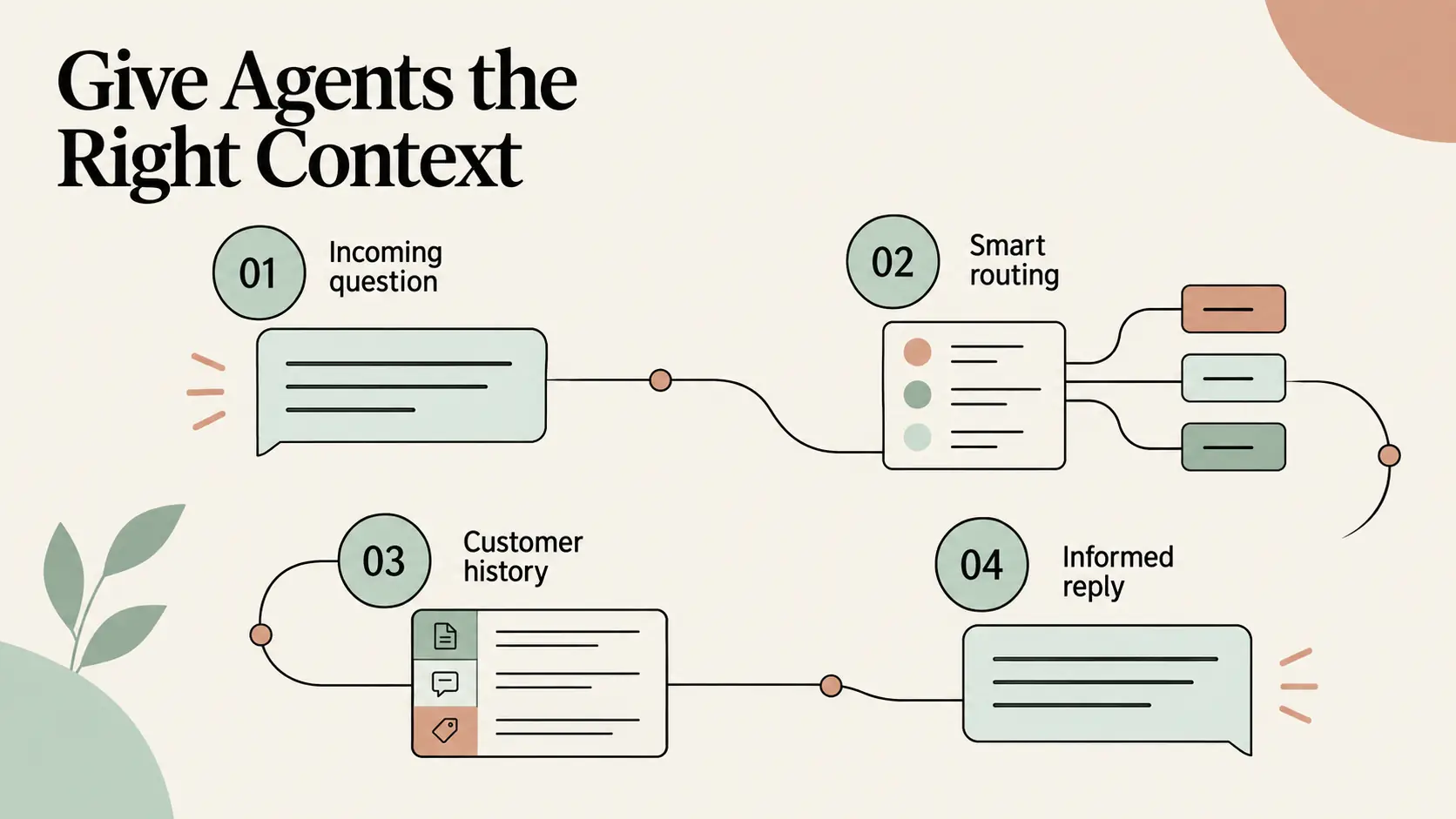
Poor routing wastes time and creates avoidable transfers. Use the information available at the start of the conversation to send the request to an agent who can handle it.
Routing rules can consider:
- Conversation topic
- Product or service
- Customer language
- Page visited
- Account type
- Customer location
- Agent skill and availability
- Open tickets or recent conversations
Keep the opening menu short. Customers should not have to study a long list of departments before asking a question.
Review common transfer paths each month. If chats regularly move from sales to support or from support to billing, the opening options or routing rules may be unclear.
7. Check customer history before replying
Review previous chats, open tickets, account details, and internal notes when access is available and permitted.
If a customer says, “I contacted your team yesterday,” look for that conversation before asking them to explain everything again.
The history should tell the agent:
- What the customer reported
- What the previous agent checked
- What actions were completed
- What the customer was promised
- What still needs attention
An old note may no longer be correct. Confirm details that can change, then continue from the latest verified information.
8. Keep messages focused and easy to read
Customers often read chat messages while checking an order, using a product, or completing another task. Give the answer in short sections.
For instructions, use numbered steps:
You can update your password in three steps:
- Open Account Settings.
- Select Security.
- Select Change Password.
During troubleshooting, ask one clear question at a time. Several questions in one message can lead to partial answers and extra backtracking.
If detailed guidance is required, provide the main answer first and link to the relevant help article.
9. Use saved replies as a starting point
Saved replies help agents answer common questions with consistent information. They work well for business hours, return steps, shipping details, password resets, appointment instructions, and common product questions.
Agents should read the customer message before selecting a reply. They should adjust the name, account detail, action, and next step to match the request.
Instead of:
Visit our returns page for information.
Write:
Sarah, your order is still within the return period. You can start the return here: [link]
Give each reply category an owner. Review the content whenever a policy, price, product, or process changes. Remove outdated and duplicate replies so agents can find the approved version.
10. Train agents to write naturally
Professional chat does not require stiff language. Agents should acknowledge the request, answer directly, and explain the next action.
For a frustrated customer:
I understand why this is frustrating. I am checking what happened and what we can do next.
For a direct question:
Yes, you can change the delivery address in your account settings. I can show you where to find it.
Train agents to avoid vague phrases, repeated apologies, internal terms, and forced friendliness. Tone should match the situation. A failed payment needs calm, precise language. A simple product question can feel warmer.
11. Ask questions that move the issue forward
Do not begin troubleshooting until the problem is clear.
If a customer says, “My payment is not working,” useful questions include:
What message appears when you try to pay?
Which payment method are you using?
Ask for details in a logical order. Begin with the information that separates one possible cause from another. Do not request information already visible in the account, chat, or opening form.
Explain why sensitive information is required. Never ask for a password, full card number, security code, or another credential that an agent should not receive.
12. Build the knowledge base from real conversations
Chat records show which questions customers cannot answer from your website or product.
Group repeated questions by topic, then choose the right response:
- Create a help article for a repeated process
- Rewrite a confusing product page
- Add missing guidance inside the product
- Update a saved reply
- Train agents on a policy that causes inconsistent answers
Give each article an owner and review date. Agents need one approved source rather than several documents with conflicting instructions.
When an agent solves a new issue, record the verified steps. This turns one successful resolution into reusable knowledge for the whole team.
13. Give AI a defined role
AI can answer repeated questions, retrieve approved information, collect basic details, check supported account data, and help agents prepare replies.
Set boundaries before giving it access to customer records or business systems. Suitable tasks may include:
- Answering common questions from approved content
- Checking an order or appointment status
- Guiding basic troubleshooting
- Providing product information
- Completing a permitted routine request
Set human review or escalation rules for sensitive account issues, payment disputes, legal concerns, security problems, and actions outside the AI agent’s authority.
Define what happens when the AI cannot find reliable information. It should explain that further help is needed and transfer the conversation with context. It should never invent a policy, status, or completed action.
14. Create clear escalation rules
Agents need written guidance for cases they cannot resolve safely or within their authority.
Escalation rules should cover:
- Refunds above an approved amount
- Billing disputes
- Account security concerns
- Legal threats or formal complaints
- Sensitive personal information
- Technical issues that need a specialist
- Requests for a supervisor
- Actions outside the agent’s permission
For each case, define who receives it, what information must be included, and when the customer will receive an update.
Explain the handoff clearly:
I am sending this to our billing specialist, who can review the charge. I will include the information you have already shared.
15. Collect only the information needed
A short opening form can identify the customer and support accurate routing. Ask only for information that serves a clear purpose.
Useful fields may include:
- Name
- Email address
- Order or account number
- Topic
- Product
Each extra field gives the customer another reason to leave before starting the chat. If a field is not needed for identification, routing, or resolution, remove it.
Explain how customer information will be used. Follow your company’s requirements for privacy, consent, access, and retention.
16. Transfer the conversation with full context
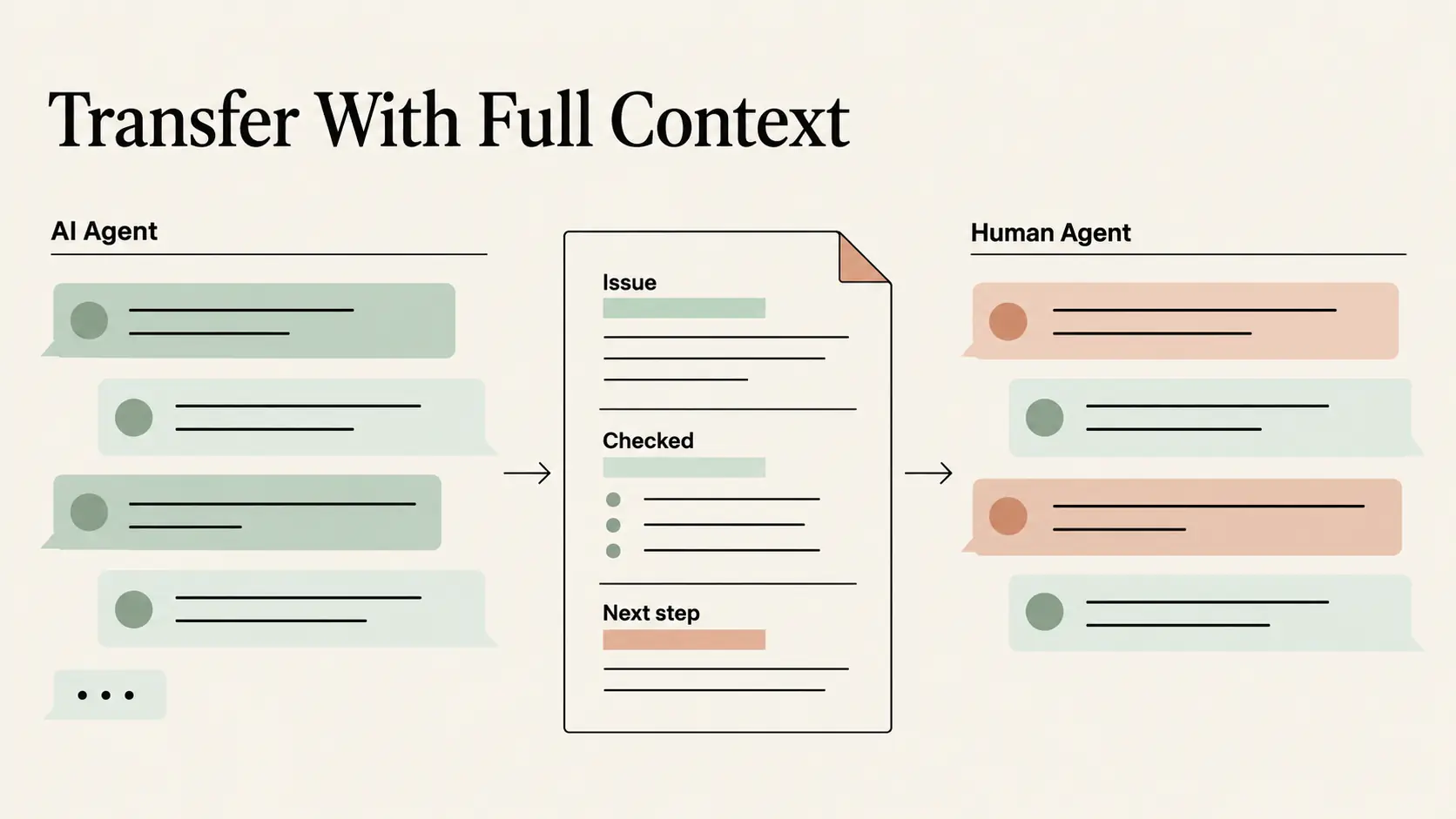
A transfer should move the issue forward. Before transferring, explain why another agent is needed and what will happen next.
Send the receiving agent a brief internal summary:
- Issue: Customer wants to change the delivery date.
- Checked: Order number, identity, and current delivery date.
- Action taken: Available dates reviewed.
- Next step: Delivery team must approve the requested date.
The receiving agent should read the summary and chat history before replying. The first message should confirm their understanding instead of asking the customer to repeat the issue.
17. Set safe limits for concurrent chats
Handling several chats at the same time can improve coverage, but too many active conversations reduce attention and accuracy.
Set limits according to:
- Issue complexity
- Agent experience
- Knowledge base quality
- Availability of saved replies and agent assistance
- Research requirements
- Customer satisfaction and error rates
Do not use one limit for every queue. An agent handling account security or technical problems may need fewer active chats than an agent answering basic product questions.
Watch for longer reply gaps, messages sent to the wrong customer, repeated questions, lower satisfaction, and rising reopen rates. If these appear as workload rises, reduce the limit and review staffing.
18. Make chat accessible on mobile devices and assistive technology
Test the complete chat experience across screen sizes and input methods.
Check that:
- Customers can open and close the widget easily
- Text remains readable without zooming
- The keyboard does not cover the message field
- The widget does not block payment or navigation buttons
- Links and buttons have clear labels
- Keyboard users can reach every control
- Screen readers can identify messages and form fields
- Colours have sufficient contrast
- Customers can return to the conversation after changing pages
Test the complete chat experience across screen sizes and input methods. Use WCAG 2.2 guidance to check areas such as keyboard access, readable text, clear labels, and colour contrast.
Automated accessibility tests can find technical faults, but they cannot evaluate the whole experience. Include manual testing and feedback from people who use assistive technology when possible.
19. Measure service quality with connected metrics
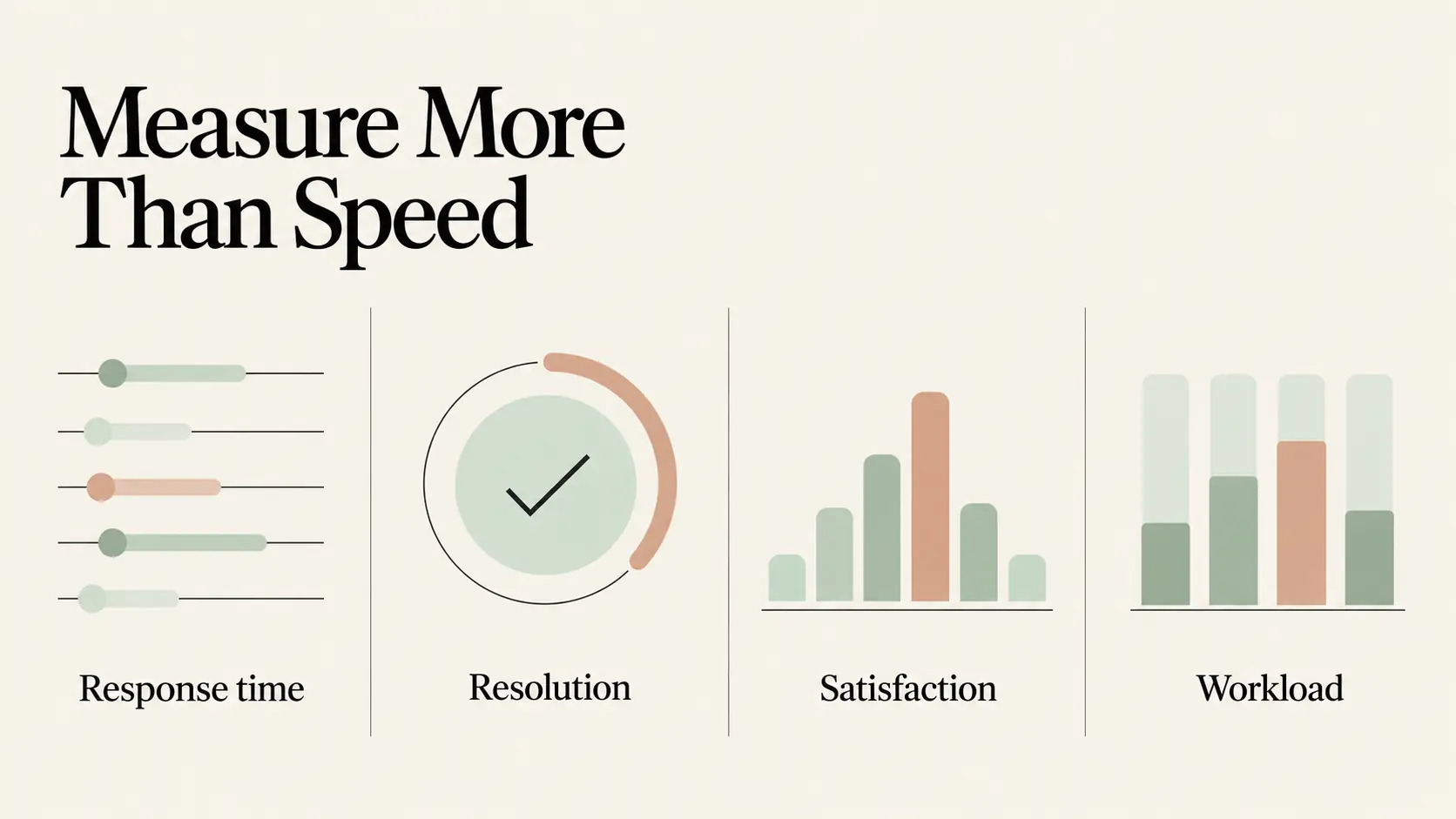
One number cannot explain live chat performance. Review speed, resolution, effort, workload, and satisfaction together.
Track:
- First response time: Time from the customer’s first message to the first agent reply
- Resolution time: Time required to resolve the issue
- First contact resolution: Percentage of issues resolved in the first conversation
- Customer satisfaction: The customer’s rating after the interaction
- Customer effort: How easy the customer found the support process
- Abandonment rate: Percentage of customers who leave before receiving help
- Transfer rate: Percentage of conversations moved to another agent or team
- Reopen rate: Percentage of resolved issues that return
- Agent workload: Number and type of active conversations handled
- AI resolution rate: “Percentage of requests eligible for AI that the AI completes without human assistance. Define what counts as completed and exclude unresolved chats that were merely closed.
Break the results down by queue, topic, hour, and agent experience. Team averages can hide a problem within one shift or conversation type.
Do not reward speed alone. Agents may close chats too early or send incomplete answers to protect their numbers. A healthy scorecard balances speed with accuracy, resolution, customer effort, and reopened issues.
20. Review real conversations and coach agents
Reports reveal patterns. Conversation reviews explain why those patterns exist. Review a fair sample across agents, queues, topics, transfers, and customer ratings.
Ask:
- Did the agent understand the issue?
- Was the information accurate?
- Did the response answer the customer’s question?
- Was the tone suitable?
- Did the customer repeat information?
- Was the transfer necessary?
- Did the agent explain the next step?
- Was the issue resolved?
- Was customer information handled correctly?
Use the findings for coaching and process improvement. If several agents make the same error, inspect the knowledge base, training, routing, or product instructions before treating it as an individual performance problem.
A Simple Live Chat Quality Review Process
Use a consistent process so reviews lead to action rather than a list of isolated comments.
- Select conversations from different ratings, topics, queues, and agents.
- Score accuracy, resolution, clarity, tone, process, and data handling.
- Record the reason for every low score.
- Group repeated causes, such as missing knowledge or poor routing.
- Assign each process issue to an owner with a review date.
- Coach agents with specific conversation examples.
- Check later conversations to confirm that the issue has improved.
This distinction matters. One unclear reply may require coaching. Ten unclear replies about the same policy usually point to the source material or process.
Live Chat Response Examples for Support Agents
Support agents need to keep live chat replies clear, polite, and focused on the customer’s issue. The right response also depends on where the conversation is and what the customer needs next.
1. Greeting a customer
Start with a friendly greeting and ask how you can help.
Ex: “Hi Sarah, thanks for contacting us. How can I help you today?”
2. Asking for information
Ask only for the details you need to check the issue.
Ex: “I can check that for you. Could you please share your order number?”
3. Explaining a delay
Let the customer know what you are checking and when they can expect an update.
Ex: “I’m checking the payment details now. I’ll update you as soon as I have more information.”
4. Responding to a frustrated customer
Acknowledge the customer’s concern before explaining what you will do next.
Ex: “I understand why this has been frustrating. I’m checking what happened and will see what we can do to fix it.”
5. Transferring a conversation
Explain why the chat needs to be transferred and let the customer know their information will be passed along.
Ex: “This needs help from our billing team. I’m transferring the chat now and will share the details you’ve already provided so you don’t have to repeat them.”
6. Confirming a resolution
After making a change or solving an issue, confirm the result with the customer.
Ex: “Your delivery date has been changed to Friday. Does that resolve the issue for you?”
7. Closing with a clear next step
If the issue needs follow-up, give the customer a clear timeline and reference number.
Ex: “I’ve sent your case to our technical team. You’ll receive an email update within one business day. Your case number is 48217.”
Use Response Examples as Guidelines
These examples should guide agents rather than serve as fixed scripts. A good live chat response should match the customer’s question, tone, and situation while clearly explaining what happens next.
Agents should also avoid repeating information the customer has already provided and give a specific next step whenever possible.
Common Live Chat Mistakes to Avoid
Avoiding common live chat mistakes can help agents respond faster and give customers clearer answers.
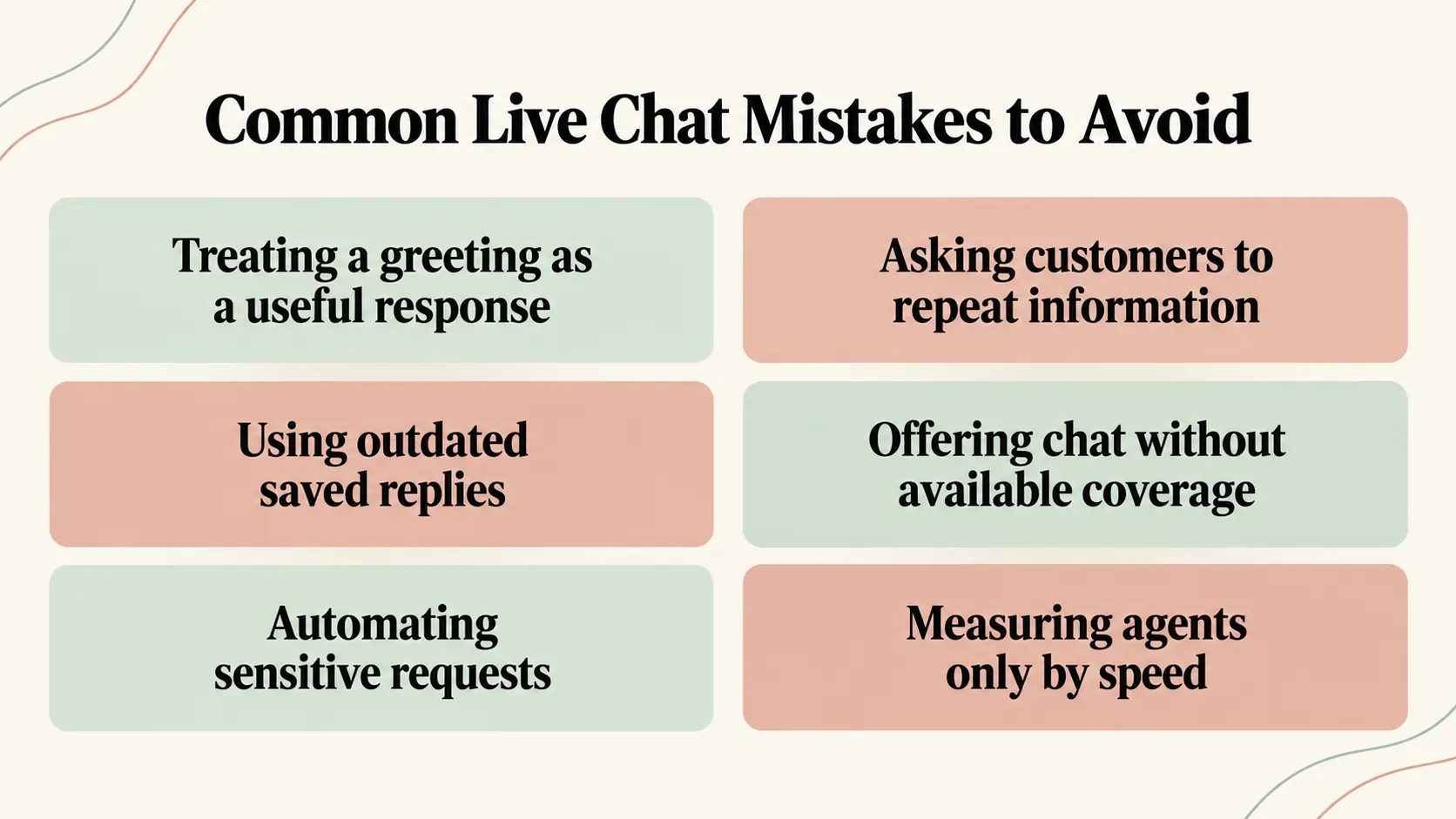
1. Treating a greeting as a useful response
A fast “Hello” does not help if the customer then waits several minutes. Review the time to the first meaningful answer as well as the first agent message.
2. Asking customers to repeat information
Read the opening form, conversation history, notes, and transfer summary before requesting the same details again.
3. Using outdated saved replies
Review saved content when products, prices, processes, or policies change. Remove duplicate versions that can confuse agents.
4. Offering chat without available coverage
Display accurate support hours, queue information, and offline options. Do not suggest that a person is available when the team is offline.
5. Automating sensitive requests
Require human review for security concerns, unusual refunds, legal issues, sensitive data, and actions with serious consequences.
6. Measuring agents only by speed
Review response speed beside accuracy, resolution, customer effort, satisfaction, and reopened issues.
Live Chat Security and Privacy
Agents may see names, contact details, account records, orders, and conversation history. Give them clear rules for handling this information.
Your policy should define:
- What agents may request
- What customers must never share through chat
- Who can view transcripts
- How access permissions are assigned
- How long records are retained
- How sensitive cases are escalated
- How information is protected during transfers
- How access is removed when an employee changes roles or leaves
Choose a chat provider that protects customer information. Decide who can see chat records and how long they are kept. If customers discuss payments in chat, follow the PCI Security Standards Council’s guidance on what agents can ask for or save.
Live Chat Best Practices Checklist
Use this checklist to make sure your live chat is ready before customers start reaching out.
Before opening chat
- Define the purpose of each queue
- Set response and resolution targets
- Publish support hours
- Create routing and escalation rules
- Set concurrent chat limits
- Train agents and prepare approved replies
- Test mobile access and accessibility
- Confirm privacy and security requirements
During conversations
- Read the complete customer message
- Check available history
- Ask focused questions
- Keep messages easy to read
- Explain delays
- Transfer context with the conversation
- Confirm the result before closing
After conversations
- Collect focused feedback
- Review response and resolution data
- Check transferred and reopened conversations
- Identify repeated questions
- Update knowledge and saved replies
- Coach agents with real examples
How REVE Chat Supports Better Live Chat Service
REVE Chat brings live conversations, customer information, AI support, and agent tools into one customer engagement platform.
The Live Chat Inbox brings customer conversations into one place. Wize AI Agent answers common questions and passes chats to a person when needed. AI Copilot helps agents write replies.
Teams can also use routing, ticketing, visitor tracking, co-browsing, and conversation reports to support the practices covered in this guide.
Start with the questions customers ask most often. Build accurate knowledge, set clear handoff rules, and review the results before giving automation access to additional requests.
Final Thoughts
The value of live chat is not measured by how quickly an agent says hello. It comes down to how quickly and easily the customer gets the right answer or solves their problem.
Start by reviewing your busiest chat hours, checking why conversations are transferred, and reading a sample of recent chats. These simple checks can show where customers are waiting, repeating information, or leaving without a solution.
The right live chat best practices should address these problems directly. Better staffing, useful knowledge resources, clear routing, defined AI limits, and regular agent coaching can help your team provide faster and more helpful support.
Frequently Asked Questions
Set realistic response targets, route chats correctly, review customer history, provide direct answers, explain delays, transfer full context, protect customer information, and measure resolution beside speed.
There is no single target for every company. Set one using customer expectations, support hours, chat volume, staffing, and issue complexity. Review response time with satisfaction, abandonment, and resolution results.
Study busy hours, adjust staffing, improve routing, maintain approved saved replies, and give agents reliable customer information. Set workload limits so faster service does not reduce accuracy.
Acknowledge the problem without arguing. Ask focused questions, explain what you are checking, and provide a clear next step. Escalate when another person has the required expertise or authority.
AI can handle approved routine requests and help agents find information. Human agents should remain available for sensitive, complex, unusual, and high-risk cases. Use verified knowledge, permission limits, and clear transfer rules.
Track first response time, resolution time, first contact resolution, customer satisfaction, customer effort, abandonment, transfers, reopened issues, agent workload, and AI resolution. Review the metrics together rather than judging performance through one number.
Keep conversation history available, connect related tickets, create clear internal notes, and send an issue summary with every transfer. The receiving agent should review the context before replying.
Build AI-powered support with Wize AI
Connect business knowledge, automate support conversations, and improve response quality without managing a complex AI stack.
Explore Wize AI Agent Rate the article

MD. Shadman Sabik Zaim
Assistant Marketing Manager
MD. Shadman Sabik Zaim is the Assistant Marketing Manager at REVE Chat. With a strong writing background, he contributes with high quality SaaS and tech blogs, educating interested readers on a variety of topics.
View all articles
Give Customers Faster, Better Support
REVE Chat Live Chat helps your team respond to customers in real time, manage conversations from one place, and provide support across multiple channels.
Try It Today!