


REVE Chat v6.6.2: Introducing AI Agent Voice Calling for Campaigns and Live Chat
- November 10, 2026
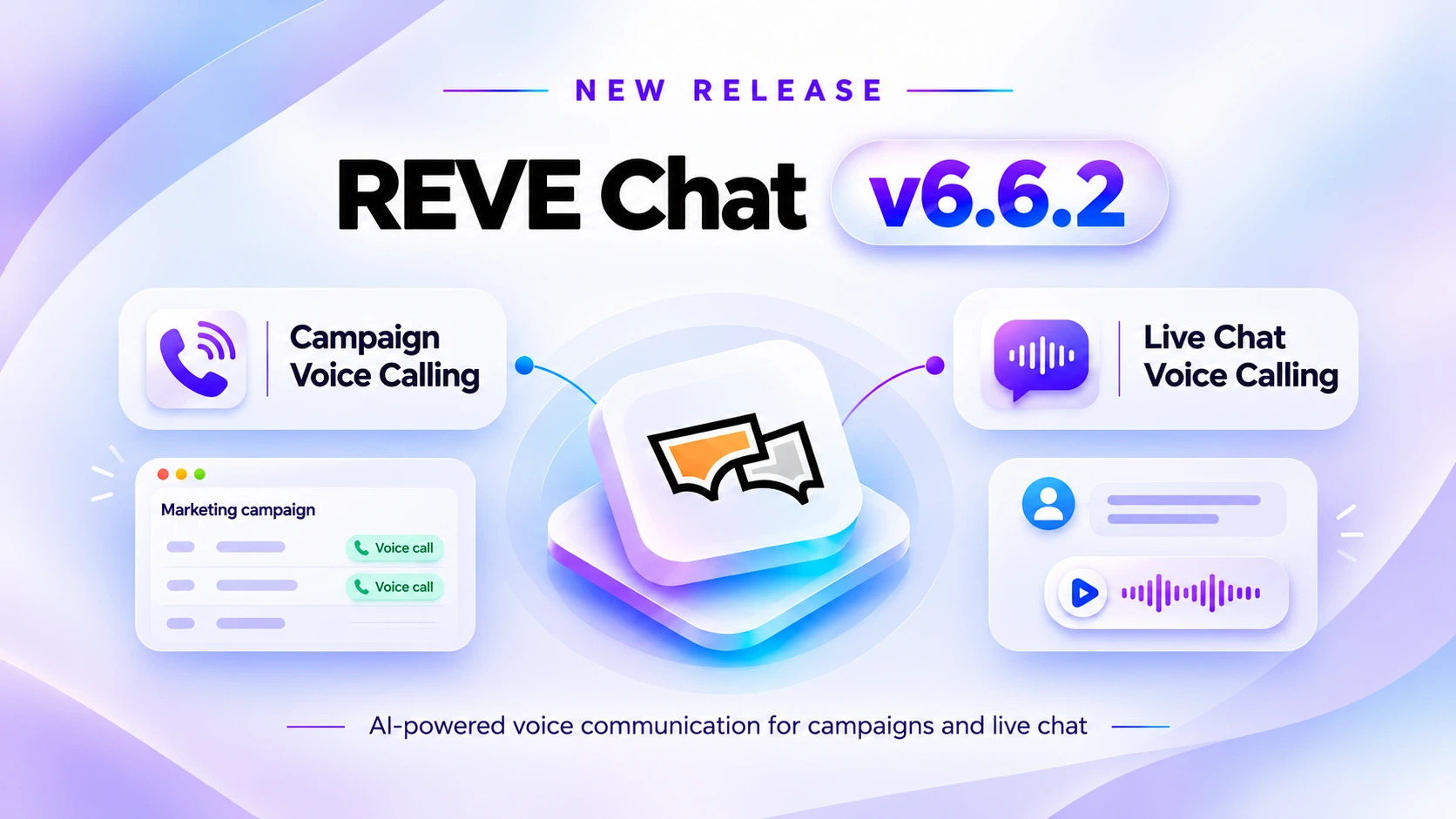
Customer communication is no longer limited to typing messages or waiting for a human agent to answer a call. Sometimes, a quick voice conversation is the most effective way to answer a question, follow up on a request, or help a customer make a decision.
With REVE Chat v6.6.2, we’re expanding our AI-powered voice capabilities with the introduction of AI Agent Voice Calling, bringing automated calling and interactive voice conversations into two important areas of customer engagement.
This release introduces two new capabilities:
- Campaign Voice Calling: Automatically reach customers through AI-powered outbound voice campaigns.
- Live Chat Voice Calling: Let customers communicate directly with AI Agents through two-way voice calls within Live Chat.
Together, these features help businesses connect with customers through voice, whether they’re proactively reaching out or responding to someone already looking for assistance.
1. Campaign Voice Calling: Automate Customer Outreach with AI
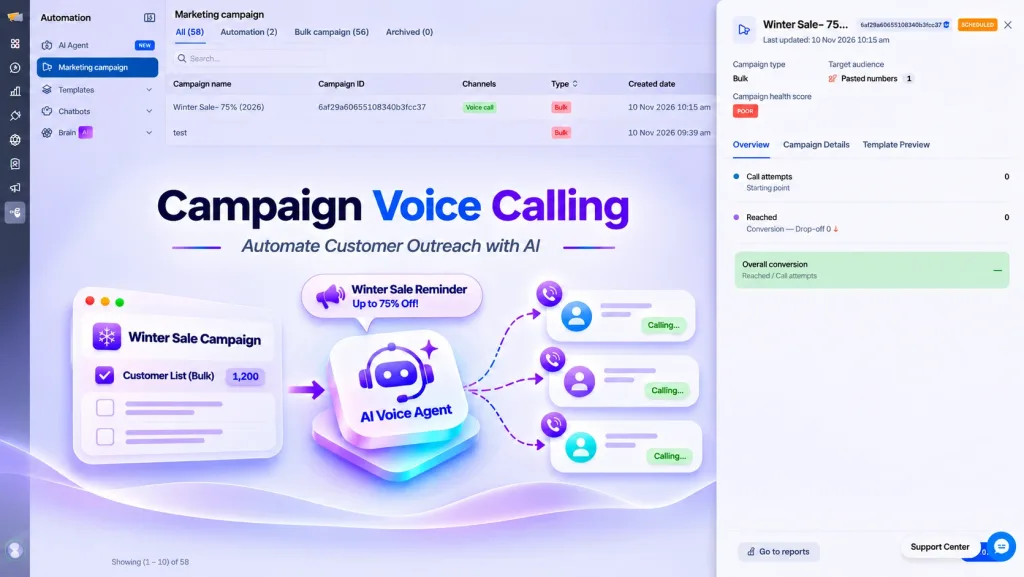
Following up with customers, reminding them about important updates, or reaching out to a large contact list can require significant time and resources.
With the new Campaign Voice Calling feature, businesses can create AI-powered outbound calling campaigns directly from REVE Chat.
Instead of manually calling individual customers, teams can configure a campaign, select their target audience, prepare the voice message, and let AI-powered calling handle the outreach.
The feature is designed to support different business communication needs, from promotional campaigns to customer follow-ups and service-related notifications.
Create Bulk or Automated Voice Campaigns
The updated Marketing Campaign section provides a centralized workspace for managing outbound communication.
Businesses can organize their campaigns into two categories:
Bulk Campaigns
Bulk campaigns let businesses contact a selected group of customers through automated voice calls.
For example, an ecommerce business preparing for a seasonal sale can create a campaign to inform existing customers about an upcoming offer.
Instead of assigning the entire calling process to support or sales representatives, the business can prepare the campaign and initiate automated outreach through Voice AI.
Automation Campaigns
Automation campaigns provide another way to organize AI-powered calling activities within automated campaign workflows.
This gives businesses flexibility to manage different outreach requirements without treating every campaign as a one-time bulk operation.
The Marketing Campaign dashboard also provides separate views for All Campaigns, Automation, Bulk Campaigns, and Archived Campaigns.
Users can review campaign names, channels, campaign IDs, creation dates, recent updates, and operational statuses from the same interface.
This makes it easier to organize campaign activity and identify whether a campaign is active, inactive, or completed.
Flexible Audience Selection
A successful outreach campaign begins with reaching the right customers.
To make audience selection more convenient, REVE Chat introduces multiple options for adding campaign recipients.
Businesses can select audiences from:
- Contact Segments: Choose an existing customer segment for targeted outreach.
- Previous Campaigns: Select an audience based on a previous campaign’s outcome.
- Excel or CSV Files: Upload a prepared contact list for bulk calling.
- Pasted Phone Numbers: Enter customer phone numbers directly for smaller campaigns or quick outreach.
These options help businesses work with their existing contact information instead of manually preparing every campaign from scratch.
For example, a customer service team can prepare a list of customers requiring follow-up calls, while a sales team can use an existing contact segment for a promotional campaign.
Customize the AI Voice and Calling Script
Businesses can customize how their outbound calls sound and what information the AI delivers.
During campaign creation, users can select a Voice Character and Language that suit their communication requirements.
REVE Chat also provides two options for preparing the opening call content.
- Text-to-Speech: Write the calling script and have the selected AI voice deliver it during the call.
- Upload Audio: Upload a prerecorded MP3 or WAV file to use as the audio content.
The script editor supports variables such as customer names, making it possible to personalize supported parts of the calling message.
Businesses can also review the script and listen to the selected voice before proceeding with the campaign.
The built-in Selected Template Preview provides an audio player, voice selection, sample playback, and a view of the spoken script.
This helps teams check how their message will sound before launching outreach to customers.
Manage Call Disclosures
Transparency is important when introducing AI into customer communication.
The campaign configuration includes options for an AI Disclosure and a Recording Notice.
Businesses can configure these announcements to inform customers that they are speaking with an AI system or that a call may be recorded.
These settings support more transparent customer communication and help businesses prepare campaigns according to their applicable disclosure requirements.
Control When and How Calls Are Made
Not every customer should receive a call at the same time.
The Delivery section gives businesses greater control over campaign timing and calling activity.
Send Now or Schedule for Later
Businesses can initiate a campaign immediately or schedule it for a specific date and time.
This is useful for time-sensitive announcements, planned promotions, and customer follow-up activities.
Contact-Local Calling Hours
Campaigns can be configured to place calls during a selected local-time window for each contact.
For businesses operating across regions, this helps align calling activity with customers’ local hours rather than relying on a single time zone.
Daily Sending Allowance
The campaign interface displays the available daily sending capacity, helping teams understand how many sends remain for the selected day.
Allow Inbound Conversations
Businesses can enable an option that allows the AI Agent to answer incoming calls when customers call back the configured campaign number.
This extends the communication experience beyond the initial outbound call by providing an AI-powered response channel for callbacks.
Voice Capacity and Pacing
The platform also includes controls for managing voice capacity and pacing, allowing businesses to regulate calling activity according to configured operational limits.
Together, these settings give teams more control over how their voice campaigns operate.
Review Everything Before Launching
Before activating a campaign, users can review its settings in a dedicated Review Broadcast screen.
The summary includes the campaign name, calling channel, target audience, script source, selected voice and language, disclosures, sending schedule, contact-local hours, inbound conversation settings, and voice pacing configuration.
Businesses can check these details and return to previous steps when changes are required.
This final review helps reduce configuration mistakes and ensures the campaign is prepared according to its intended outreach requirements.
2. Live Chat Voice Calling: Let Customers Talk Directly to AI Agents
Not every customer prefers typing.
Some questions are easier to explain verbally, particularly when customers need detailed product guidance, have multiple questions, or are trying to describe a complicated issue.
With Live Chat Voice Calling, REVE Chat introduces another way for customers to interact with AI Agents.
Customers can now engage in two-way voice communication with an AI Agent through Live Chat, creating a more conversational experience without relying entirely on text messages.
Go Beyond Text-Based AI Conversations
Traditional chat interactions require customers to type their questions and read the responses.
While this works well for many situations, it may not always be the most convenient option.
Live Chat Voice Calling allows customers to speak with an AI Agent and receive spoken responses during the conversation.
Instead of exchanging recorded voice messages or relying only on text, customers and AI Agents can communicate through a live, two-way voice interaction.
For example, consider a customer browsing an online store who wants to understand the differences between two products.
Rather than typing several questions, the customer can explain their requirements verbally and continue the conversation with the AI Agent through voice.
The experience is designed to make customer interaction more convenient, especially when explaining a question through speech is easier than typing it.
More Natural Customer Engagement
Two-way voice communication creates opportunities for businesses to support different customer preferences.
Customers can describe what they need, ask follow-up questions, and interact with the AI Agent through spoken conversation.
This can be particularly useful for:
- Product and Purchase Assistance : Customers can discuss product requirements, ask questions, and seek clarification before making a purchase.
- Customer Support: Customers can explain their concerns verbally instead of typing lengthy descriptions of their problems.
- Service Inquiries: Businesses can provide a voice-based communication option for customers looking for information about services, policies, or processes.
- Customer Accessibility and Convenience: Voice interaction provides an additional communication method for customers who prefer speaking or find typing less convenient.
- By bringing two-way AI voice communication into Live Chat, REVE Chat gives businesses another way to assist customers while keeping the experience within their existing customer engagement platform.
3. Bringing Proactive and Customer-Initiated Voice Communication Together
One of the most important aspects of REVE Chat v6.6.2 is how it expands the use of AI-powered voice communication across different customer engagement situations.
Campaign Voice Calling focuses on proactive communication.
Businesses can reach customers through automated outbound calls for announcements, follow-ups, promotional outreach, and other communication needs.
Live Chat Voice Calling focuses on customer-initiated communication.
When customers visit a website and need assistance, they can communicate with the AI Agent through voice instead of relying entirely on text.
These capabilities serve different purposes but contribute to the same objective: making customer communication more accessible, efficient, and flexible.
For example, an ecommerce business might use outbound voice campaigns to notify selected customers about an upcoming sale. At the same time, customers visiting its website can use Live Chat Voice Calling to discuss product questions with an AI Agent.
Similarly, a service business can use campaign calling for customer reminders while offering two-way AI voice conversations to people seeking assistance through Live Chat.
Businesses can choose the approach that best fits each customer interaction.
4. Getting Started with AI Agent Voice Calling Marketing Campaign
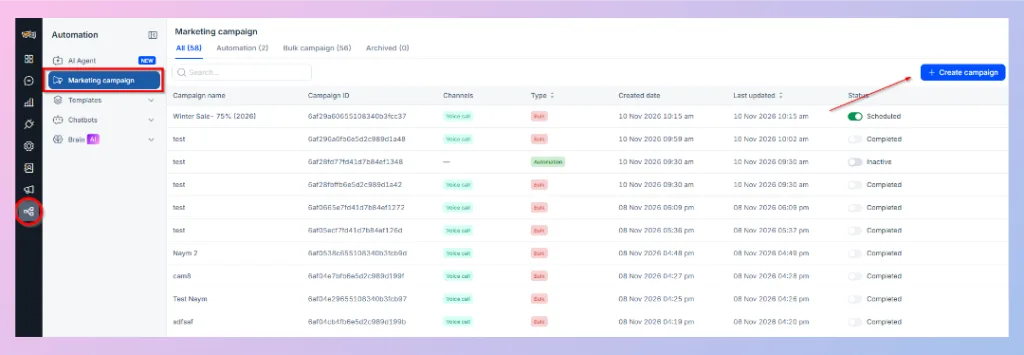
REVE Chat has introduced a structured campaign creation process to help businesses configure outbound voice communication.
To create a new voice campaign:
Step 1: Open Marketing Campaign
Navigate to Automation → Marketing Campaign and select Create Campaign.
Step 2: Configure Basic Information
Enter the campaign name, choose the campaign type, select the Voice AI channel, and configure an eligible SIP caller number with outgoing calling enabled.
Step 3: Select Audience and Prepare the Script
Choose the audience source, add your target contacts, configure the voice character and language, and prepare your text-to-speech script or audio file.
Review the spoken content using the available preview options.
Step 4: Configure Delivery
Choose whether to send the campaign immediately or schedule it for later.
Set additional options such as contact-local calling hours, inbound callbacks, and voice capacity or pacing as required.
Step 5: Review and Launch
Check the campaign summary, verify the configuration, and proceed to schedule or initiate the campaign.
Once created, campaigns can be viewed and managed from the Marketing Campaign dashboard.
For Live Chat, the new voice calling capability extends AI Agent communication into live spoken interactions, allowing customers to engage with AI Agents through the Live Chat experience.
5. What This Update Means for Businesses
With the introduction of AI Agent Voice Calling, REVE Chat continues to expand beyond traditional text-based customer engagement.
Businesses now have more flexibility in how they communicate with customers, whether that means reaching hundreds of contacts through a planned outbound campaign or helping an individual customer through a live voice conversation.
The release offers several practical advantages.
Less Manual Work for Outbound Communication
AI-powered campaigns can reduce the need for repetitive manual calls when contacting selected customer groups.
More Flexible Customer Experiences
Customers have an additional option to communicate through spoken conversations instead of relying exclusively on text.
Better Control Over Voice Campaigns
Audience selection, script configuration, scheduling, calling windows, and pacing settings help businesses organize outbound communication more effectively.
More Opportunities for Customer Engagement
Voice creates another communication option for businesses handling sales inquiries, customer follow-ups, service requests, and support conversations.
Moving Customer Engagement Beyond Text
REVE Chat v6.6.2 marks another step in expanding AI-powered customer communication.
With Campaign Voice Calling, businesses can proactively reach customers through automated voice campaigns. With Live Chat Voice Calling, customers can have direct, two-way spoken conversations with AI Agents when they need assistance.
Both capabilities extend the ways businesses can connect with customers, combining AI-powered automation with more flexible communication experiences.
As customer expectations continue to evolve, REVE Chat is working to make voice an increasingly useful part of everyday customer engagement.
Ready to explore AI Agent Voice Calling?
Discover how REVE Chat can help your business automate outbound customer calls and introduce two-way AI voice communication into Live Chat.
