



Copilot For Live Chat
- September 30, 2025
- 2 mins read
Table of Content
Copilot provides AI-powered assistance while an agent is communicating with a customer. It can help agents understand messages, find relevant information, generate responses, improve their writing, and quickly understand long conversations.
REVE Chat currently provides Copilot for message/reply translation, AI suggestions, AI Generated Reply, Smart Rewrite, Chat summarization, and sentiment-related assistance as part of the Copilot experience.
AI Message Translation
When a customer writes in another language, agents can translate the customer’s message directly inside the conversation.
Hover over the customer message and use the available Translate option. Agents can then choose the required language and view the translated message.
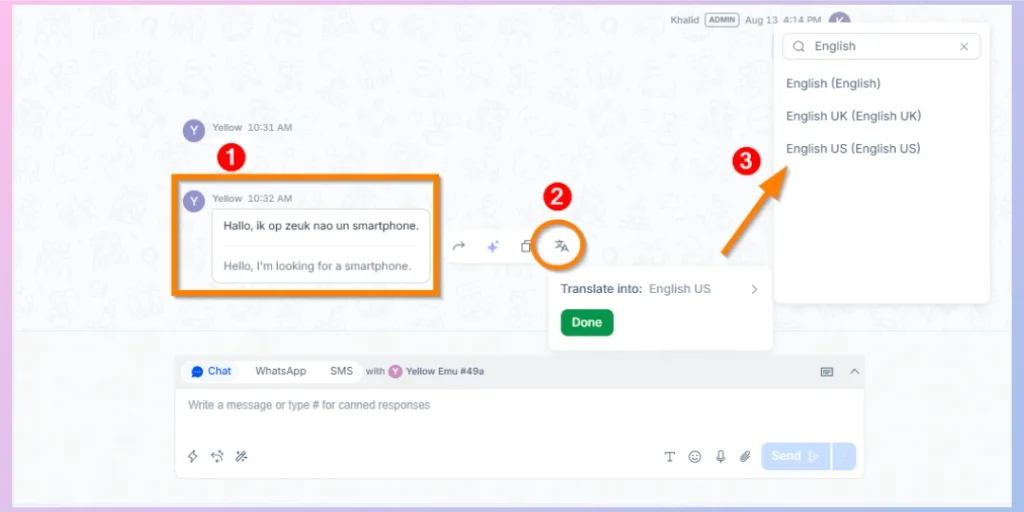
When replying, agents can also use AI Assistance → Translate Into to translate their own response into the customer’s preferred language.
Send Question to Copilot and Take Assistant
When an agent needs help answering a complex customer’s question, the message can be sent to Copilot.
Hover over the relevant customer message and select Send to Co-Pilot.
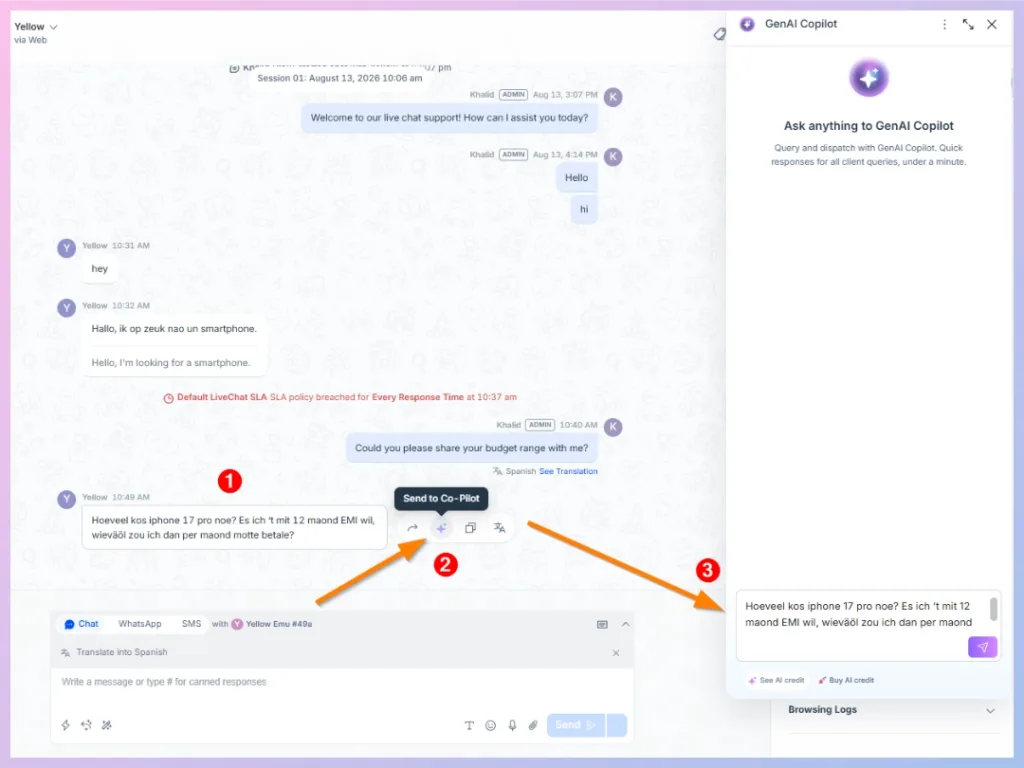
Copilot opens in a panel and searches the available trained knowledge to provide information relevant to the customer’s request. Agents and administrators can also use the Copilot panel to ask other knowledge-related questions while working on the conversation.
AI Reply
Use AI Reply when you want Copilot to generate a response based on the customer’s latest message.
Copilot analyzes the message and prepares a suggested response for the agent.
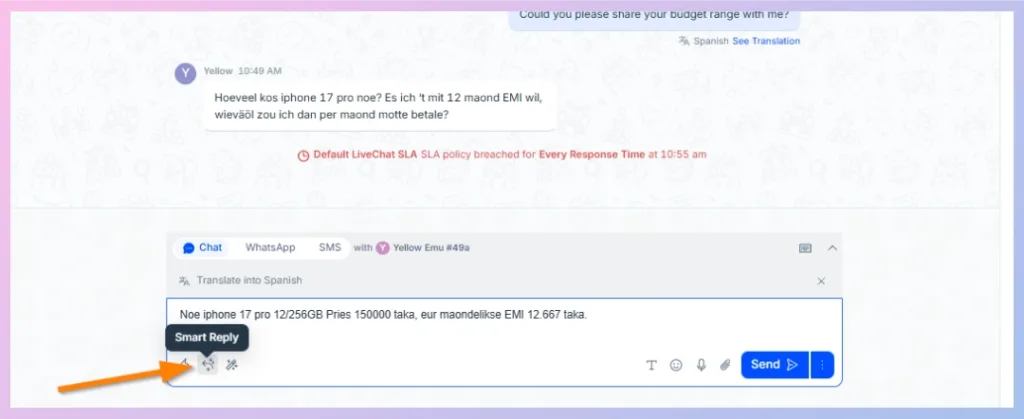
Always review the generated response before sending it to the customer, particularly when the conversation involves account-specific, financial, policy, or other sensitive information.
Smart AI Rewrite
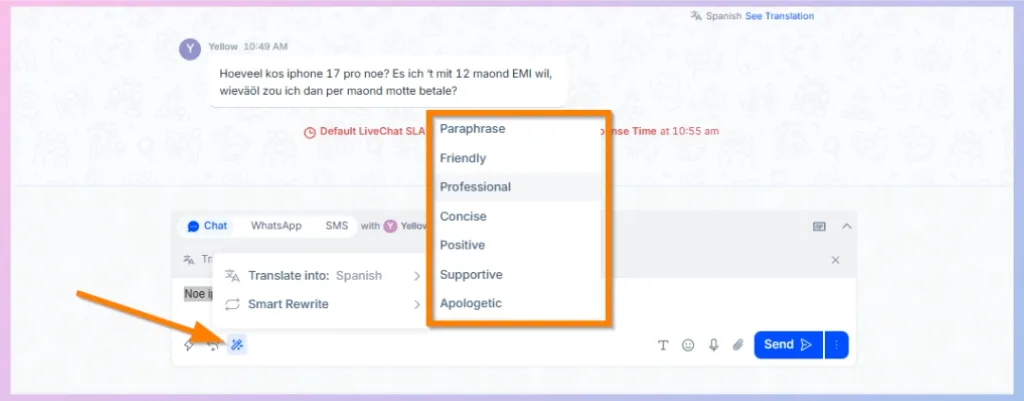
Smart Rewrite helps improve a message that the agent has already written.
From AI Assistance, select Smart Rewrite and choose the appropriate writing style.
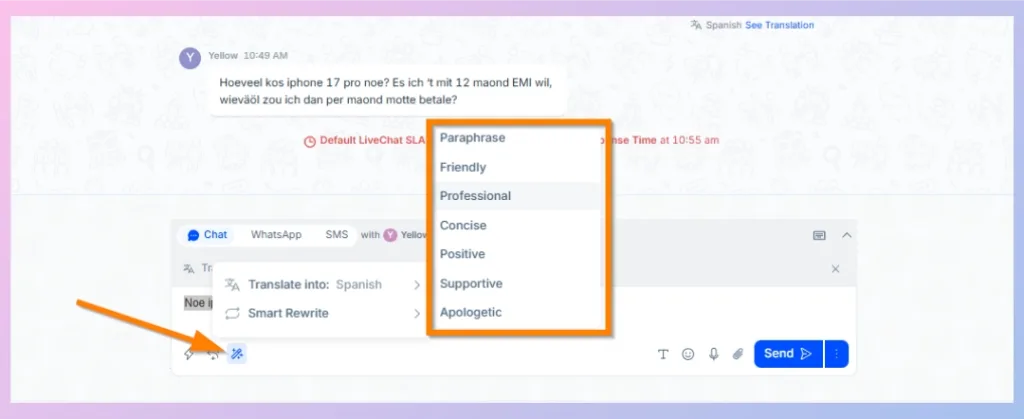
This is useful when the information in your response is correct but you want to improve its clarity or tone before sending it.
Chat Summarization
Long conversations can be difficult to review, especially when a chat is transferred from one agent to another.
Chat Summarization creates a concise summary of the conversation so the receiving agent can quickly understand what has already happened.
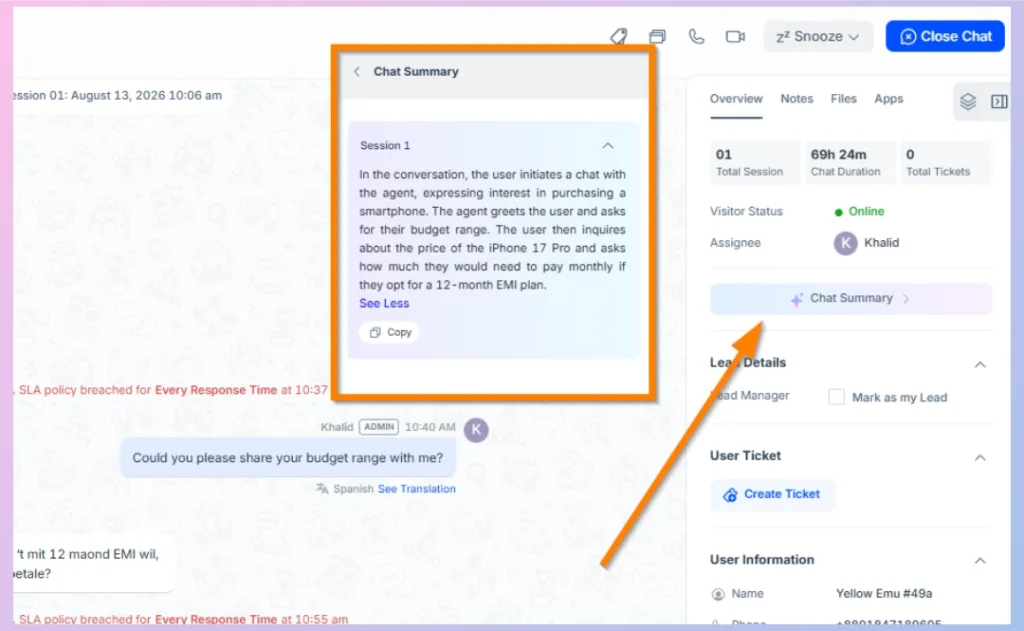
When chat summarization is enabled, REVE Chat can automatically provide the transferred conversation summary to the newly assigned agent.

 Start free trial