



REVE Chat v6.6.1: New Features, Improvements & Bug Fixes
- October 27, 2026
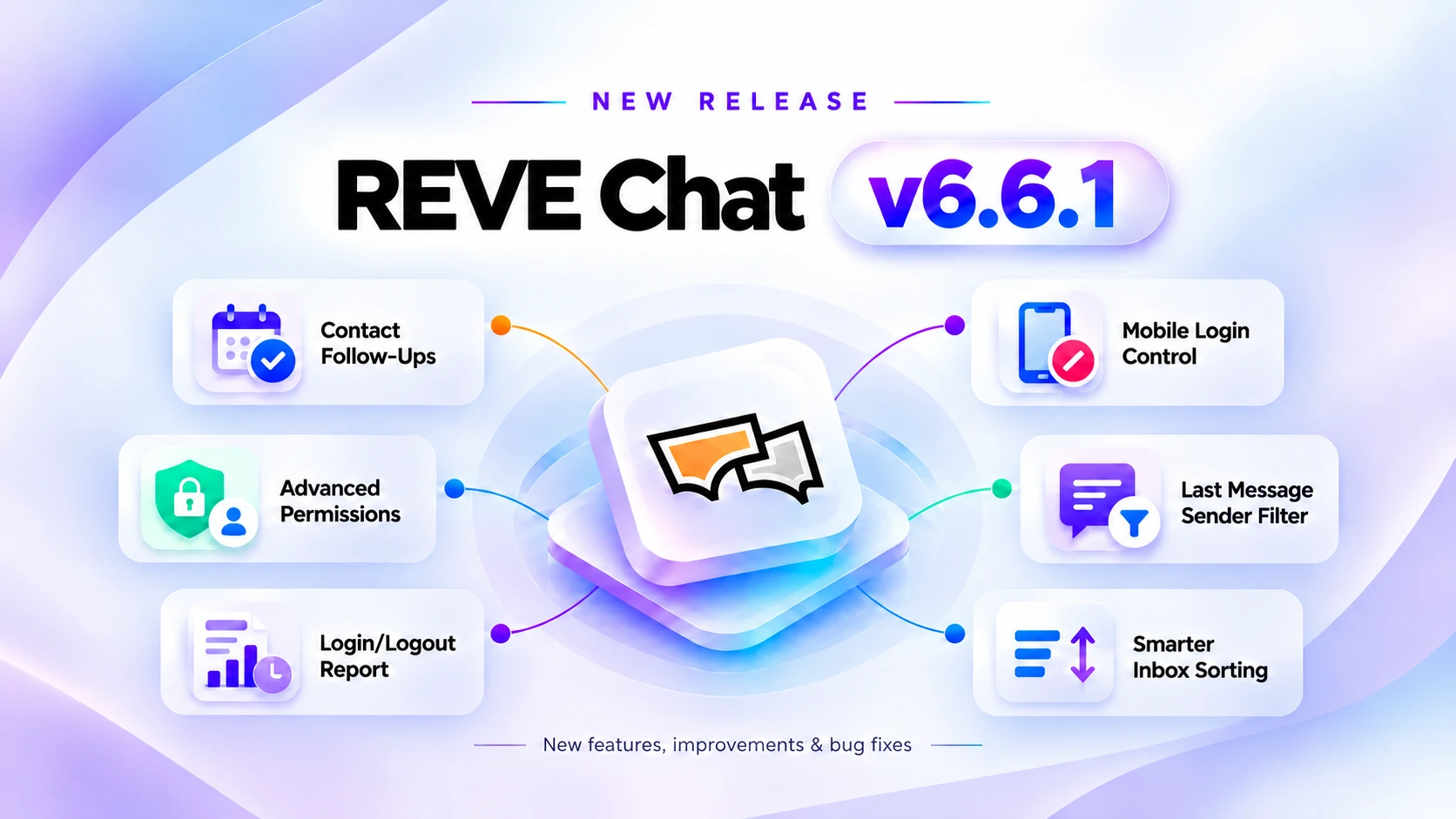
REVE Chat v6.6.1 introduces new capabilities to help businesses manage customer follow-ups, monitor agent activity, and control team access more effectively. This release also brings improvements to Inbox sorting, media playback, and Google Review integration, making everyday customer support more organized and efficient.
Here’s what’s new in REVE Chat v6.6.1.
New Releases
1. Contact Follow-Up Management
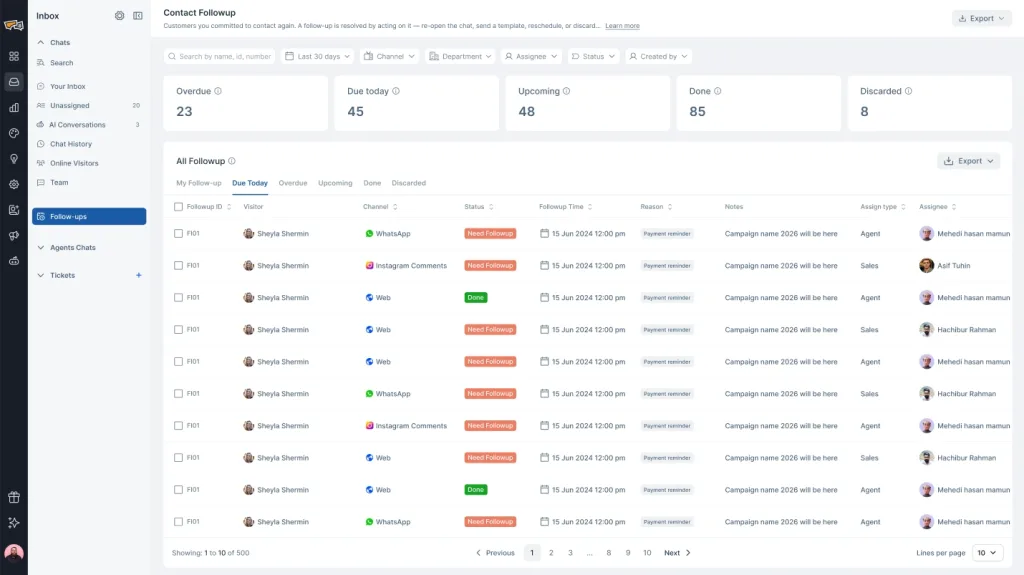
Keeping track of customer commitments is now easier with the new Contact Follow-up feature. Agents can schedule follow-ups directly from customer conversations or Chat History, assign them to team members, and manage everything from a dedicated Follow-ups workspace.
Each follow-up includes a scheduled date and time, follow-up reason, assigned agent or department, and optional internal notes. Unlike regular chat reminders, follow-ups remain active even after a conversation is closed, ensuring important customer commitments are not forgotten.
Key Highlights:
- Dedicated Follow-ups Workspace: Organize scheduled follow-ups using My Followup, Overdue, Due Today, Upcoming, Done, and Discarded views.
- Flexible Assignment: Assign follow-ups to specific agents, departments, or any available agent.
- Channel-Aware Follow-Ups: Identify whether a customer can be contacted directly or requires a supported messaging campaign based on the channel’s messaging window.
- Follow-Up Tracking: Search, filter, reschedule, complete, or discard follow-ups while keeping their details linked to customer conversations.
- Team Visibility: Administrators can manage follow-up reasons and monitor pending, overdue, and completed follow-ups.
Note: Contact Follow-up operates independently of conversation status. Closing a chat does not cancel its scheduled follow-up. The feature manages follow-up tasks; it does not automatically send customer messages at the scheduled time.
This helps support teams stay on top of promised callbacks, pending requests, unresolved issues, and future customer interactions without relying on manual reminders.
2. Advanced Role Management and Permissions
Administrators now have more detailed control over user access and permissions across REVE Chat.
The expanded Role Management system allows businesses to determine which actions agents and team members can perform based on their responsibilities. Instead of providing the same permissions to every user, administrators can configure access for specific features and operational areas.
Key Highlights:
- Inbox Permissions: Control access to bulk replies, chat transfers, bulk closing, chat snoozing, and other Inbox actions.
- AI Agent Conversations: Manage permissions for assigning and taking over AI Agent conversations.
- Customer Information: Configure view and edit access for customer details, custom attributes, labels, and tickets.
- Administrative Settings: Manage access to routing policies, ticket settings, security configurations, and other system controls.
- Reports and Analytics: Restrict access to supported AI Agent reports, agent activity reports, and advanced analytics.
For example, an administrator can allow agents to respond to customers while restricting their ability to snooze conversations or modify customer attributes.
These additional controls help businesses establish clearer responsibilities, protect sensitive information, and maintain more consistent support operations.
3. Agent Login and Logout History
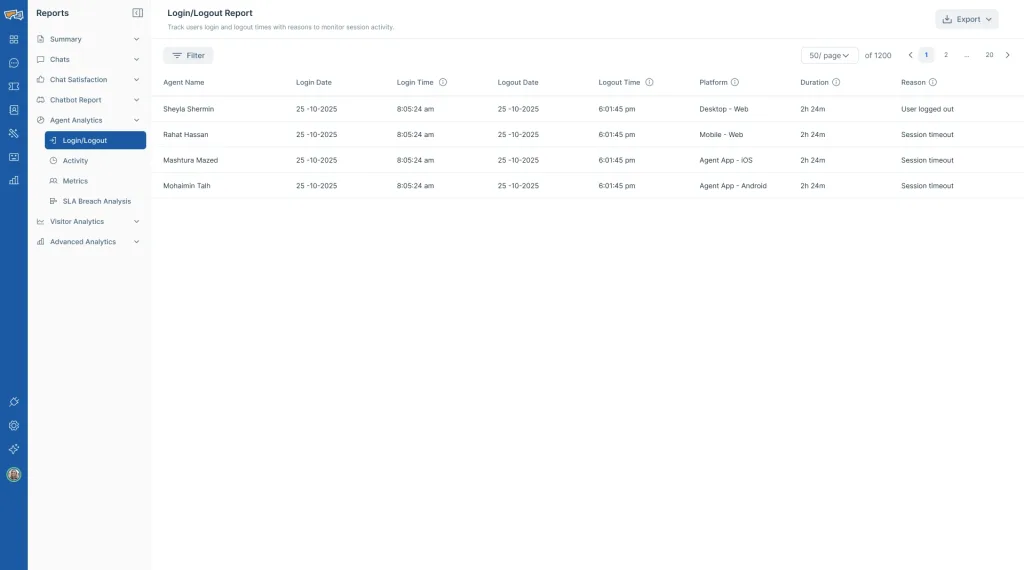
The new Agent Login/Logout Report gives administrators a centralized view of agent access activity across REVE Chat.
Supervisors can monitor when agents log in, when they log out, how long their sessions last, and which platforms they use.
The report includes the following information:
- Access Platform: Identify sessions from desktop browsers, mobile browsers, and REVE Chat Agent mobile applications.
For example, supervisors can review an agent’s login history during a particular shift to understand their system access and session duration.
Note: Login/Logout History tracks system access activity, not the amount of time an agent actively spends responding to customers.
This provides better visibility into agent access patterns and helps supervisors manage team accountability.
4. Mobile Device Login Restrictions
Businesses can now control whether support agents are allowed to access REVE Chat from mobile devices.
Administrators can configure mobile login restrictions based on their organization’s security policies and operational requirements.
Key Highlights:
- Mobile Web Access: Allow or restrict agent logins through mobile web browsers.
- Agent Mobile App Access: Allow or restrict logins through the REVE Chat Agent application.
- Login Restrictions: When access is disabled, affected mobile login attempts are blocked with an appropriate message.
- Flexible Configuration: Administrators can update these restrictions whenever business requirements change.
Note: Restricting mobile access does not affect permitted logins through desktop or laptop web browsers.
This gives organizations greater flexibility to enforce device-access policies while maintaining control over how their support teams access REVE Chat.
5. Last Message Sender Filter in Chat History
Finding conversations based on the most recent sender is now easier with the new Last Message Sender filter.
Available in My Chat and Agent’s Chat history, this filter helps agents and supervisors quickly identify conversations based on who sent the latest message.
The filter provides two options:
- Agent: Display conversations where the most recent message was sent by a support agent.
- Visitor: Display conversations where the most recent message was sent by a customer.
Users can combine this filter with existing options, including date range, channel, department, and agent, to narrow their search.
For example, a supervisor can select Visitor to find conversations where customers sent the last message and review whether any require additional attention.
Note: A conversation ending with a visitor message does not necessarily mean the conversation is unresolved. The filter identifies the last message sender, not the conversation’s resolution status.
This makes reviewing conversation history more efficient and helps teams identify potential follow-up opportunities.
Improvements
1. Smarter Inbox Sorting with Highest Wait Time
We’ve improved message sorting in Your Inbox to help support agents prioritize customers who have been waiting longer for a response.
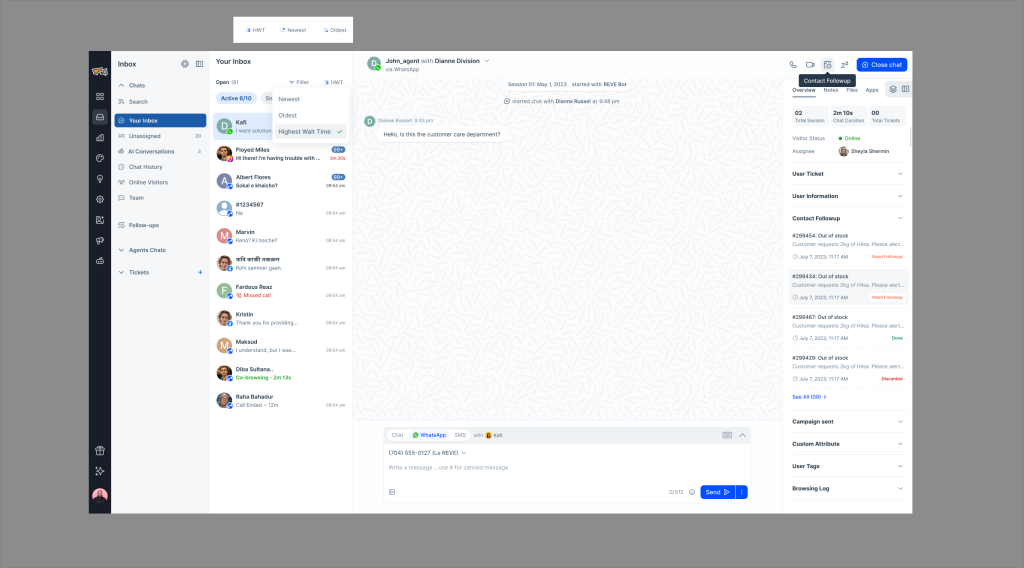
Alongside the existing Newest Message and Oldest Message sorting options, agents can now use Highest Wait Time to organize conversations based on customer waiting time.
Available Sorting Options:
- Newest Message: Sort conversations based on the most recent message time.
- Oldest Message: Sort conversations based on the oldest last-message time.
- Highest Wait Time: Prioritize conversations according to how long customers have been waiting since their latest unanswered message group began.
Example: If one customer has been waiting seven minutes while another has been waiting two minutes, the Highest Wait Time option helps agents identify the customer who has been waiting longer.
Note: Highest Wait Time is different from Oldest Message. It considers the customer’s current waiting period for an agent response, rather than simply sorting by the timestamp of the last message.
This improvement makes it easier to prioritize waiting customers, organize busy conversation queues, and manage response times more effectively.
2. Uninterrupted Voice and Video Playback Across Conversations
We’ve improved media playback to make multitasking easier for support agents handling multiple conversations.
Previously, switching to another chat while listening to a customer voice message could interrupt playback, requiring the agent to restart the recording.
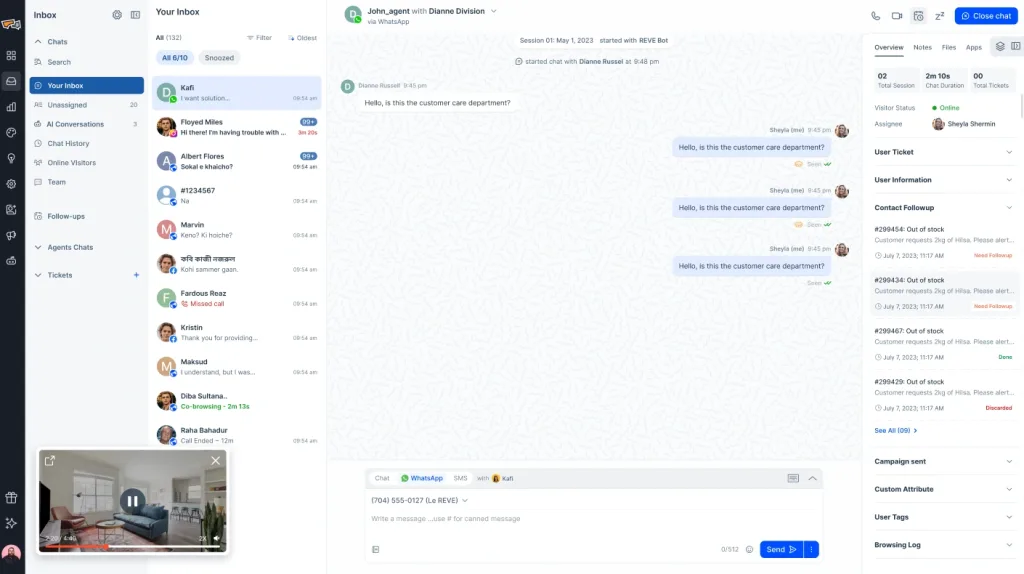
With this improvement, voice messages can continue playing while agents switch between conversations. Video playback is also supported through a floating video player, allowing agents to continue viewing media while navigating the Inbox.
The improvement applies to:
- Your Inbox
- Unassigned
- Agent’s Chat
- AI Conversations
- Bot’s Chat
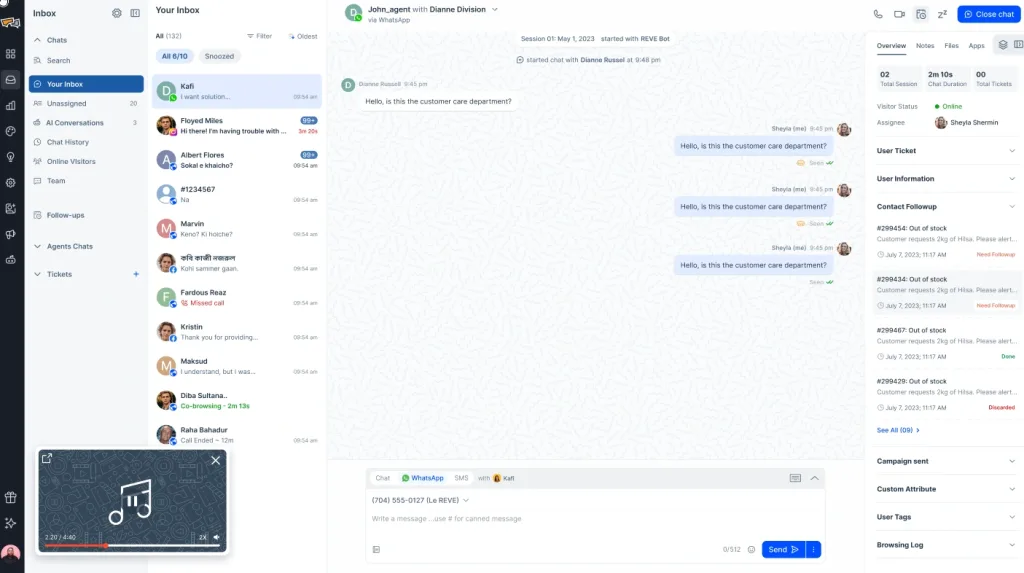
Example: An agent listening to a one-minute customer voice message can open another conversation without restarting the audio from the beginning.
This helps agents save time, avoid playback interruptions, and manage multiple customer conversations more conveniently.
Bug Fixes
1. Fixed Google Review Photos and Videos Not Displaying
We’ve addressed an issue where photos and videos attached to Google reviews appeared as unsupported content inside REVE Chat.
Previously, customer reviews containing media attachments could appear incomplete, preventing support teams from viewing the full context of customer feedback.
With the updated Google Business Profile integration, REVE Chat can handle supported review attachments and display them alongside their associated review comments.
What’s Fixed:
- Photo Attachments: Supported images attached to Google reviews can be displayed within the conversation.
- Video Attachments: Supported review videos can be viewed through video playback.
- Multiple Attachments: Reviews containing multiple supported media files can display the associated attachments.
- Review Comments: Written feedback remains visible alongside supported media.
For example, when a customer posts a Google review containing a product photo and written feedback, the support team can view both the comment and image within REVE Chat.
This provides a more complete view of customer reviews and helps businesses understand customer feedback without switching between platforms.
A More Organized and Efficient Customer Support Experience
REVE Chat v6.6.1 brings practical updates that help businesses manage customer commitments, strengthen access controls, improve team visibility, and streamline daily support activities.
From scheduling follow-ups and monitoring agent sessions to prioritizing waiting customers and reviewing conversation history, these improvements give support teams more control over their workflows.
We’re continuing to improve REVE Chat to help businesses deliver faster, more organized, and more reliable customer support experiences.
