



What is Live Chat Inbox
- August 17, 2026
- 2 mins read
Table of Content
The Live Chat Inbox is the central workspace where agents and administrators can manage customer conversations, monitor ongoing chats, collaborate with teammates, review previous conversations, and work with customer tickets without moving between different tools.
REVE Chat brings conversations from supported communication channels into a unified omnichannel inbox. The Inbox is primarily organized around Chats, Agents’ Chats, and Tickets, while AI Copilot features assist agents during both live conversations and ticket handling.
This guide explains each area of the Live Chat Inbox and how your support team can use it.
Understanding the Live Chat Inbox
Before exploring each folder, it helps to understand the main areas of the Inbox. When you open a conversation, the workspace is divided into several sections:
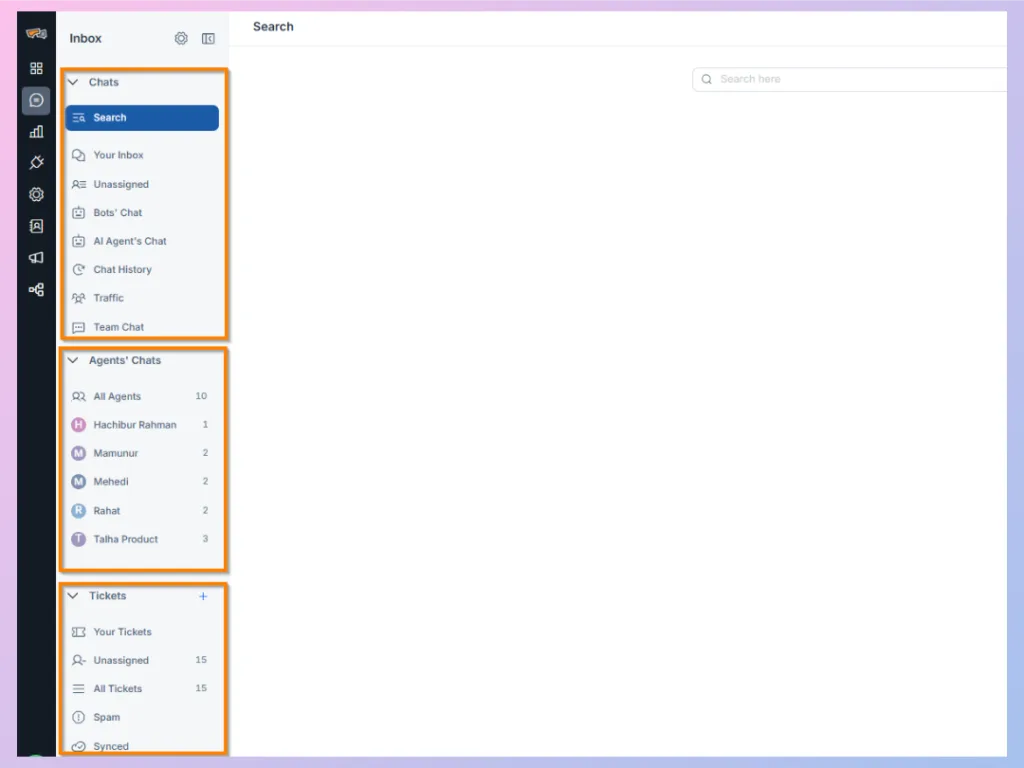
Folders
The left-side Inbox panel contains the different conversation and ticket folders. From here, you can move between your assigned conversations, unassigned conversations, bot and AI Agent conversations, chat history, traffic, agent monitoring, and tickets.
Chat Items
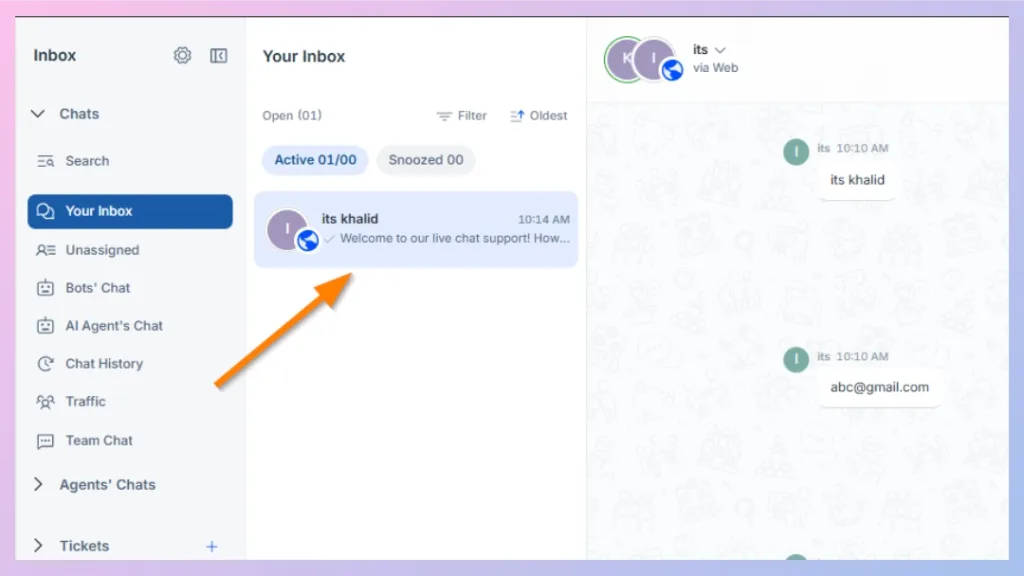
After selecting a folder, the next panel displays the conversations available in that folder. Each chat item represents an individual customer conversation.
For example, when you select Your Inbox, this area displays conversations currently assigned to you.
Header Panel
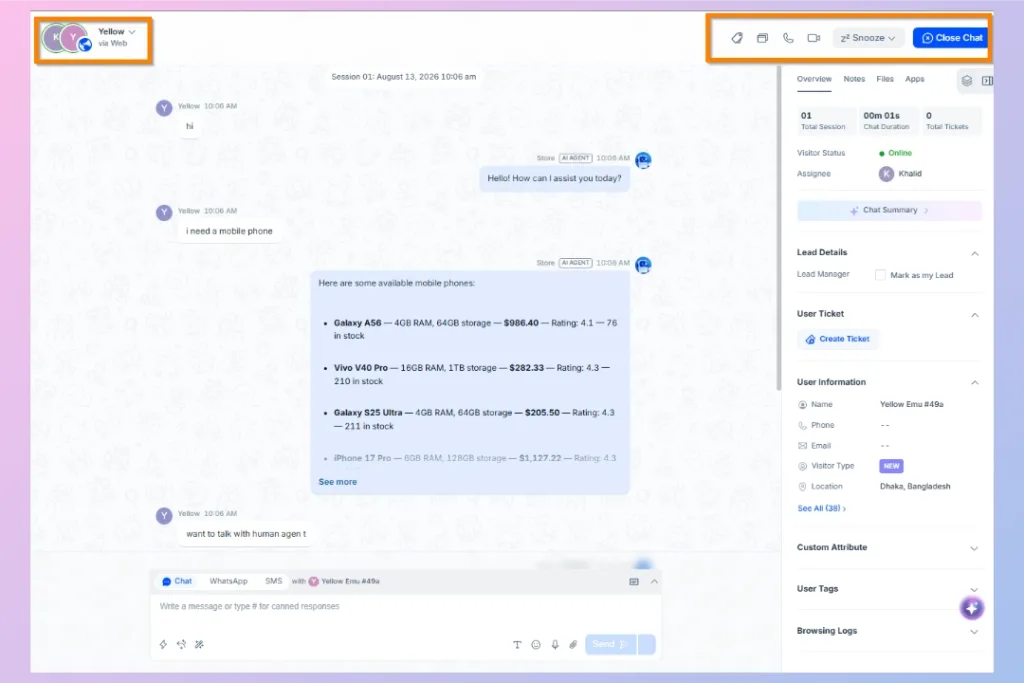
The top of an open conversation displays important information and available conversation actions. Depending on your configuration, this can include the customer name, channel, assigned agent, voice or video call options, co-browsing, Snooze, and Close Chat.
Chat Session
The center of the Inbox displays the conversation between the customer, bot, AI Agent, and human agents.
Multiple sessions with the same customer can remain connected to the customer record, helping agents understand previous interactions instead of treating every new conversation as completely separate.
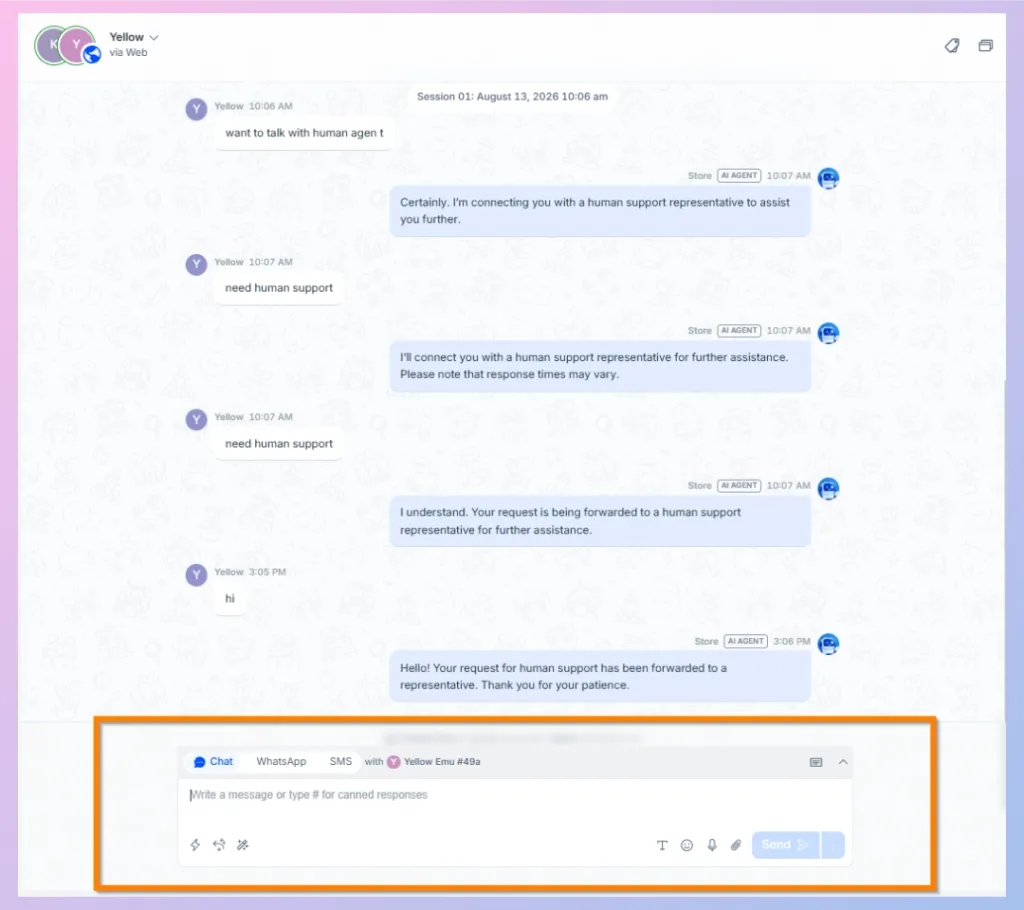
Writing Panel
The writing panel is where agents compose and send messages to customers. Available options can vary depending on the communication channel and enabled features.
Agents may also have access to attachments, emojis, AI Assistance, and other messaging tools from this area.
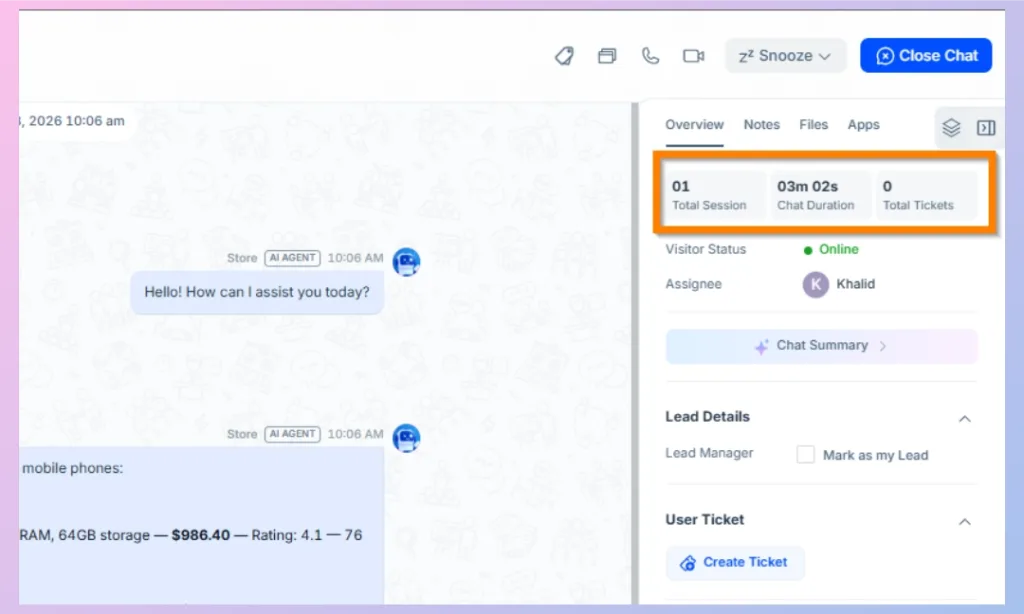
Visitor Information Panel
The right-side panel gives agents additional context about the customer. Depending on the information available, it can include:
- Customer name and contact information
- Location and visitor status
- Assigned agent
- Previous sessions
- Existing tickets
- Customer attributes
- Tags
- Browsing information
- Internal notes
- Shared files
- Connected applications
REVE Chat’s Inbox documentation describes this panel as the place for customer profile data, visit information, notes, files, and connected applications.

 Start free trial