



MS Dynamics
- March 29, 2026
- 2 mins read
Table of Content
How to integrate MS Dynamics 2015 with REVE Chat
First go to the integration section and then click the ‘All Integrations’ and filter ‘CRM’. You will get Microsoft dynamics 2015 there.
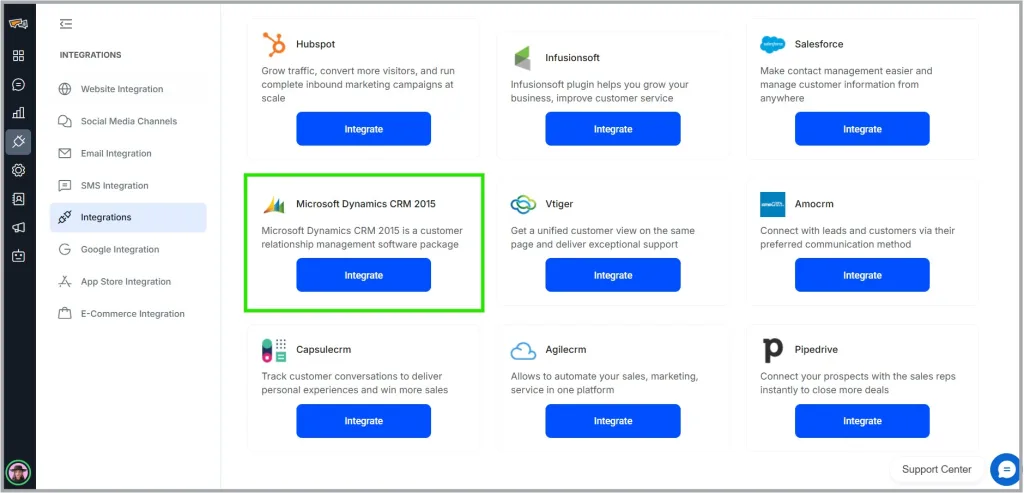
In the Microsoft dynamics option, there is a button called ‘Integrate’. Click on that and it will integrate a panel at the right corner of the page asking for several information as below:
- Dynamics page URL: Here you have to put the dashboards full URL. The one you get after entering the dynamics CRM 2015 with the credentials
- Credentials for Dynamics (user name and password)
- Two checkboxes where you will be asked what kind of reports do you need the revechat to export to the dynamics CRM. Click on both of them or as per your needs.
Once done, click on the ‘Save’ button. Upon successful attempt one notification (toaster) at top mid position of the page will appear. Once saved successfully, your connection will be established.
Now for the MS dynamics CRM part, to find all the data you need to login in the dynamics account first and then you need to go users in order to get all the contact information and chat transcripts. After clicking a table will appear. Here all of the contact wise conversations will be listed inside this table.
Upon clicking any of the above records (customers), a new panel will be opened. Here all of the conversation history of this customer will be there as separate records (per conversation one record).

 Start free trial