



How Conversation Works!
- September 28, 2025
- 5 mins read
Table of Content
Web Channel
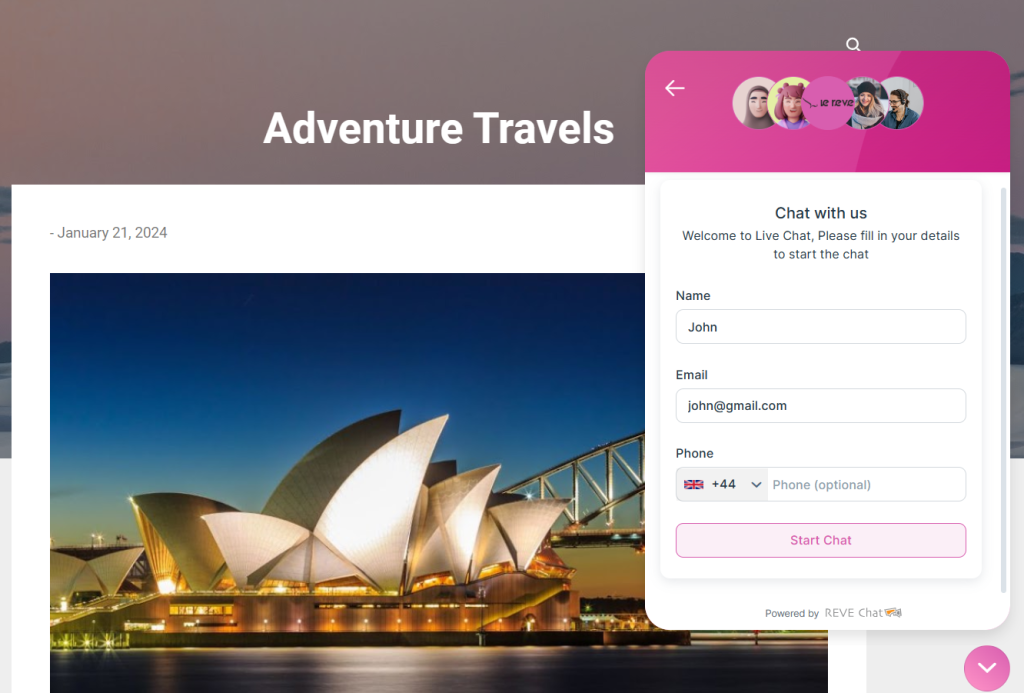
To initiate web conversations, visitor has to first interact with chatbot or submit a request by filling up the pre-chat form. From chatbot, visitor can request to talk with an agent directly.
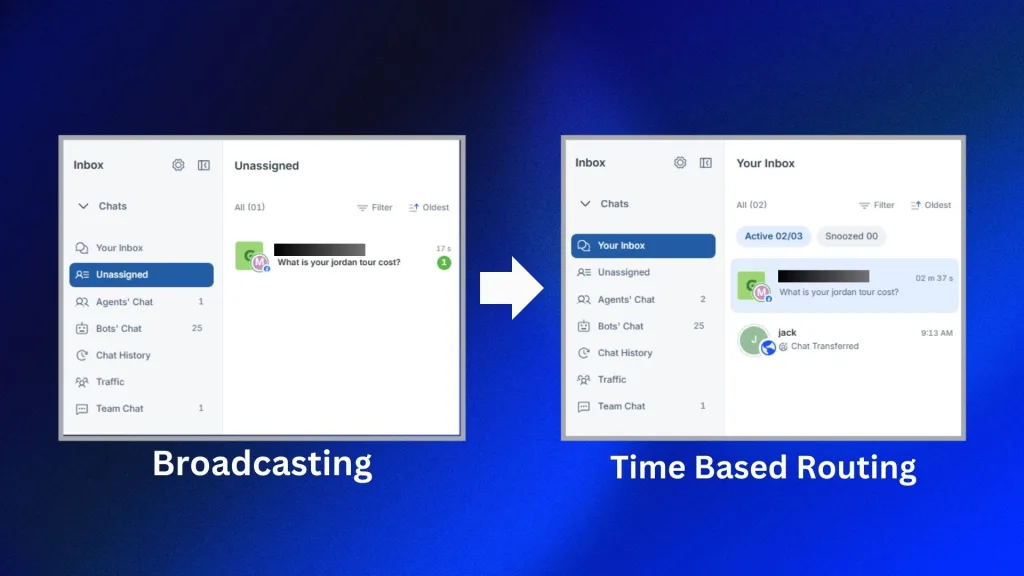
If “Broadcasting” is enabled, chat request will land on the unassigned folder. Users (agent & admin) have to pick it from there within the chat queue time. Below the timer marked in blue is the chat queue timer on the image on the left. Agents have to click start chat within that time to initiate conversation.
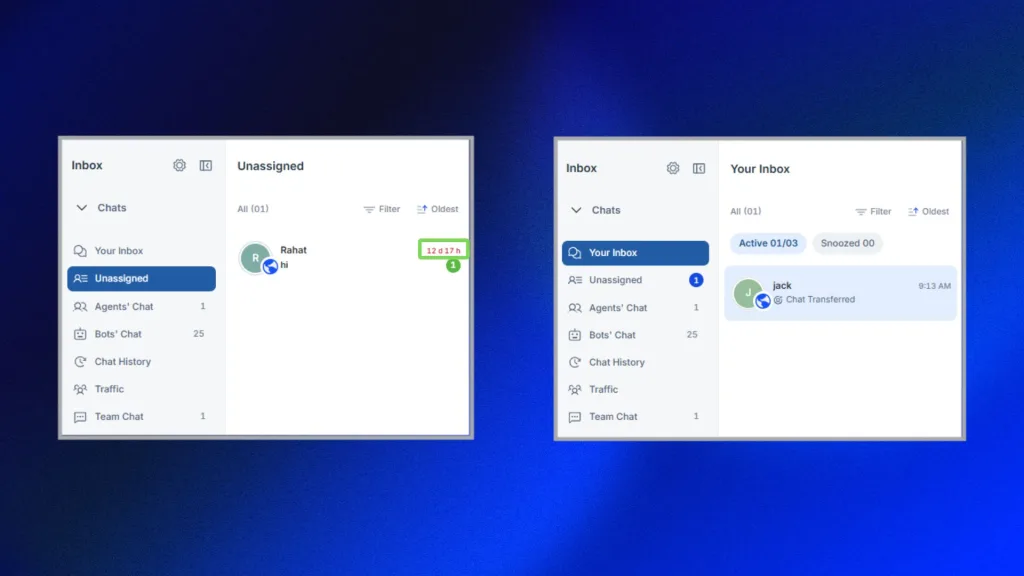
If “Time Base Routing” is enabled, based on concurrent chat number, chat requests will be distributed among agents & admins. And due to “Time Based Routing” when a chat request lands on the “Your Inbox“, agent has to click start chat, within the chat acceptance time. The timer is marked in green of the image on the right above.
After accepting the chat request, agent/ admin can chat with visitors easily. And after finishing conversation, agent/ admin can close the chat.
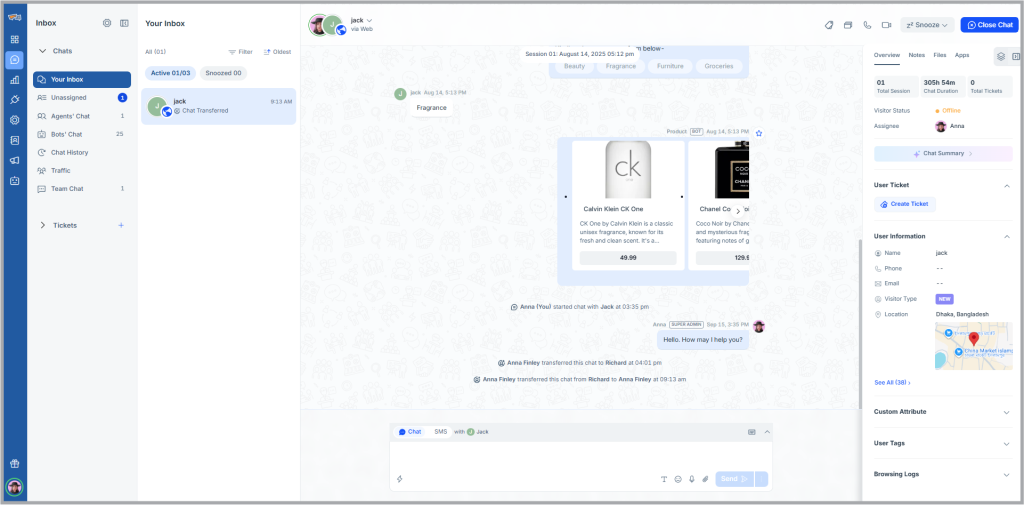
The closed conversation can be accessed from the chat history folder easily.
FB Messenger
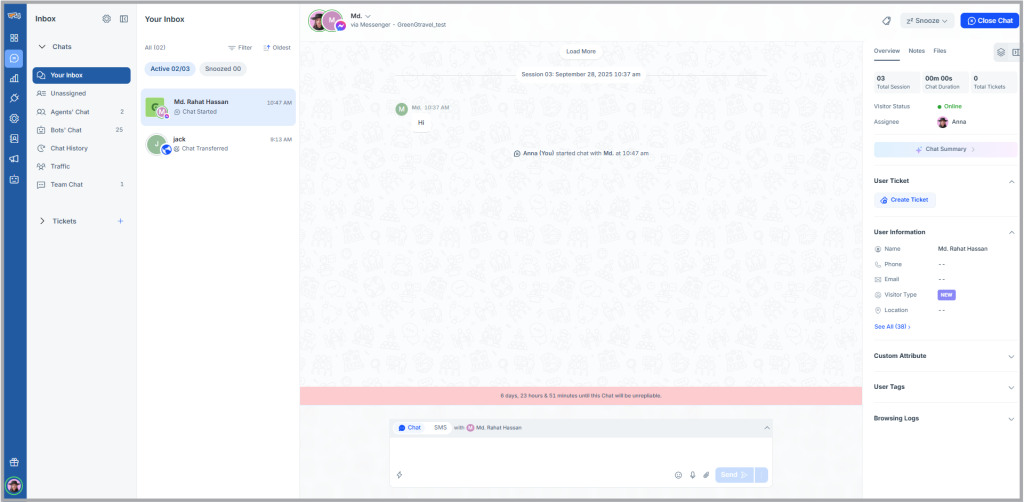
If any Facebook page is connected with REVE Chat, a visitor initiates a chat request from messenger. The chat request will land either in the Unassigned folder (due to broadcast chat routing) or Your Inbox (due to time based chat routing). There will be a timer visible for users to accept the chat within a certain period.

Users can easily filter based on messenger chat request in the unassigned folder, making it easy to manage visitors inquiries. And after accepting the chat request, users (agent & admins) can reply to the visitors question. Please note that the chat window to message the visitor for 24hrs only (Meta rule). After assisting the visitor, users (agent/ admin) can close the chat.
FB Comment
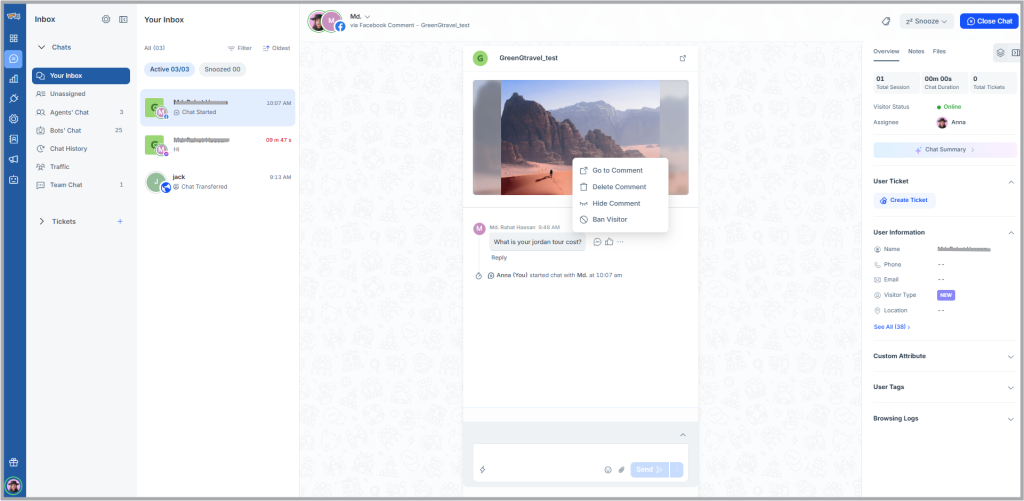
If any Facebook page is connected with REVE Chat, when a visitor comments on any post, it will land either in the unassigned folder (due to broadcast chat routing) or your inbox (due to time based chat routing). There will be a timer visible for users to accept the chat within a certain period.
Users can easily filter based on social media posts in the unassigned folder, making it easy to manage visitors inquiries. If there are multiple posts in the Facebook page, users can filter based on the posts as well.

After accepting the chat request, users (agent & admins) can reply to the visitors comment. User can reply it as a comment or a private reply. Only after accepting the request, users can close the chat. Users can easily delete bad or sensitive comment from the inbox panel. Allowing users to maintain the Facebook page well.
If any WhatsApp number is connected with REVE Chat, a visitor initiates a chat request from his WhatsApp account. The chat request will land either in the unassigned folder (due to broadcast chat routing) or your inbox (due to time based chat routing). There will be a timer visible for users to accept the chat within a certain period.
After accepting the chat request users can easily reply to the visitors queries. When the session is complete, users can close the chat to end the conversation.
Instagram DM & Story
If any Instagram account is connected with REVE Chat, a visitor can initiates a chat request from messenger or replying to story.. The chat request will land either in the unassigned folder (due to broadcast chat routing) or your inbox (due to time based chat routing). There will be a timer visible for users to accept the chat within a certain period.
After accepting the chat request users can easily reply to the visitors queries. When the session is complete, users can close the chat to end the conversation.
Instagram Comments
If any Instagram account is connected with REVE Chat, a visitor can initiates a chat request from commenting on any post. The chat request will land either in the unassigned folder (due to broadcast chat routing) or your inbox (due to time based chat routing). There will be a timer visible for users to accept the chat within a certain period similar to insta DM.
Only after accepting the request users (agent & admins) can reply to the visitors comment as a comment or a private reply. Users can easily delete bad or sensitive comment from the inbox panel. Allowing users to maintain the Facebook page well. After users have provided their support, they can close the chat.
Telegram
For telegram it is similar to WhatsApp. If any telegram number is connected with REVE Chat, a visitor can initiate a chat request from his telegram account. The chat request will land either in the unassigned folder (due to broadcast chat routing) or your inbox (due to time based chat routing). There will be a timer visible for users to accept the chat within a certain period.
After accepting the chat request users can easily reply to the visitors queries. When the session is complete, users can close the chat to end the conversation.

 Start free trial